How often have you looked at survey results and thought,
“This is interesting… but what’s really driving this?”
You see overall percentages. You see averages. You see trends.
But what if you want to know:
- Are younger customers more satisfied than older ones?
- Do promoters differ significantly by region?
- Is this difference statistically meaningful or just random noise?
- How do two variables truly relate to each other?
That’s where Advanced Cross-Tabulation in QuestionPro BI comes in.
What is Advanced Cross-Tabulation?
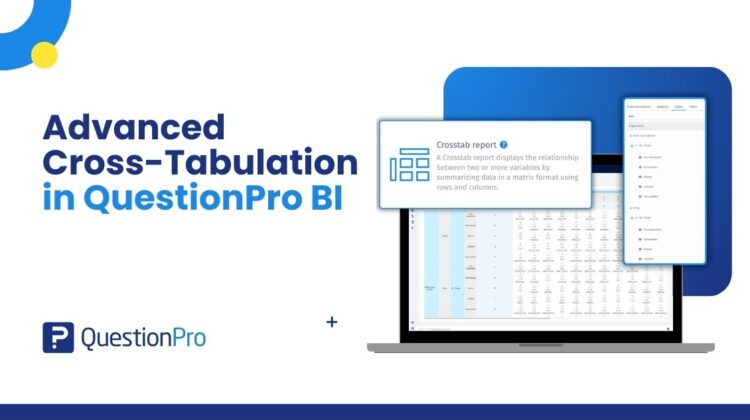
Advanced Cross-Tabulation lets you compare multiple variables side by side to uncover relationships in your data.
Instead of just looking at one question in isolation, you can:
- Break responses down by demographics
- Compare answers across segments
- Add custom BI variables
- Run statistical tests directly within the report
And you can do all this within a few clicks.
It transforms your survey data from simple descriptive reporting into real analytical exploration.
Why Cross-Tabs Matter?
Imagine you’re looking at a single overall result from your survey.
The number looks clear and straightforward. But does it tell the whole story?
Now consider:
- How does this result differ between new and returning respondents?
- Do patterns change across regions?
- Are there noticeable differences between age groups or roles?
- Which segments are driving the highest or lowest responses?
Suddenly, you’re no longer looking at one summary figure — you’re uncovering patterns within different groups.
Cross-tabulation helps you move beyond surface-level reporting and explore how responses vary across segments, giving you clearer context and more meaningful insights.
What Makes It “Advanced”?
1. Flexible Row & Column Configuration
Drag and drop questions into:
- Rows (stubs)
- Columns (banners)
You can:
- Add multiple variables
- Drill down into sub-questions
- Include BI variables
- Compare segments dynamically
You’re not limited to fixed demographic splits.
2. Built-in Statistical Testing
One of the biggest challenges with cross-tabs is interpretation. Just because numbers differ doesn’t mean they’re meaningful. With Advanced Cross-Tabulation, you can apply:
- Chi-Square test to check for statistically significant differences
- Fisher’s Exact Test for small sample sizes
- Confidence intervals for proportion testing
This removes guesswork and adds analytical rigor.
3. Multiple Analytical Views
You can switch between:
- Count
- Row percentage
- Column percentage
- Row & column totals
- Row/Column means
- Heatmaps for pattern detection
Whether you want a quick snapshot or a deep dive, the view adapts to your goal.
4. Seamless BI Integration
Once configured, your cross-tab report can be:
- Downloaded
- Added as a tab in your BI dashboard
- Shared with stakeholders
No need to recreate the analysis elsewhere as it becomes part of your reporting workflow.
When Should You Use Advanced Cross-Tabulation?
Use it when:
- You need to compare responses across segments
- You’re preparing client-ready analysis
- You need statistical validation
- You’re exploring hypotheses
- You want to understand relationships between variables
Avoid it when:
- You only need a single headline metric
- You want a quick visual summary without deeper analysis
For that, other widgets might be more appropriate.
Who Is This For?
- Insights teams
- Market researchers
- CX analysts
- Product teams
- Data-driven decision makers
Anyone who needs more than just surface-level reporting.
Final Thoughts
Survey data is rarely one-dimensional—the real value comes from understanding how different variables interact and influence one another. Advanced Cross-Tabulation in QuestionPro BI is built to help you uncover these deeper relationships and turn complex datasets into clear, actionable insights. With the right analytical tools in place, you can Explore, Compare, Validate, and Present, all within one structured reporting environment. If you’ve been exporting data to Excel just to run statistical comparisons, you won’t need to anymore.