If you’ve ever sat through hours of customer interviews or focus groups, you know the “Post-Interview Hangover.”
You have 10 hours of video, a notebook full of scribbles, and a deadline that was yesterday.
Traditionally, the process is painful: manual transcription, hunting for that one perfect quote at the 14-minute mark, and trying to summarize it all without losing the nuance.
Enter InsightsHub Video Analysis.
It’s a game-changer for researchers who want to spend less time processing and more time thinking. Here is how you can use it to turn raw footage into a repository of actionable insights in minutes.
Step 1: The One-Click Ingest
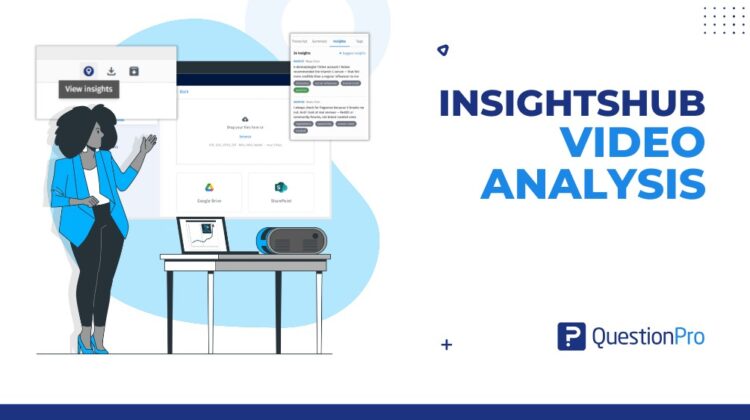
The beauty of Video Insights is that it doesn’t care where your data lives. You can drag and drop an .mp4 or .mov file directly into your repository, but the real power lies in the integrations.
If your team records sessions to Google Drive or SharePoint, you can pull them directly into InsightsHub. No more downloading huge files just to re-upload them.
Step 2: Let the AI Do the Heavy Lifting
Once you hit upload, InsightsHub handles the processing in the background.
While you grab a coffee, it:
- Extracts the audio track.
- Transcribes the conversation (currently optimized for English).
- Identifies speaker automatically
- Generates a concise recap
Step 3: Find the “Aha!” Moments
This is where the magic happens. Navigate to the Insights tab and click “Suggest Insights.”
The system scans the dialogue for high-impact moments, including pain points, delight, or feature requests. It doesn’t just give you text, and pairs each with a timestamp.
Pro Tip: You can accept or reject these suggestions. Once accepted, they are committed to your project as verified data points that stakeholders can actually trust.
Step 4: Smart Tagging at Scale
Organization is usually the first thing to go when timelines are tight.
InsightsHub addresses this with automatically tagging by theme and sentiment.
Want to see every mention of “Pricing” across multiple interviews? Just click the tag and instantly view every relevant quote, who said it, and when—effectively creating a cross-interview heat map of user sentiment.
Step 5: Ask Anything (The Future of Search)
Instead of searching for keywords, you can ask questions in natural language. For example, rather than working with key words like “frustrated,” you can type: “What were Maya’s main pain points regarding the skincare routine?”
InsightsHub analyzes the full transcript and returns a structured answer, cited directly from the video. It’s like having a research assistant who has a photographic memory of every interview you’ve ever conducted.
The Bottom Line
InsightsHub Video Analysis is more than a transcription tool. It’s a system for turning qualitative data into something usable and repeatable, growing smarter with each use. By automating the manual work, it allows teams to focus on what matters: understanding the customer, telling the story behind the data, and making better decisions.
Ready to try it? Video Insights is available across most advanced QuestionPro licenses. Upload your next interview and see how much time you save.