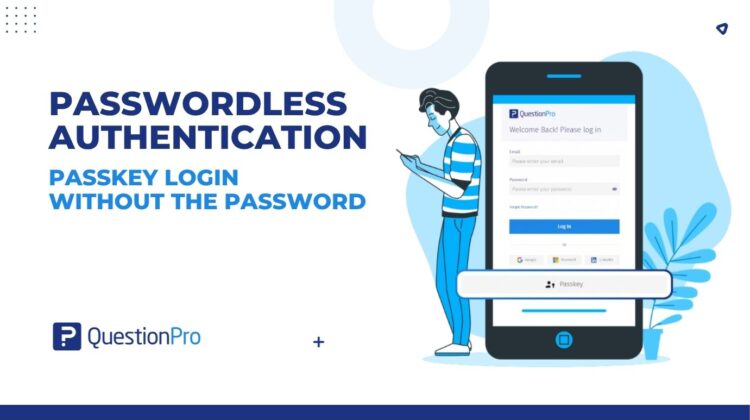
A plain guide to the new passkey option for the people who sign in and the people who set the rules. Here is how passkey login brings passwordless authentication to QuestionPro.
Passwords stay, passkeys join them
Passwords are not going anywhere. Neither is single sign-on. Most organizations run a mix of sign-in methods, for good reasons. So the useful question is not how to get rid of passwords. It is whether people can have a faster, safer option beside them.
That is the idea behind passkey login in QuestionPro. It is an added way to sign in, not a replacement. Your existing methods stay in place. Eligible users can also confirm it’s them with a fingerprint, a face check, or a device PIN, and skip typing a password. Organization admins decide whether their organization offers it. As sign-in moves toward passwordless authentication, it keeps QuestionPro ready for what comes next. This post covers how it works, what changes for users and admins, and how to introduce it.
Learn More: See how passkey login works in QuestionPro
What happens when you sign in with a passkey
A passkey is a pair of digital keys created for one website, in this case QuestionPro. It rests on public-key cryptography, the same idea that protects much of the secure web, and on open industry standards called FIDO2 and WebAuthn. In simplified terms, a sign-in goes like this:
- You choose the passkey option on the QuestionPro login page.
- QuestionPro asks your device to prove it holds the right key.
- Your device asks you to confirm it’s you with a fingerprint, a face check, or a PIN.
- Your device answers, QuestionPro checks the answer, and you are in.
The part that matters most is where the private key lives. It stays with your passkey provider, whether that is your device, a password manager, or a security key. QuestionPro never receives it. No password crosses the wire, and a fake page can’t trick you into typing anything.
That is the technical story. The usability story is shorter: you glance, tap or press, and you are in. And if you would rather type your password that day, you still can.
What changes for the people signing in
For anyone who opens QuestionPro often, the change is mostly subtraction.
- Fewer steps: No typing, no digging through a password manager, no waiting on a reset email.
- A quick one-time setup: Register a passkey in My Account on the Passkeys tab. Name it something recognizable, such as “Office laptop.”
- More than one way in: Add a second passkey, and you still have a way in when one device is unavailable.
- Your choice of home: Keep passkeys wherever suits how you work.
- A familiar fallback: Your existing sign-in method is still there on the days a passkey is not handy.
Early industry numbers point the same way. The FIDO Alliance’s October 2026 Passkey Index reports 93% sign-in success with passkeys, against 78% for passwords and traditional multi-factor sign-in. It also reports sign-ins about 2.8 times faster. The figures are self-reported by a small group, and the report calls the time saving indicative. Read them as direction.
Here is how that plays out:
- A brand researcher at a US consumer goods company moves between a desk laptop and a tablet. A passkey on each means no password hunt.
- A CX analyst at a UK bank checks dashboards in QuestionPro CX between calls. Signing in is a fingerprint, not a detour.
- An independent consultant works from home and on the road. She saves one passkey in her password manager and one on her phone.
What changes for organization admins
Passkey login is an organization setting, and it sits beside your current setup. An organization admin opens Organization, then Settings, switches on the Passkey Login toggle at the bottom of the Settings modal, and saves. Users can then register their own passkeys. Switching it on removes nothing. Switching it off sends people back to the methods they already use.
Three things are worth checking before you flip it:
- Your authentication method.
Organizations that use SAML authentication cannot use passkey login yet.
- Your expectations.
Passkeys give you passwordless sign-in, not two-factor authentication.
- Your devices.
Try the browsers and devices your team really uses before you go wide.
Why add it? Sign-in is where security and everyday experience meet. Each passkey works only for the site it was created for, so it is more resistant to phishing than a typed password. A FIDO Alliance survey published in 2025 asked 400 decision makers involved in passkey projects at companies with 500 or more employees in the US and UK. 87% had deployed passkeys for employee sign-ins or were rolling them out. Many reported a moderate to strong positive impact on user experience (82%) and on reducing help-center calls (77%). Authentication vendors underwrote it, so read it as momentum, not a benchmark.
Rolling it out like a product launch
UX teams obsess over the first screen, and sign-in is the first screen. Treat the rollout as a small product launch for your colleagues. Our guide to user experience research covers the thinking behind it.
- Start with a pilot.
Try it with one research team before the whole organization.
- Explain the why in one message.
Faster sign-in, less password juggling, and a screenshot of the prompt.
- Ask for a second passkey.
One on a laptop and one on a phone cover most days.
- Say that nothing is being taken away.
People should know that their current sign-in still works when a passkey is unavailable.
- Ask how it went.
A two-question survey in QuestionPro beats guessing: how easy was sign-in, and what slowed you down?
For click-by-click steps, see our passkey login walkthrough and the help file.
Get started
Sign-in will not go passwordless overnight, and it does not have to. Passkey login gives eligible users an easier, more phishing-resistant way into QuestionPro today, in addition to the methods your organization already uses. If you are the admin, the toggle is in your organization settings. If not, you now know what to ask for.
Not a QuestionPro user yet? Start a free trial and explore the platform.
Frequently asked questions
Passwordless authentication lets you prove who you are without typing a password. You use something your device already handles, such as a fingerprint, face check, device PIN, or security key. Passkeys are one common form. Most organizations use them alongside passwords, not instead of them, at least for now.
A password is a secret you know and type. A passkey is a pair of cryptographic keys. Your device stores the private key and uses it to respond to a sign-in request after you confirm with a fingerprint, face, or PIN. Nothing you type travels to the website, and a passkey works only for the site it was created for.
Usually, once they are registered. Registration is a one-time step; each sign-in is then a quick confirmation on your device. Industry reporting, including the FIDO Alliance’s Passkey Index, points to higher success and faster sign-ins, though a small group self-reports the figures.
Single sign-on lets one identity provider vouch for you across many apps, so you log in once. Passwordless sign-in removes the password from the login step itself. They answer different questions, and an organization can care about both. Check which one yours relies on before you plan anything.
Not formal training, but a little guidance helps. Registration happens once in My Account, on the Passkeys tab, and signing in then follows prompts your device already knows. A short message, a screenshot of the prompt, and a named person to ask will cover most teams.
It can be, if you sign in often. Setup takes a few minutes, and the payoff repeats every day you open the platform. On a small account, you may also be the person who controls the organization settings, so there is no approval queue to wait in. Check eligibility first.