• Skip to main content
  • Skip to primary sidebar
  • Skip to footer
QuestionPro

QuestionPro

questionpro logo
  • Products
    survey software iconSurvey softwareEasy to use and accessible for everyone. Design, send and analyze online surveys.research edition iconResearch SuiteA suite of enterprise-grade research tools for market research professionals.CX iconCustomer ExperienceExperiences change the world. Deliver the best with our CX management software.WF iconEmployee ExperienceCreate the best employee experience and act on real-time data from end to end.
  • Solutions
    IndustriesGamingAutomotiveSports and eventsEducationGovernment
    Travel & HospitalityFinancial ServicesHealthcareCannabisTechnology
    Use CaseAskWhyCommunitiesAudienceContactless surveysMobile
    LivePollsMember ExperienceGDPRPositive People Science360 Feedback Surveys
  • Resources
    BlogeBooksSurvey TemplatesCase StudiesTrainingHelp center
  • Features
  • Pricing
Language
  • English
  • Español (Spanish)
  • Português (Portuguese (Brazil))
  • Nederlands (Dutch)
  • العربية (Arabic)
  • Français (French)
  • Italiano (Italian)
  • 日本語 (Japanese)
  • Türkçe (Turkish)
  • Svenska (Swedish)
  • Hebrew IL (Hebrew)
  • ไทย (Thai)
  • Deutsch (German)
  • Portuguese de Portugal (Portuguese (Portugal))
  • Español / España (Spanish / Spain)
Call Us
+1 800 531 0228 +1 (647) 956-1242 +55 9448 6154 +49 030 9173 9255 +44 01344 921310 +81-3-6869-1954 +61 (02) 6190 6592 +971 529 852 540
Log In Log In
SIGN UP FREE

Home Surveys Mobile Surveys

Mobile Survey Design: Benefits, Best Practices, and Examples

mobile-survey-design

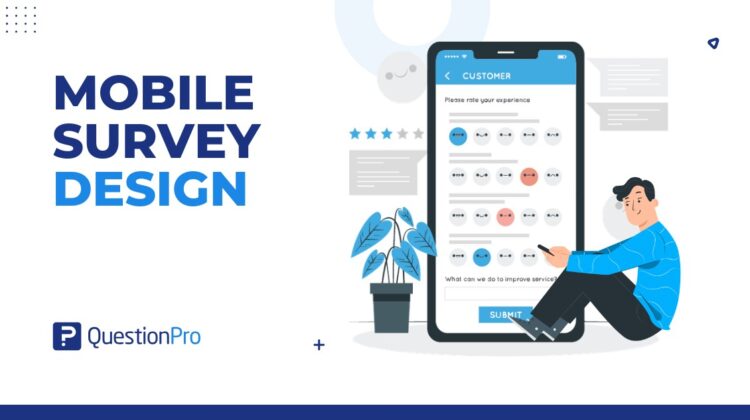
Mobile survey design is the process of creating surveys that are easy to read, answer, and complete on smartphones and tablets. It focuses on short questions, simple layouts, mobile-friendly answer options, fast loading, and a smooth respondent experience.

This matters because mobile is no longer a secondary channel. Pew Research Center reports that about nine-in-ten US adults own a smartphone, making smartphone ownership in the United States a strong reason to design surveys for mobile-first. A survey that looks fine on a laptop can feel slow, cramped, or frustrating on a small screen. 

Good mobile survey design helps people respond faster and more accurately. Poor design can increase drop-offs, rushed answers, and low-quality feedback.

Content Index hide
1. What is mobile survey design?
2. Why does mobile survey design matter?
3. How are mobile surveys different from desktop surveys?
4. What are the main benefits of mobile survey design?
5. What question types work best for mobile surveys?
6. What are the best practices for mobile survey design?
7. What mobile survey design mistakes should you avoid?
8. Mobile survey design checklist
9. How can QuestionPro help with mobile survey design?
10. Final thoughts on mobile survey design
11. Frequently Asked Questions (FAQs)

What is mobile survey design?

Mobile survey design means building surveys specifically for mobile screens, touch-based interaction, and on-the-go response behavior.

A mobile-friendly survey should be simple enough to complete with one hand, clear enough to understand quickly, and light enough to load without delay. It should avoid long grids, tiny buttons, heavy images, and long open-ended questions that are hard to type on a phone.

The goal is not just to make a survey “fit” on mobile. The goal is to make the full survey experience feel natural for mobile respondents.

Strong survey design still matters on mobile, but the layout, question length, and answer formats need extra attention on smaller screens. 

Why does mobile survey design matter?

Mobile survey design matters because respondents often complete surveys while multitasking, commuting, shopping, waiting in line, or using short breaks.

That means your survey has less patience to work with. If the first screen feels long or confusing, many respondents will leave. If answer options are hard to tap, they may choose quickly without thinking. If the survey asks for too much typing, they may skip the question or abandon the survey.

Strong mobile survey design helps improve:

  • Survey completion rate.
  • Respondent experience.
  • Data quality.
  • Feedback speed.
  • Participation from mobile-first audiences.
  • In-the-moment feedback collection.
  • Customer and employee survey response.

For US businesses, this is useful for retail feedback, event surveys, patient experience surveys, employee pulse surveys, product feedback, and post-service customer surveys.

How are mobile surveys different from desktop surveys?

Mobile surveys are different from desktop surveys because respondents use smaller screens, touch inputs, mobile keyboards, and shorter attention windows.

Desktop surveys can support wider layouts, longer answer lists, and more complex grids. Mobile surveys need tighter design. A question that looks short on desktop may take up the full screen on a phone.

Key differences include:

  • Mobile screens show less text at once.
  • Respondents tap instead of clicking.
  • Long answer lists require more scrolling.
  • Typing is slower on mobile keyboards.
  • Slow loading feels more noticeable.
  • Respondents are more likely to be interrupted.
  • Complex matrix questions are harder to answer.
  • Buttons need enough space for touch.

A good rule: design for mobile-optimized surveys first by checking the smallest realistic screen. Then test the same survey on desktop, not the other way around. 

What are the main benefits of mobile survey design?

The main benefit of mobile survey design is that it makes surveys easier to complete on the devices people already use.

A well-designed mobile survey can help teams collect feedback faster without adding unnecessary friction.

Key benefits include:

  • Convenience: Respondents can answer from almost anywhere.
  • Efficiency: Short, focused surveys take less effort to complete.
  • Higher completion potential: Clear mobile layouts can reduce drop-off.
  • Faster feedback: Mobile surveys can capture responses close to the moment of experience.
  • Better accessibility across devices: A responsive survey works for more respondents.
  • Stronger customer connection: Asking for feedback in a simple way shows respect for the respondent’s time.
  • Cleaner response behavior: Simple question formats can reduce rushed or confused answers.

The benefit is not just speed. It is better fit between the survey and the respondent’s real context.

What question types work best for mobile surveys?

The best mobile survey questions are easy to scan, easy to tap, and quick to answer.

Strong mobile-friendly question types include:

  • Single-select multiple choice.
  • Yes or no questions.
  • Star ratings.
  • Number rating scales.
  • Smiley scales.
  • Short dropdowns.
  • Short text fields when needed.
  • Image choice questions with limited options.

Use these question types carefully:

  • Matrix questions.
  • Long ranking questions.
  • Large grids.
  • Long open-ended responses.
  • Image-heavy questions.
  • Questions with too many answer choices.
  • Questions that require detailed typing.

For example, a five-point rating scale usually works better on mobile than a large matrix with ten rows and five columns. A short multiple-choice question often works better than asking respondents to type a paragraph.

If you need open-ended feedback, ask one focused question and explain why it matters.

What are the best practices for mobile survey design?

Mobile survey best practices focus on reducing effort, improving clarity, and helping respondents move through the survey without frustration.

Keep questions short and focused

Each question should ask one thing.

Long mobile survey questions are harder to read on a phone. Split complex questions into smaller parts when needed. Avoid double-barreled questions, where one question asks about two ideas at once.

Bad example:

“How satisfied are you with our app design and customer support?”

Better example:

“How satisfied are you with the app design?”

Then ask a separate question about customer support.

Use mobile-friendly answer options

Answer options should be short, clear, and easy to tap.

Avoid long labels when a short label works. Use vertical answer lists when possible because they are easier to scan on a phone.

For rating questions, keep the scale simple. A 5-point scale is often easier on mobile than an 11-point scale, depending on the topic.

Limit open-ended questions

Open-ended questions can be useful, but too many of them create typing fatigue.

Typing on a phone takes effort. If every other question asks for a written response, completion rates can suffer.

Use open-ended questions when you need context, not as a default. A good mobile survey may include one or two open-text questions, placed after easy questions.

Use survey logic to reduce friction

Survey logic shows respondents only the questions that apply to them.

For example, if someone says they have not used a mobile app feature, they should not see follow-up questions about that feature. Skip logic and branching help keep the survey shorter and more relevant.

This improves the respondent experience and can reduce survey fatigue.

Avoid clutter and heavy visuals

A mobile survey should load quickly and feel clean.

Avoid unnecessary logos, decorative images, oversized headers, and crowded screens. Visuals can help when they clarify the question, but they should not slow down the survey or distract respondents.

On mobile, simple design usually performs better.

Test the survey on real devices

Always test the survey on real phones before launch.

Check how it works on iOS and Android. Review the first screen, question spacing, answer buttons, progress indicator, dropdown behavior, text entry, and final submit button.

Do not rely only on a desktop preview. Mobile issues often appear only when you test the survey the way respondents will actually use it.

What mobile survey design mistakes should you avoid?

The biggest mobile survey design mistake is building the survey for desktop and only checking later if it works on mobile.

Avoid these common mistakes:

  • Using large matrix questions.
  • Asking too many open-ended questions.
  • Making the survey too long.
  • Using small buttons or tight answer spacing.
  • Adding unnecessary images.
  • Using long answer labels.
  • Asking irrelevant questions.
  • Forgetting skip logic.
  • Hiding the progress indicator.
  • Using unclear instructions.
  • Not testing on real mobile devices.
  • Making respondents scroll too much before answering.

A practical test: if a respondent needs to pinch, zoom, scroll sideways, or think too hard about where to tap, the design needs work.

Poor mobile formatting can also increase survey dropout, especially when respondents face long grids, small buttons, or too much typing. 

Mobile survey design checklist

Use this checklist before sending a mobile survey:

  • Is the survey short enough for mobile?
  • Does the first question feel easy to answer?
  • Is each question focused on one idea?
  • Are answer options short and clear?
  • Are buttons easy to tap?
  • Are open-ended questions limited?
  • Is skip logic hiding irrelevant questions?
  • Does the survey load quickly?
  • Are images necessary and optimized?
  • Does the progress indicator work?
  • Is the submit button easy to find?
  • Did you test it on iOS and Android?
  • Did you test it on different screen sizes?
  • Does the survey work without sideways scrolling?

This checklist is simple, but it catches many problems that hurt mobile survey completion.

How can QuestionPro help with mobile survey design?

QuestionPro can help teams create mobile-friendly surveys that are easier to complete across devices.

With mobile surveys, teams can collect feedback from respondents using smartphones and tablets. This is useful for customer feedback, event surveys, product feedback, employee pulse surveys, and market research.

QuestionPro also supports helpful survey design features such as question types, skip logic, branching, rating scales, and reporting. These features help teams keep surveys relevant, reduce unnecessary questions, and review response patterns after launch.

For field research or offline data collection, the QuestionPro mobile app can help teams collect survey responses on iOS and Android devices, then sync the data when connected. 

The tool can support mobile survey design, but the research team still needs to write clear questions, choose the right format, and test the survey before sending it.

Final thoughts on mobile survey design

Mobile survey design works best when the survey respects the respondent’s time, screen size, and context.

The goal is not to squeeze a desktop survey onto a phone. The goal is to create a survey that feels easy to answer on mobile from the first screen to the final submit button.

If the survey is short, clear, relevant, and tested on real devices, respondents are more likely to finish it and provide useful feedback.

Create memorable experiences based on real-time data, insights and advanced analysis. Request Demo

Frequently Asked Questions (FAQs)

How long should a mobile survey be?

A mobile survey should usually be short enough to complete in a few minutes. The exact length depends on the topic, but shorter surveys often work better on phones because respondents face more distractions and typing friction.

Are matrix questions bad for mobile surveys?

Matrix questions are not always bad, but they are risky on mobile. Large grids can be hard to read, tap, and complete on small screens. Use single-question formats or shorter scales when possible.

What is the best first question for a mobile survey?

The best first question is simple, relevant, and easy to answer. A rating, yes or no question, or single-select question often works well because it helps respondents start without effort.

Should mobile surveys include open-ended questions?

Yes, but use them carefully. Open-ended questions can provide useful context, but they require typing on a phone. Ask one focused open-ended question when the answer will help explain ratings or behavior.

How can mobile survey design improve response quality?

Mobile survey design improves response quality by reducing confusion, effort, and fatigue. Clear questions, simple answer options, and relevant logic help respondents answer more carefully instead of rushing or abandoning the survey.

Why is mobile survey design important for US audiences?

Mobile survey design is important for US audiences because smartphone use is widespread across age groups, industries, and daily activities. Many respondents will open surveys on phones, especially for customer feedback, event feedback, and quick pulse surveys.

SHARE THIS ARTICLE:

About the author
Anas Al Masud
Digital Marketing Lead at QuestionPro. SEO-driven content strategist specializing in content that ranks, engages, and converts, while boosting online visibility through hands-on digital marketing expertise.
View all posts by Anas Al Masud

Primary Sidebar

Gain insights with 80+ features for free

Create, Send and Analyze Your Online Survey in under 5 mins!

Create a Free Account

RELATED ARTICLES

HubSpot - QuestionPro Integration

Top AI Tools for Academic Research: Writing & Data Analysis

Aug 13,2025

HubSpot - QuestionPro Integration

QuestionPro's Locally Hosted Solutions and Data within Saudi Arabia to Empower Businesses

Nov 28,2023

HubSpot - QuestionPro Integration

Service Cycle: Measure and Optimize the Customer Experience

Nov 27,2025

BROWSE BY CATEGORY

Footer

MORE LIKE THIS

multilingual-platform-support

QuestionPro Delivers Full Platform Support Natively Across 230+ Languages

Jun 17, 2026

insighthub-for-market-research-agencies

How Can Your Market Research Agency Turn Years of Client Work Into a Competitive Advantage? A Complete Guide to InsightsHub for Market Research Agencies

Jun 16, 2026

insighthub-for-higher-education

How Can Your Institution Turn Decades of Research Into Accessible, Trusted Knowledge? A Guide to InsightsHub for Higher Education

Jun 14, 2026

Best Workday Peakon Alternatives for Universities in 2026

Jun 11, 2026

Other categories

questionpro-logo-nw
Help center Live Chat SIGN UP FREE
  • Sample questions
  • Sample reports
  • Survey logic
  • Branding
  • Integrations
  • Professional services
  • Security
  • Survey Software
  • Customer Experience
  • Workforce
  • Communities
  • Audience
  • Polls Explore the QuestionPro Poll Software - The World's leading Online Poll Maker & Creator. Create online polls, distribute them using email and multiple other options and start analyzing poll results.
  • Research Edition
  • LivePolls
  • InsightsHub
  • Blog
  • Articles
  • eBooks
  • Survey Templates
  • Case Studies
  • Training
  • Webinars
  • All Plans
  • Nonprofit
  • Academic
  • Qualtrics Alternative Explore the list of features that QuestionPro has compared to Qualtrics and learn how you can get more, for less.
  • SurveyMonkey Alternative
  • VisionCritical Alternative
  • Medallia Alternative
  • Likert Scale Complete Likert Scale Questions, Examples and Surveys for 5, 7 and 9 point scales. Learn everything about Likert Scale with corresponding example for each question and survey demonstrations.
  • Conjoint Analysis
  • Net Promoter Score (NPS) Learn everything about Net Promoter Score (NPS) and the Net Promoter Question. Get a clear view on the universal Net Promoter Score Formula, how to undertake Net Promoter Score Calculation followed by a simple Net Promoter Score Example.
  • Offline Surveys
  • Customer Satisfaction Surveys
  • Employee Survey Software Employee survey software & tool to create, send and analyze employee surveys. Get real-time analysis for employee satisfaction, engagement, work culture and map your employee experience from onboarding to exit!
  • Market Research Survey Software Real-time, automated and advanced market research survey software & tool to create surveys, collect data and analyze results for actionable market insights.
  • GDPR & EU Compliance
  • Employee Experience
  • Customer Journey
  • Synthetic Data
  • About us
  • Executive Team
  • In the news
  • Testimonials
  • Advisory Board
  • Careers
  • Brand
  • Media Kit
  • Contact Us

QuestionPro in your language

  • English
  • Español (Spanish)
  • Português (Portuguese (Brazil))
  • Nederlands (Dutch)
  • العربية (Arabic)
  • Français (French)
  • Italiano (Italian)
  • 日本語 (Japanese)
  • Türkçe (Turkish)
  • Svenska (Swedish)
  • Hebrew IL (Hebrew)
  • ไทย (Thai)
  • Deutsch (German)
  • Portuguese de Portugal (Portuguese (Portugal))
  • Español / España (Spanish / Spain)

Awards & certificates

  • survey-leader-asia-leader-2023
  • survey-leader-asiapacific-leader-2023
  • survey-leader-enterprise-leader-2023
  • survey-leader-europe-leader-2023
  • survey-leader-latinamerica-leader-2023
  • survey-leader-leader-2023
  • survey-leader-middleeast-leader-2023
  • survey-leader-mid-market-leader-2023
  • survey-leader-small-business-leader-2023
  • survey-leader-unitedkingdom-leader-2023
  • survey-momentumleader-leader-2023
  • bbb-acredited
The Experience Journal

Find innovative ideas about Experience Management from the experts

  • © 2022 QuestionPro Survey Software | +1 (800) 531 0228
  • Sitemap
  • Privacy Statement
  • Terms of Use