Hook / Story
Imagine launching a nationwide product survey and discovering that most of your responses came from younger urban consumers—even though your target market spans every age group and region.
The survey technically reached its sample size. But did it truly represent the population?
For many researchers, this challenge leads to biased insights, questionable decisions, and additional costs.
That’s exactly why we built Audience Balancing.
Customer Pain Point
Researchers often struggle with one fundamental problem: getting the right respondents in the right proportions.
Without demographic controls, surveys can easily become skewed toward groups that are easier to recruit.
This creates challenges such as:
- Overrepresented demographics
- Underrepresented regions
- Inconsistent tracking study samples
- Manual quota monitoring
- Reduced confidence in findings
When audience composition isn’t balanced, even large sample sizes can produce misleading conclusions.
Behind the Scenes (Why We Built This)
Customers repeatedly told us they wanted two things:
First, the ability to run nationally representative studies without manually calculating quotas.
Second, the flexibility to create custom respondent distributions when research objectives required something different from census data.
Researchers wanted better control without adding complexity.
Audience Balancing was designed to solve both challenges through a simple, automated workflow.
Introducing Audience Balancing
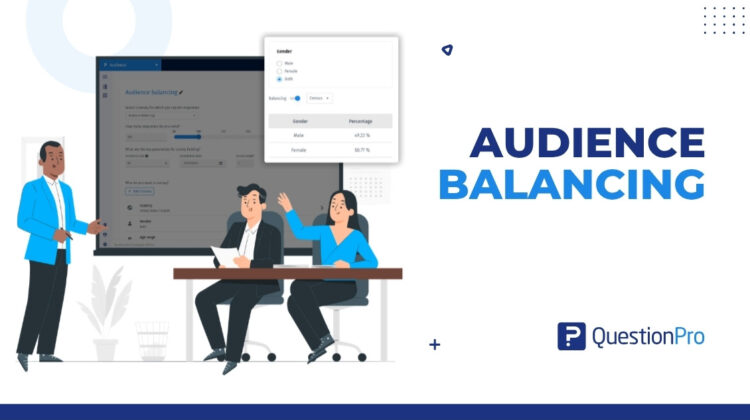
Audience Balancing helps researchers collect survey responses according to predefined demographic distributions.
Whether you’re conducting a nationally representative study or targeting specific audience segments, the platform automatically manages respondent distribution throughout fieldwork.
Researchers can choose between:
Census Balancing
Use official demographic distributions.
Custom Balancing
Define your own demographic percentages.
The result is a more representative sample and more reliable research outcomes.
How It Works
Setting up Audience Balancing takes only a few steps:
- Create a Specialized Sample project.
- Select Age, Gender, Ethnicity, or Region criteria.
- Enable Balancing.
- Choose Census or Custom.
- Save your configuration.
If using Custom Balancing, simply specify the percentage distribution you want for each demographic segment.
The system handles the rest.
Real Use Case
A consumer goods company wants to measure nationwide awareness of a new product launch.
Instead of collecting responses randomly, the research team applies Census Balancing.
The survey automatically aligns respondent collection with population distributions across age, gender, ethnicity, and region.
As responses come in, the platform continuously manages quotas to maintain balance.
The result?
Insights that more accurately reflect the market the company serves.
What’s Next
Representative research shouldn’t require complicated quota management.
Audience Balancing simplifies the process by combining automated demographic controls with flexible sampling strategies.
Whether you’re running a national brand tracker, public opinion study, or consumer insights project, Audience Balancing helps ensure your respondents reflect the audience that matters most.
Because better representation leads to better decisions.