Research Communication Is Changing
Online research communities depend on an ongoing relationship between organizations and their members.
Members join communities, complete profiles, participate in surveys, respond to research activities, and provide feedback over time.
But none of those activities happen unless the member first sees the invitation.
Historically, email has played a major role in research distribution.
And email remains valuable.
But member communication today happens across multiple channels.
People move between email, mobile applications, notifications, and messaging platforms throughout the day.
For research teams, this creates an important question:
Should research participation depend on a single communication channel?
QuestionPro Communities is expanding that workflow by allowing organizations to distribute surveys through WhatsApp.
The objective is not to replace existing survey distribution channels.
It is to give research teams another way to connect with community members while keeping the survey, audience, incentive, delivery, and monitoring workflow together.
What Is WhatsApp Survey Distribution in QuestionPro Communities?
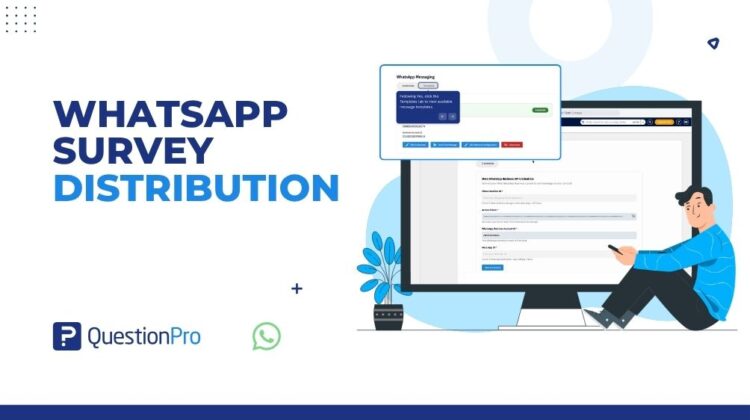
WhatsApp Survey Distribution allows organizations to connect their Meta WhatsApp Business account with QuestionPro and use WhatsApp when distributing surveys to community members.
Once the integration is configured, administrators can:
- Create WhatsApp message templates.
- Configure templates in different languages.
- Personalize messages with member information.
- Dynamically include a survey link.
- Select the QuestionPro survey being distributed.
- Configure survey incentives.
- Select community members using filters.
- Enable WhatsApp during delivery.
- Monitor invitations and reminders through WhatsApp Logs.
The result is a connected research workflow:
WhatsApp Business → Message Template → Survey → Community Audience → Delivery → Monitoring
Why Bring WhatsApp Into Community Research?
Adding WhatsApp is not simply about adding another messaging tool.
The larger opportunity is creating a connected research distribution experience.
Without an integrated workflow, administrators may need to:
- Export member information.
- Create separate messaging lists.
- Copy survey URLs.
- Manage WhatsApp communication outside the research platform.
- Track who received what.
- Reconcile message activity with the survey campaign.
That creates operational complexity.
By connecting WhatsApp directly with QuestionPro Communities, the survey invitation remains connected with the broader research process.
The administrator knows:
- Which survey is being sent.
- Which message template is being used.
- Which members are selected.
- Which incentives apply.
- Which communication channels are enabled.
- What happened after the messages were processed.
That is what turns WhatsApp from a standalone messaging channel into part of the research workflow.
Step 1: Connect the WhatsApp Business Account
WhatsApp configuration begins at the account level.
Administrators navigate to:
My Account → Messaging Center → Credentials
The current setup requires:
- Phone Number ID
- Access Token
- WhatsApp Business Account ID
- Meta App ID
After entering the required information, the administrator selects Save & Connect.
When the configuration is successful, QuestionPro displays the WhatsApp account as connected.
For community teams, this means the technical configuration can be completed centrally before administrators begin creating individual research campaigns.
Step 2: Create WhatsApp Message Templates
Once WhatsApp is connected, administrators can move to the Templates area inside Messaging Center.
A new template can include:
Template Name
A recognizable name that helps administrators identify the message during distribution.
Category
The appropriate WhatsApp message-template category.
Language
The language used in the member-facing message.
This is particularly useful for research programs operating across multiple languages because separate templates can be created for different audiences.
Header
An optional header can be added.
The workflow supports header options including:
- None
- Text
- Image
- Location
Message Body
The main content of the survey invitation.
Optional supporting information can be added below the message.
Interactive Button
Administrators can also configure an optional button.
For example:
Take Survey
can provide a clear action for the member.
Step 3: Personalize the Invitation
Community research is relationship-based.
A generic survey link sent to every participant does not always reflect that relationship.
The WhatsApp template builder therefore supports dynamic variables.
Variables shown in the current workflow include:
- {{first_name}}
- {{last_name}}
- {{survey_link}}
A message could therefore be structured as:
Hello {{first_name}}, we would like to invite you to participate in a survey. {{survey_link}}
Instead of manually generating individual messages, QuestionPro can use these variables during distribution.
The member receives the relevant personalized content while the administrator manages a reusable template.
Sample values are also provided when creating templates containing variables.
Step 4: Template Approval
WhatsApp templates need to move through the relevant template approval process before they can be used for distribution.
QuestionPro displays the status directly within the Templates area.
Templates may, for example, appear as:
- Pending
- Approved
Administrators can use Sync Status to refresh the template status within QuestionPro.
This keeps template management connected to the same administrative environment used for survey distribution.
Step 5: Connect the Template to a Survey
Once an approved template is available, administrators return to their Community and open the Send area.
The WhatsApp tab allows the administrator to:
- Select the approved WhatsApp template.
- Search for the QuestionPro survey.
- Select the survey to distribute.
- Review the WhatsApp message.
This is an important part of the workflow.
The WhatsApp communication is not being created independently from the survey.
The two are connected during distribution.
Step 6: Keep Existing Community Research Controls
Introducing another communication channel should not mean losing the research controls already available inside Communities.
The WhatsApp flow continues to use existing survey distribution capabilities.
For example, administrators can configure incentives for:
Complete
The points awarded to members who complete the survey.
Quota
The applicable incentive when quota conditions are reached.
Terminate
The applicable incentive for terminated respondents where configured.
The multiple-response setting can also be configured as required.
This means WhatsApp becomes part of the research workflow rather than creating a separate survey-administration process.
Step 7: Target the Right Members
Not every research opportunity should be sent to every community member.
Communities therefore keep audience selection within the distribution workflow.
Administrators can use:
- Custom Filter
- Existing Filter
- Email Filter
to identify the appropriate recipients.
The Filter Summary displays the number of verified recipients matching the criteria.
For researchers, this is important because channel selection and sample selection remain connected.
You can identify the audience first and then use WhatsApp to deliver the research invitation to that audience.
Step 8: Configure Delivery
After selecting the members, administrators reach the final delivery screen.
The workflow includes existing delivery controls such as:
- Send later.
- Success/failure email notifications.
- Resting period rules.
- Sub-sample selection.
- Automatic closure.
Under Notification Options, WhatsApp can be enabled.
This also supports a broader multichannel approach because administrators can configure the available notification channels based on the requirements of the campaign.
Before sending, Preview WhatsApp can be used to review the communication.
When everything is ready, the administrator selects:
Process Delivery
Step 9: Understand What Happened After Sending
Research distribution should not end at the Send button.
Administrators also need to understand what happened afterward.
QuestionPro Communities provides WhatsApp Logs for this purpose.
The log includes details such as:
- Email address.
- Timestamp.
- Recipient.
- Status.
- Failure reason.
- Message type.
The dashboard also shows information about the connected WhatsApp account and the number of WhatsApp messages sent.
This gives administrators a place to review the operational outcome of their distribution.
Invitations and Reminders
Community research often requires more than the first invitation.
Participants may also receive reminders.
WhatsApp Logs allow administrators to filter the activity according to message type:
- All
- Invitation
- Reminder
This gives teams a clearer view of the communication lifecycle around a research activity.
The logs can also be filtered by time range.
Troubleshooting Failed Messages
A key part of managing any distribution channel is understanding unsuccessful deliveries.
WhatsApp Logs include a Failure Reason field.
If a message is unsuccessful, administrators can review the status and the associated failure information.
This provides a more practical operational workflow than simply knowing that a campaign was launched.
Administrators can investigate what happened at the individual message level.
WhatsApp as Part of a Multichannel Research Strategy
The most important way to think about this feature is not:
Email versus WhatsApp.
It is:
Email plus WhatsApp plus the other communication options available to the research team.
Different communities have different communication patterns.
Different countries have different channel preferences.
Different studies may require different levels of urgency or visibility.
Research teams therefore benefit from flexibility.
WhatsApp gives organizations another channel that can participate in the same structured Communities distribution process.
Common Use Cases
Recurring Community Surveys
Organizations running regular research can create approved templates and use them across ongoing survey activities.
Targeted Research Invitations
A researcher can identify a specific segment through community filters and send the relevant survey through WhatsApp.
Multilingual Research
Separate WhatsApp templates can be configured for different languages, helping teams support multilingual community programs.
Incentivized Research
WhatsApp invitations can be used within studies where community points are configured for completion, quota, or termination outcomes.
Invitations and Reminders
Teams can use WhatsApp across the communication lifecycle and distinguish invitation and reminder activity within the logs.
Best Practices for WhatsApp Survey Distribution
Keep Templates Simple
A survey invitation should clearly communicate:
- Why the member is being contacted.
- What action they need to take.
- Where they need to go.
Avoid overloading the WhatsApp message with unnecessary content.
Use Personalization Where Appropriate
Variables such as the member’s first name can make the communication feel more relevant.
Use personalization when it adds value to the member experience rather than simply because the functionality exists.
Make the Survey Action Clear
If the objective is survey participation, make the call to action obvious.
Use the survey link variable correctly and consider an appropriate interactive button where relevant.
Build for Multiple Languages
If your community operates across languages, maintain appropriately translated templates instead of attempting to reuse one language for every audience.
Confirm Template Status Before Distribution
Check that the required WhatsApp template has been approved before building the survey campaign around it.
Use Sync Status when necessary.
Check Your Audience Before Sending
Review the number of verified recipients shown in the Filter Summary.
Channel configuration should never replace good sampling and audience-selection practices.
Preview Before Processing Delivery
Use the available preview functionality to review the member-facing WhatsApp communication before sending.
Review the Logs After Distribution
Don’t treat Process Delivery as the final step.
Review WhatsApp Logs to understand:
- What was sent.
- Whether it was successful.
- Which messages failed.
- Why they failed.
- Whether the communication was an invitation or reminder.
A More Connected Research Experience
The value of WhatsApp Survey Distribution is not simply that QuestionPro can send another type of message.
The value is the connection between the pieces.
Community member
↓
Audience selection
↓
WhatsApp template
↓
Personalization
↓
Survey
↓
Incentive
↓
Delivery
↓
Invitation and reminder logs
For the administrator, these steps remain part of one research workflow.
For the member, the experience becomes another way to discover and access a research opportunity.
Final Thoughts
Research communities work best when participation is easy and communication is relevant.
Email will continue to play an important role in community research.
But community members interact across multiple digital channels, and research platforms need the flexibility to support that reality.
WhatsApp Survey Distribution in QuestionPro Communities gives organizations another way to connect research opportunities with the people they want to hear from.
Teams can connect their WhatsApp Business account, create reusable templates, personalize survey invitations, select targeted members, configure incentives, process delivery, and monitor the results.
The goal isn’t simply to send more messages.
The goal is to make survey distribution more connected to the way modern communities communicate.