Your feedback keeps changing. See what is emerging beyond the topics you already know.
A product launch can introduce new questions. A service change can reveal different expectations. When people start talking about something your existing categories do not cover, those comments can offer a useful starting point for your next investigation.
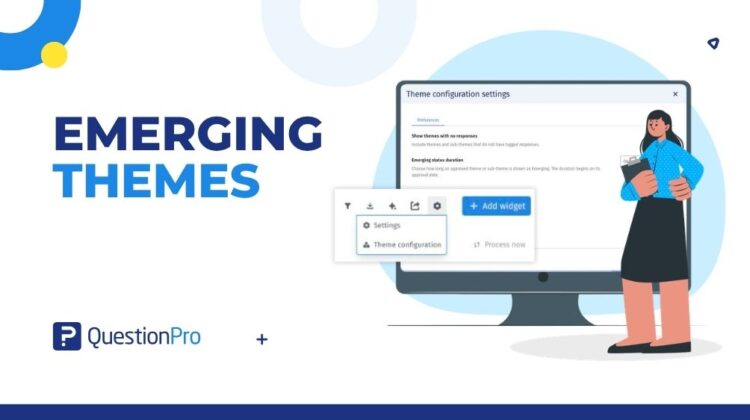
Emerging Themes in QuestionPro TextAI helps you explore these potential new topics. It brings candidate themes and sub-themes into Theme configuration, where you can see what is awaiting review and read the feedback behind it.
Make room for what is new
A codebook – the themes and sub-themes used to organize open-ended responses – gives your analysis a consistent structure. Emerging topics give you a reason to look beyond that starting point and explore how the conversation is changing.
With Advanced Text Analysis in QuestionPro BI, teams can work with an uploaded codebook or one generated by QuestionPro AI. Whichever starting point you use, keeping the categories connected to the comments behind them helps your team understand the feedback in context.
See the story behind an emerging topic
Emerging Themes connects potential new topics with the responses that give them meaning. You can move from a suggested category to the comments behind it and assess whether it captures something worth exploring.
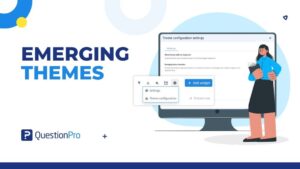
In Theme configuration, candidates are labeled Pending approval, with sub-theme descriptions and response percentages to support your review. Select a sub-theme to see its associated comments in the raw-response view. For a pending sub-theme, the Approve action is also available.
This puts the context for your decision close at hand:
- Do the responses describe a coherent topic?
- Does the suggested name accurately describe those responses?
- Is this a useful addition, or does it overlap with an existing category?
You bring the research context; TextAI brings the candidate and its supporting feedback into the same review workflow.
Explore emerging themes in a few steps
- Open your TextAI dashboard and go to Theme configuration.
- Look for themes and sub-themes labeled Pending approval.
- Select a pending sub-theme to view its associated responses.
- Read the comments alongside the description and response percentage before deciding whether to use the Approve action.
Build a fuller picture of changing feedback
Emerging candidates are one part of the picture. TextAI also groups responses that do not match a taxonomy topic under Outlier; not every unfamiliar comment becomes a new candidate.
Reviewing candidates and outliers together helps you consider both the suggested topics and the feedback that sits outside your named categories.
Consider a delivery survey organized around speed, damage, and service. If packaging waste starts appearing in the feedback, the team has a new question to investigate. Reviewing any related emerging candidates alongside outlier comments can help the analyst assess whether packaging waste deserves a distinct place in the analysis.
Keep new topics connected to your analysis
Emerging Themes sits alongside the theme management and qualitative analysis workflow in TextAI. It gives teams a practical way to examine potential additions to their codebook within the analysis they already use.
For research, customer experience, and product teams, that means a clearer starting point for discussing what may be changing. The comments, their context, and the feedback supporting each topic help guide the next question to ask.
The bottom line
Keep the structure that makes your feedback useful, while making room to explore what is emerging.
With Emerging Themes in TextAI, you can see candidate topics, understand the responses behind them, and decide what deserves a closer look.