



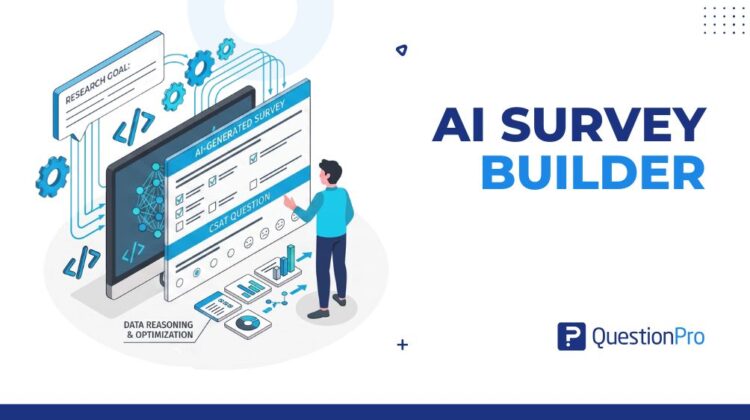
Building a survey has never been the hard part. Getting people to finish it, answer honestly, and produce data that holds up under analysis is where most projects break down. An AI survey builder is designed to close that gap. It generates questions, scales, and logic based on your research goal instead of a generic template.
Survey fatigue is well documented. Pew Research Center has tracked response rates falling for decades across survey modes, and poorly worded questions can cost researchers weeks of cleanup after the fact. An AI survey builder tackles both problems at once by applying research methodology automatically, from the first prompt you type.
In this article, we’ll explain how AI survey builders work, the features worth paying attention to, and how QuestionPro’s AI tools fit into that picture.
What is an AI survey builder?
An AI survey builder is a tool that uses artificial intelligence, typically a large language model (LLM), to generate survey questions, response scales, and logic flows from a plain-language goal. You describe what you want to learn, and the tool drafts the structure for you instead of starting from a blank page.
Traditional survey design demands real expertise in question wording, scale selection, and cognitive load management. Getting any of these wrong leads to biased data or surveys people abandon halfway through. An AI survey builder encodes much of that expertise into the generation step itself, which makes it available to anyone, not only people with a research methodology background.
The strongest tools in this category go further than writing questions. They flag leading language, catch double-barreled items, recommend the right scale for each construct, and adjust reading level for the target audience. That is applied research methodology running at the speed of a chat prompt.
How does an AI survey builder work?
Most AI survey builders follow a similar process, even when the interface looks different underneath. A model trained on survey methodology and large sets of high-performing surveys interprets your prompt, then reasons about the research context before it writes a single question.
Say you type: “Create a customer satisfaction survey for a B2B SaaS company after a support interaction.” The model does not match keywords to a template. It identifies the relevant constructs, such as resolution quality, agent behavior, and overall satisfaction, picks appropriate scales like Net Promoter Score or CSAT, and sequences questions to reduce bias.
The typical workflow breaks down into five steps:
- Intent parsing. The AI reads your prompt and identifies the research objective, target audience, and the constructs you need to measure.
- Question generation. It drafts questions for each construct, choosing scale types, question order, and response options based on established practices.
- Bias and quality review. An automated pass flags leading language, double-barreled items, or mismatched scales, along with rewrite suggestions.
- Logic and flow assembly. Branching rules, skip logic, and display conditions get applied so respondents only see questions relevant to them.
- Human review and publish. You review the draft, adjust anything that needs a human eye, and publish, usually far faster than a manual build.
Step three is what separates a real AI survey builder from a template library with a chat interface bolted on. Catching a subtly leading question at the word level used to require a dedicated methodologist’s review pass. Now it happens automatically, before you ever launch the survey.
AI survey builder vs. other AI research tools
The term “AI survey builder” gets used loosely, and it often gets confused with adjacent tools that solve a different problem. Knowing the difference helps you pick the right tool for the job.
| Tool type | What it actually does | Best suited for |
|---|---|---|
| AI survey builder | Generates questions, scales, and logic from a prompt before the survey launches | Designing a new survey quickly with sound methodology |
| AI survey analysis tool | Applies sentiment analysis, theme extraction, or coding to responses after collection | Making sense of open-ended data at scale |
| Conversational AI interview tool | Runs an adaptive, real-time interview that changes based on each answer | Qualitative depth from a smaller, targeted sample |
| Template library | Offers pre-written question sets organized by category | Fast starts on common survey types with no customization |
Some platforms combine two or more of these into a single product, which is part of why the category feels crowded. When you are evaluating options, ask which of these four jobs the tool is actually built to do well.
What to look for when evaluating an AI survey builder
Not every tool marketed as an AI survey builder delivers on that promise. Some are prompt-to-template converters with an AI label attached. Others genuinely apply research methodology. These features tend to separate the two:
- Contextual question generation.
The tool should produce meaningfully different questions for a product feedback survey versus an HR pulse check, even from similarly worded prompts.
- Automatic branching logic.
Skip logic and display conditions should be generated alongside the questions, not require manual setup afterward.
- Bias and tone detection.
Leading questions and loaded language should be flagged with specific rewrite suggestions, not a vague warning. A tool that understands how to avoid survey bias at the wording level saves an entire review pass.
- Scale recommendation.
The AI should match the response scale, such as Likert, semantic differential, or open-ended, to what is actually being measured.
- Multilingual support.
Enterprise tools generate and validate surveys natively in multiple languages, rather than relying on machine translation layered on afterward.
- Integration with analysis.
The real payoff shows up when the tool that builds the survey also helps interpret the responses through sentiment clustering or theme extraction.
Weigh these against your own use case. A one-off internal pulse survey needs fewer of these capabilities than an ongoing customer experience program that has to hold up across quarters of comparison.
What are the benefits of using an AI survey builder?
The benefits of an AI survey builder split into two categories. Speed gains show up immediately. Quality gains compound over time, and most teams notice the first while underestimating the second.
On the speed side, teams that once spent three to five days designing and validating a survey are now completing that work in under two hours. Quality gains take longer to show up but matter more: fewer biased questions produce cleaner data, better branching logic reduces abandonment, and consistent scales make results comparable across studies instead of requiring a methodological footnote every time you present them.
Internal analysis at QuestionPro has found that AI-generated surveys tend to see meaningfully higher completion rates than manually built ones, largely due to tighter length calibration and cleaner question sequencing. Respondents rarely abandon a survey because they are lazy. They abandon it because the survey feels built for the researcher’s convenience rather than theirs.
There is also a less obvious benefit: democratization of research capability. When AI handles the methodological groundwork, a product manager or HR business partner can run a well-designed study without a dedicated research team behind them. That does not replace professional researchers. It extends research capability to parts of the organization that previously could not access it.
Common use cases for AI survey builders
AI survey builders started in market research and have since spread into nearly every function that needs structured data from people. The pattern repeats across industries: the same speed-to-launch, applied to very different question sets.
| Use case | What triggers it | What the AI actually adds |
|---|---|---|
| Customer experience | A support team needs a post-ticket CSAT survey out the same day a feature ships | Proven CSAT/NPS scales and a question order that won’t inflate satisfaction scores |
| Employee research | HR needs a pulse survey after a reorg, without adding to the anxiety it’s measuring | Bias detection tuned to the leading and loaded phrasing engagement surveys tend to attract |
| Product research | A PM wants to validate a feature idea before the next sprint review | A ready-to-send survey in minutes instead of a request sitting in a research team’s queue |
| Academic and public sector | A researcher needs an instrument an IRB won’t flag for leading questions | Automatic bias flags that mirror the exact concerns reviewers raise |
The employee research row is worth a closer look, since it’s where the quality upside is largest. Engagement surveys are notoriously prone to desirability bias, where people answer the way they think they’re supposed to rather than how they actually feel. An AI builder trained on validated HR instruments catches that pattern at the wording stage, which is also why a quarterly pulse survey or a structured onboarding survey both benefit from the same bias check.
The academic research use case moves a little differently. Institutional review boards are increasingly comfortable with AI-assisted drafting, but the AI’s job stops at the draft. Researchers still apply their own judgment during validation and interpretation, where human expertise remains irreplaceable.
How to choose the right AI survey builder for your team
The right choice depends less on which tool has the longest feature list and more on what your team actually needs to accomplish.
- Match the tool to your research maturity. A team with no dedicated researcher benefits most from strong built-in bias detection and scale recommendation, since those guardrails do the most work.
- Check how deep the analysis layer goes. If you need theme extraction or sentiment clustering on open-ended responses, confirm the same platform handles both the build and the analysis.
- Confirm multilingual handling is native. Machine-translated surveys introduce their own measurement errors, which matters if you run global studies.
- Look for a real editing experience. You should be able to accept, reject, or rework any AI-generated question without starting over.
- Ask about validation support. If your use case requires a formally validated instrument, confirm what the vendor offers beyond the initial draft.
Common mistakes teams make with AI survey builders
Most of the value gets lost not because the tool is weak, but because teams misuse it in a few predictable ways.
- Publishing the first draft without review.
AI-generated surveys are a strong starting point, not a finished instrument. Skipping human review reintroduces the exact errors the tool was meant to catch.
- Ignoring domain-specific context.
A generalist AI produces statistically sound questions but can miss constructs that only a subject-matter expert would know to include.
- Treating AI drafts as formally validated.
A clean-looking AI-generated survey has not gone through psychometric validation unless you run that process separately.
- Overloading a single survey with too many constructs.
AI can generate more questions faster, which tempts teams to ask more than respondents will tolerate.
- Skipping a pilot test.
Even a well-designed AI survey benefits from a small test round before a full launch, especially for new or unfamiliar audiences.
Limitations of AI survey builders
AI survey builders have real limitations, and understanding them keeps you from misusing the tool in ways that undermine your research instead of improving it.
The first limitation is domain specificity. AI models generate statistically sensible questions, but they can miss issues that only a subject-matter expert would catch. A survey about medication adherence, for instance, needs knowledge of the specific barriers patients face in that therapeutic category, and a generalist model may not surface those constructs on its own.
The second is novelty. AI models are trained on existing surveys and established practices. If you are measuring something genuinely new, such as a behavior or technology without an established measurement framework, the AI’s suggestions will be less reliable, and human methodological judgment matters more than generative pattern-matching.
The third is formal validation. AI-generated surveys have not been psychometrically validated in the traditional sense. They may perform well in practice, but clinical settings, regulatory submissions, and peer-reviewed publication typically require the full validation process, not a substitute for it.
Treat an AI survey builder as a highly capable first-draft collaborator rather than an autonomous research designer. The best outcomes pair AI speed with human expertise at the review stage.
How to use QuestionPro’s AI survey builder
QuestionPro AI is built into the core survey platform rather than sold as a separate add-on. When you start a new survey, the AI builder is available from the first screen.
You begin by typing a goal into the prompt field, something like: “I need a 10-question survey to measure employee sentiment after a major organizational change, targeting mid-level managers in a manufacturing company.” The platform parses the objective, audience, and scope, then generates a draft in under a minute, including questions, response scales, branching logic, and a question order designed to reduce primacy effects and social desirability bias.
From there, you are in edit mode. Every question is labeled with the construct it measures and the reasoning behind the scale choice. You can accept, reject, or modify any element, and the AI stays active as a collaborator. If a rephrased question introduces bias, it flags the issue. If a new question duplicates an existing construct, it alerts you before launch.
Survey Agent extends this further. Instead of a one-time generation step, it can turn a brief sitting in a Word doc or PDF into a fully configured survey, handle multi-condition branching automatically, and even summarize a survey it did not build. It removes most of the manual configuration that used to slow a survey build down, whether the project is a quick internal pulse check or a longer research instrument.
The real shift is who gets to run good research
The move from manual survey design to AI-assisted building is not a marginal productivity boost. It changes who can run a methodologically sound study, how quickly decisions get informed by real data, and how consistently good practices get applied across a team, regardless of whether a trained researcher is in the room for every project. Whether you are building your first customer survey or your hundredth, the same survey software that houses the AI builder is what turns that draft into a live study.
Frequently Asked Questions (FAQs)
It is accurate for drafting and structuring a survey, since it applies established methodology consistently. For clinical, regulatory, or peer-reviewed work, you still need to run a separate validation process rather than relying on the AI draft alone.
Pricing varies widely by platform, from free tiers on basic form builders to enterprise contracts running into five figures annually for full research suites. Most mid-market tools sit between $25 and a few hundred dollars per month, depending on response volume and features.
No. It removes the manual grunt work of question wording, scale selection, and logic setup, but it does not replace the judgment a researcher applies to domain-specific context, novel constructs, or interpreting results within a broader business strategy.
Yes, for teams surveying Spanish-speaking or other non-English-speaking US populations, native multilingual generation avoids the errors that come from machine-translating a survey built in English only. Look for platforms that validate wording and scale meaning separately in each language.
An AI survey builder generates a structured questionnaire before launch. A conversational AI survey tool, like QuestionPro’s Survey Agent, can also adapt follow-up questions in real time based on how each respondent answers, closer to a structured interview than a static form.



