



Hook / Story
You’ve just wrapped up a large market research study. The responses are in, reports are almost ready, and everything looks on track—until your quality review uncovers a handful of unusable responses.
Now comes the frustrating part: exporting Response IDs, emailing support, waiting for someone to review your request, and wondering when—or if—your credits will be returned.
For many research teams, this manual process has become an accepted part of fieldwork.
We believed it didn’t have to be.
Customer Pain Point
Managing survey quality shouldn’t mean managing endless email threads.
When poor-quality responses are discovered after fieldwork, buyers need a fast and reliable way to report them and recover the associated credits. Traditional support-based workflows often introduce delays, reduce visibility, and make it difficult to track the progress of reconciliation requests.
As project volumes grow, these manual processes become even more time-consuming.
Behind the Scenes (Why We Built This)
Audience Reconciliation was built to give buyers more control over post-fieldwork quality management.
Instead of relying on manual support requests, we created a structured, self-service workflow that validates Response IDs, standardizes rejection reasons, calculates estimated credits, and provides complete visibility into every reconciliation request.
The goal was simple: reduce friction, increase transparency, and return credits faster.
Introducing Audience Reconciliation
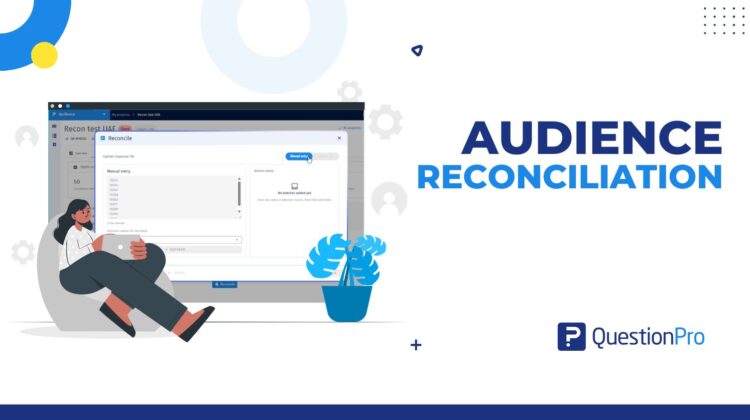
Audience Reconciliation enables buyers to review completed Audience projects, submit Response IDs they believe should be rejected, and request wallet credits directly from the platform.
Whether entering Response IDs manually or uploading them in bulk through a CSV, buyers can complete the entire reconciliation process without leaving QuestionPro Audience.
Built-in validation ensures only eligible responses are submitted, while automated workflows accelerate approvals for low-risk requests.
How It Works
Using Audience Reconciliation is straightforward:
- Open a completed Audience project.
- Navigate to the Reconciliation tab.
- Enter Response IDs manually or upload a CSV.
- Assign standardized rejection reasons.
- Review validation results and estimated credits.
- Submit the request.
- Track its progress in real time.
- Receive approved credits directly in your QuestionPro wallet.
From submission to wallet credit, every step is transparent and easy to follow.
Real Use Case
A research agency completes a 2,000-response customer satisfaction study. During quality assurance, the team identifies a small number of responses that don’t meet their standards.
Instead of preparing spreadsheets and opening support tickets, the agency uploads the Response IDs through the Reconciliation tab, reviews the validation summary, submits the request, and tracks its status from a single dashboard.
Within minutes, low-risk cases are approved automatically, and the corresponding credits are returned to the agency’s wallet—allowing the team to move on to the next project with confidence.
What’s Next
Audience Reconciliation is just the beginning of our vision for smarter post-fieldwork operations.
As the platform evolves, we’ll continue enhancing automation, strengthening validation capabilities, and providing deeper insights into reconciliation trends. By giving researchers more transparency and control, we’re making it easier to maintain data quality while reducing operational overhead—so teams can spend less time on administration and more time generating meaningful insights.



