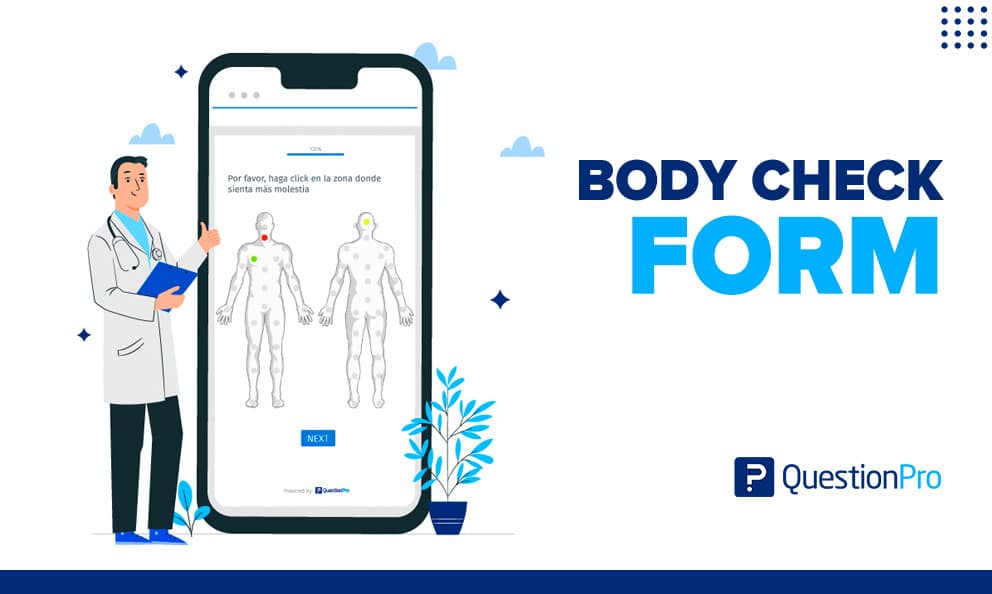
A body check form is a questionnaire that lets a person mark where they feel pain or discomfort and describe how it feels. Patients often use one before a doctor visit, so the clinician sees the problem areas before the conversation starts.
The form saves appointment time and gives patients a clearer way to explain symptoms. It also creates a record that can be compared from one visit to the next.
In this blog, we’ll cover what a body check form includes, how to fill one out, where it works best, and how to build a digital version.
What is a body check form?
A body check form is a health questionnaire, usually built around a front and back body diagram, that records where a person feels pain, discomfort, or physical change. The person marks the affected areas, rates how severe each one is, and adds short notes.
Most forms collect three things:
- Location: Which part of the body is affected.
- Intensity: How strong the sensation is.
- Description: What it feels like and how long it has lasted.
Because the form is visual, it captures what free text often misses. A patient may struggle to say “pain along the outer thigh, just above the knee,” but can tap that exact spot in seconds.
The form is a communication aid, not a diagnostic tool. A clinician still interprets the answers and decides what to examine.
Body check form vs similar forms
Several forms look alike but serve different jobs. The word “body check” also has meanings outside healthcare, which can confuse search results.
The table below separates the terms people most often mix up.
| Term | What it records | Who completes it |
|---|---|---|
| Body check form | Pain and discomfort locations, intensity, and notes | Patient, often before a visit |
| Pain diagram or body map | Marked pain areas on a body outline | Patient or clinician |
| Body assessment form | Clinician findings such as injuries, posture, and observations | Clinician |
| Physical examination form | Vitals, organ systems, and test results | Clinician |
| Body measurement form | Dimensions such as height, weight, and waist size | Patient, trainer, or tailor |
| Body check (non-medical) | A sports move in hockey, or a security search | Not a form topic |
Many clinics use “body check form,” “body map,” and “pain diagram” as near synonyms. The key difference is who fills it out and why.
What does a body check form include?
A useful body check form is short, clear, and consistent. Too many fields lower completion rates and produce rushed answers.
Most strong forms include these elements:
- Patient name, date, and reason for the visit
- Front and back body diagrams for marking locations
- A pain intensity rating for each marked area
- Sensation descriptors such as sharp, dull, burning, tingling, or numb
- Timing questions: when it started, how often it occurs, and what triggers it
- A free-text box for anything the diagram cannot show
- Optional follow-ups on sleep, activity limits, and medication
The intensity rating usually follows the numeric rating scale. Patients rate pain from 0, meaning no pain, to 10, meaning the worst pain possible. The same guide notes that a number alone is a crude measure, so a short explanation should sit beside it.
Body check form example
A worked example shows how the pieces fit together. The case below is illustrative, not a real patient record.
The patient’s entries
A 42-year-old office worker books a physical therapy visit. Before arriving, she opens the form on her phone and makes three marks.
- Lower back: Intensity 6, dull ache, worse after sitting
- Right shoulder: Intensity 4, sharp when lifting
- Left foot: Intensity 2, tingling at night
What the clinician sees
The therapist reads the form in under a minute. The back is the main problem, the shoulder is secondary, and the tingling may point to a nerve issue worth a question.
The first ten minutes of the visit go to examination and treatment instead of basic history taking.
Step-by-step guide to filling out a body check form
Accurate answers make the form useful. These steps help patients complete it well.
- Set aside five quiet minutes: Rushed answers are vague answers.
- Mark every affected area: Include small or occasional problems, since they can matter.
- Rate each area separately: Use the 0 to 10 scale and think about a typical day, not the worst moment.
- Describe the sensation: Choose words like burning, stabbing, throbbing, or tingling.
- Add timing and triggers: Note when it started and what makes it better or worse.
- Review before submitting: Check that the marks match the notes.
Honest and specific answers matter more than perfect ones. If a spot is hard to place, mark the closest area and explain in the notes.
Who uses body check forms?
Body check forms appear in many care settings, and each one shapes the form differently. These are the most common users.
- Primary care and specialty clinics: Doctors use the form at intake to focus the visit. Orthopedic and pain clinics rely on it most.
- Physical therapy and chiropractic practices: Therapists repeat the form over several weeks. Changing marks and falling scores show whether treatment is working.
- Telehealth providers: Remote clinicians cannot see the patient in person. A body diagram sent ahead of the video call fills part of that gap.
- Workplace health teams: Occupational health teams use body maps to spot strain patterns, such as shoulder pain across a warehouse crew.
- Researchers: Study teams collect marked areas from large groups to map common symptom patterns.
Pros and cons of body check forms
The format has real strengths and real limits. Knowing both helps teams use it well.
Pros
- Gives patients a faster, more precise way to describe symptoms
- Helps patients prepare and remember details
- Saves clinician time by covering basic history in advance
- Creates a record that tracks change over time
- Turns descriptions into data that can be counted and compared
Cons
- Self-reported pain is subjective and varies between people
- Some patients over-label normal body sensations
- Older patients or those with limited vision may find diagrams hard to use
- The form cannot diagnose and should never replace an examination
Clinicians can reduce these risks with plain-language instructions and a short follow-up conversation.
Paper or digital: How to choose a format
Both formats work. The right choice depends on volume, follow-up needs, and how the data will be used.
| Factor | Paper form | Digital form |
|---|---|---|
| Setup cost | Very low | Needs a form tool |
| Completion location | Waiting room | Anywhere, including at home |
| Data entry | Manual re-typing | Automatic |
| Tracking over time | Hard to compare | Easy to compare |
| Reporting | Rarely done | Built in |
| Remote visits | Poor fit | Strong fit |
A small practice with few patients can start on paper. Clinics that run follow-up visits, telehealth, or research should go digital, because comparison and reporting are the main payoff.
How to build a digital body check form with QuestionPro
QuestionPro’s Homunculus question is a body diagram question built for exactly this job. It shows a front and a back image, with 24 selectable points on the front and 29 on the back, as described on the Homunculus question page.
Respondents click an area, then rate it as low, medium, or high. You can rename, add, or remove areas to fit your specialty. Colors and follow-up text are adjustable in the settings, as the Homunculus help guide explains.
To add it, follow this path inside a survey:
- Log in and open Surveys, then choose Edit.
- Select Add Question, then Advanced, then Health Care.
- Choose Homunculus Question and edit the areas and follow-ups.
The question may require a specific license, so confirm access with QuestionPro first. For setup beyond this one question, QuestionPro Survey Software covers logic, distribution, and reporting.
How to measure and analyze body check form results
Collecting forms is only half the job. The value comes from reading them as data.
Start with simple counts. Track how many patients mark each body area, so you can see the most common problem zones. Then compare average intensity by area, and watch how scores move between the first visit and later ones.
Useful measures include:
- Frequency by area: The share of forms that mark each zone
- Average intensity: Mean 0 to 10 score per area
- Change over time: Score difference between visits
- Completion rate: The share of started forms that are submitted
Chronic pain is common enough to justify this kind of tracking. The CDC reported that 20.9% of U.S. adults, about 51.6 million people, had chronic pain in 2021, and 6.9% had high-impact chronic pain that limited daily life or work.
Pair the form with a short satisfaction survey as well. The patient feedback guide shows how to collect that.
Privacy and compliance for health forms
Body check forms collect health details, so privacy matters from the start. In the U.S., the HIPAA Privacy Rule protects individually identifiable health information held by covered entities and their business associates.
Covered entities include health plans, clearinghouses, and providers that transmit health information electronically. If your clinic falls in that group, your form tool must meet the same standards.
Ask a few questions before choosing a platform:
- Does the vendor sign a business associate agreement?
- Is data encrypted in transit and at rest?
- Who can view submitted forms?
- How long are records kept?
QuestionPro lists HIPAA-compliant surveys among its healthcare industry capabilities. Your own compliance team should still confirm the setup.
Common mistakes with body check forms
Most problems come from form design, not patient effort. These are the errors that show up most.
- Too many fields: Long forms lower completion and answer quality.
- No instructions: Patients guess how to rate or mark.
- Unlabeled scales: A 0 to 10 scale needs clear endpoints.
- Skipping the follow-up: The form starts the conversation, it does not finish it.
- Treating it as a diagnosis: The form guides questions, not conclusions.
- Ignoring privacy: Open email links and shared devices expose sensitive data.
Test the form with a few real patients before launch. Their confusion points will show you what to fix.
Where body check forms fit in a wider health questionnaire
A body check form works best as one part of a larger intake process. It answers “where” and “how much,” while other forms cover the rest of the picture.
- Medical background: A health history questionnaire covers allergies, past injuries, and medications.
- Group-level insight: A broader health survey can pair with the diagram to study patterns across a population.
- Question design: Clear wording, a logical order, and a reasonable length apply to every form.
A final thought on the body check form
The best body check forms are small. They ask where it hurts, how much, and for how long, then get out of the way.
A form like this does not replace a clinician’s judgment. It gives that judgment a better starting point, and over time it turns scattered descriptions into patterns you can act on.
A strong body check form does three things:
- Asks only what the clinician will use
- Scores each area on a clear scale
- Repeats at set intervals so change becomes visible
Frequently Asked Questions (FAQs)
Aim for three to five minutes. Beyond that, patients start skipping fields or marking areas at random. Keep the diagram, a rating, and one notes box, and move extra questions into a separate intake form.
Yes. Mobile-friendly digital forms let patients mark areas with a tap, which is often easier than drawing on paper. Test tap targets on small screens, because tiny body zones frustrate users and cause wrong selections.
Yes. Send the same form at set intervals, such as weekly during physical therapy. Comparing marked areas and 0 to 10 scores across dates shows whether symptoms are shrinking, shifting, or staying put.
No. A patient completes a body check form from their own experience, while a clinician performs a physical exam using observation and tests. The form helps the clinician decide where to focus the exam.
They can, with adjustments. Younger children often point more easily than they rate, so use a simpler face-based scale and let a parent help. Always follow your pediatric provider’s preferred format.