Surveys have always been great at telling us what people think. Where they often fall short is explaining why.
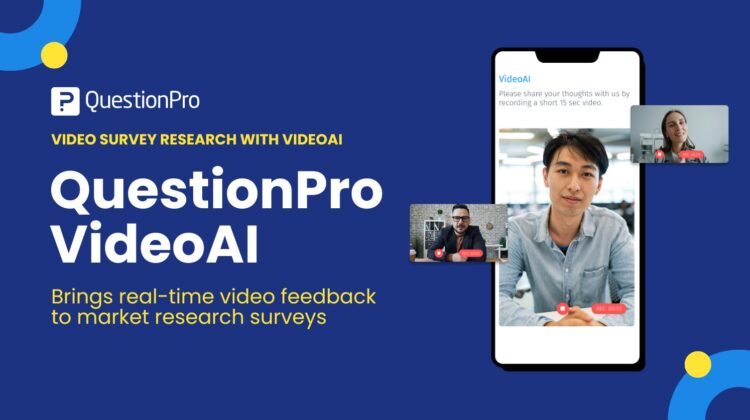
QuestionPro VideoAI introduces a powerful new way to capture authentic qualitative insight by embedding video feedback directly into standard surveys, without breaking existing research workflows.
With rapid innovation across the QuestionPro platform, VideoAI represents a meaningful step forward for teams seeking richer context, stronger storytelling, and faster, scalable insight generation.
How VideoAI solves the problem of traditional survey feedback
Most surveys rely heavily on closed-ended questions like ratings, rankings, and scales. These are essential for tracking trends and benchmarking performance, but they often leave researchers unsure about how to interpret the results.
Open-ended text questions help, but they have limitations. Responses are often short, over-edited, or lack emotional depth. Manual coding takes time. Interviews and focus groups provide richer context, but they are expensive, slow, and difficult to scale.
Researchers face a trade-off between depth and speed.
How VideoAI solves this challenge
VideoAI bridges the gap between quantitative scale and qualitative depth directly from within the QuestionPro platform.
It allows researchers to embed a true qualitative video question directly in a survey and uses AI to automatically analyze responses. Respondents record short video answers in real time, capturing tone, emotion, and natural language that text alone cannot convey.
The result is deeper insight, clearer context, and faster understanding of the why behind the numbers.
What is QuestionPro VideoAI?
VideoAI is a qualitative video question type designed specifically for market research.
Respondents are prompted to record a short video response within the standard survey flow. QuestionPro AI then transcribes the video and analyzes sentiment and emotional signals, presenting insights alongside quantitative results in a single reporting environment.
VideoAI is natively integrated into the QuestionPro survey editor as an Advanced Question type. It works alongside ratings, rankings, multiple choice, and other familiar question formats, making it easy to add qualitative depth without changing tools or processes.
How VideoAI works inside a survey
Using VideoAI follows a simple, research-friendly flow.
- You can add VideoAI from the Advanced Question panel in the survey editor.
- Define the recording length and provide light guidance to respondents.
- Respondents record short video responses directly in the survey.
- QuestionPro AI transcribes the videos and analyzes sentiment.
- Insights appear in visual dashboards alongside quantitative data.
There is no separate platform, no manual coding, and no post-fieldwork delay.

Try it out right now!
When to use VideoAI in market research with real-life use cases and examples
VideoAI is most powerful when researchers need real reactions at the moment of decision.
It is especially useful when emotional response, clarity, or instinctive feedback matters more than polished explanations.
Common moments include evaluating a concept, reacting to a creative, explaining a score, or describing an experience immediately after it happens.
VideoAI for concept and ad testing
VideoAI works exceptionally well after a concept, ad, or packaging stimulus as part of concept and ad testing.
Instead of asking respondents why they liked or disliked something, researchers can ask them to explain what stood out, what confused them, or what influenced their choice of the video. Facial expressions, tone, and hesitation often reveal far more than written text.
This is especially valuable when testing early concepts, creative directions, or messaging options where emotional resonance matters.
VideoAI for product and UX research
For usability and experience research, timing is everything.
VideoAI allows teams to capture in-the-moment feedback immediately after a task or interaction. Respondents can describe what felt intuitive, frustrating, or surprising while the experience is still fresh, helping teams identify friction points that traditional surveys miss.
This is particularly effective when interviews are not practical or when insights are needed quickly.
VideoAI for brand and marketing research
Brand perception is emotional by nature.
With VideoAI, researchers can ask respondents how a message made them feel right after exposure. Video responses add richness and credibility when sharing results with stakeholders, turning abstract metrics into human stories that resonate.
These video clips often become powerful assets for internal storytelling and executive presentations.
VideoAI for tracking and experience surveys
VideoAI also adds value to ongoing trackers such as NPS, CSAT, and CES.
By selectively adding video questions at key touchpoints, teams can better understand sudden score changes and uncover themes that might otherwise remain hidden.
Who VideoAI is designed for
VideoAI is built for teams that need insight, not just data.
It is especially relevant for market researchers, product and innovation teams, UX leaders, and insights professionals across industries. It is also highly relevant for academic researchers using the University Research Edition.
Any team running surveys that inform decisions will benefit from seeing and hearing the customer, not just reading summaries.
Key benefits of VideoAI
VideoAI delivers measurable value across research workflows.
- It captures richer, more authentic insights by allowing respondents to speak naturally on video.
- It adds qualitative depth to quantitative surveys without disrupting existing tools or processes.
- It speeds up insight generation at scale through automated transcription and sentiment analysis.
- It improves interpretation by clearly explaining the why behind scores and trends.
- It increases engagement and reduces follow-up effort by eliminating the need for separate qualitative studies.
How VideoAI compares to other solutions
Some platforms offer video responses. Others offer AI text analysis. These capabilities are often fragmented, add-on-based, or disconnected from core survey reporting.
VideoAI is different.
It embeds qualitative video feedback directly inside quantitative surveys and applies AI-driven transcription and sentiment analysis within the same analytics environment. This allows teams to scale qualitative insight without adding tools, processes, or complexity.
How can you get started with using QuestionPro VideoAI
VideoAI is available to customers starting Feb 6th, 2026, with Research Edition, Communities, and University Research licenses in the QuestionPro ecosystem.
VideoAI is offered as an add-on and is not included by default. Pricing is usage-based and measured by minutes of recorded video. If you have a valid QuestionPro license mentioned above, though, you can trial and test the functionality for free.
If you are ready to see how video feedback can transform your research, VideoAI is designed to meet you exactly where your surveys already live.