Working in a second language is a tax your global team stopped noticing. Here is how to stop paying it.
The second job nobody put in the job description
You run research across six markets. On the kickoff call, everyone follows along in English. That part is fine. The problem is the quiet second job. Before your analyst in Riyadh sets a quota, she reads the English label, translates it in her head, then acts. It costs a second. Multiply that by every click, every day, across a whole team, and it shows up later as slower onboarding, more setup errors, and more support tickets.
Most teams never name this cost. They hire around it, or lean on one bilingual manager until that person becomes the help desk. There is a simpler fix now.
Learn More: Platform Language Support puts the whole interface in each person’s own language.
What is Platform Language Support?
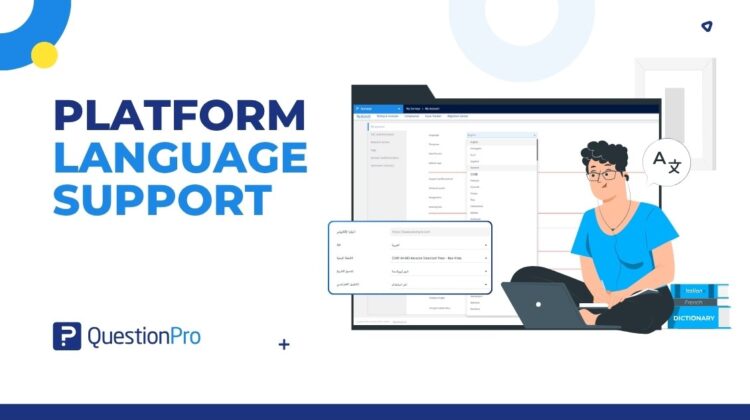
Platform Language Support is a per-user setting that shows the QuestionPro interface in the language you choose. Menus, buttons, labels, and messages all switch across the core app and several satellite apps. It replaces the English-only interface your regional teams have quietly worked around.
Three things it is not. It is not a survey translation feature; that setting is separate and for respondents. It is not an account-wide switch; each person picks their own. It is not a professional services project; you turn it on yourself.
How to use Platform Language Support in your research
Two quick before-and-afters.
Take a voice-of-customer program run out of the Gulf. Before, an Arabic-speaking team ran an English, left-to-right interface. New analysts took longer to get productive, and small mistakes slipped in because a setting was read a beat too fast. After, each person sets Arabic under My Account. The layout mirrors to right-to-left on its own. Onboarding gets faster and errors drop, because people read the interface in the language they think in.
Now take an FMCG brand in the US standing up a tracker across Europe and Latin America. Before, every regional analyst translated the interface in their head, and the one bilingual lead fielded the questions. After, the team in Warsaw works in Polish and the team in Sao Paulo works in Portuguese, on the same study, at the same pace. The bilingual lead goes back to running research. Note that multilingual surveys still handle what respondents see, as a separate setting.
The advantages of Platform Language Support
The payoff is less friction and cleaner, faster work.
- Per-user control. Language is set individually, so one account can have every member working in a different language with no account-wide configuration.
- 230+ languages span every major region, so you are not picking a few tier-1 languages and leaving everyone else on English.
- Automatic right-to-left layout for Arabic, Hebrew, Persian, and Urdu mirrors the interface the moment the language is selected, with no manual work.
- Translations that keep up. New interface text is detected and translated in about 60 seconds, with English shown briefly as a fallback so you never hit a half-translated screen.
- No setup step. People pick their language and the platform switches, with no IT ticket and no rollout timeline.
When to use it, and when not to
Turn it on whenever a team member is more fluent in another language than in English, and especially for right-to-left markets where an English layout adds real friction. It helps most on large, distributed deployments, where all those one-second costs compound.
It will not translate your surveys for respondents, and it will not touch your data or existing survey configurations. If your whole team already works comfortably in English, the gain is smaller. People often switch anyway once they notice the option.
How to turn on Platform Language Support in QuestionPro
Set it under My Account, pick your language, and the platform reloads. For the full list of languages and the right-to-left details, read the platform languages help file.
Get started with Platform Language Support
The real win is watching a global team move at one speed, with one level of confidence, wherever people sit. Create a free account and set your language to see the interface change on the spot.
Frequently asked questions
No. It controls the interface language for logged-in users, the people who build and manage surveys. What respondents see is set separately under your survey’s language settings. Both work independently, so you can run the platform in Japanese while a respondent takes your survey in Spanish. For respondent-facing translation, use QuestionPro’s multilingual surveys.
More than 230, spanning the Americas, Europe, the Middle East and Africa, and Asia Pacific. That includes widely used languages like Spanish, French, German, Chinese, Japanese, Hindi, and Arabic, plus many regional ones. The complete list sits in the language dropdown under My Account. If a language you need is missing, ask your account admin to review it.
Arabic, Hebrew, Persian, and Urdu. When a user selects one, the entire platform layout automatically mirrors to right-to-left. Menus, buttons, labels, and messages display in that language with no manual CSS and no extra configuration. It applies per user, so an Arabic-speaking analyst gets a full right-to-left interface while colleagues stay left-to-right.
The interface uses two AI providers, Google Translate and OpenAI, with automatic failover between them. New interface text is translated in about 60 seconds. If a translation is briefly unavailable, you see English as a fallback until the translated version lands, so the screen is never half-finished. Higher-traffic languages are processed first.
No. Platform language is the interface for logged-in users. Survey language is what respondents see when they take a survey. They live in different places and do not affect each other. Setting your platform to French does not change the language your respondents see, and vice versa.
No. Platform Language Support is additive. Your existing surveys, configurations, and data are unaffected. Each user simply chooses a language under My Account, and the interface reloads. There is no migration, no downtime, and no change to how your studies run.
Both. The 230+ languages cover the QuestionPro core application and several satellite applications. Coverage can vary by app, so if a specific satellite application matters to your team, confirm it with the help center or live chat before a wide rollout.
Platform Language Support is available across all QuestionPro licenses, with no add-on required. Each user sets their own language under My Account. For anything specific to your plan or packaging, check with your account admin or request a demo, and they can walk you through what your license includes.