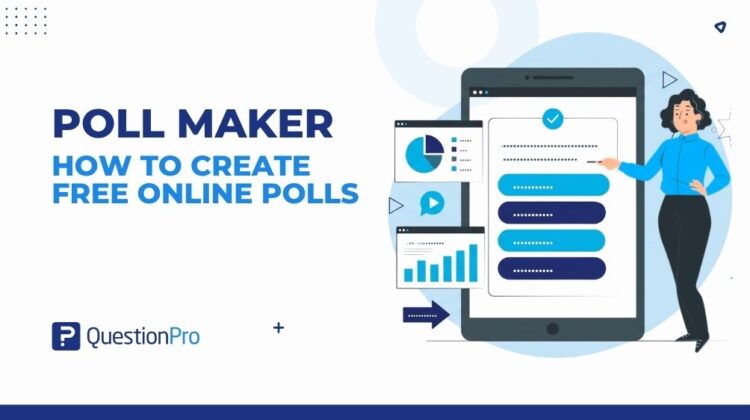
A poll maker is a tool that lets you build a short, single-question survey and collect answers in real time. Most online poll makers work the same way: write a question, pick an answer format, and share a link. The best ones show results updating live, so you can react while your audience is still paying attention.
Businesses use a poll maker to check in with employees between bigger surveys. Event hosts use one to keep a virtual audience engaged. Marketers use one to test an idea before building a full campaign around it.
This guide covers how a poll maker works, how to write questions that get honest answers, and what separates a free poll maker from one worth paying for.
What is a poll maker?
A poll maker is a tool for creating a single-question survey and collecting responses from an audience in real time.
Unlike full survey software, a poll maker, sometimes called poll software, is built for speed. You write one question, choose an answer type such as single choice or multiple choice, and publish it in under a minute. Respondents click an answer without creating an account, and results appear on a live chart as votes come in.
Most poll makers support several distribution methods: a direct link, a QR code, a website embed, or a slide inside a live presentation. Many also include ready-made templates, so you are not starting from a blank question box every time.
Poll maker vs. survey maker: What’s the difference?
People often use “poll” and “survey” interchangeably, but the tools behind them serve different jobs. A poll maker is built for one quick question. A survey maker is built for a longer questionnaire with branching logic and detailed reporting.
Here’s how the two compare:
| Factor | Poll maker | Survey maker |
|---|---|---|
| Number of questions | One | Multiple, with logic |
| Time to build | Under a minute | Minutes to hours |
| Response depth | Quick reaction | Detailed, structured insight |
| Best for | Live engagement, quick checks | Research, satisfaction tracking |
If you need more than one question, or want to segment responses by audience, a closer look at poll vs survey can help you pick the right format before you start building.
How to create a poll with a free poll maker in 5 steps
Creating a poll takes only a few minutes once you know what to prepare. Here is the general process most free poll makers follow, from question to shareable link.
- Write one clear question. Keep it short enough to read in a single glance.
- Choose an answer type. Single choice, multiple choice, and open text are the most common options.
- Add your answer choices. Keep the list balanced so no option clearly signals the “right” answer.
- Publish and grab your link. Most tools generate a shareable link, QR code, or embed code instantly.
- Share it and watch results update live. Post it on social media, send it by email, or display it during a meeting.
If you want a head start instead of a blank screen, QuestionPro’s survey templates library includes ready-made formats you can adapt for a quick poll.
Types of polls you can build with an online poll maker
Not every question fits a single-choice format. A good online poll maker supports several question types, so you can match the format to what you actually want to learn.
- Single choice: Respondents pick one answer from a short list.
- Multiple choice: Respondents can select more than one option.
- Yes/no (dichotomous): A fast way to gauge a simple opinion.
- Image or picture poll: Respondents vote on visuals instead of text, useful for design or product feedback.
- Ranking: Respondents order several options by preference.
- Open text: Respondents type a short answer instead of picking one.
A straw poll is a related, informal format, often used to gauge quick public sentiment rather than to make a formal decision.
How to write poll questions that get honest answers
A poll is only as useful as the question behind it. Most weak poll results trace back to how the question was written, not to a lack of responses.
- Keep it single-barreled.
Asking about two things in one question forces respondents to average two different opinions into a single answer. Split it into two separate polls instead.
- Stay neutral.
A question like “Our new feature is great, right?” nudges people toward agreeing. Rewrite it as a direct, balanced question with no built-in opinion.
- Give a real range of answers.
Two options such as “yes” or “no” often leave no honest option for people who feel somewhere in between. Offer a spread, from “very satisfied” to “very unsatisfied.”
- Test it before you send it.
Share the poll with a few colleagues first. A quick test catches confusing wording before it reaches your full audience.
For structured examples by question type, QuestionPro’s guide to poll question examples covers formats such as Likert scale and ranking questions in more depth.
What to look for in an online poll maker
Choosing the right tool matters more once you move past one-off polls and start using them regularly. These are the factors worth checking before committing to a platform.
- Question types: single choice, multiple choice, image, and ranking, at minimum.
- Real-time results: a live chart you can share with the audience, not just a report after the fact.
- Distribution options: a shareable link, QR code, website embed, and presentation integration.
- A genuinely free plan: one that covers real use rather than a single trial poll.
- Branding and templates: the ability to match your colors and reuse formats across polls.
QuestionPro covers each of these through two related tools. LivePolls is built for real-time polls, quizzes, and trivia during meetings and presentations, with a free plan for small groups. For polls tied to a broader research project, the poll feature inside QuestionPro’s survey software keeps single-question polls and multi-question surveys in the same account.
Real-world examples of polls in action
Polls work best when they are tied to a specific moment, not used as a generic check-in.
A virtual conference host might open a session with a one-question poll asking attendees what they want to learn, then shape the agenda around the top answer. A retail team might run a poll on social media asking which of two product colors customers prefer before committing to a production run. An HR team might send a single-question pulse poll asking how employees feel about a new policy, as a lighter alternative to a full engagement survey.
Each example follows the same pattern: one question, a specific audience, and a decision that depends on the answer. That focus is what separates a poll worth building from one nobody bothers to answer.
How much does a poll maker cost?
Pricing depends on how many responses you need and whether you want extras like branding or integrations. Most providers let you start with free online polls before any tier structure like this kicks in.
- Free plans: Typically limited by response or participant count, enough for occasional polls.
- Individual or small-team plans: Often range from around $25 to $100 per month, adding branding and higher response limits.
- Business and enterprise plans: Priced on request, built for high-volume polling, security requirements, and team collaboration.
Check a provider’s pricing page directly before committing, since response limits and included features change over time.
Common poll mistakes that skew your results
Even a well-designed poll maker cannot fix a flawed question or a skewed audience. These mistakes are the most common ways a poll ends up misleading instead of informative.
- Relying only on a self-selected audience.
Anyone who sees a public poll and chooses to answer is not a random sample of your full audience, so treat open results as directional rather than definitive.
- Using leading or loaded wording.
Phrasing that signals the “right” answer pushes people toward agreeing rather than answering honestly.
- Offering too few or too many answer options.
Two options can force an artificial choice. Eight options can overwhelm someone who only wanted to answer quickly.
- Ignoring the margin for error.
Pew Research Center found that online samples recruited through open, opt-in sign-up carried roughly twice the error of samples drawn from probability-based panels. It’s a useful reminder that an open public poll reflects the people who chose to answer, not the full population.
How to measure and act on poll results
A poll is only valuable once you use the results to make a decision or track a change over time. These are the metrics worth watching.
- Response count: how many people participated, which signals whether the sample is large enough to trust directionally.
- Response rate: participants divided by how many people saw the poll, useful for comparing engagement across channels.
- Answer distribution: whether responses cluster around one option or split evenly, which shapes how confidently you can act.
- Change over time: running the same poll periodically shows whether sentiment is shifting, not just where it stands today.
Treat a single poll as a snapshot. A real trend only shows up once you compare results across more than one round.
The real value of a poll is what you do with it
A poll maker removes the friction of asking a question, but it does not do the thinking for you. What matters more than the tool is what happens after the results come in: whether a team changes the agenda, adjusts the product, or follows up with the people who answered.
Treat every poll as the start of a conversation rather than the end of one, and even the simplest single-question tool on your list will start pulling its weight.
Frequently Asked Questions (FAQs)
Most poll makers offer a free tier covering basic single-question polls, usually with limits on participants or monthly responses. In the United States, tools like QuestionPro LivePolls offer a genuinely free plan for small meetings and classrooms before upgrading becomes necessary.
Many poll makers let respondents answer without an account, but the poll creator usually needs a free account to access results, templates, and distribution options. Signing up typically takes under a minute and does not require a credit card.
A single, well-worded question performs best. Polls with more than one question start behaving like short surveys, which lowers completion rates. If you need more depth, build a short survey instead of stretching a poll format.
Most online poll makers generate an embed code for websites and support direct integration with tools like Google Slides, PowerPoint, or Zoom. This lets you collect live responses during a presentation without switching to a separate app.
For an internal or directional poll, 30 to 50 responses is usually enough to spot a clear trend. For anything resembling public opinion research in the US, hundreds of responses from a representative sample are needed to keep the margin of error low.