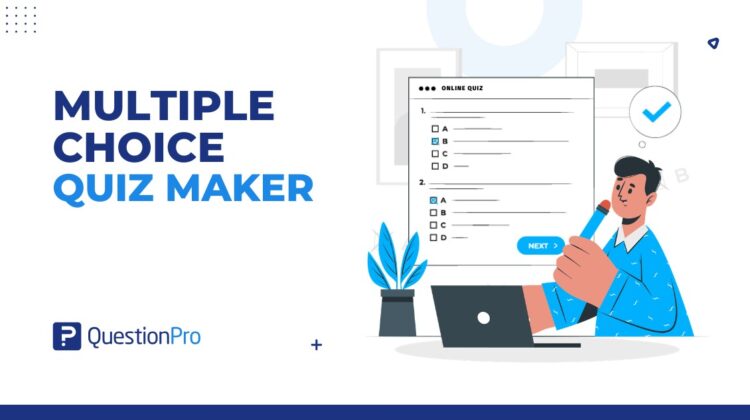
A multiple choice quiz maker is software that helps teachers, trainers, and businesses build quizzes with predefined answer options, then score and report on the results automatically. It supports student evaluation, employee training, certification programs, and quick knowledge checks.
The tool itself only does half the job. A quiz built with vague questions or unfair answer options will produce weak data no matter how polished the software looks.
For schools, universities, and training teams across the US, the real value comes from pairing a capable quiz maker with questions that are actually written well. Institutions already running broader academic research surveys often add quizzes as one more way to check comprehension alongside course feedback.
In this article, we’ll cover how a multiple choice quiz maker works, when to use one, and six steps to write fair, effective questions that drive real learning.
What is a multiple choice quiz maker?
A multiple choice quiz maker is software that lets users create, distribute, score, and analyze quizzes made up of multiple choice questions.
A multiple choice question presents learners with a stem, which is the question or statement itself, followed by several answer options. One option is the correct or best answer, while the incorrect options are called distractors. Distractors should be realistic enough to test real understanding, not just trick a guess.
Most quiz maker tools handle question creation, answer randomization, scoring rules, sharing links, and results reporting in one place, which removes the manual work of grading and tracking scores by hand.
Multiple choice vs multiple response: what is the difference?
A multiple choice question has exactly one correct answer, while a multiple response question allows more than one correct option that learners must all select to get credit.
Multiple choice questions are easier to score and interpret, which makes them the default for most knowledge checks. Multiple response questions work better when a topic genuinely has several correct elements, such as “select all the steps required to close a support ticket.”
Mixing the two formats without labeling them clearly is a common source of learner confusion, so most quiz platforms mark multiple response questions with instructions like “select all that apply.”
How does a multiple choice quiz maker work?
A multiple choice quiz maker works by letting the creator build questions, set correct answers, publish the quiz, and then review results once learners respond.
The typical workflow looks like this:
- Create a quiz and add multiple choice questions with answer options.
- Mark the correct or best answer for each question.
- Add scoring rules and, if needed, feedback messages.
- Set quiz rules such as time limits, question randomization, or a passing threshold.
- Share the quiz through a link, email, website, or learning management system (LMS), which is software used to manage online courses and track learner progress.
- Review scores, completion rates, and answer patterns after learners finish.
Many quiz makers also support branching logic, reusable question banks, certificates, and automatic feedback after each question.
When should you use a multiple choice quiz?
A multiple choice quiz is the right choice when you need a fast, consistent way to check whether people understood specific information, not when you need to evaluate open-ended reasoning or writing skills.
It works especially well for testing definitions, processes, compliance rules, product knowledge, and reading comprehension. For classroom settings, a quick post-lesson quiz can show learners which topics need more review before a bigger exam.
In workplace learning, quiz questions combined with a training evaluation survey can measure both what employees retained and how they felt about the training itself. If many learners miss the same question, that usually points to a gap in how the material was taught rather than a gap in learner effort.
How to create a multiple choice quiz that works
Building a strong multiple choice quiz comes down to six steps, from setting the goal to reviewing results after people respond.
- Define the learning goal.
Decide upfront whether the quiz measures basic recall, applied judgment, compliance knowledge, or course completion. A clear goal keeps every question focused instead of random.
- Write a clear question stem.
A weak stem like “Which of the following is true?” gives learners nothing to work with. A stronger version, such as “Which step should a support agent take first when handling a refund request?” tells them exactly what decision to make.
- Add one best answer.
Use “correct answer” for factual questions and “best answer” when judgment is involved. Two nearly-correct options make learners feel tricked and weaken your results.
- Create realistic distractors.
The strongest wrong answers come from common mistakes people actually make, not options that are obviously silly or oddly short compared to the correct one.
- Set scoring and feedback rules.
Decide between equal-weight scoring, weighted scoring for harder questions, or a pass-or-fail threshold, and add feedback that explains why an answer was right or wrong.
- Test the quiz before sharing it.
Take the quiz yourself first. Check spelling, scoring logic, mobile display, and whether any answer options overlap or give away the correct choice.
Skipping the testing step is one of the most common reasons quizzes launch with confusing wording or broken scoring logic.
Best practices for writing strong multiple choice questions
The best multiple choice questions are clear, fair, and directly tied to the learning goal, not designed to trick a careful reader.
The University of Waterloo’s guide to designing multiple-choice questions recommends keeping each stem focused on one clear question and using distractors based on real, plausible mistakes.
A few additional practices worth following:
- Keep answer options similar in length, tone, and grammar so nothing stands out visually.
- Avoid repeating key words from the stem only in the correct answer, since that gives away the response.
- Limit each question to three to five answer options.
- Skip “all of the above” and “none of the above,” since both tend to reward guessing over understanding.
- Read every question out loud before publishing to catch awkward phrasing.
Good multiple choice questions measure understanding. They should never reward test-taking tricks over actual knowledge of the material.
How to measure and improve quiz performance
A quiz maker’s reporting is only useful if someone actually reviews it after learners finish.
Look at which questions most people missed, which ones almost everyone answered correctly, and where dropout happens if the quiz has a time limit. A question that a large share of learners get wrong usually signals a problem with the wording, the answer options, or the underlying lesson content rather than a knowledge gap.
Comparing scores across groups, courses, or training cohorts over time also shows whether changes to your training materials are actually improving retention, not just whether one quiz session went well.
Common multiple choice quiz mistakes to avoid
Multiple choice questions look simple to write, but small mistakes quietly undermine what the quiz is supposed to measure.
- Writing vague stems that could apply to several different answers.
- Making the correct answer noticeably longer or more detailed than the distractors.
- Using misleading or trick wording instead of testing genuine understanding.
- Creating distractors that are unrealistic or obviously wrong.
- Testing minor facts instead of concepts that matter for the job or course.
- Never reviewing score reports after the quiz closes.
A quiz that only checks memorization, or that quietly rewards guessing, needs revision before it gets reused.
How QuestionPro supports multiple choice quizzes and assessments
QuestionPro LivePolls lets teams build multiple choice quizzes and trivia with live scoring, leaderboards, and instant results, which works well for classroom checks, training sessions, and event-based learning.
Ready-made quiz and poll templates can also speed up the first draft instead of starting from a blank screen. Teams that want quiz-style questions inside a broader assessment or feedback form can also build them using QuestionPro’s survey software, combining scored questions with open feedback in a single form.
Building quizzes people actually learn from
A multiple choice quiz maker can save time, simplify scoring, and make results easier to track across a class, course, or team. But the software is only one part of the equation.
The strongest quizzes start with a clear goal, use focused stems, include realistic distractors, and produce results that instructors and trainers actually act on. A well-built quiz does more than assign a grade. It shows what people understand and where they still need support.
Frequently Asked Questions (FAQs)
Three to five options work best for most questions. Research on assessment design shows three-option questions perform about as well as four or five-option ones, since writing more than a few plausible wrong answers gets difficult fast.
Yes. US companies commonly use them for onboarding checks, compliance training, and product knowledge assessments, since results are fast to score and easy to compare across large teams or multiple office locations.
Generally no. It tends to reward partial knowledge and the process of elimination rather than genuine understanding, since spotting two correct options is often enough to guess the answer. Most assessment guides recommend avoiding it along with “none of the above.”
Length depends on the goal, but short quizzes of five to fifteen questions usually keep completion rates high while still covering enough material to be meaningful. Longer certification exams may need more, paired with time limits.
The stem is the question or prompt itself, while distractors are the incorrect answer choices designed to look plausible. Only one option, the key, is the correct or best answer among the choices offered.