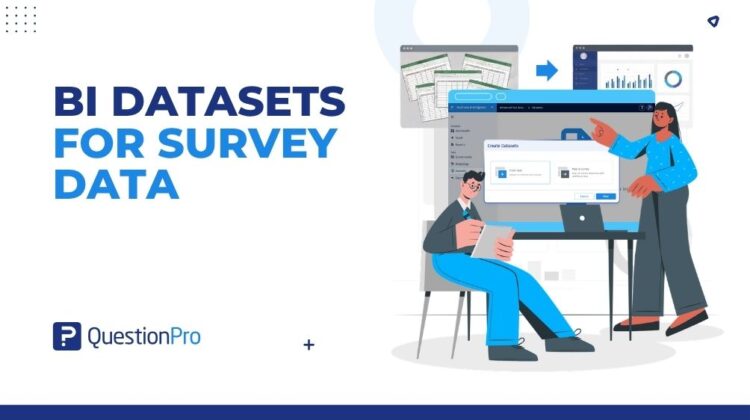
Your survey answers have been sitting alone. Time to invite the spreadsheets, the CRM export, and that segment you keep rebuilding by hand. Using BI datasets for survey data is how you bring all those scattered sources into one clean, connected dashboard.
Your survey data has been sitting alone for a while
Your survey data has been sitting alone for a while. It has the satisfaction scores, the brand perception numbers, the open-ended feedback. Good company, but a small guest list.
Meanwhile, your customer tier data is at a party in a different tool. Your offline research file is at another one entirely. And the customer segment you always report on has not been invited anywhere, because it does not really exist. It is just a filter you rebuild by hand every time.
It is time to get everyone in the same room. QuestionPro BI datasets are how you throw that party. Survey data, outside files, and custom segments all show up in the one dashboard where you actually report.
What are BI datasets, in plain terms?
Think of a dataset as a tidy table your dashboard can read.
BI datasets are the part of QuestionPro BI where you get your data ready. You can add extra details to survey answers, create your own groupings, or bring in a file that started somewhere else. All without changing your original survey.
That last part matters. Your survey stays exactly as it was collected. The dataset layer sits alongside it and does the heavy lifting.
Who this is for
You do not need a research degree to get value here. You just need data in more than one place.
- New to dashboards?
Start with a survey dataset and add one extra column. That is the whole first win.
- A seasoned analyst?
Composite rules and external files give you room to build proper segments and blends.
- On a CX, HR, or operations team?
The same tools work whether you are tracking customers, employees, or day-to-day service.
Three ways to get everyone in the room
There are three types, and you choose one based on where your data lives right now.
Add extra detail to answers you already have
Sometimes the survey is finished, but you wish you had captured one more thing. A customer’s plan tier. Their region. How long they have been with you.
A survey dataset lets you attach that extra detail to the right people. You download a template that already knows who answered what, fill in your extra columns, and upload it. Everyone lines up automatically. Curious about the exact clicks? The survey datasets help guide has them.
Build a group once, use it everywhere
This is the one that saves your Thursdays.
Instead of rebuilding the same filter every month, you write the rule once. Something like happy customers who also spend a lot. QuestionPro BI turns that into a reusable group that shows up in every dashboard, ready to go.
You can combine rules with and/or, then set a catch-all for anyone who does not fit. It is a friendly way to handle market segmentation without touching your survey. The composite datasets help guide covers the rule builder.
Bring in a file from anywhere
Not all data starts as a survey. Store lists, sales records, an offline study from last quarter.
An external dataset brings a plain CSV or Excel file straight into your BI workspace, where it can sit next to everything else. Download the template, drop in your rows, and upload. The external datasets help guide walks through it.
Want every screen and click? The step-by-step BI datasets walkthrough covers the full technical version.
See it in action: a North American retail brand
Picture a North American retail brand checking in with customers across a few regions.
The survey covers how happy people are and what they think of the products. Helpful, but it does not tell the whole story.
The brand also has a loyalty list in another system. It wants to spotlight its best customers. And a regional manager has a store-by-store file that never went near a survey.
That is three gaps, and there is a dataset for each. A survey dataset adds each person’s loyalty level to their answers. A composite dataset builds a loyal fan group. That is happy customers who are also top-tier, plus big spenders who were almost as happy. An external dataset pulls in the store file for extra context.
Now it all lives on one dashboard. No exporting. No rebuilding anything by hand. Just a clearer picture, faster.
Why teams actually like this
The point is not just getting data in. It is that the data stays easy to work with once it is there.
QuestionPro reports teams save around 85 percent of the time they used to spend on statistical analysis and building dashboards. Cutting out the manual joins is a real part of that.
- One place. Survey answers, extra details, and outside files sit together, so you build dashboards without jumping between tools.
- Set it and forget it. A group you define once keeps showing up across your dashboards, exactly the same each time.
- No extra software. You do this inside QuestionPro BI, not a separate reporting tool you have to learn.
- Easy to keep current. Rename, tidy, search, or refresh your data when things change, without starting over.
Which one do you need?
A simple way to choose.
If you just need to add a detail to people who already answered, that is a survey dataset. If you keep rebuilding the same group, let a composite dataset build it for you. If the data never came from a survey at all, it is an external dataset.
Still unsure? Start with the problem in front of you. The right dataset usually picks itself.
Get started
You do not need a new tool to pull your data together. You already have it.
Open Datasets in QuestionPro BI, choose the option that matches where your data lives, and build a dashboard that finally shows the full picture. Want to try it first? You can start a free QuestionPro account and test it on a real survey. New to dashboards? The dashboard setup guide is a gentle place to begin, and it all feeds your wider insights management work.
Your survey data has waited long enough. Open Datasets in QuestionPro BI and send the invite.
Frequently asked questions
They are the part of QuestionPro BI where you get your data ready for a dashboard. You can add extra detail to survey answers, build your own customer groups, or bring in a file from another tool. All three feed the same charts, and none of them change your original survey. Think of it as tidying everything into one place before you report.
No. The workflows are built for point-and-click, not code. You pick your survey or file, follow a template, and upload. Building a group is a matter of writing a plain rule, like happy customers who spend a lot. If you can use a spreadsheet, you can use BI datasets. Analysts get depth when they want it, and everyone else stays productive.
No. Your survey data stays exactly as it was collected. BI datasets sit alongside it and do the extra work, whether that is adding details, creating groups, or importing files. That means you can experiment freely. You are never editing responses, only building new views on top of them for your dashboards.
Survey datasets add extra detail to people who already answered your survey. Composite datasets build reusable groups from rules you set, with no new data needed. External datasets bring in a standalone file, like a spreadsheet, that never came from a survey. Pick by where your data lives: attached to respondents, hidden inside answers you already have, or sitting entirely outside QuestionPro.
Yes. External datasets are made for exactly that. You choose CSV or Excel, download a template so your columns line up, add your rows, and upload. Once it is in, you can rename fields, search records, and refresh it later. It behaves like any other dataset in your BI workspace, ready to drop into a dashboard.
BI datasets come with several editions, including Team, Research, Communities, Customer Experience, and Employee Experience, plus the University Research edition. What is available can depend on your setup. For specifics on your account, and anything about cost, your account admin or QuestionPro support is the best place to check.