• Skip to main content
  • Skip to primary sidebar
  • Skip to footer
QuestionPro

QuestionPro

questionpro logo
  • Products
    survey software iconSurvey softwareEasy to use and accessible for everyone. Design, send and analyze online surveys.research edition iconResearch SuiteA suite of enterprise-grade research tools for market research professionals.CX iconCustomer ExperienceExperiences change the world. Deliver the best with our CX management software.WF iconEmployee ExperienceCreate the best employee experience and act on real-time data from end to end.
  • Solutions
    IndustriesGamingAutomotiveSports and eventsEducationGovernment
    Travel & HospitalityFinancial ServicesHealthcareCannabisTechnology
    Use CaseAskWhyCommunitiesAudienceContactless surveysMobile
    LivePollsMember ExperienceGDPRPositive People Science360 Feedback Surveys
  • Resources
    BlogeBooksSurvey TemplatesCase StudiesTrainingHelp center
  • Features
  • Pricing
Language
  • English
  • Español (Spanish)
  • Português (Portuguese (Brazil))
  • Nederlands (Dutch)
  • العربية (Arabic)
  • Français (French)
  • Italiano (Italian)
  • 日本語 (Japanese)
  • Türkçe (Turkish)
  • Svenska (Swedish)
  • Hebrew IL (Hebrew)
  • ไทย (Thai)
  • Deutsch (German)
  • Portuguese de Portugal (Portuguese (Portugal))
  • Español / España (Spanish / Spain)
Call Us
+1 800 531 0228 +1 (647) 956-1242 +55 9448 6154 +49 030 9173 9255 +44 01344 921310 +81-3-6869-1954 +61 (02) 6190 6592 +971 529 852 540
Log In Log In
SIGN UP FREE

Home Surveys Mobile Surveys

Survey App for iPad and Android: Features and Best Uses

survey-app-for-ipad-and-android

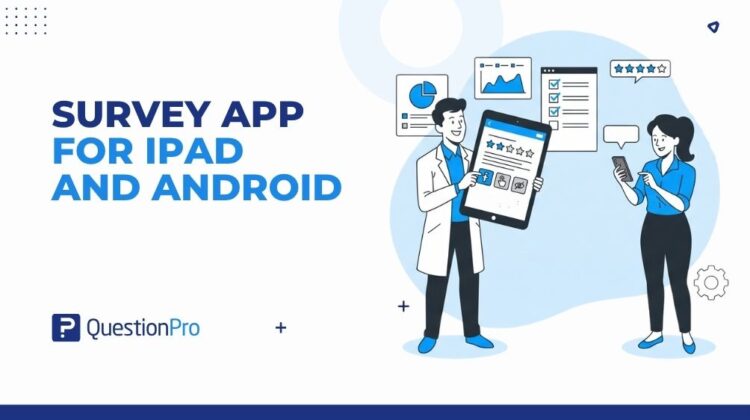
A survey app for iPad and Android is a mobile application that lets researchers collect responses directly on a tablet or phone, often without needing an internet connection. It syncs collected data back to a central account once the device reconnects.

Mobile devices are now the default way people prefer to respond. More people complete surveys on a phone or tablet than on a desktop, especially at events, in stores, and in the field. A dedicated app closes the gap that a browser-based survey cannot: it keeps working when the wifi does not.

This guide breaks down what a survey app actually does, which features matter most, and how to choose one for offline or kiosk-based research. We’ll also cover how QuestionPro’s offline survey app fits into this picture.

Content Index hide
1. What is a survey app for iPad and Android?
2. Why use a dedicated app instead of a mobile browser survey?
3. What features should a survey app for iPad and Android include?
4. Survey app vs browser survey: Which should you use?
5. What are the benefits of using a survey app for research teams?
6. What use cases fit a mobile survey app best?
7. How does QuestionPro’s survey app support iPad and Android research?
8. Choosing the right survey app for your team
9. Frequently Asked Questions (FAQs)

What is a survey app for iPad and Android?

A survey app is software installed directly on a tablet or phone that lets respondents answer questions with taps and swipes, rather than filling out a form in a browser.

The key difference from a browser survey is offline capability. Once a survey is downloaded to the device, respondents can complete it with no signal at all. Responses are stored locally and sync automatically the next time the device connects.

This matters most in field research, trade shows, retail locations, and healthcare settings where wifi is unreliable or unavailable.

Why use a dedicated app instead of a mobile browser survey?

A browser-based survey works fine when connectivity is stable. It breaks down the moment a respondent loses signal mid-survey and has to restart from scratch.

A dedicated survey app avoids that failure point entirely. Data is saved on the device as the respondent answers, question by question, regardless of connection status.

This distinction matters most for:

  • Field and door-to-door research
  • Trade show and event data collection
  • In-store or point-of-sale feedback
  • Healthcare intake and patient experience surveys
  • Rural or low-connectivity areas

What features should a survey app for iPad and Android include?

The core features to look for are offline mode, kiosk mode, touch-optimized layouts, and a wide range of question types.

  • Offline data collection.
    The app should let you download a survey once and collect unlimited responses without needing to reconnect until you are ready to sync.
  • Kiosk mode.
    This locks the device to a single survey so respondents cannot exit, browse other apps, or tamper with settings, which is essential for unattended stations at events or in stores.
  • Touch-friendly question types.
    Look for support for rating sliders, signature capture, image choice, ranking, and single or multiple-choice formats sized for fingers rather than a mouse cursor.
  • Auto-advance and looping.
    After a respondent submits, the survey should automatically reset to the first question for the next person, useful in high-traffic kiosk settings.
  • Real-time and offline sync.
    Responses should be viewable in a live dashboard once synced, with the option to review data even before it uploads.

Survey app vs browser survey: Which should you use?

The right choice depends on where and how you plan to collect data.

Scenario Better fit
Email or SMS survey link Browser survey
Trade show or conference booth Dedicated app, kiosk mode
Rural field research Dedicated app, offline mode
In-store point-of-sale feedback Dedicated app, kiosk mode
Simple online audience survey Browser survey

If your team never leaves reliable wifi, a browser survey may be all you need. If field or event work is part of the job, an offline-capable app becomes worth the setup time.

What are the benefits of using a survey app for research teams?

Teams that adopt a dedicated survey app tend to see cleaner data and fewer collection gaps, since responses are captured the moment they happen rather than reconstructed from memory later.

Common benefits include:

  • Clean, real-time data with less recall bias
  • No lost responses from dropped connectivity
  • Faster question edits based on early results
  • Kiosk compatibility for unattended collection points
  • Signature and multimedia capture for consent or verification

What use cases fit a mobile survey app best?

Field and event researchers benefit the most, since they are the ones most likely to face connectivity gaps mid-survey.

Common use cases include:

  1. Trade show lead capture and attendee feedback
  2. Retail and mall-intercept research
  3. Healthcare intake and patient satisfaction surveys
  4. Door-to-door or rural field studies
  5. Restaurant and hospitality feedback kiosks

A respondent who gets disconnected mid-survey on a browser form often has to start over, which frustrates them and skews your completion data. A dedicated app removes that risk entirely.

How does QuestionPro’s survey app support iPad and Android research?

QuestionPro’s offline survey app lets teams download surveys to an iPad or Android device, collect responses with no internet connection, and sync everything automatically once the device reconnects.

It includes kiosk mode for unattended data collection, geolocation tagging, and support for more than 80 question types, including signature capture and multimedia uploads. Field teams can also review completed and incomplete surveys directly on the device before syncing. Learn more on the QuestionPro mobile app page.

Choosing the right survey app for your team

The right survey app depends less on brand and more on where your team actually collects data. If connectivity is ever a question mark, offline mode and kiosk mode stop being nice-to-haves and become the reason the research gets done at all.

Start by mapping your collection scenarios, then match features to those specific gaps rather than picking the app with the longest feature list.

Create memorable experiences based on real-time data, insights and advanced analysis. Request Demo

Frequently Asked Questions (FAQs)

Do survey apps for iPad and Android cost extra beyond a survey platform subscription?

It depends on the provider. Some platforms include mobile and offline collection in standard plans, while others charge separately for device licenses or offline modules, so it’s worth confirming before choosing a tool.

Can I use the same survey on both iPad and Android devices?

Yes, most modern survey apps, including QuestionPro’s, support both operating systems from a single survey build, so you don’t need to design separate versions for each device type.

How much storage does an offline survey app need on a tablet?

Requirements vary by provider, but most offline apps recommend at least 2GB of RAM and 16 to 32GB of storage, since multimedia responses like photos or signatures take up more space than text answers.

Is kiosk mode necessary for event surveys?

It’s not required, but it prevents respondents from exiting the survey, browsing other apps, or skipping to unrelated content, which keeps unattended stations at trade shows or retail locations running smoothly.

What happens to data collected offline if the device is lost before syncing?

Any responses not yet synced to the cloud are typically stored only on the device, so teams should sync frequently during multi-day events rather than waiting until the very end.

SHARE THIS ARTICLE:

About the author
James Solada

View all posts by James Solada

Primary Sidebar

Gain insights with 80+ features for free

Create, Send and Analyze Your Online Survey in under 5 mins!

Create a Free Account

RELATED ARTICLES

HubSpot - QuestionPro Integration

Zero-Party Data: What it is, Why it Matters, & How to Get It?

Feb 16,2024

HubSpot - QuestionPro Integration

How to Know Whether Your Employee Initiatives are Working

Jun 17,2024

HubSpot - QuestionPro Integration

Why DPDPA Matters More for Banks Than Any Other Industry?

Feb 10,2026

BROWSE BY CATEGORY

Footer

MORE LIKE THIS

audience-self-service

Your research study, your call: How Audience self-service puts you in charge from brief to final credit

Sep 24, 2026

Beyond the Thank-You Survey: What Donor Feedback Data Is Actually Telling You

Sep 24, 2026

AI Sentiment Analysis for Nonprofits: Turning Community Feedback Into Program Decisions

Sep 24, 2026

Family and Staff Climate Surveys: Turning District Feedback Into Action

Sep 24, 2026

Other categories

questionpro-logo-nw
Help center Live Chat SIGN UP FREE
  • Sample questions
  • Sample reports
  • Survey logic
  • Branding
  • Integrations
  • Professional services
  • Security
  • Survey Software
  • Customer Experience
  • Workforce
  • Communities
  • Audience
  • Polls Explore the QuestionPro Poll Software - The World's leading Online Poll Maker & Creator. Create online polls, distribute them using email and multiple other options and start analyzing poll results.
  • Research Edition
  • LivePolls
  • InsightsHub
  • Blog
  • Articles
  • eBooks
  • Survey Templates
  • Case Studies
  • Training
  • Webinars
  • All Plans
  • Nonprofit
  • Academic
  • Qualtrics Alternative Explore the list of features that QuestionPro has compared to Qualtrics and learn how you can get more, for less.
  • SurveyMonkey Alternative
  • VisionCritical Alternative
  • Medallia Alternative
  • Likert Scale Complete Likert Scale Questions, Examples and Surveys for 5, 7 and 9 point scales. Learn everything about Likert Scale with corresponding example for each question and survey demonstrations.
  • Conjoint Analysis
  • Net Promoter Score (NPS) Learn everything about Net Promoter Score (NPS) and the Net Promoter Question. Get a clear view on the universal Net Promoter Score Formula, how to undertake Net Promoter Score Calculation followed by a simple Net Promoter Score Example.
  • Offline Surveys
  • Customer Satisfaction Surveys
  • Employee Survey Software Employee survey software & tool to create, send and analyze employee surveys. Get real-time analysis for employee satisfaction, engagement, work culture and map your employee experience from onboarding to exit!
  • Market Research Survey Software Real-time, automated and advanced market research survey software & tool to create surveys, collect data and analyze results for actionable market insights.
  • GDPR & EU Compliance
  • Employee Experience
  • Customer Journey
  • Synthetic Data
  • About us
  • Executive Team
  • In the news
  • Testimonials
  • Advisory Board
  • Careers
  • Brand
  • Media Kit
  • Contact Us

QuestionPro in your language

  • English
  • Español (Spanish)
  • Português (Portuguese (Brazil))
  • Nederlands (Dutch)
  • العربية (Arabic)
  • Français (French)
  • Italiano (Italian)
  • 日本語 (Japanese)
  • Türkçe (Turkish)
  • Svenska (Swedish)
  • Hebrew IL (Hebrew)
  • ไทย (Thai)
  • Deutsch (German)
  • Portuguese de Portugal (Portuguese (Portugal))
  • Español / España (Spanish / Spain)

Awards & certificates

  • survey-leader-asia-leader-2023
  • survey-leader-asiapacific-leader-2023
  • survey-leader-enterprise-leader-2023
  • survey-leader-europe-leader-2023
  • survey-leader-latinamerica-leader-2023
  • survey-leader-leader-2023
  • survey-leader-middleeast-leader-2023
  • survey-leader-mid-market-leader-2023
  • survey-leader-small-business-leader-2023
  • survey-leader-unitedkingdom-leader-2023
  • survey-momentumleader-leader-2023
  • bbb-acredited
The Experience Journal

Find innovative ideas about Experience Management from the experts

  • © 2022 QuestionPro Survey Software | +1 (800) 531 0228
  • Sitemap
  • Privacy Statement
  • Terms of Use