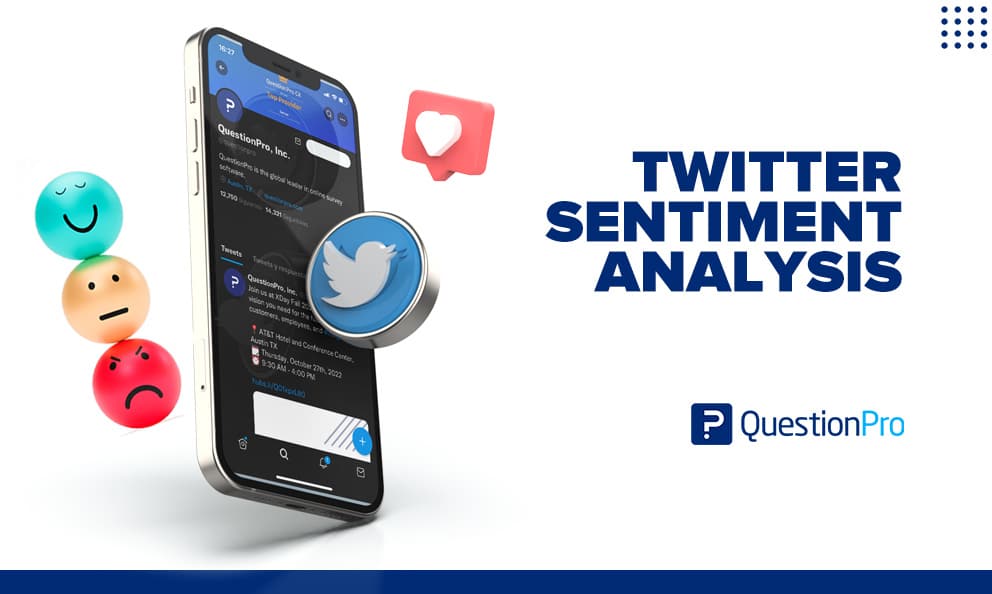
Twitter sentiment analysis uses natural language processing (NLP) and machine learning to classify posts on Twitter, now known as X. Each post gets scored as positive, negative, or neutral. It turns thousands of scattered opinions into one trackable signal about how people feel about a brand, product, or topic.
Brands care about this signal because X is still one of the fastest places for public opinion to form. A product launch or a customer complaint can generate thousands of reactions within hours. A survey could never capture the same reaction that fast.
This article covers what Twitter sentiment analysis measures and the steps to run one. It also covers real examples, common mistakes, and how to pick a tool that fits your team.
What is Twitter sentiment analysis?
Twitter sentiment analysis is a text analysis method that determines the emotional tone behind posts on X. It classifies each post as positive, negative, or neutral. NLP reads the text, and a machine learning model assigns the sentiment label at scale. No team could manually read every mention of a brand at that volume.
Most tools score two things:
- Which parts of a brand’s product or service people mention most
- How customers feel about those specific parts
Looking at both together turns raw mentions into something a brand can act on, not just a count of good and bad tweets.
Sentiment analysis uses advanced artificial intelligence technologies like NLP, text analytics, and data science to identify, extract, and study subjective information. Twitter sentiment analysis applies that same process to one specific, high-volume data source.
Sentiment analysis vs. Social listening vs. Brand monitoring
These three terms get used interchangeably, but they measure different things. Confusing them leads teams to buy the wrong tool or misread their own data.
| Term | What it measures | Typical output |
|---|---|---|
| Sentiment analysis | The emotional tone of text (positive, negative, neutral) | A sentiment score or percentage breakdown |
| Social listening | Broader conversation themes, topics, and trends around a brand | Trend reports, topic clusters, share of voice |
| Brand monitoring | Where and how often a brand is mentioned | Mention volume, reach, mention source |
Sentiment analysis is usually one layer inside a broader social listening or reputation management program. Brand monitoring tells you someone is talking about you. Sentiment analysis tells you what they actually think.
Why does Twitter sentiment analysis matter?
Twitter sentiment analysis matters because it turns unstructured opinion into a trackable metric. A business can watch it over time and report it to leadership. Three areas benefit most directly.
- Voice of Customer (VoC) programs: X comments add an unprompted, real-time layer to Voice of Customer (VoC) programs. They catch complaints and praise a customer would never submit through a formal channel. Many teams tie this data back to Net Promoter Score (NPS) tracking, to see whether public sentiment and survey sentiment actually agree.
- Product and brand perception: Aspect-level sentiment shows which specific features customers praise or criticize. It goes beyond a general sense of whether the overall mood is good or bad. This is also where brand loyalty becomes visible early. A slow drift toward negative sentiment on X often shows up months before it appears in retention numbers.
- Market and competitive research: Comparing sentiment on your own mentions against a competitor’s reveals gaps in product experience. It can surface issues a direct survey of your own customers would never catch.
Why use X (Twitter) for sentiment analysis?
X remains one of the largest sources of unprompted public opinion online. That makes it useful for sentiment analysis in a way a curated survey panel isn’t. Roughly one in five U.S. adults use X, according to Pew Research Center’s 2025 survey of American social media use. Usage also skews toward people who actively discuss brands and current events on the platform.
Unlike a poll, nobody prompts people to share an opinion on X. That makes the data noisier. It also makes it more honest, since people write what they think in the moment, right after an experience.
Before machine learning models existed for this task, analysts read tweets one by one. Each tweet had to be manually tagged, which was slow and expensive. It was also inconsistent from one analyst to the next.
How to perform Twitter sentiment analysis: 4 Steps
Running a Twitter sentiment analysis follows the same core sequence, regardless of which tool does the scoring.
- Gather the data.
- Pull current tweets to track a live keyword or launch in real time. Pull historical tweets to compare sentiment across two time periods, such as before and after a product update.
- Clean the data.
- Strip out emojis, extra whitespace, and off-topic mentions. Filter out duplicate posts and bot-generated content. Input quality affects accuracy more than the sophistication of the model scoring it.
- Run the sentiment analysis.
Submit the cleaned, relevant tweets to a sentiment analysis tool. It tags each post positive, negative, or neutral, and often assigns a numeric sentiment score.
- Visualize the results.
Turn the output into charts or a dashboard so a team can spot shifts at a glance, rather than scrolling through raw scores.
Real-time text analysis vs. geospatial analysis
Visualizing results in real time can take two forms, and they solve different problems. Basic real-time text analysis scores and streams sentiment as tweets come in, which covers most brand-monitoring needs.
Geospatial analysis adds a location layer on top, mapping sentiment by region. This matters more for global brands that need to see how a launch is landing differently across countries. Geospatial analysis is harder to build because it combines streaming text, location data, and machine learning in one system.
Real-world examples of Twitter sentiment analysis
Seeing the classification in action makes the concept concrete.
- Customer service tweet: “Waited 40 minutes on hold, then got disconnected. Ridiculous.” A sentiment model flags “ridiculous” and “disconnected” against a support experience. It scores the post strongly negative and routes it to a support queue.
- Product launch reaction: “The new update finally fixed the lag, this is so much better now.” This scores positive overall. Aspect-based analysis specifically tags “lag” and “update” as the drivers of the positive sentiment.
- Mixed sentiment: “Love the redesign but the checkout is still confusing.” A basic model might average this to neutral. Aspect-based sentiment analysis correctly separates it: positive toward the redesign, negative toward checkout. That split is the more useful read for a product team.
How to measure Twitter sentiment analysis results
Sentiment analysis only becomes useful once it’s tied to concrete, repeatable metrics, not a general sense that things seem more positive.
- Sentiment score: The share of positive mentions minus the share of negative mentions, usually expressed on a -100 to +100 scale.
- Sentiment mix: The percentage split across positive, negative, and neutral mentions for a set period, tracked week over week or month over month.
- Volume-weighted sentiment: Total mention volume matters alongside sentiment. A 60% positive score on 50 mentions carries far less weight than the same score on 5,000.
- Minimum sample size: Treat any sentiment score built on fewer than roughly 100 relevant mentions as directional only. Small volumes still produce noisy, unstable scores, even without the formal sampling math of a survey.
- Response time to negative spikes: Track how long it takes the team to see and act on a negative sentiment spike. Real-time monitoring only pays off if someone actually responds fast.
Common mistakes to avoid
A few recurring mistakes quietly undermine Twitter sentiment analysis results.
- Misreading sarcasm.
Sarcastic or exaggerated praise, like “oh great, another outage,” routinely gets misclassified as positive by basic models. Look for a tool with dedicated sarcasm detection, or plan to spot-check flagged edge cases manually.
- Not filtering bots and spam.
Automated accounts and coordinated posting can skew a sentiment score without anyone noticing, especially during a viral moment.
- Treating sentiment as the only metric.
A sentiment score with no volume or context attached is easy to misread. A small spike in negative sentiment from a handful of accounts is a very different problem than the same spike spread across thousands of unique users.
- Ignoring aspect-level detail.
Averaging sentiment across an entire brand hides which specific feature, policy, or team is actually driving the negative reaction.
- Skipping the human review step.
Even accurate models make mistakes on slang, regional phrasing, and new terminology. Periodic manual review of a sample keeps the model’s output honest.
How to choose the right Twitter sentiment analysis tool
The right tool depends less on features and more on what the team already has in place to act on the results.
- Data access: Confirm the tool has current, reliable access to X data. API pricing and access rules have changed since the platform’s rebrand, and some older tools lag on refresh rates as a result.
- Model accuracy on your content type: Test the tool against a sample of your own brand’s real mentions, including sarcasm and slang, rather than trusting a generic accuracy claim.
- Real-time vs. historical needs: A support team monitoring live complaints needs real-time streaming. A brand team benchmarking a past campaign mainly needs solid historical search.
- Integration with existing feedback systems: A tool that feeds sentiment data into the same place your survey, NPS, and review data already lives saves a team from juggling three dashboards.
- Cost structure that matches your volume: Per-keyword or per-mention pricing can scale unpredictably for a brand tracking multiple products or markets. Confirm the pricing model before committing.
Twitter sentiment analysis with QuestionPro
QuestionPro’s sentiment analysis feature applies NLP and text analytics to score open-ended feedback as positive, negative, or neutral. It then tags and filters the results, so a team can drill into the “why” behind a score.
The tool works on text your team already collects. That includes:
- Survey and open-ended feedback responses
- Product and service reviews
- Exported social conversation data, including X mentions
X sentiment can sit alongside customer feedback from every other channel, instead of living in a separate tool. Inside QuestionPro Customer Experience, this combined view supports the reputation and Voice of Customer tracking covered earlier. A brand can see whether sentiment on X matches what customers say in direct feedback, and where the two diverge.
Getting more from every sentiment signal
Twitter sentiment analysis works best as one input into a broader customer feedback strategy. It shouldn’t be a standalone metric checked in isolation. Treat a negative sentiment spike the way you’d treat a drop in a satisfaction score. It’s a signal to investigate, not just a number to report upward.
Pairing X sentiment with survey data, support tickets, and review sentiment gives a far more reliable picture than any single channel on its own.
Frequently Asked Questions (FAQs)
Yes. The underlying method hasn’t changed, only the platform’s name. X still generates high volumes of unprompted public opinion, which is exactly the kind of data sentiment analysis is built to process at scale.
General-purpose models usually classify overall polarity correctly, but accuracy drops on sarcasm, slang, and mixed-sentiment posts. Aspect-based models paired with periodic human review meaningfully improve reliability for brands that depend on the results for decisions.
Small businesses can use it too, usually through lower-cost or free-tier tools tracking a narrower set of keywords. The main limitation is mention volume; a small brand may need to combine several weeks of data before a sentiment score becomes meaningful.
Many tools support multiple languages, but accuracy varies more in languages with less training data available. Always test a tool against a sample of non-English mentions before relying on it for a global brand’s reporting.
Sentiment analysis classifies text as positive, negative, or neutral. Emotion detection goes further and identifies specific emotions, like anger, joy, or frustration. It helps a brand understand not just that sentiment is negative, but why.