

- Moderation
- Usability test: UX Diagnostics
- Sprint View: Usability tests
- Accessible Usability Scale - AUS
- System Usability Scale - SUS
- SUPR-Q
- PSSUQ
- UX Crowd: Usability tests
- AI Insights for Usability Tests
- Self-Reported Success (SRS)
- AI Executive Summaries
- Participant Diaries and Study Analysis
- Image analysis
- Voting task analysis
- Video tasks: Analysis

Billing and Profile Management
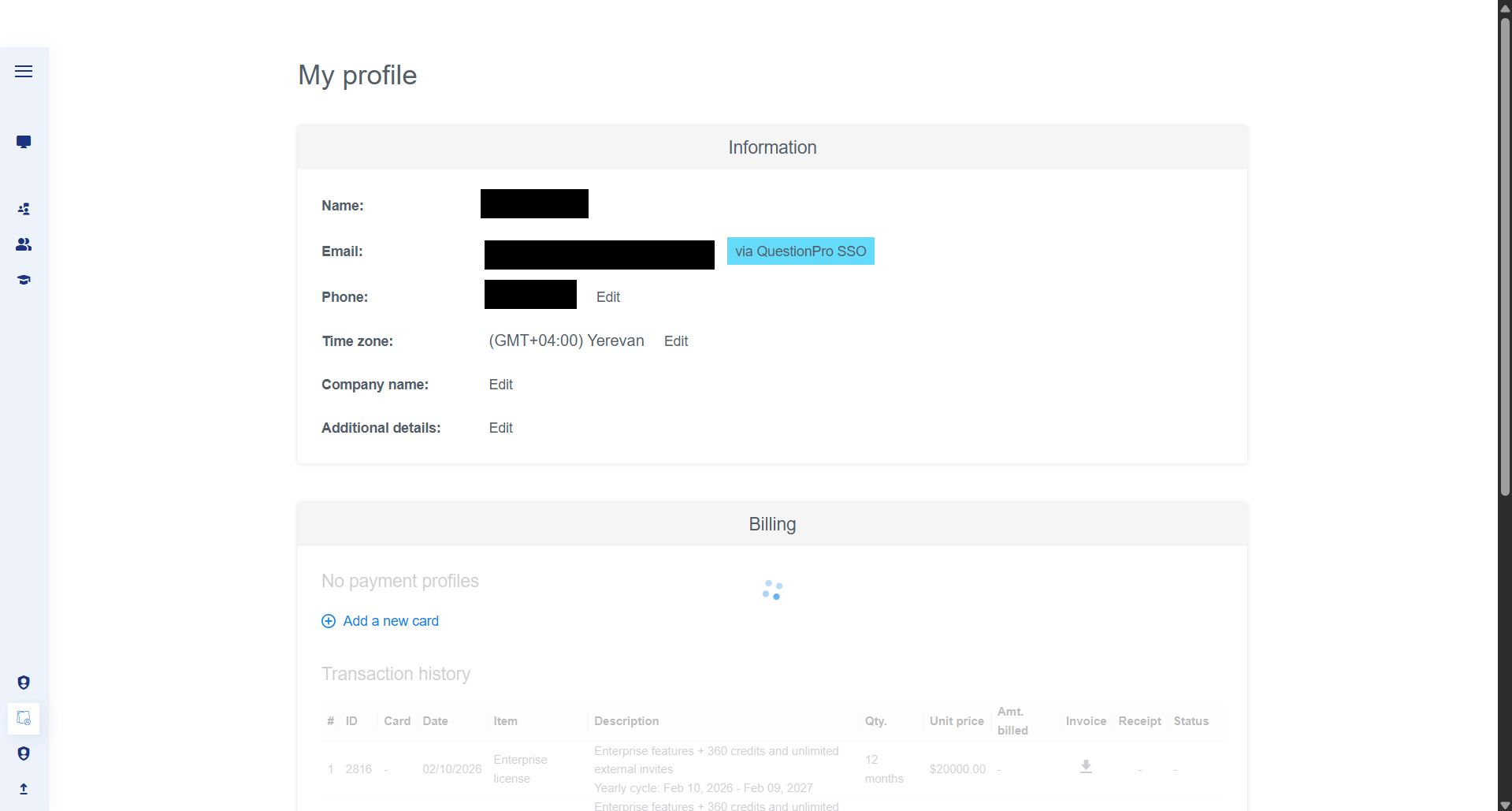
How do I update my personal profile and time zone?
Your profile contains the core administrative details for your account. To access these settings, click on the My profile icon in the bottom-left navigation bar.
- Information: You can view your account email and edit your name, phone number, and company name.
- Time Zone: It is important to set your correct local time zone to ensure all test schedules and "Last modified" timestamps are accurate to your location.
How do I manage my payment methods?
The Billing section allows you to manage how you pay for your research credits and licenses.
- Payment Profiles: Click + Add a new card to securely save a credit card to your account for future purchases.
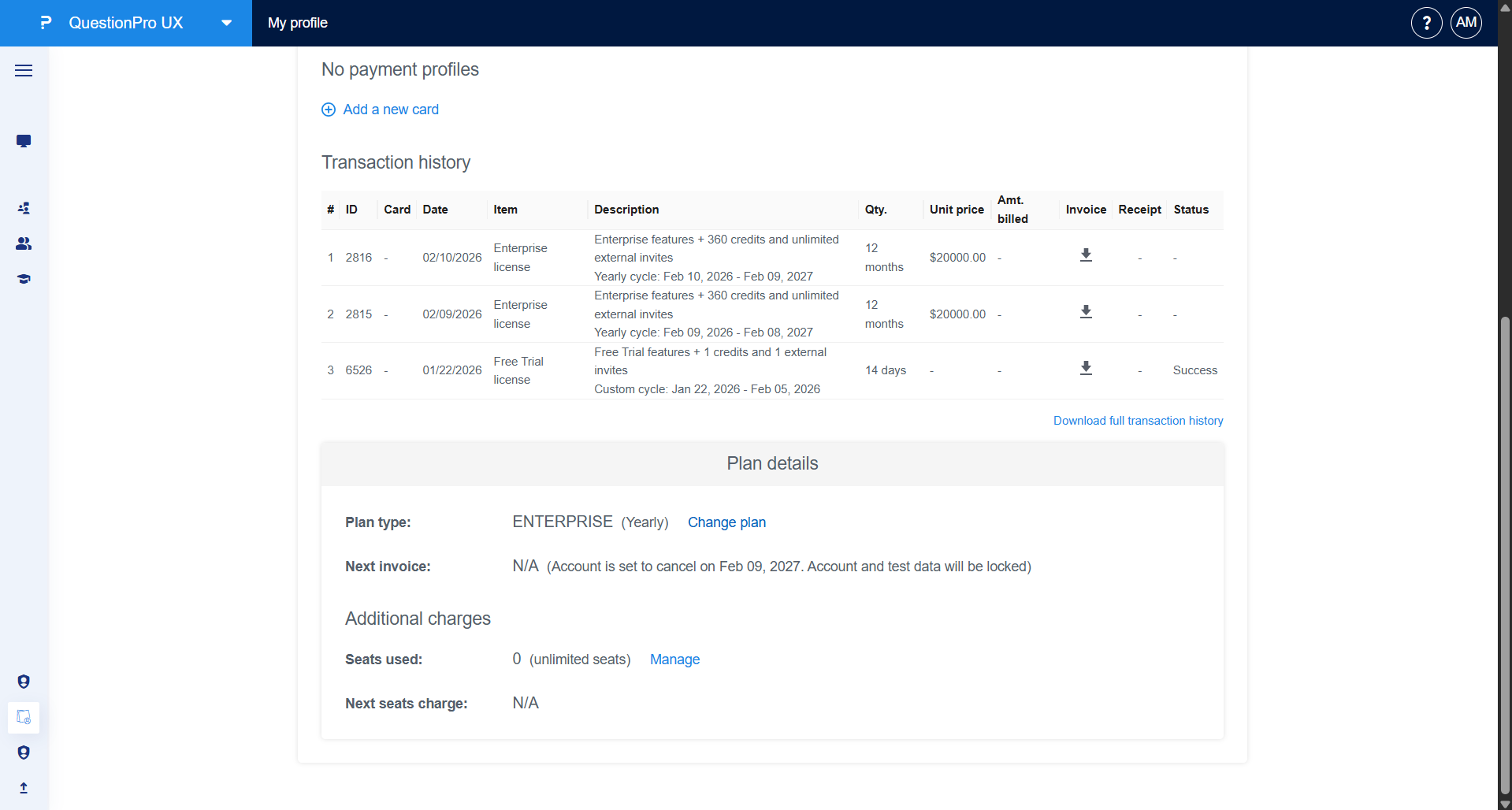
- Transaction History: This table provides a complete audit trail of your purchases, including the Item (e.g., Enterprise license), Description, Quantity, and the total Amount billed.
- Invoices and Receipts: You can download individual invoices or receipts for your records by clicking the download icon in the respective columns.
Where can I view my plan details and seat usage?
Scroll to the bottom of the profile page to view your Plan details. This section highlights:
- Plan Type: Displays your current subscription (e.g., ENTERPRISE Yearly) and allows you to initiate a plan change.
- Renewal/Cancellation: Displays the date of your next invoice or account expiration.
- Additional Charges (Seats): View how many seats are currently used within your organization. Under Enterprise plans, you typically have access to unlimited seats at no additional charge.
