- Moderation
- Usability test: UX Diagnostics
- Sprint View: Usability tests
- Accessible Usability Scale - AUS
- System Usability Scale - SUS
- SUPR-Q
- PSSUQ
- UX Crowd: Usability tests
- AI Insights for Usability Tests
- Self-Reported Success (SRS)
- AI Executive Summaries
- Participant Diaries and Study Analysis
- Image analysis
- Voting task analysis
- Video tasks: Analysis

Reports & Exports
QuestionPro UX offers several reporting formats to help you share insights and raw data. Researchers can generate custom visual presentations or download standardized data sheets depending on their analysis needs.
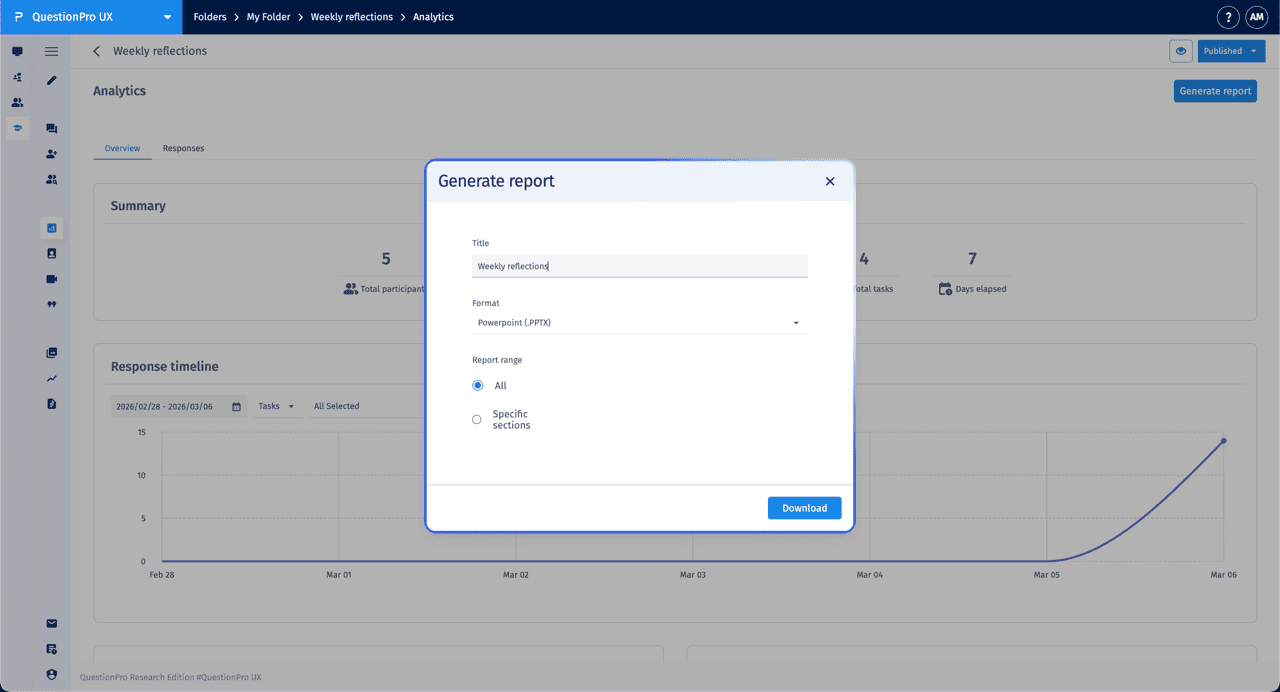
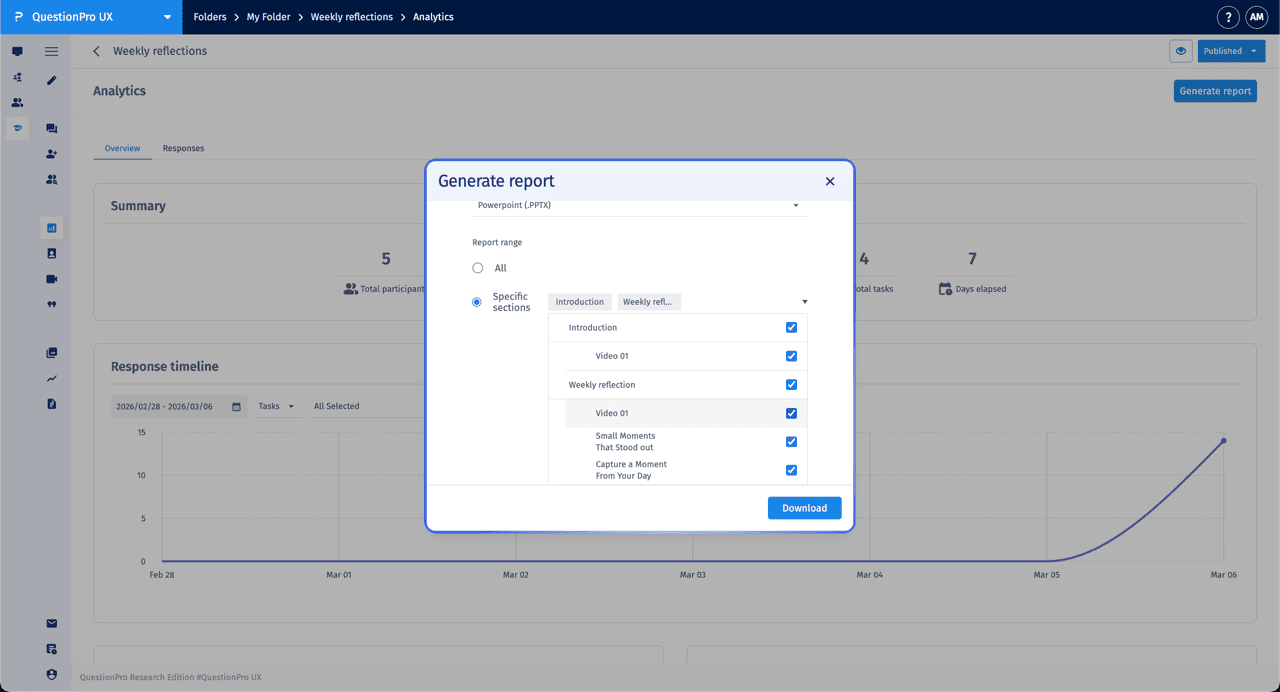
In the Analytics section, click the Generate report button to open the customization modal. From here, you can configure your export:
- Title: Assign a custom name to your report for easy identification.
- Format: Select Powerpoint (.PPTX) as the output format for stakeholder presentations.
- Report Range: Choose All to include every task, or Specific sections to selectively include content from your Introduction or individual Quests.
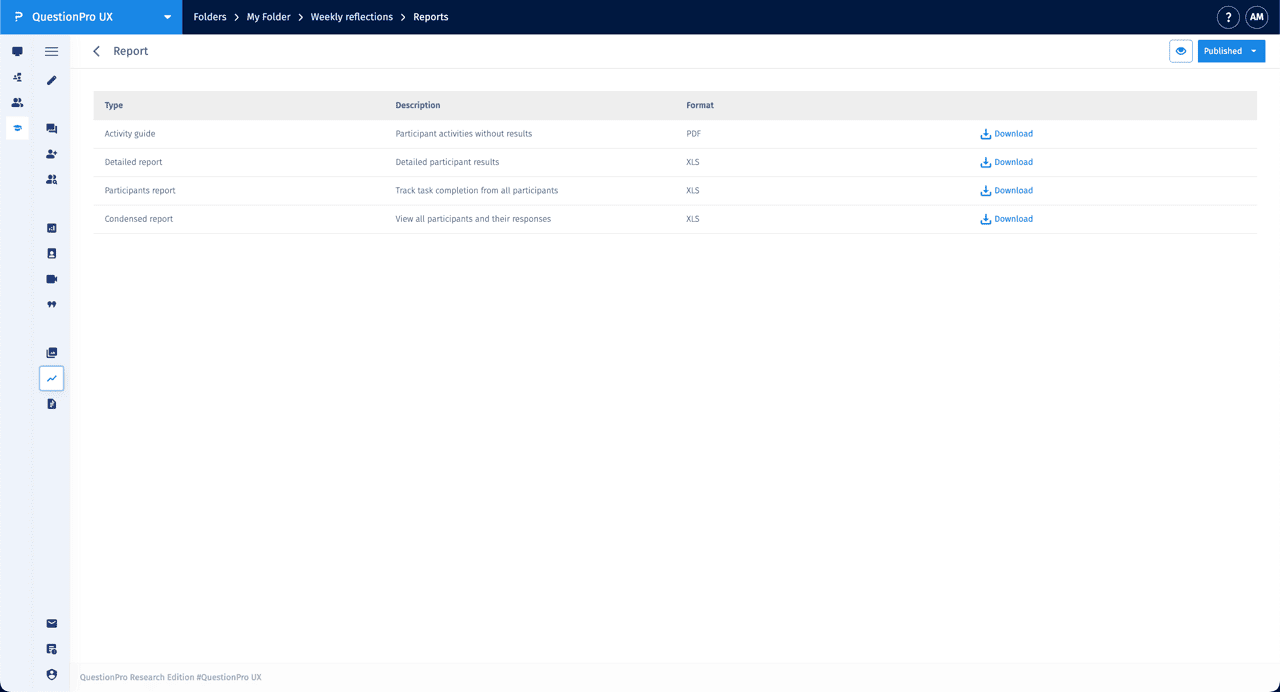
You can access pre-prepared reports in the Reports tab for quick downloads of standardized datasets:
| Report Type | Description | Format |
|---|---|---|
| Activity guide | A summary of participant activities without showing individual results. | |
| Detailed report | Comprehensive participant-level data and individual results. | XLS |
| Participants report | A tracking sheet to monitor task completion status for all participants. | XLS |
| Condensed report | A high-level view of all participants and their primary responses. | XLS |
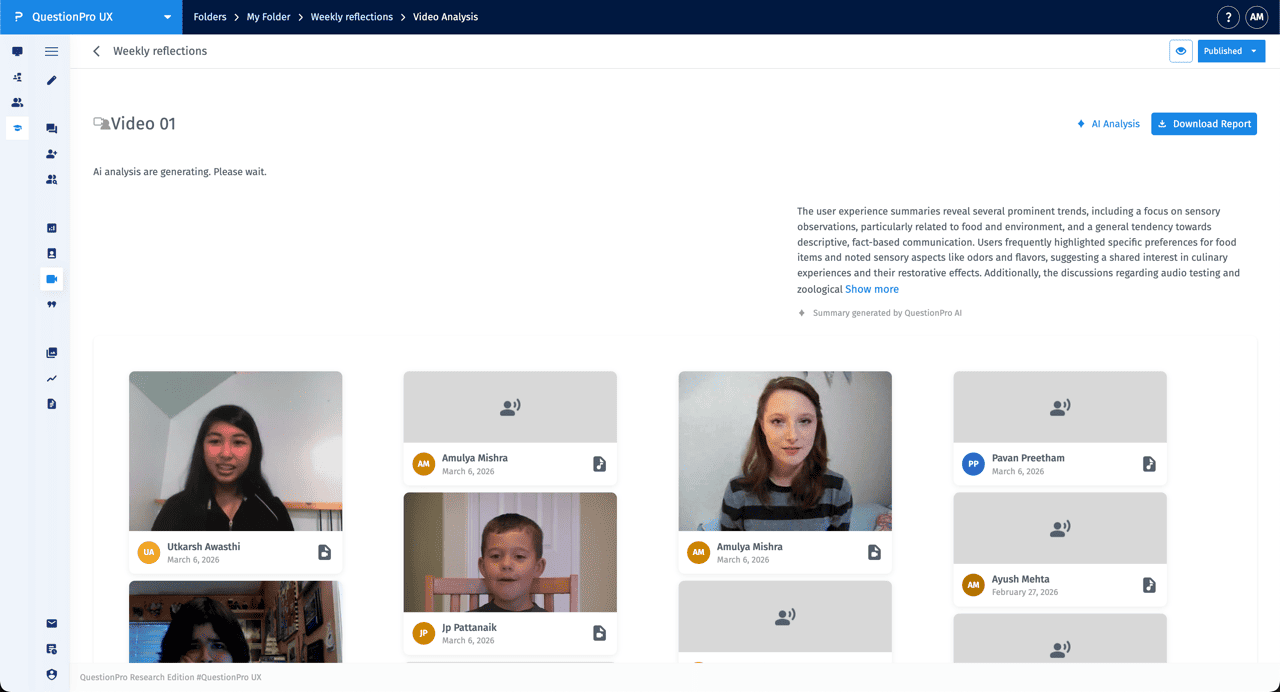
Within the Video Analysis section for a specific task, click Download Report to export an AI-driven summary and transcript data. This report is exported in PowerPoint (.PPTX) format, containing visual summaries of the trends and sensory observations identified by the AI analysis.
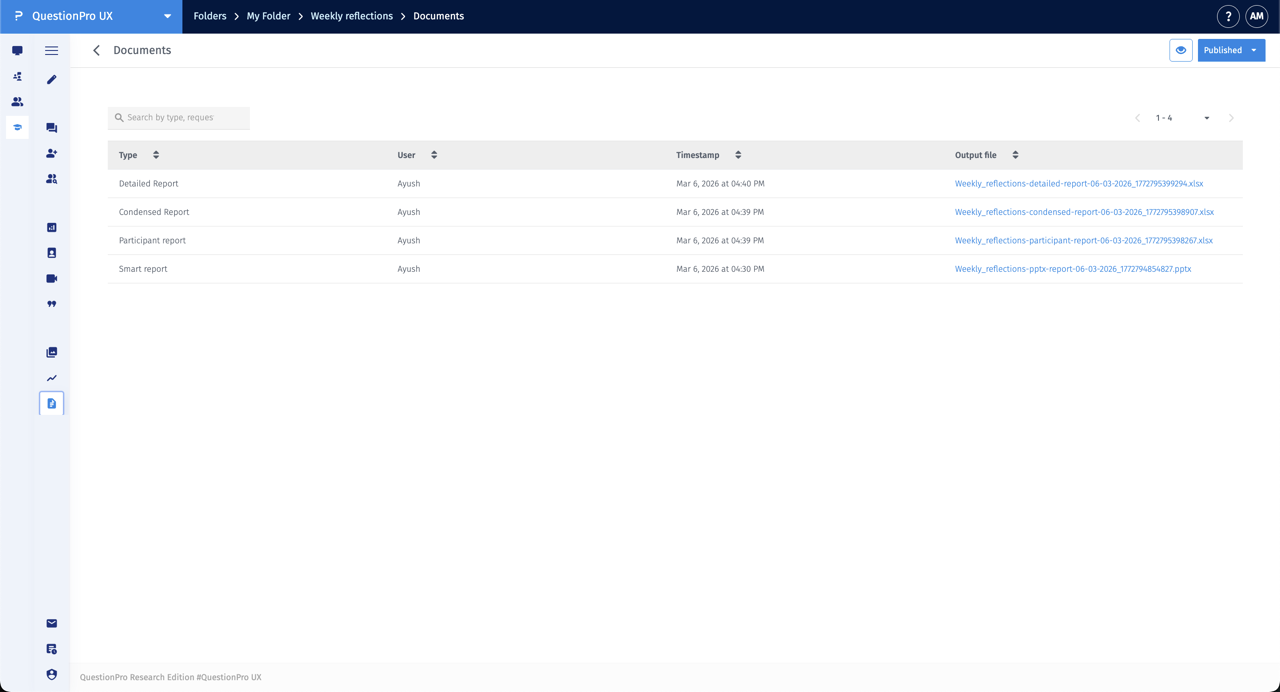
The Documents tab serves as a centralized log for all reports generated within the project. This view allows researchers to track previous activity and re-download historical files:
- Type: Displays the report format (e.g., Detailed Report, Smart Report).
- User: Identifies which team member initiated the report generation.
- Timestamp: Records the exact date and time the report was created.
- Output File: Provides a direct link to download the generated file.