

- Moderation
- Usability test: UX Diagnostics
- Sprint View: Usability tests
- Accessible Usability Scale - AUS
- System Usability Scale - SUS
- SUPR-Q
- PSSUQ
- UX Crowd: Usability tests
- AI Insights for Usability Tests
- Self-Reported Success (SRS)
- AI Executive Summaries
- Participant Diaries and Study Analysis
- Image analysis
- Voting task analysis
- Video tasks: Analysis

Topics & Discussions
Topics is a feature within QuestionPro UX designed for qualitative, longitudinal research such as diary studies. It allows researchers to create open-ended discussion threads where participants can share their experiences, thoughts, and media over time. Unlike structured surveys, Topics facilitate a community-style interaction where participants can respond to prompts and researchers can ask follow-up questions in a threaded format.
You can find the Topics management area within your project dashboard. From here, you can toggle participant access and control how new content is generated:
- Participant's access to the forum: Toggle this to open or close the entire discussion area for your participants.
- New topics by participants: Enable this if you want participants to be able to start their own discussion threads; otherwise, only researchers can initiate topics.
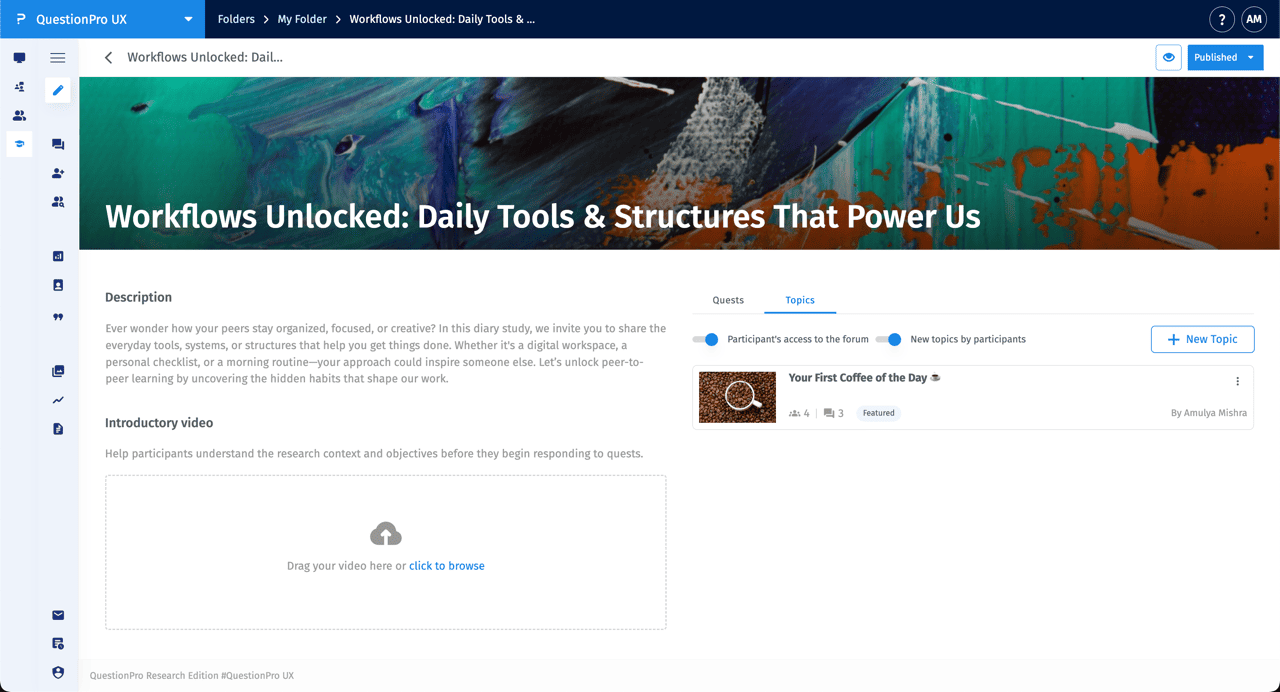
To start a new discussion, click the + New Topic button. You can add a title, a featured image to represent the subject, and a detailed description or set of instructions for the participants.
For example, in a "Your First Coffee of the Day" topic, you can prompt users to share specific details like the time, location, and how the ritual made them feel.
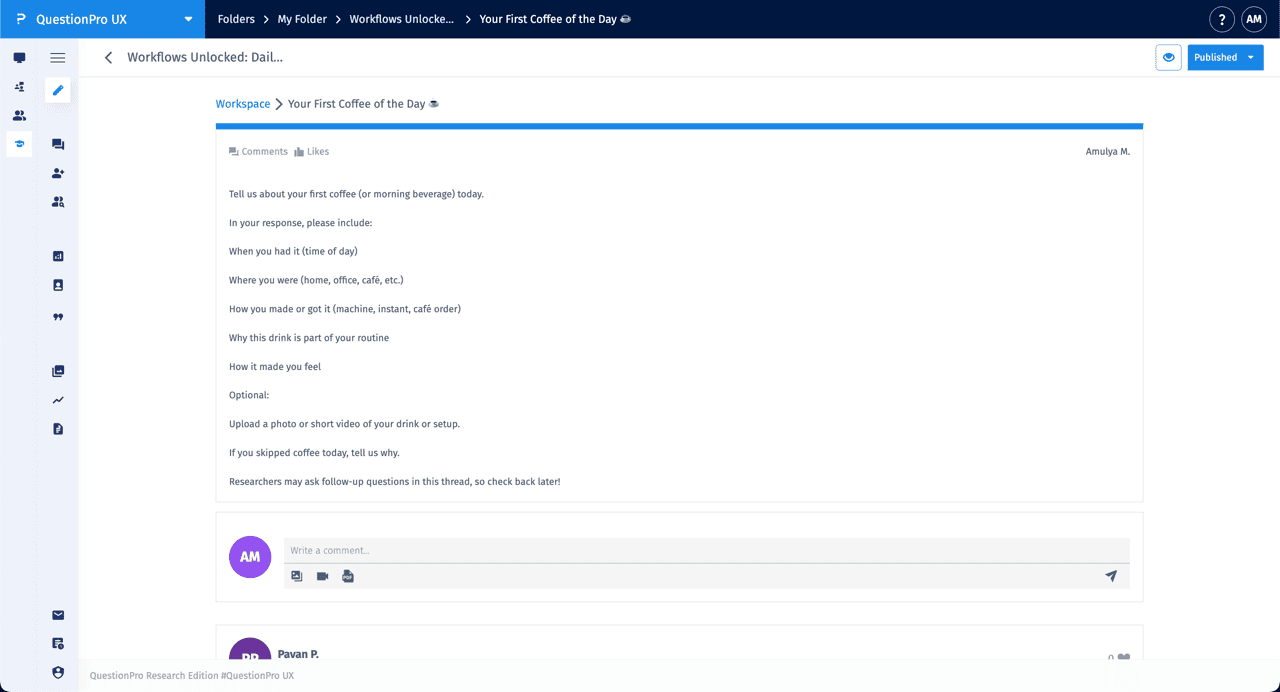
Participants can engage with a topic by posting Comments. The interface supports a rich interaction model:
- Textual Responses: Participants can write detailed entries about their daily routines or habits.
- Media Uploads: Users can upload photos, videos, or documents (PDFs) directly into their comments using the attachment icons.
- Likes: Participants and researchers can "Like" comments to acknowledge high-quality contributions.
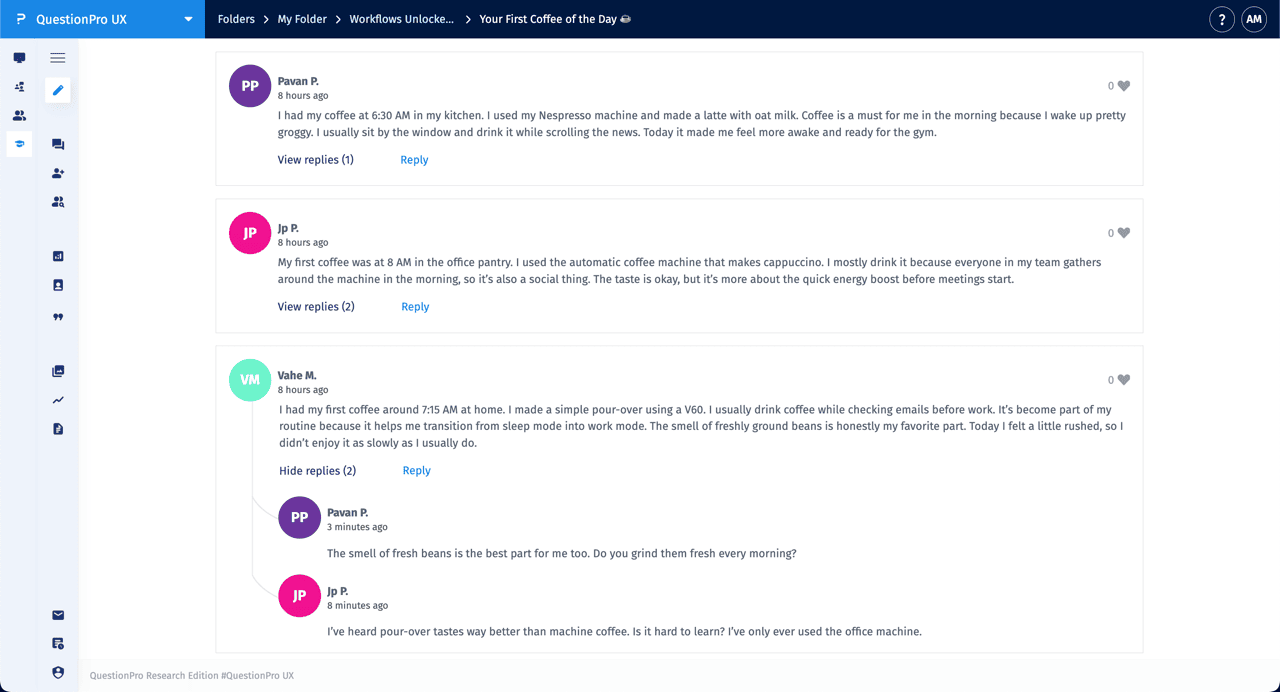
Yes. One of the core strengths of the Topics feature is the ability to conduct Threaded Discussions. Researchers can click Reply on any participant's post to ask for clarification or more detail. Other participants can also join the thread, creating a peer-to-peer learning environment that uncovers deeper insights.
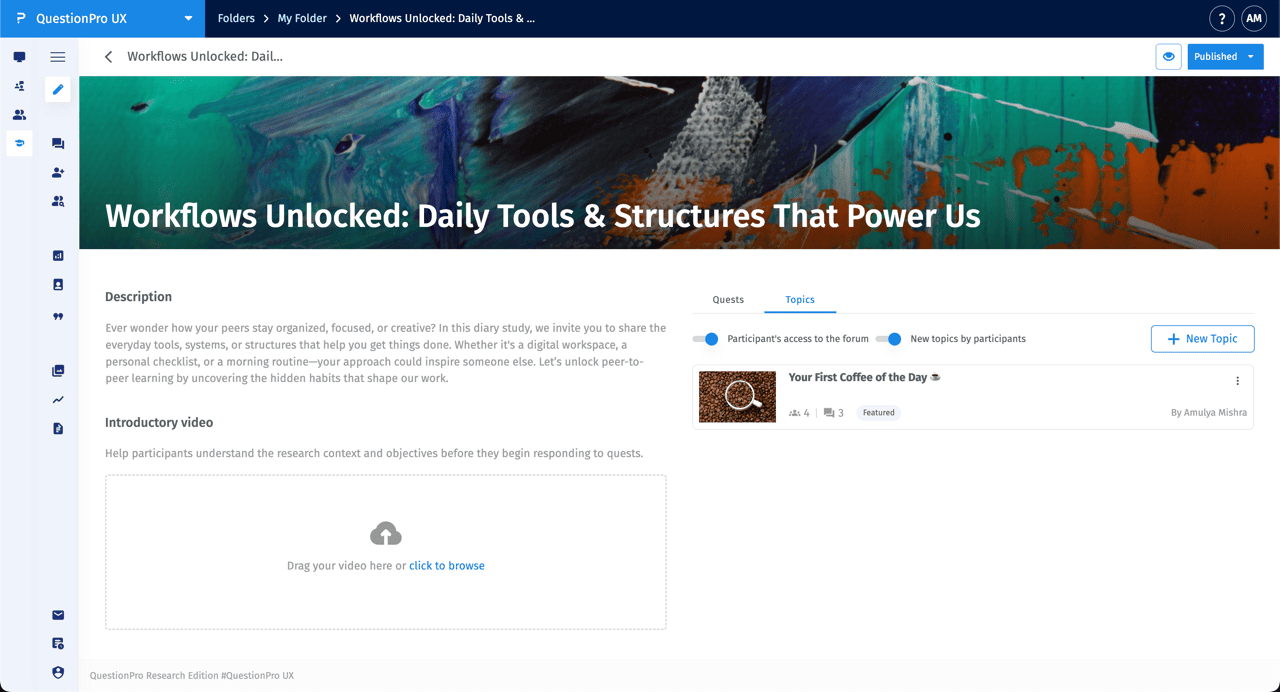
The dashboard provides additional tools to guide participants and monitor engagement:
- Introductory Video: You can upload an introductory video to help participants understand the research context and objectives before they begin.
- Featured Label: Topics can be marked as "Featured" to highlight specific discussions.
- Engagement Metrics: Icons below the topic title show the number of participants involved and the total number of comments/replies.
