- Moderation
- Usability test: UX Diagnostics
- Sprint View: Usability tests
- Accessible Usability Scale - AUS
- System Usability Scale - SUS
- SUPR-Q
- PSSUQ
- UX Crowd: Usability tests
- AI Insights for Usability Tests
- Self-Reported Success (SRS)
- AI Executive Summaries
- Participant Diaries and Study Analysis
- Image analysis
- Voting task analysis
- Video tasks: Analysis

Messages System
What is the Messages system?
The Messages system is an integrated communication tool that allows participants and researchers to exchange direct messages within the QuestionPro UX platform. This facilitates real-time support, clarifies research tasks, and maintains engagement throughout the study.
How do participants access and use messages?
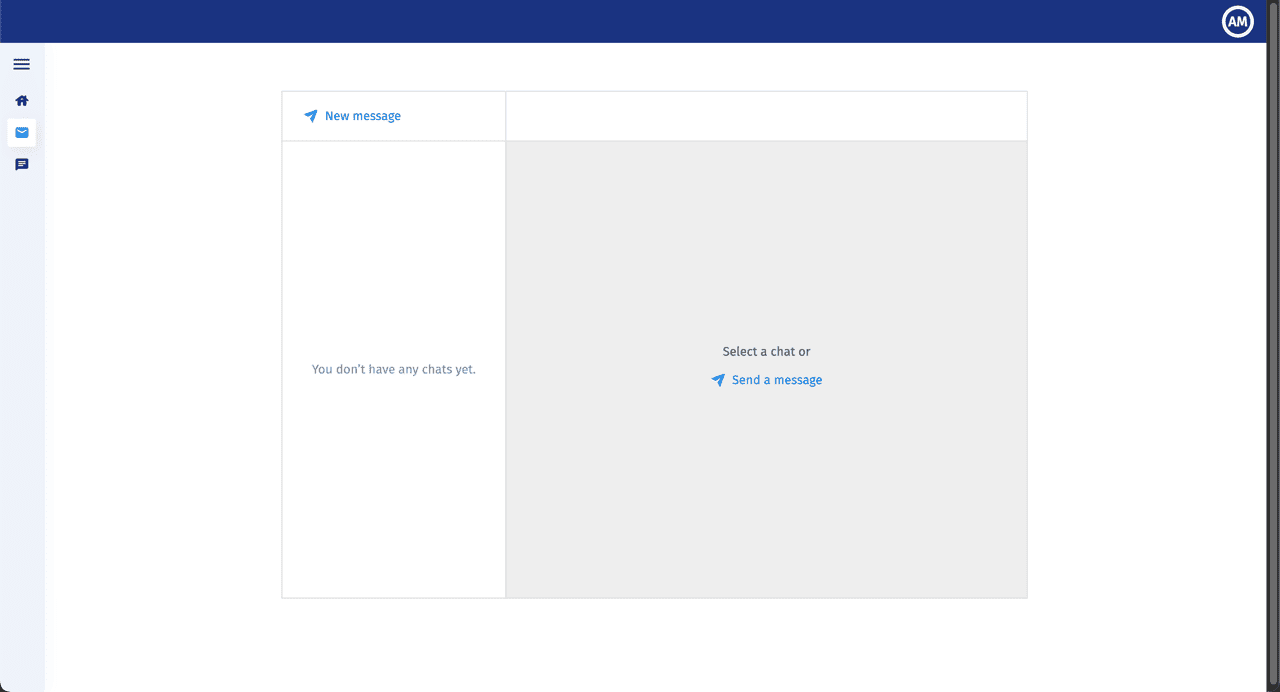
Participants can access their inbox through the Messages icon in their sidebar. From the participant interface, they can:
- View Conversations: See a list of active chat threads on the left-hand panel.
- Send New Messages: Click the New message button to initiate a conversation with the study moderators.
How do moderators manage incoming messages?
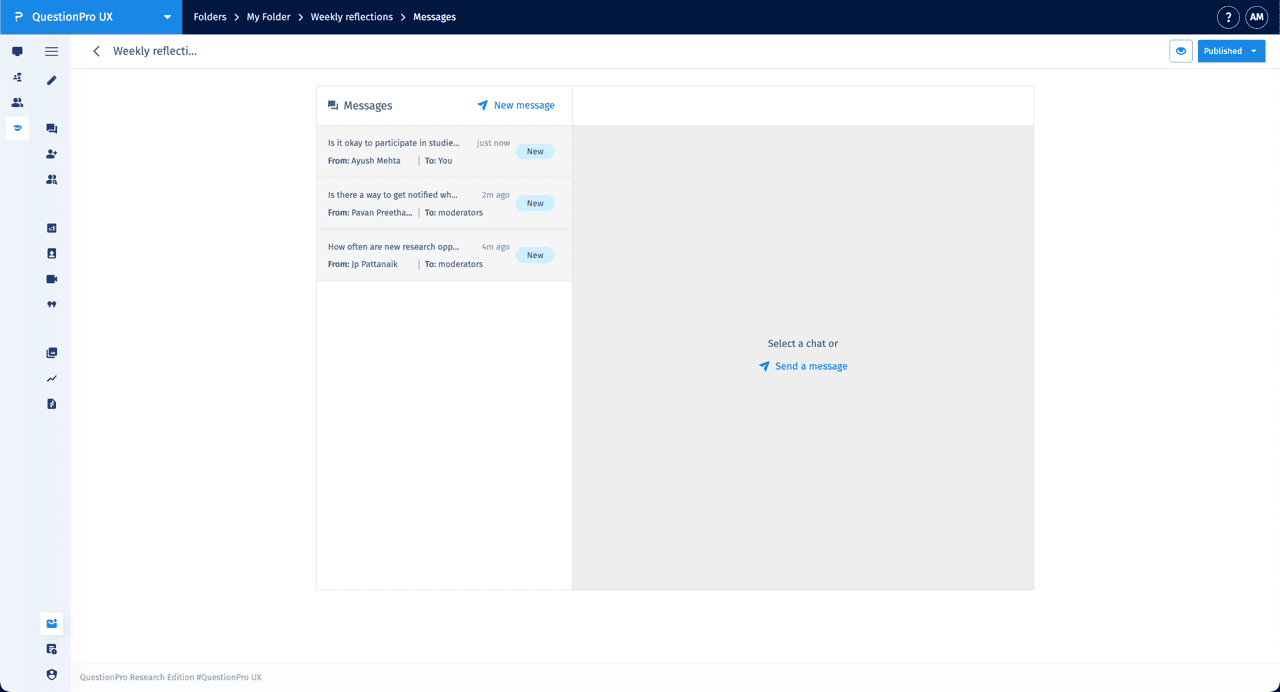
Researchers can monitor and respond to participant inquiries through a centralized dashboard. The interface includes several key indicators:
- Message List: View all incoming threads, which display the sender's name, the time of the last message, and a New badge for unread content.
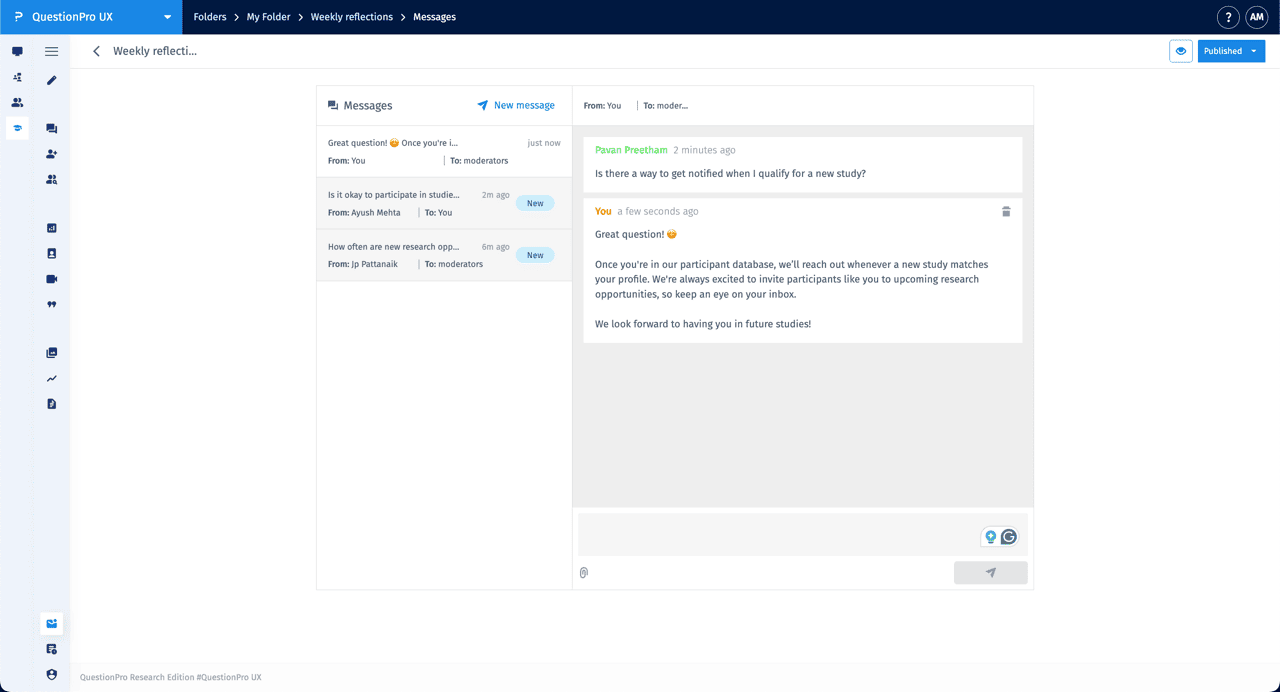
- Chat Threading: Selecting a message opens the full conversation history on the right, clearly distinguishing between participant responses and moderator replies.
- Attachments: Moderators and participants can use the paperclip icon to attach files to their messages.
- Delete: Individual messages can be removed using the trash icon within the thread.
How do I start a message with a specific participant?
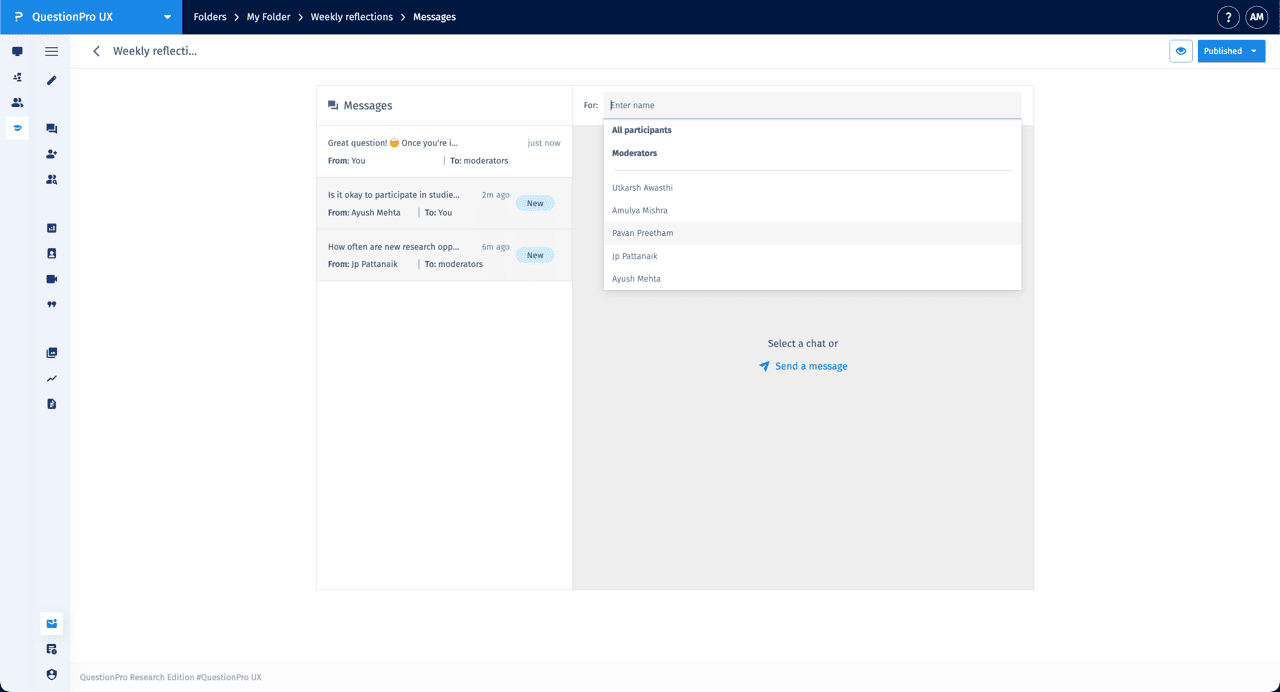
To start a new thread, click New message. A search field will appear in the For: section, allowing you to select from several options:
- All participants: Send a broadcast message to the entire study group.
- Moderators: Communicate internally with other researchers on the project.
- Individual Selection: Search for and select a specific participant by name to start a private one-on-one conversation.