- Moderation
- Usability test: UX Diagnostics
- Sprint View: Usability tests
- Accessible Usability Scale - AUS
- System Usability Scale - SUS
- SUPR-Q
- PSSUQ
- UX Crowd: Usability tests
- AI Insights for Usability Tests
- Self-Reported Success (SRS)
- AI Executive Summaries
- Participant Diaries and Study Analysis
- Image analysis
- Voting task analysis
- Video tasks: Analysis

Media Library
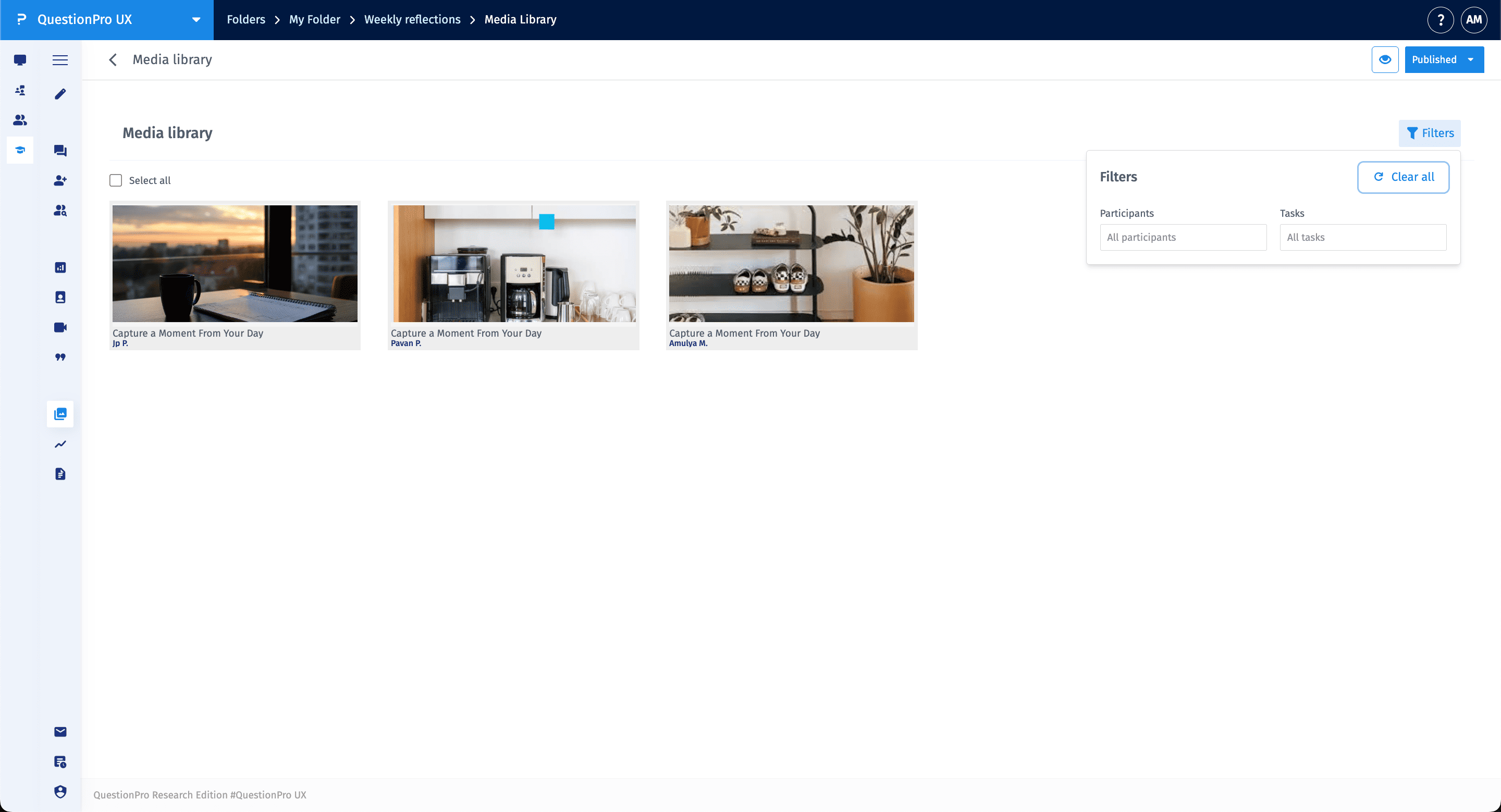
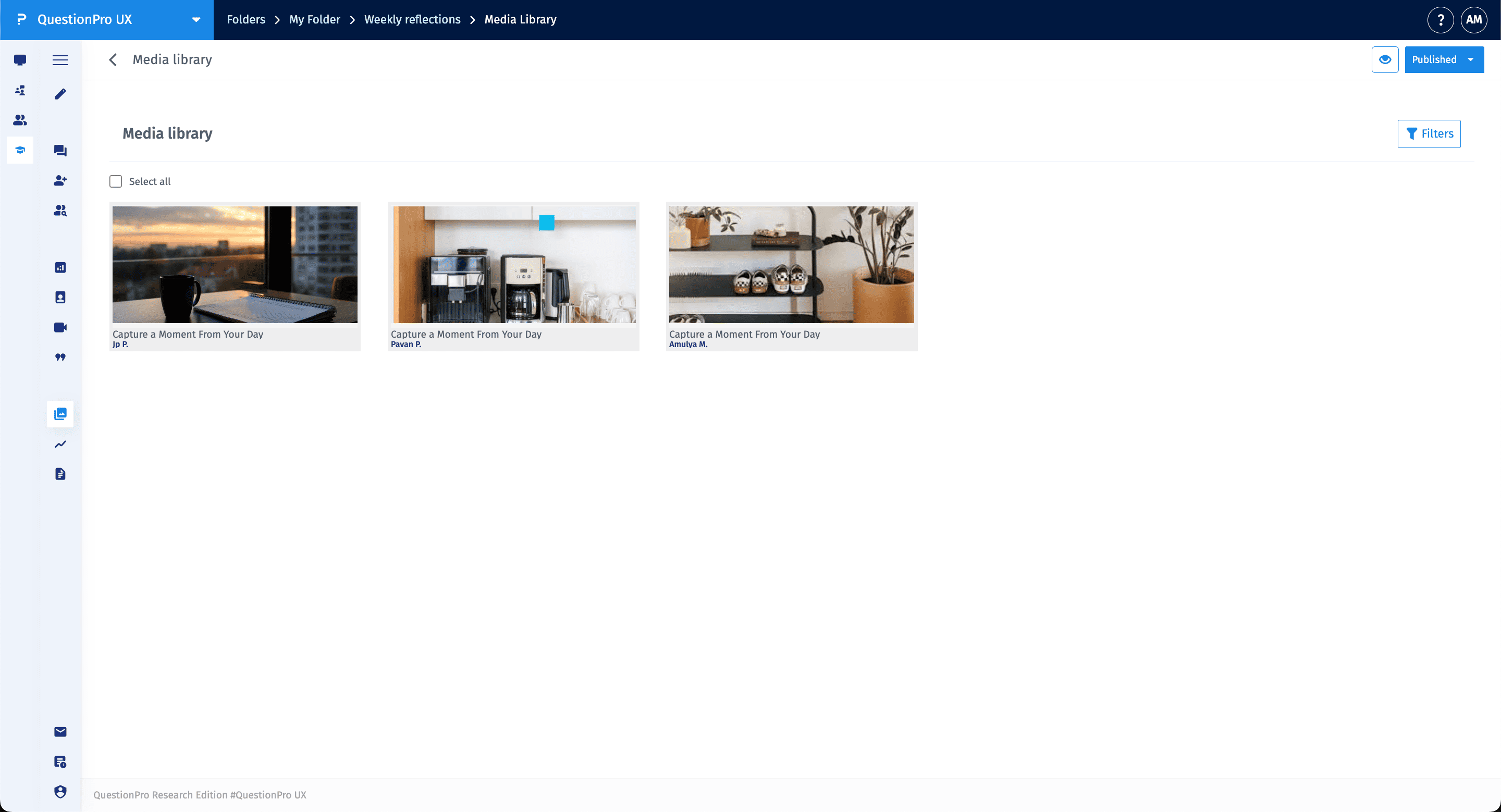
The Media Library is a centralized gallery that aggregates all visual assets submitted by participants across different quests and tasks. It allows researchers to browse through photo and video responses in a grid view, providing a quick visual overview of the qualitative data collected during the study.
To access your study's visual assets, click on the Media Library icon (image icon) in the left-hand navigation sidebar. This will open the gallery view where all submitted media are displayed with the participant's name and the associated task title listed below each item.
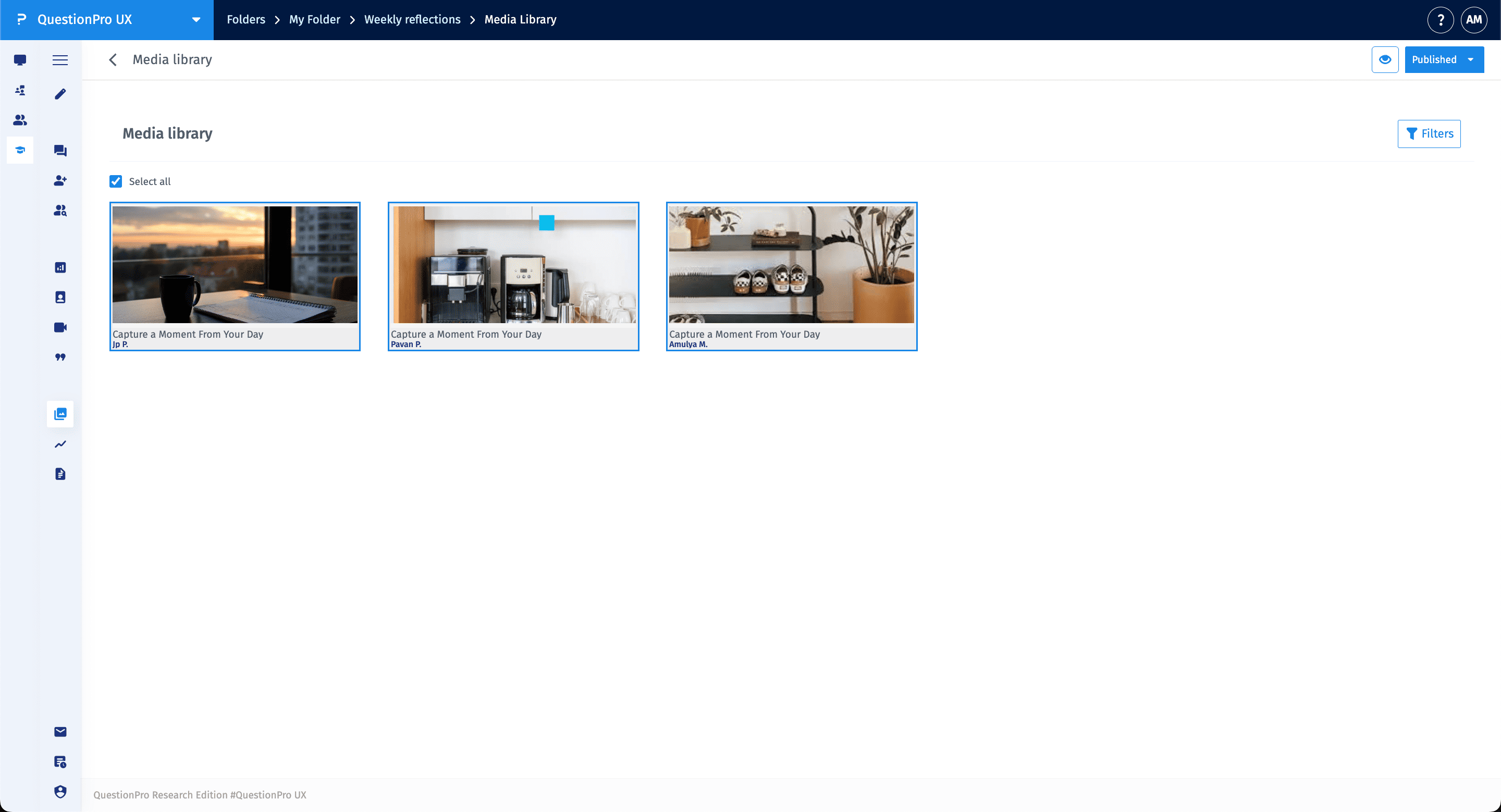
You can manage your assets by selecting specific items or the entire collection for export:
- Select All: Check the Select all box at the top of the gallery to highlight every media item in the current view.
- Bulk Download: Once items are selected, you can download all the highlighted images and videos to your local device for offline analysis or reporting.
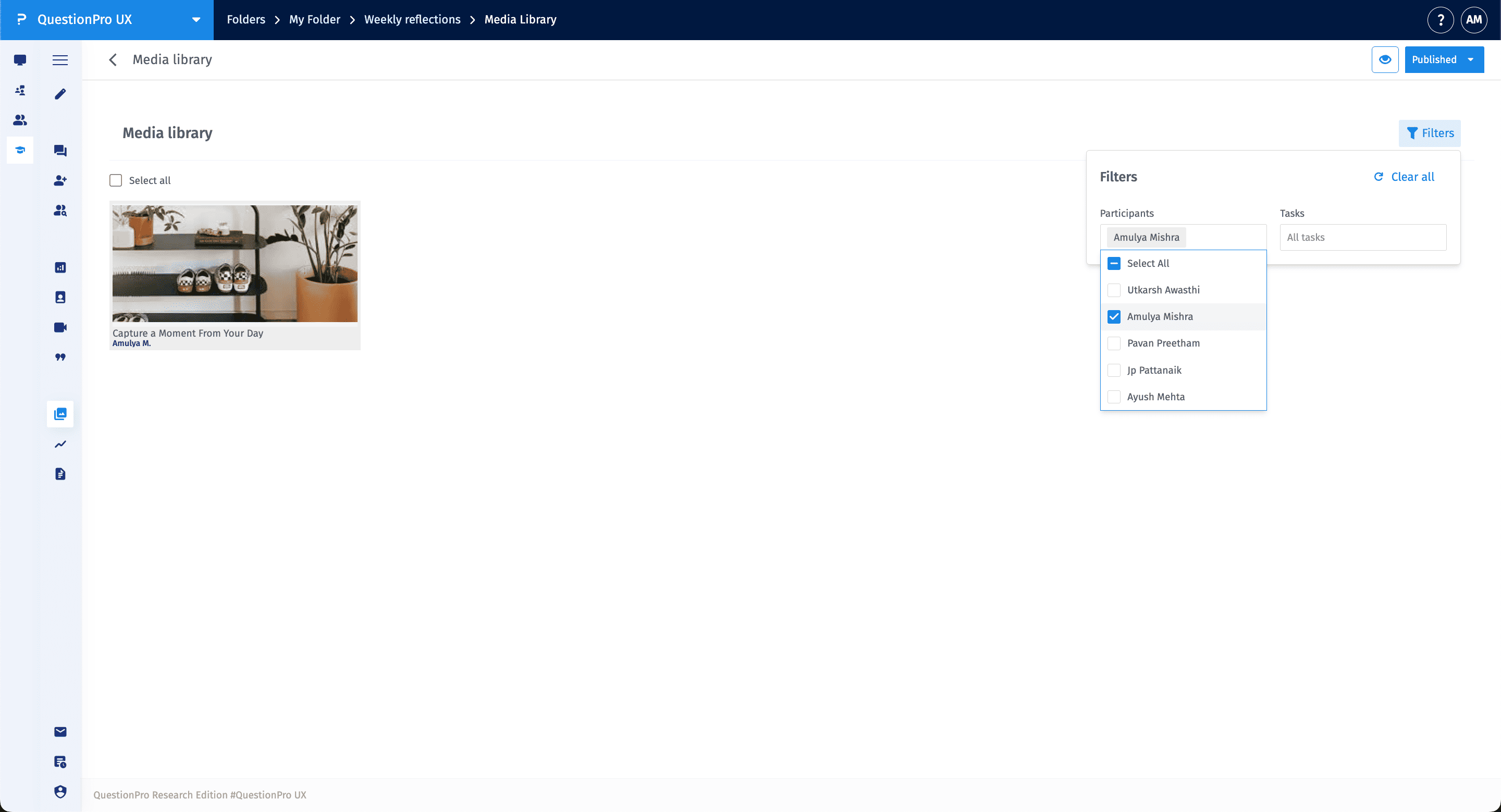
To find specific assets, use the Filters tool located at the top right of the Media Library. This allows you to narrow down the gallery based on specific criteria:
- Participants: Filter the view to show media submitted by a specific participant or a group of participants.
- Tasks: Filter by individual tasks to see all media related to a specific prompt, such as "Capture a Moment From Your Day."
- Clear All: Use the Clear all option within the filter menu to reset your view and see all media assets again.