- Moderation
- Usability test: UX Diagnostics
- Sprint View: Usability tests
- Accessible Usability Scale - AUS
- System Usability Scale - SUS
- SUPR-Q
- PSSUQ
- UX Crowd: Usability tests
- AI Insights for Usability Tests
- Self-Reported Success (SRS)
- AI Executive Summaries
- Participant Diaries and Study Analysis
- Image analysis
- Voting task analysis
- Video tasks: Analysis

Moderate Responses
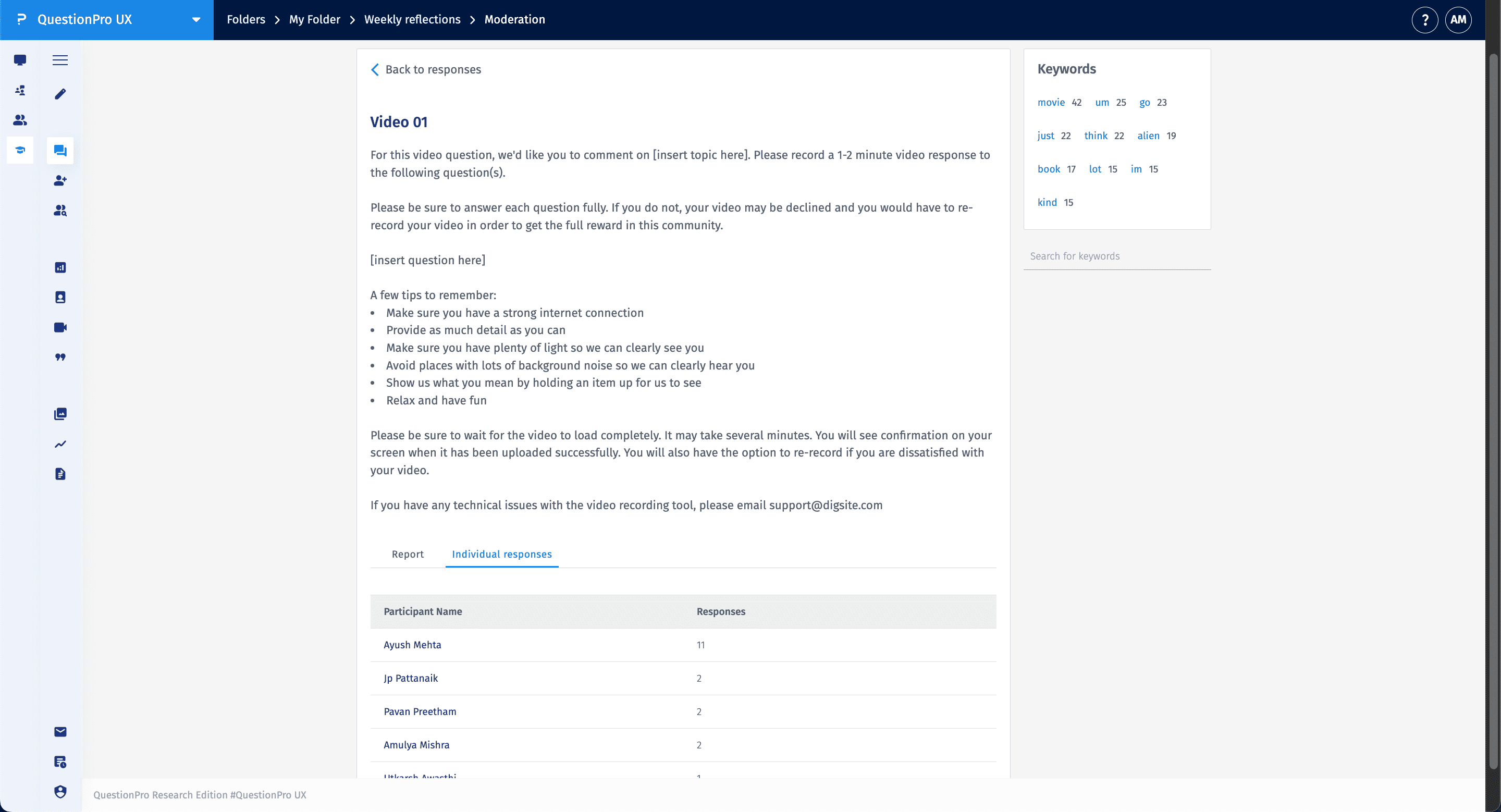
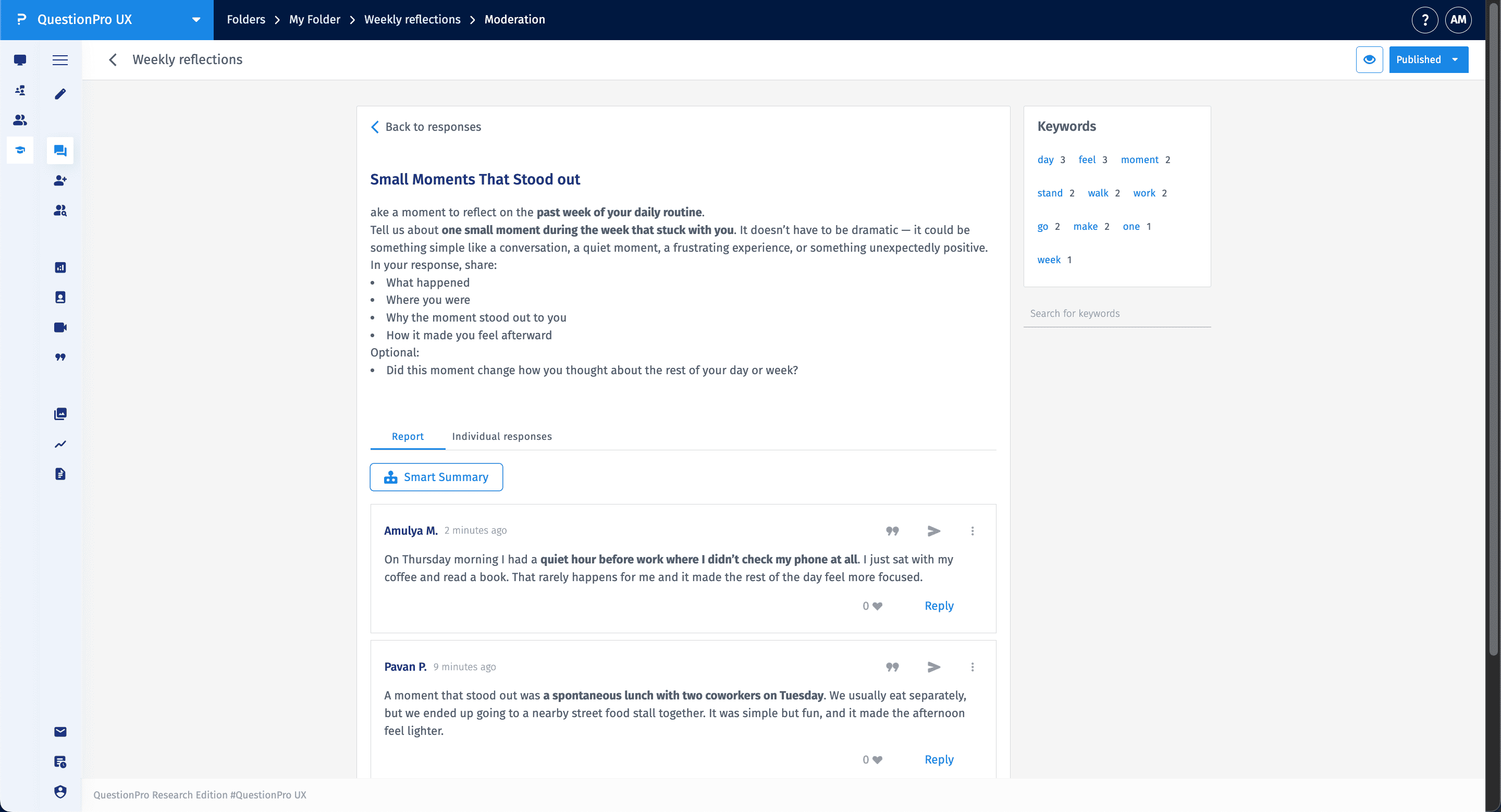
The Moderation feature allows researchers to oversee and manage data quality within a study. It provides a centralized dashboard to review text, photo, and video responses as they are submitted. Researchers can monitor participation levels, review individual entries, and interact with participants to ensure the research objectives are being met.
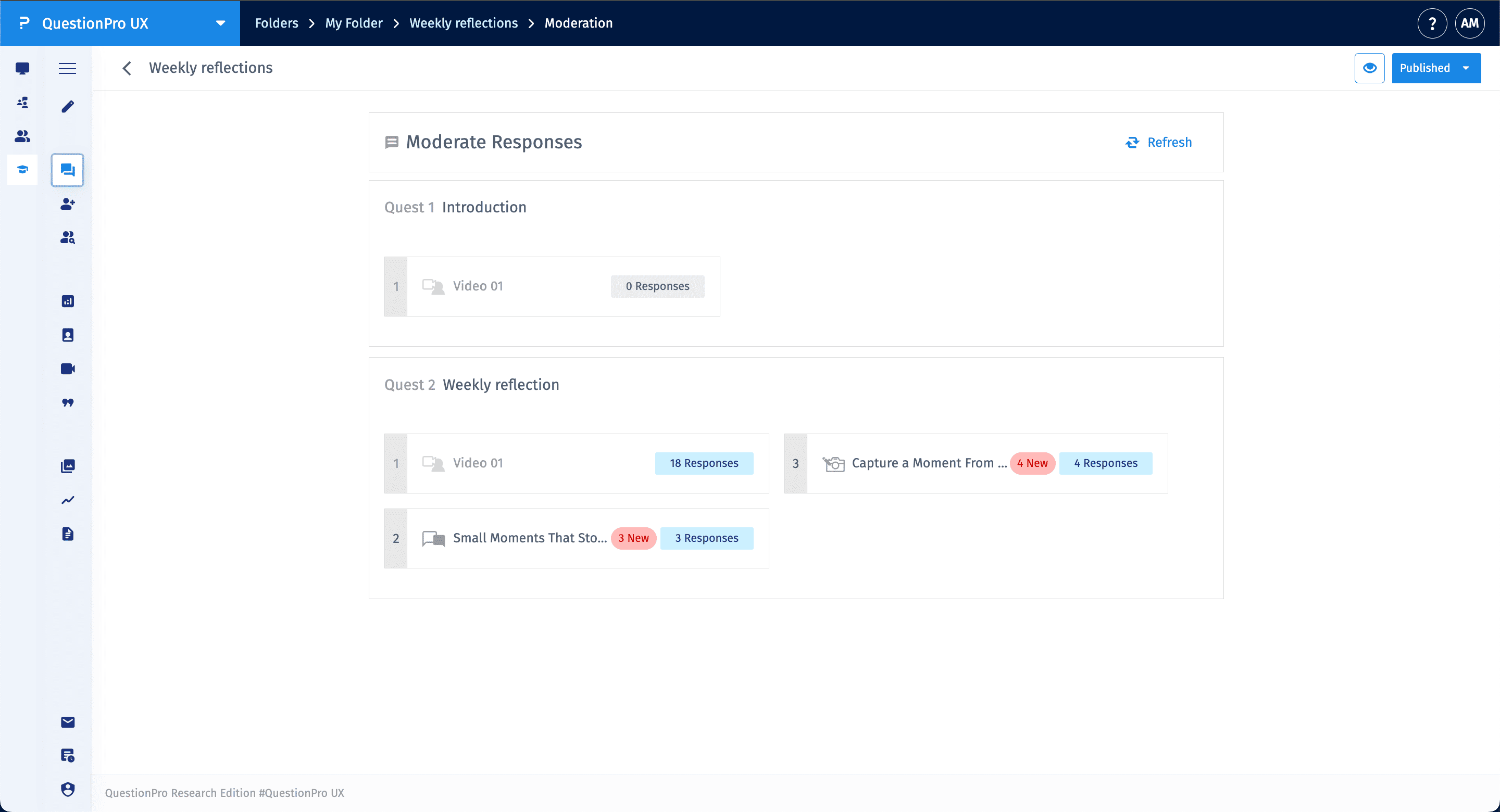
Access the moderation view by clicking the Moderation icon in the left-hand sidebar. The dashboard organizes submissions by Quests and individual tasks, displaying the total number of responses and highlighting new entries that require review.
- Refresh: Use the refresh button to update the dashboard with the latest participant submissions.
- New Indicators: Tasks with unread submissions are marked with a "New" badge to help you prioritize your review.
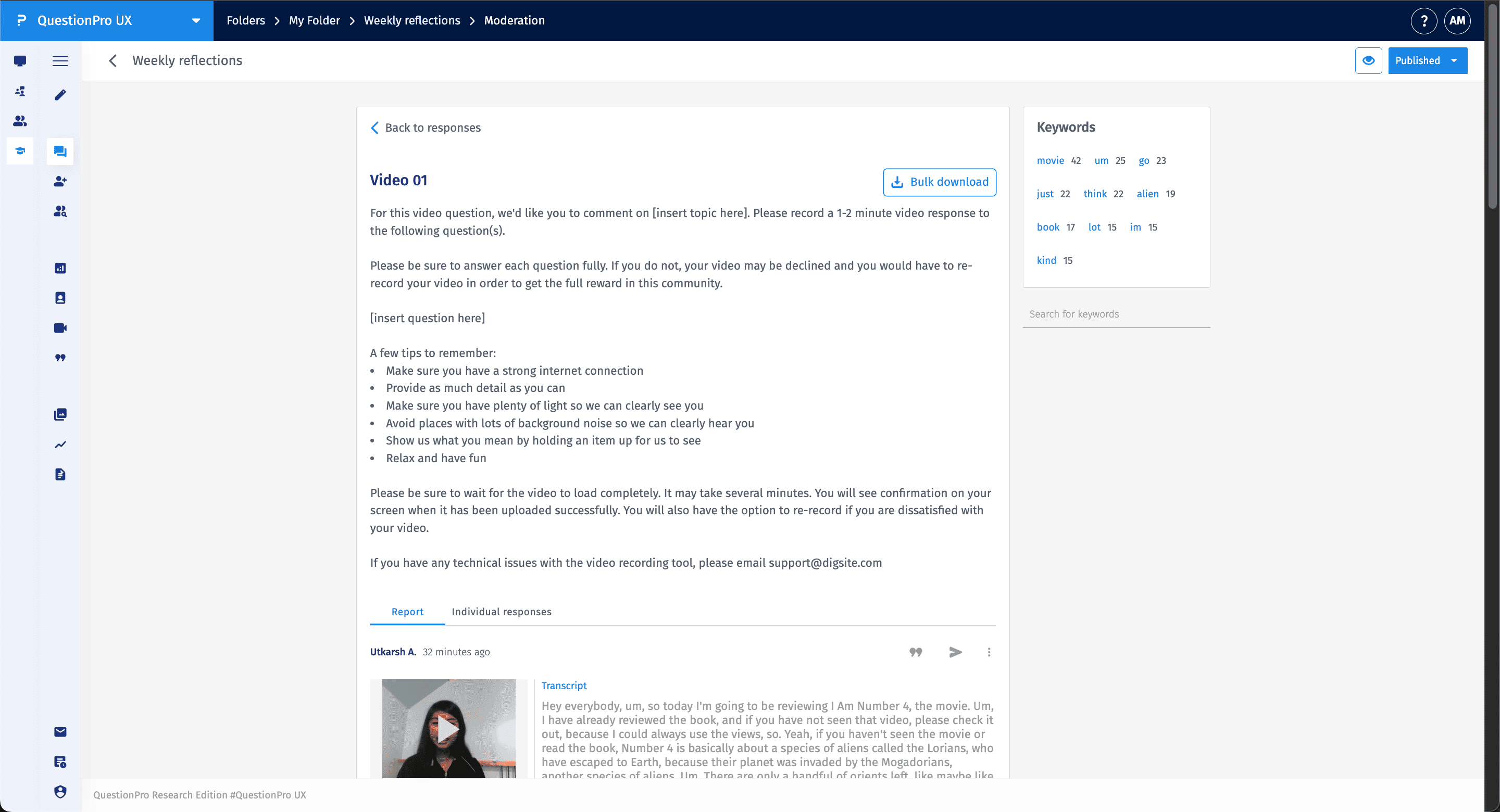
Clicking into a video task allows you to review individual recordings and their associated data. The moderation interface for video includes:
- Video Playback: View the recorded response directly within the platform.
- Auto-Transcription: Review the text transcript of the participant's video for quick analysis.
- Keyword Analysis: A sidebar displays frequently used keywords and their counts, allowing you to search for specific themes across all video responses.
- Bulk Download: Export video files in bulk for offline review or archival.
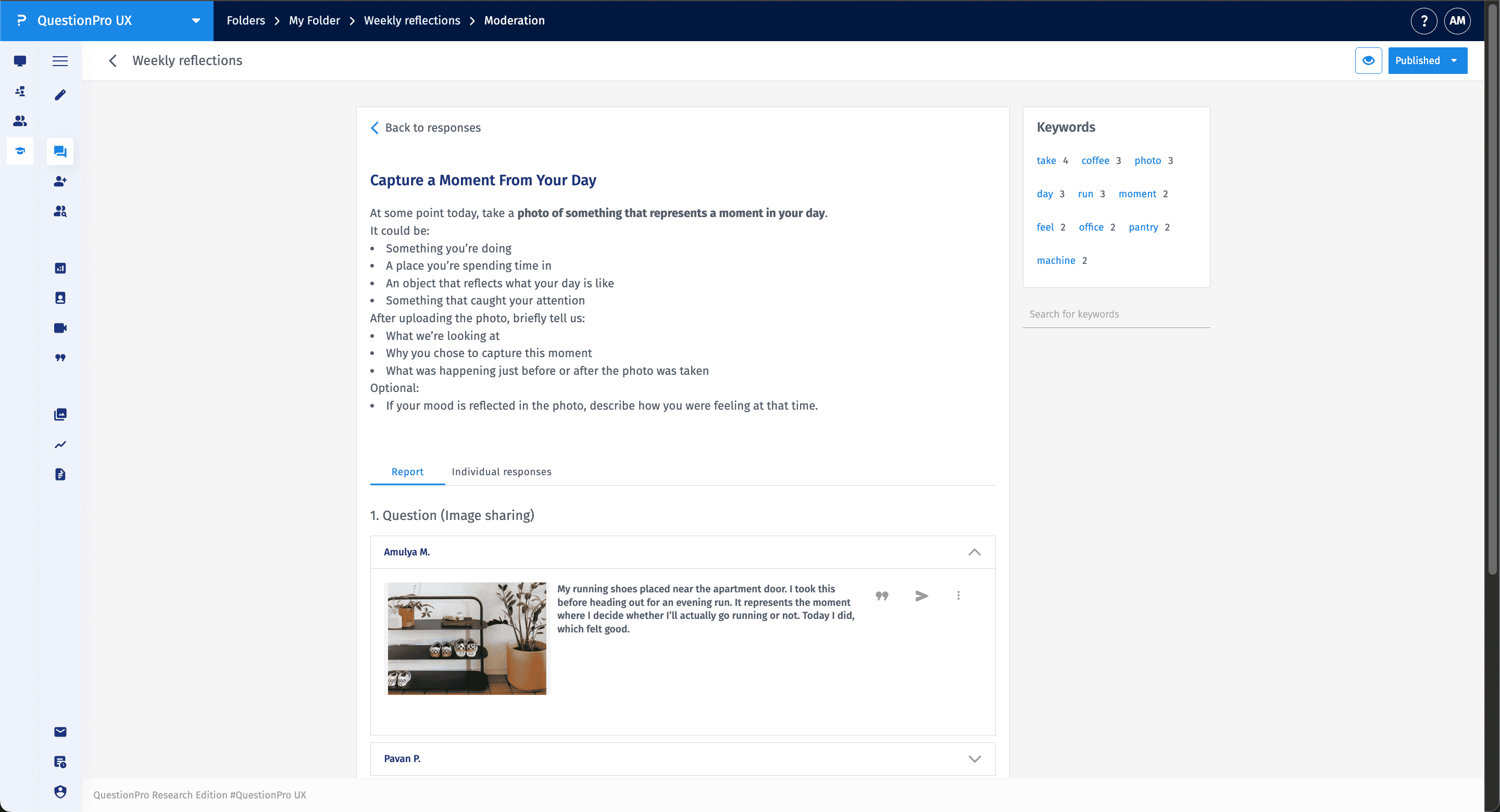
For photo-sharing tasks, the moderation view displays the uploaded image along with the participant's description. You can expand individual entries to see the full context of the captured moment.
Moderation is not just for observation; it allows for active engagement with participants to improve data depth:
- Replies: Click Reply on a text or media submission to ask follow-up questions or provide feedback.
- Smart Summary: Use the Smart Summary tool to generate AI-driven overviews of text-heavy discussion threads.
- Reactions: Like or acknowledge responses to encourage continued participation.
Yes. By switching to the Individual Responses tab within a task, you can see a list of all participants and the count of their total submissions. This helps identify highly active contributors or those who may need a reminder to complete their tasks.