- Moderation
- Usability test: UX Diagnostics
- Sprint View: Usability tests
- Accessible Usability Scale - AUS
- System Usability Scale - SUS
- SUPR-Q
- PSSUQ
- UX Crowd: Usability tests
- AI Insights for Usability Tests
- Self-Reported Success (SRS)
- AI Executive Summaries
- Participant Diaries and Study Analysis
- Image analysis
- Voting task analysis
- Video tasks: Analysis

Scheduling
The Scheduling feature in QuestionPro UX allows you to set and share times with your participants for live research sessions. It streamlines coordination by letting moderators define availability rules, send participant booking or RSVP invites, and track live sessions—including 1:1 Interviews, Usability Tests, and Focus Groups—all from a single place.
To configure session scheduling, open your study in QuestionPro UX and navigate to Step 5. Scheduling during setup. You can also view and track active sessions under the Scheduling tab within the study overview page.
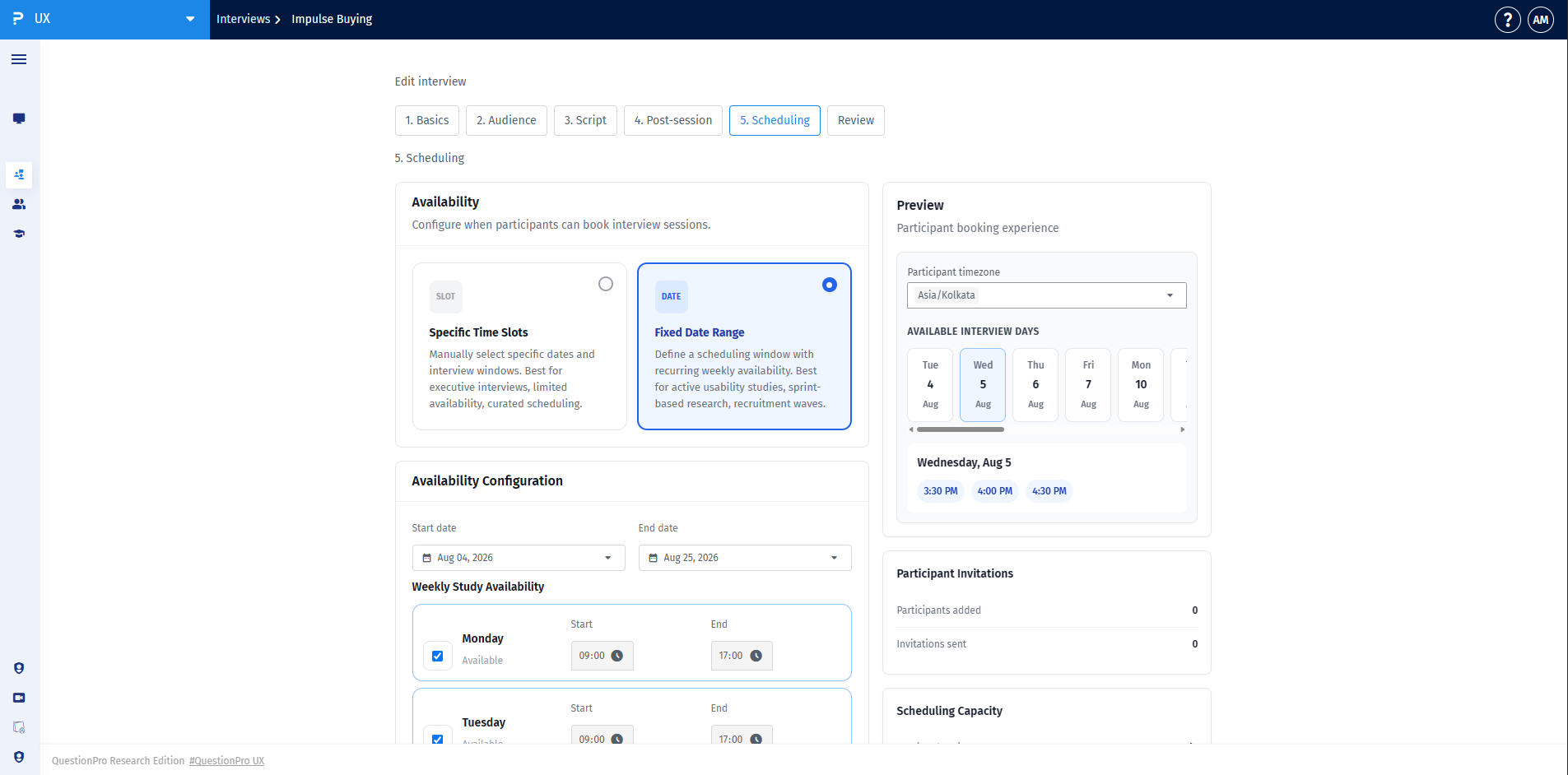
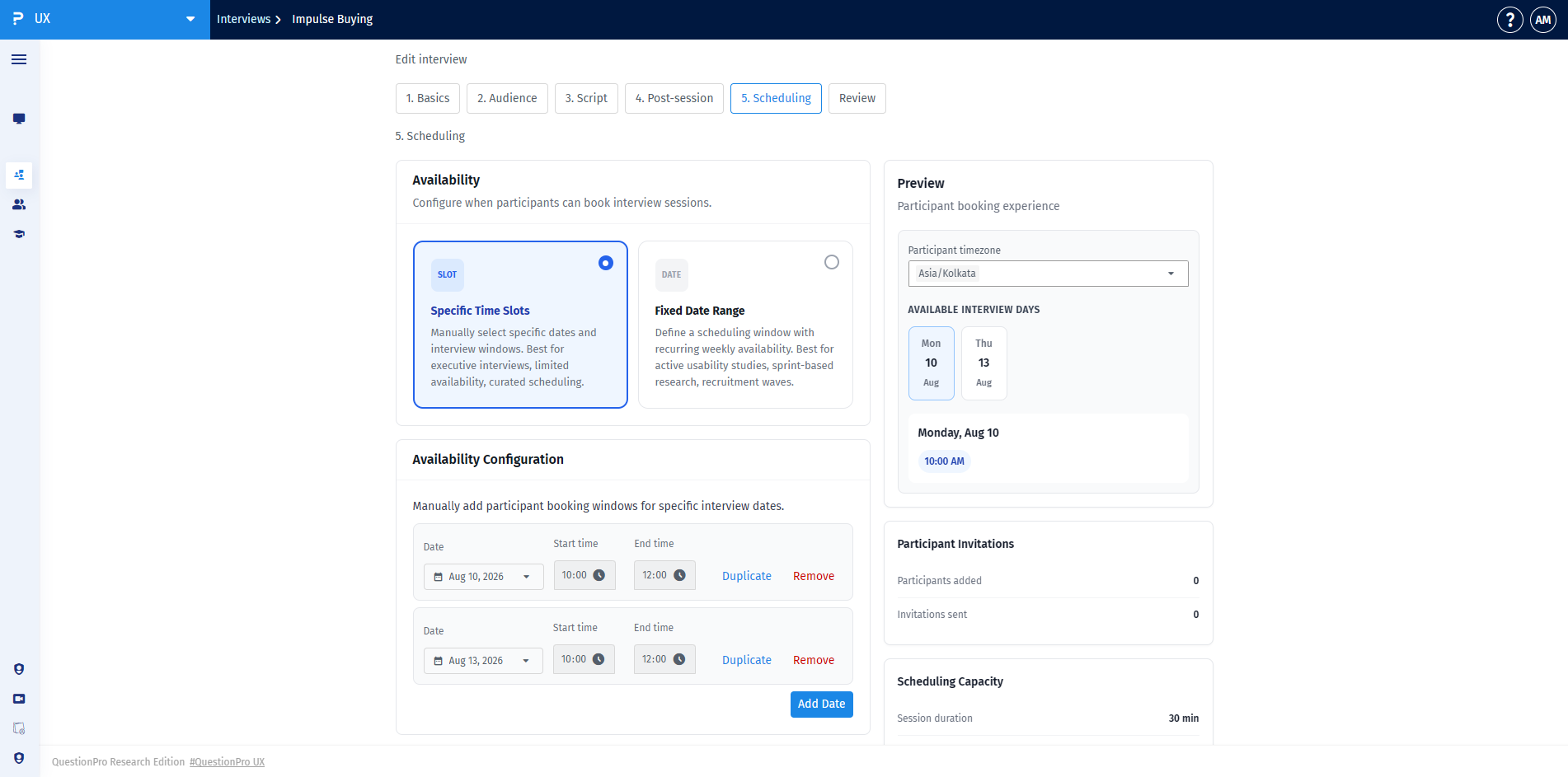
For 1:1 Interviews and Usability Tests, you can select between two primary availability options under Availability:
- Fixed Date Range: Set an overall start and end date along with recurring weekly study availability (e.g., Monday through Friday, 09:00 to 17:00). This option is best for active usability studies or recruitment waves.
- Specific Time Slots: Manually add specific dates and time windows (e.g., Aug 10, 2026 from 10:00 to 12:00). This option is ideal for executive interviews or curated scheduling.
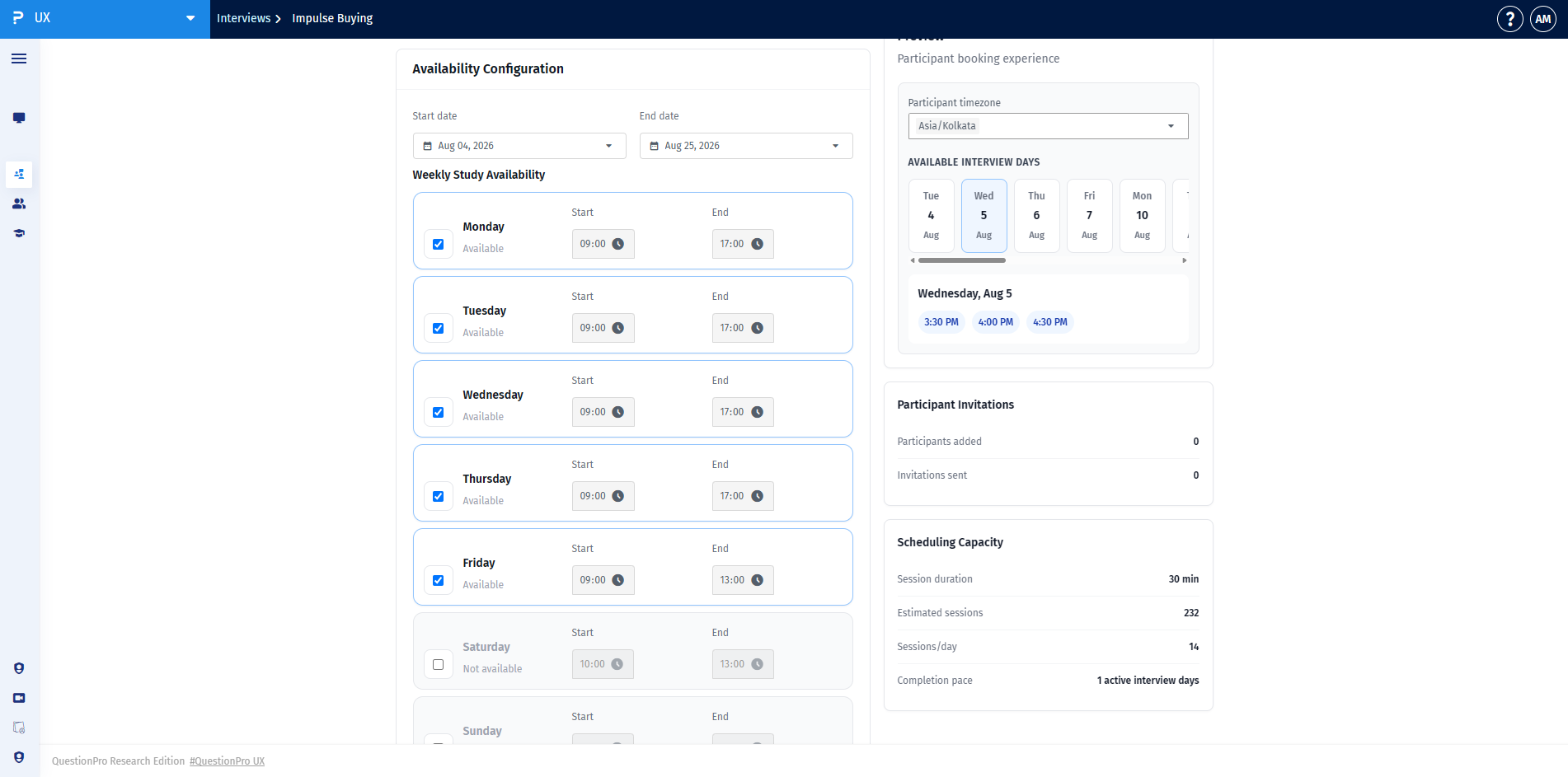
While configuring rules, use the live Preview panel to review the participant booking experience, check participant invitation counts, and view total estimated scheduling capacity.
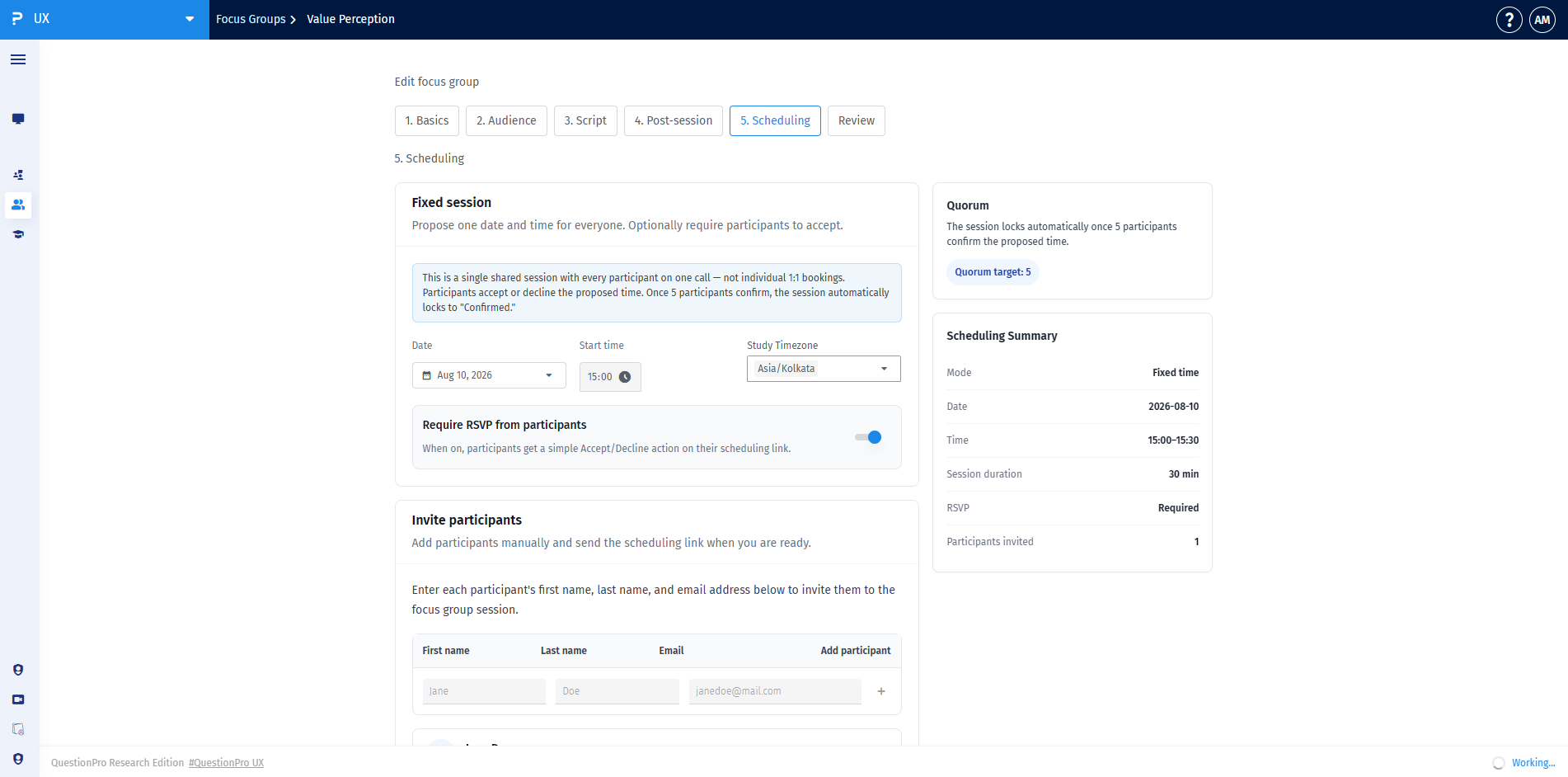
Focus Groups use a Fixed session model where a single date and time are proposed for all participants on one call, rather than individual 1:1 slots:
- Date & Start Time: Select the exact date, start time, and study timezone for the focus group session.
- Require RSVP from participants: Toggle this setting on to give participants a simple Accept or Decline action on their scheduling link.
- Quorum: View the target number of confirmed participants required before the session automatically locks as confirmed.
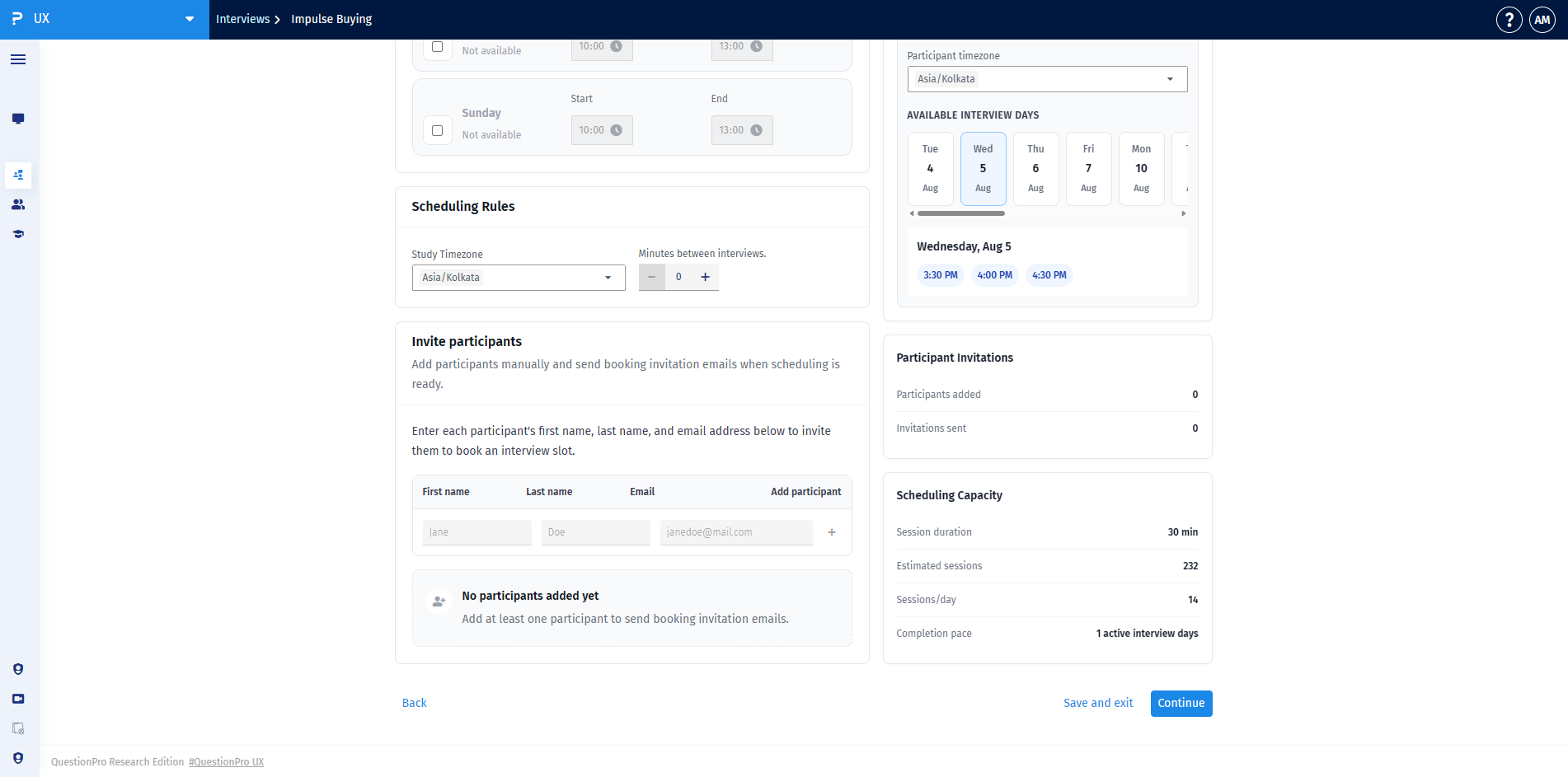
In the Invite participants panel, enter each participant's first name, last name, and email address. Once added, you can send booking or RSVP invitation emails directly.
Under the Details section, assign assigned Moderators and silent Observers to ensure proper session access for your team.
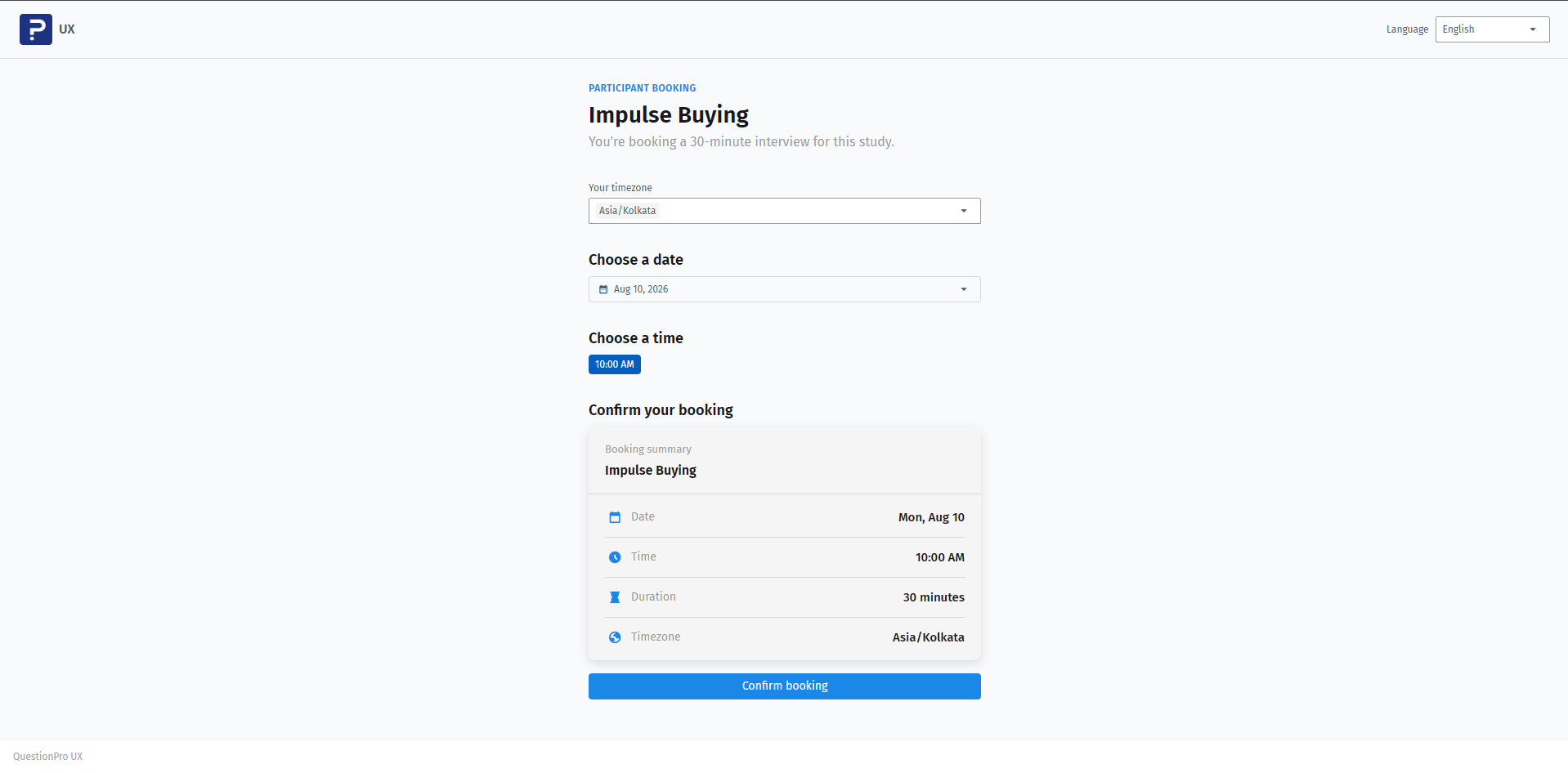
For 1:1 Interviews and Usability Tests, participants follow a streamlined self-serve booking process:
- Select Timezone: Choose local timezone from the dropdown.
- Choose Date & Time: Select an available date on the calendar and pick a time slot.
- Confirm Booking: Review the booking summary (Date, Time, Duration, Timezone) and click Confirm booking.
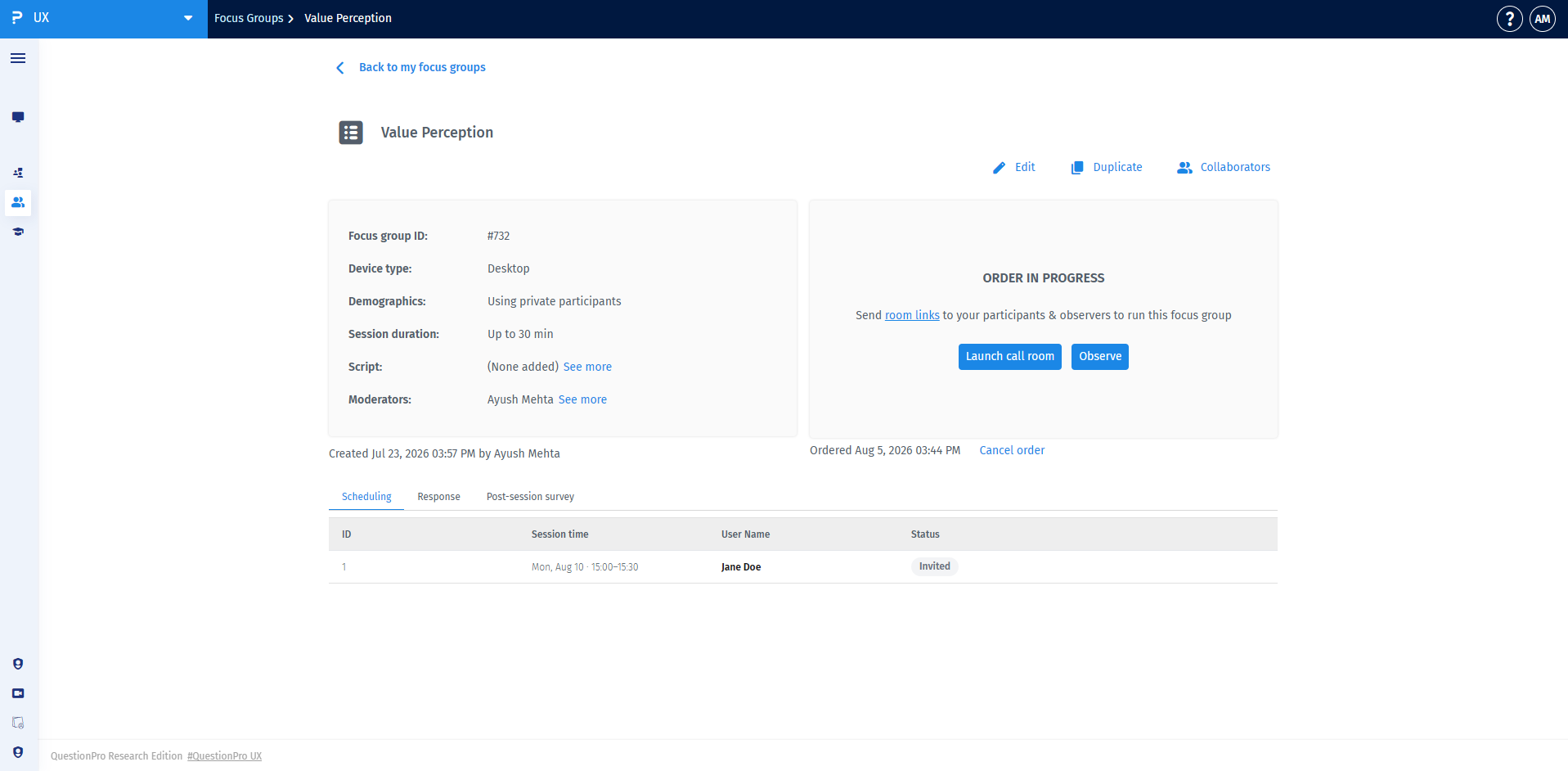
Open the Scheduling tab within your study overview page to view invited participants, booking statuses (e.g., Invited, Confirmed), and confirmed session times.
- For Interviews and Usability Tests, click Launch call room to begin live 1:1 sessions.
- For Focus Groups, moderators click Launch call room to host the session, while team observers click Observe to join silently.