



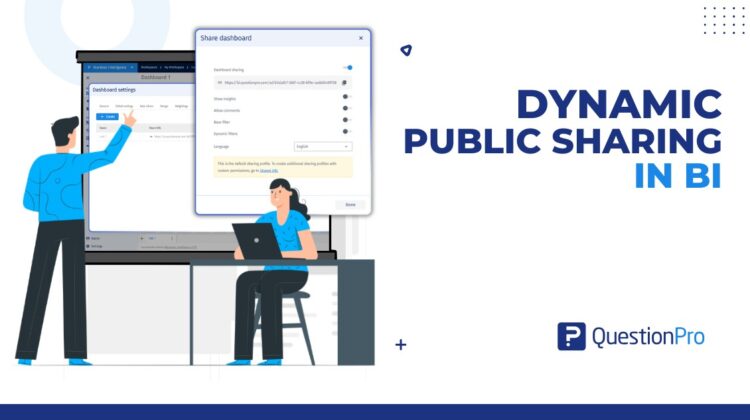
Sharing dashboards across teams and stakeholders is one of the most important parts of any analytics workflow. But as organizations grow, a single public dashboard link often isn’t enough.
Different audiences need different experiences when working with business intelligence dashboards. Executives may want high-level KPIs, operations teams may need detailed drill-downs, and external stakeholders may require a more focused view – all from the same dashboard.
Until now, teams often had to duplicate dashboards or continuously modify settings before sharing them with different groups.
That changes with Dynamic Public Sharing in QuestionPro BI.
Dynamic Public Sharing allows organizations to create multiple configurable public sharing links for the same dashboard, making dashboard distribution more scalable, flexible, and easier to manage.
The challenge with traditional dashboard sharing
Most BI platforms treat dashboard sharing as a one-link experience. While simple, this creates operational challenges for growing research and analytics teams.
Common problems include:
- Sharing the same dashboard with multiple audiences
- Maintaining different viewing experiences
- Avoiding dashboard duplication
- Updating shared configurations without disrupting existing links
- Managing public access efficiently at scale
Dynamic Public Sharing was built to solve exactly these problems.
What is Dynamic Public Sharing?
Dynamic Public Sharing introduces sharing profiles that allow users to generate multiple public links for a single dashboard.
Each sharing profile acts as an independent sharing configuration with its own:
- Public link
- Dashboard settings
- Distribution workflow
- Access lifecycle
Instead of creating multiple copies of a dashboard, teams can now manage different public sharing experiences from one centralized location.
Key capabilities of Dynamic Public Sharing
Create multiple public sharing links for the same dashboard
Users can now generate multiple public links tied to different sharing profiles.
This enables the same dashboard to be distributed across:
- Executive teams
- Regional stakeholders
- Clients
- Operational users
- External partners
– all without duplicating dashboards.
Manage all sharing profiles centrally
Dynamic Public Sharing introduces a dedicated management interface within dashboard settings.
From a single location, users can:
- View all sharing profiles
- Search profiles by name
- Copy sharing links
- Edit configurations
- Disable access temporarily
- Delete unused profiles
This centralized workflow makes dashboard distribution significantly easier to manage at scale.
Edit sharing configurations without changing the link
One of the biggest advantages of Dynamic Public Sharing is the ability to update sharing configurations while preserving the same public URL.
Previously distributed links continue functioning even after configuration changes are applied.
This eliminates the need to resend updated dashboard URLs every time sharing settings are modified.
Disable or revoke access instantly
Organizations often need more control over public dashboard distribution.
Dynamic Public Sharing allows users to:
- Disable sharing profiles temporarily
- Delete profiles permanently
- Instantly revoke public access when required
This provides significantly better governance over externally shared dashboards.
Maintain compatibility with existing sharing workflows
To ensure a seamless transition, QuestionPro BI continues supporting the existing default public sharing experience through a permanent default sharing profile.
This means organizations can immediately adopt Dynamic Public Sharing without disrupting current reporting workflows.
A real-world example
Imagine a customer insights team managing a dashboard tracking customer satisfaction and operational performance across regions.
Using Dynamic Public Sharing, they can now create:
- An executive-focused sharing profile with high-level KPIs
- A regional operations profile with detailed drill-down filters
- A client-facing profile with selected widgets and simplified views
- An internal analyst profile optimized for exploration
– all powered by the same underlying dashboard.
This dramatically reduces maintenance overhead while improving consistency across distributed reports.
Final thoughts
As analytics adoption grows across organizations, dashboard sharing must become more flexible, scalable, and manageable.
Dynamic Public Sharing in QuestionPro BI enables teams to:
- Create multiple configurable public links
- Tailor dashboard experiences for different audiences
- Reduce dashboard duplication
- Maintain better governance over distributed reports
- Scale dashboard distribution workflows efficiently
If your organization regularly shares dashboards across teams, clients, or stakeholders, Dynamic Public Sharing provides a smarter and more maintainable way to distribute insights at scale.


