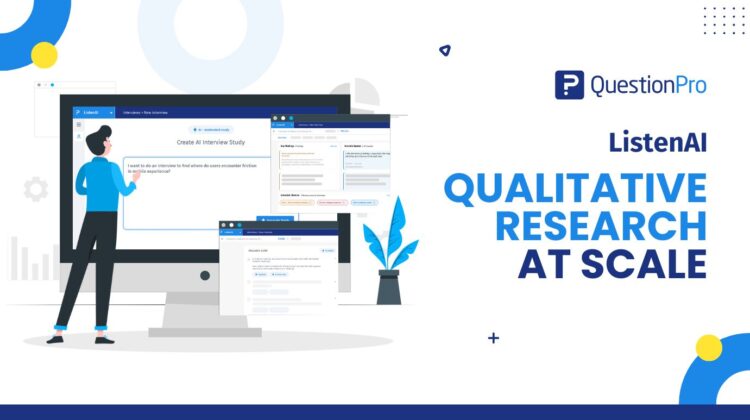
Great insight has always meant a choice between depth and speed. That choice is the thing worth rethinking.
The Friday-afternoon version of qualitative research
It’s 4:40 on a Friday. You need twelve customer interviews before a Monday readout, and you’ve managed to book four. The other eight are stuck in a calendar tennis match across three time zones.
You already know how the weekend goes. You run the calls you can. You take notes you’ll half remember. You export the recordings, wait on transcripts, and try to find the pattern before the deck is due.
The insight is in there somewhere. It’s just buried under logistics.
This is the quiet tax on qualitative work. Not the thinking, which is the part you’re good at. The scheduling, the moderating, the transcribing, the tagging. That’s the part that decides how many conversations you can actually have, and it usually decides “not many.”
ListenAI is built to take that tax off the table, so more of your week goes to interpretation and less to coordination.
Learn More: ListenAI, QuestionPro’s AI-moderated interview platform
Depth or speed: the trade most teams keep making
Most research teams live inside one compromise. Surveys give you reach and numbers, but a rating scale rarely tells you why someone churned. Interviews give you the why, but every extra conversation costs another hour of someone’s time.
So teams pick a side. They run a broad survey and accept that they’ll be guessing at motivations. Or they run a handful of deep interviews and accept that the sample is thin.
Neither is wrong. Both leave value on the floor. The stronger move is to stop treating depth and reach as a choice and start treating them as two settings on the same workflow. Run interviews when you need the story. Run them for enough people that the story holds up.
That’s the shift ListenAI is designed for: qualitative research at scale, where “at scale” means forty conversations are as manageable as four.
What ListenAI actually is
ListenAI is an AI-moderated interview platform inside the QuestionPro Research Suite. You describe what you want to learn. The platform drafts a structured interview guide, conducts the interviews by video, audio, or text, and turns every conversation into summaries, themes, quotes, clips, and recommendations.
It replaces the parts of the process that don’t need a human. No moderator on every call. No scheduling chase. No waiting on a transcription vendor.
Three things it is not. It is not a survey with a chatbot bolted on, because it reads each answer and asks a real follow-up. It is not a meeting recorder, because it’s built to produce research outputs, not just a transcript. And it is not a replacement for your judgment, because you still set the goal, review the guide, and decide what the findings mean.
Where ListenAI fits in your insights management workflow
Think of your workflow in four moves: plan, collect, analyze, activate. Most tools help with one of them. ListenAI is designed to carry a study through all four without a handoff or an export in between.
Plan and build the study
You start with a plain-language brief, something like “understand why trial users don’t activate in the first week.” The platform turns that into a discussion guide with objectives, questions, and follow-up logic, then hands it back to you to edit.
That solves the blank-page problem that slows most qualitative work. You’re reviewing and tightening a draft instead of writing one from scratch. If you want to shape it further, a well-built interview guide still comes down to a clear goal, open questions, and good probing rules, and you keep full control over all three.
Collect responses the way people want to answer
You share one link. Participants complete the interview on their own time, in the mode that suits the study. Video captures tone, expression, and hesitation. Audio lowers the friction while keeping the natural voice. Written is fast and low-pressure for people who’d rather type.
During the session, the AI moderator asks one question at a time and probes when an answer is vague, short, or unexpectedly interesting. Every participant gets the same rigorous, unbiased treatment, which is hard to promise when six different moderators run six different days. And because a single study can run across multiple languages, a brand can reach participants in three markets from one setup rather than three separate projects.
Analyze and synthesize without the manual slog
This is where the hours usually disappear, and where the workflow earns its keep. Once responses land, the platform builds an executive summary across every interview and clusters recurring patterns in a theme explorer, so you see the dominant threads before you’ve opened a single recording.
It ranks key findings by evidence strength and backs each one with real participant quotes, tied to the session they came from. It preserves the voice of the customer instead of flattening it into a paraphrase. Then it turns findings into prioritized recommendations with impact and effort cues, so the readout points at a next step, not just a summary.
You still check the work against the source. But you’re auditing a draft synthesis, not building one from a pile of transcripts at midnight.
Activate the insight
Insight only counts once someone acts on it, and turning findings into decisions is where a lot of good research stalls. From here you export what each audience needs: an executive summary for the leadership review, a full report for the research file, highlight clips for the product channel, or the raw data for your own analysis.
Operational metrics sit alongside the findings too. Completion rate shows the overall health of the study. Drop-off by step shows where participants stall, which helps you tighten the next guide. Over time, those studies become part of a searchable insights repository your team can build on instead of rediscovering.
Two workflow examples, start to finish
Abstract benefits are easy to nod along to. Here’s what the loop looks like in practice.
A global consumer brand testing a new concept
A consumer electronics brand in the US has two packaging concepts and a launch date closing in. In the old workflow, they’d recruit a small panel, book a week of moderated sessions, and hope the sample was broad enough.
With ListenAI, they write one brief, generate a concept-testing guide, and send a single link to 40 participants across three regions. Video responses come back over the weekend. By Tuesday, the team has a theme explorer showing which concept reads as premium, quotes explaining exactly why, and a recommendation flagged high-impact and low-effort. The decision meeting has evidence, not opinions.
A B2B SaaS team chasing down churn
A B2B software company keeps watching first-week activation drop and can’t tell why from the numbers alone. Their survey says users find onboarding “confusing,” which isn’t something you can build against.
They run written and audio interviews with recent sign-ups through ListenAI. The follow-ups do the work a static form can’t: when a user says onboarding was confusing, the moderator asks what they expected instead. Key findings surface a specific setup step nobody could complete without help. That’s a fix a product team can act on this sprint, sourced from real users rather than a hunch. It’s the kind of continuous discovery loop UX and product research teams have wanted for years.
When ListenAI fits, and when it doesn’t
Being honest about fit builds more trust than pretending a tool does everything.
Reach for ListenAI when you need qualitative depth from more people than a human moderator can realistically cover: discovery, concept and message testing, onboarding and churn research, UX studies, brand work, and employee feedback where scale and consistency matter.
Hold off in a few cases. If you need strict statistical representation, run a survey. If the moment is highly sensitive or strategic, a person in the room shows more respect and reads more nuance, and the trade-offs there are worth thinking through carefully, which is why AI and human moderation each have their place. And if participants can’t be recorded for privacy reasons, honor that first. The best teams use ListenAI alongside surveys, communities, and human interviews, not instead of all of them.
Getting started with ListenAI
The payoff is simple to picture. More conversations, less coordination, and a synthesis that’s ready close to the moment your interviews close.
ListenAI is currently in beta and open for testing. To try it with your own study, reach out to your QuestionPro account manager for access, or request a demo on the ListenAI page, and the team will walk you through a real research challenge your team is facing right now. Bring the messy, half-scheduled study you’ve been dreading. That’s the one worth running first.
Frequently asked questions
It carries a study through all four stages without a handoff. You brief it, and it drafts the guide (plan), shares one link for video, audio, or text responses (collect), gets an AI-built summary with ranked findings and quotes (analyze), then exports tailored deliverables for each audience (activate). You keep control of the goal and the interpretation throughout, so it fits into how your team already works rather than replacing it.
Yes, and many teams do. A common pattern is interviews first to discover themes, then a survey to measure how widespread each theme is across a larger audience. The reverse works too: run a survey, spot an interesting segment, then interview those people to understand the reasons behind the numbers. One measures what is happening, the other explains why.
The AI moderator gives every participant the same questions and the same rigorous probing, which removes the drift you get when different people moderate on different days. On the analysis side, it clusters patterns into themes, ranks findings by evidence strength, and links each finding to the participant quotes behind it. You review a consistent draft synthesis instead of stitching one together by hand.
Yes. You can add multiple languages to a single study, and participants respond in the language they prefer. For a brand running research across several markets, that means one centralized setup instead of separate projects per region, which lowers comprehension barriers and tends to improve response quality.
No. QuestionPro does not use your customer or interview data to train external AI models, and you keep ownership and control of your data. For brands with governance requirements, that matters as much as the features, so it’s worth confirming the specifics with your account team for your particular setup.
Qualitative work that benefits from depth across more people than a human moderator can cover: product discovery, concept and message testing, UX research, onboarding and churn interviews, brand studies, and employee feedback. It’s strongest when you want the story behind the numbers, and you want it from a meaningful number of participants, not just a handful.
ListenAI is in beta and available for testing. Reach out to your QuestionPro account manager to request access, or book a demo through the ListenAI page. The team can set you up with a study and show the full flow from brief to insight before you run one of your own.