Most research teams do not have a data problem. They have a retrieval problem, and research repository software is built to solve exactly that. Studies pile up in shared drives and old decks, and nobody can find what was already learned six months ago.
The right research repository gives every study, transcript, and finding one searchable home. It saves research teams from repeating work they have already done.
In this guide, we’ll explore what research repository software actually does, how to pick one, and where six of the leading platforms stand in 2026.
What is research repository software?
Research repository software is a centralized system that stores, tags, and makes past and current research searchable across an organization. It pulls together interviews, surveys, usability tests, and reports so anyone can find relevant findings without starting a new study from scratch.
Most platforms organize research around a few shared building blocks:
- Projects or studies, which group raw data by initiative
- Tags or a taxonomy, a structured set of labels used to categorize findings so they are easy to search
- Insights or nuggets, small, reusable statements pulled out of raw data
- Search and permissions, so the right people can find and view what applies to them
A research repository is different from a general file drive because it is built to make findings discoverable, not just stored.
How to choose a research repository software for your team
Every team’s research volume, budget, and technical maturity are different, so the right platform depends on a few concrete factors rather than a single best answer.
Weigh these before shortlisting vendors:
- Data types you need to store.
Interview recordings and video need transcription and playback. Survey and quantitative data need charting and export.
- Team size and access needs.
Per-seat pricing gets expensive fast if stakeholders across marketing, product, and support all need to search the repository.
- Existing tool stack.
A repository that connects to your survey platform, calendar, and file storage saves a lot of manual uploading.
- AI search quality.
Buyers increasingly weigh how well a tool answers a plain-language question over how deep its manual tagging system is, according to G2’s insight engines category data.
- Governance and export.
Confirm you can export your tags, taxonomy, and insight relationships if you ever switch tools.
If your team is also running the original research, not just organizing it, check whether a market research software platform with a built-in repository covers both jobs instead of paying for two separate tools.
Research repository vs. knowledge base vs. survey tool
These three categories get confused often because they all involve storing information, but they solve different problems.
| Tool type | Main job | Best for |
|---|---|---|
| Research repository | Store and tag research findings for search and reuse | Research, UX, and insights teams avoiding duplicate studies |
| Knowledge base | Store general company documentation and how-to content | Support teams and internal wikis |
| Survey tool | Collect new quantitative or qualitative data | Running the study itself, before it goes into a repository |
A research repository usually sits downstream of a survey tool or interview platform. Data gets collected first, then it moves into the repository for tagging and long-term reuse. If your team also needs to run qualitative research alongside storing it, look for a platform that handles both stages without a manual export step in between.
6 Best research repository software platforms in 2026
The list below covers dedicated repository platforms plus one option, QuestionPro InsightsHub, built for teams that need research collection and storage in the same system. Pricing and plans change often, so verify current details directly with each vendor before you buy.
1. QuestionPro InsightsHub
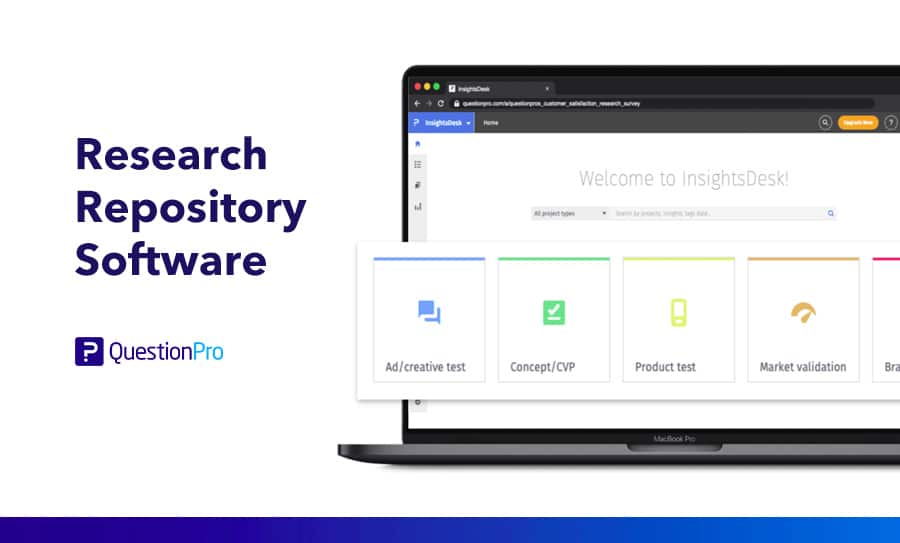
QuestionPro InsightsHub is an AI-powered research repository that connects surveys, reports, documents, videos, and files from tools like Google Drive and SharePoint into one searchable layer. Teams can ask a plain-language question and get an answer sourced from their own research instead of the open internet.
What’s good:
- Answers questions directly from connected research instead of requiring manual browsing
- Flags when no existing research covers a question, which helps teams spot real research gaps
- Connects natively to QuestionPro surveys, so new studies feed the repository automatically
- Supports atomic research, where insights are broken into small, taggable nuggets that stay useful across future projects
What could be better: Teams that need a repository completely separate from a survey platform may prefer a standalone tool, since InsightsHub is strongest when paired with QuestionPro’s market research software.
2. Dovetail
Dovetail is one of the most established names in UX research repositories, known for its tagging depth and AI-assisted synthesis features.
What’s good:
- Strong auto-coding, sentiment tagging, and theme detection for qualitative data
- Mature enterprise features like custom data retention and workspace controls
- Large ecosystem of integrations and third-party guides
What could be better: Dovetail’s per-seat pricing model can get expensive once stakeholders outside the core research team need access, and its current pricing page lists only a free tier and custom enterprise quotes, which makes mid-market budgeting harder.
3. Condens
Condens is built specifically for structured qualitative analysis, with research-specific taxonomies and coding frameworks.
What’s good:
- Purpose-built tagging and participant databases for qualitative studies
- Unlimited view-only accounts in some plans, so stakeholders can browse without a paid seat
- Strong transcription and collaborative analysis tools
What could be better: Condens focuses on research storage and analysis rather than product roadmapping or feedback management, so teams often pair it with a separate product tool.
4. Marvin (HeyMarvin)
Marvin has positioned itself as an accessible, AI-assisted alternative to heavier enterprise platforms.
What’s good:
- One of the more generous free tiers among dedicated repository tools
- AI-generated summaries and highlights that reduce manual analysis time
- Fast onboarding, with most teams productive within a day
What could be better: Marvin is less proven for complex, multi-researcher programs running many studies at once, and its collaboration tools are thinner for larger teams.
5. Notably
Notably is an AI-first synthesis and repository tool aimed at teams that want to move from raw notes to structured findings quickly.
What’s good:
- Fast AI-assisted synthesis across interviews, notes, and surveys
- Competitive starter pricing compared to larger enterprise platforms
- Clean interface aimed at reducing the learning curve for new researchers
What could be better: Like other synthesis-first tools, Notably works best when research is already collected elsewhere, so it assumes a steady input of studies rather than helping you run them.
6. Aurelius
Aurelius pairs a research repository with pattern-finding tools for qualitative data, and it has maintained a loyal base of researcher users for years.
What’s good:
- Intelligent organization of raw feedback and notes dropped into the system
- Meta-tagging that speeds up searching for past findings
- Responsive customer support, according to long-time users
What could be better: The interface can feel overwhelming to researchers who are new to the tool, and data can get scattered across tags if a team does not agree on a shared taxonomy early on.
Research repository software comparison at a glance
Use this table as a quick reference before booking demos.
| Platform | Best for | Standout strength | Watch out for |
|---|---|---|---|
| QuestionPro InsightsHub | Teams that want research collection and repository in one platform | AI answers sourced from your own connected research | Strongest when paired with QuestionPro’s survey tools |
| Dovetail | Mature research teams with dedicated researchers | Deep tagging and AI synthesis | Per-seat cost at scale |
| Condens | Structured qualitative analysis | Research-specific taxonomy and coding | Limited product management features |
| Marvin | Solo researchers and small teams | Generous free tier | Less suited to large, multi-study programs |
| Notably | Fast AI-assisted synthesis | Clean interface, quick onboarding | Assumes research is already collected |
| Aurelius | Teams doing heavy qualitative pattern-finding | Meta-tagging and support quality | Steeper learning curve for new users |
What research repositories look like in practice
A mid-size product team runs a usability test every few weeks. Before adopting a repository, a new hire spent two days searching old decks to check whether checkout friction had already been studied. Afterward, they typed the question into the repository’s search bar and found three related studies in seconds, avoiding a repeat test entirely.
A customer experience team at a US retailer in the market research industry used a repository to connect survey verbatims with support ticket themes. When leadership asked why return requests had spiked, the team pulled a fully sourced answer from existing data instead of commissioning a new study, cutting a two-week research cycle down to an afternoon.
Both examples share the same pattern. The value shows up when someone asks a question the organization has already answered somewhere, and the repository surfaces it instead of letting it stay buried.
Common mistakes teams make with a research repository
A repository only pays off if a team sets it up and maintains it well. Watch for these common missteps:
- Skipping a shared taxonomy.
Without agreed-upon tags, the same topic gets labeled five different ways and search results become unreliable.
- Treating the repository as a dumping ground.
Uploading raw files without any tagging or summary defeats the purpose of a searchable system.
- Ignoring stakeholder access.
If only the research team can log in, the repository stays underused and duplicate requests keep coming through Slack and email instead.
- Never auditing old content.
Outdated findings left untouched can mislead teams making current decisions, especially in fast-moving markets.
- Choosing a tool based on features alone.
A tool with every feature but poor adoption delivers less value than a simpler one your whole team actually uses.
How to measure the impact of your research repository
Repository adoption is easiest to track through a handful of concrete signals rather than a gut feeling.
Track search activity first. A rising number of searches per month suggests people are turning to the repository before starting new work. Then track duplicate study prevention, which you can estimate by asking researchers to log when a repository search replaced a planned study.
Time-to-answer is another useful measure. If a stakeholder question that once took a week of digging now takes an afternoon, that is a direct, defensible return on the tool. Finally, watch adoption outside the research team itself. A repository used only by researchers is functioning as a personal archive, not the organization-wide source of truth it is meant to be.
Research repositories work best as a habit, not a one-time setup project. Teams that revisit their taxonomy, prune outdated studies, and actively promote the tool tend to see adoption climb steadily instead of flattening out after the initial rollout.
Frequently Asked Questions (FAQs)
Pricing varies widely. Some platforms offer a free tier for small teams, while per-seat plans for mid-size teams typically run in the tens of thousands of dollars annually, and enterprise pricing is negotiated directly with the vendor.
Several platforms, including Marvin and Notably, offer accessible free or low-cost tiers built for solo researchers and small teams. You do not need a dedicated ResearchOps function or a large budget to start centralizing findings in a searchable repository.
No. A customer insight platform usually focuses on collecting ongoing feedback, while a research repository focuses on storing and making past research findings searchable, though some platforms now combine both functions.
Basic setup, including uploading past studies and creating an initial taxonomy, often takes a few weeks. Full adoption across a company usually takes several months of active promotion and habit building.
Reputable vendors support data privacy compliance, including CCPA, but requirements depend on what personal data is stored in the repository. Always confirm a vendor’s specific compliance certifications before uploading data that includes personal information.