

• Skip to main content
  • Skip to primary sidebar
  • Skip to footer
QuestionPro

QuestionPro

questionpro logo
  • Products
    survey software iconSurvey softwareEasy to use and accessible for everyone. Design, send and analyze online surveys.research edition iconResearch SuiteA suite of enterprise-grade research tools for market research professionals.CX iconCustomer ExperienceExperiences change the world. Deliver the best with our CX management software.WF iconEmployee ExperienceCreate the best employee experience and act on real-time data from end to end.
  • Solutions
    IndustriesGamingAutomotiveSports and eventsEducationGovernment
    Travel & HospitalityFinancial ServicesHealthcareCannabisTechnology
    Use CaseAskWhyCommunitiesAudienceContactless surveysMobile
    LivePollsMember ExperienceGDPRPositive People Science360 Feedback Surveys
  • Resources
    BlogeBooksSurvey TemplatesCase StudiesTrainingHelp center
  • Features
  • Pricing
Language
  • English
  • Español (Spanish)
  • Português (Portuguese (Brazil))
  • Nederlands (Dutch)
  • العربية (Arabic)
  • Français (French)
  • Italiano (Italian)
  • 日本語 (Japanese)
  • Türkçe (Turkish)
  • Svenska (Swedish)
  • Hebrew IL (Hebrew)
  • ไทย (Thai)
  • Deutsch (German)
  • Portuguese de Portugal (Portuguese (Portugal))
  • Español / España (Spanish / Spain)
Call Us
+1 800 531 0228 +1 (647) 956-1242 +55 9448 6154 +49 030 9173 9255 +44 01344 921310 +81-3-6869-1954 +61 (02) 6190 6592 +971 529 852 540
Log In Log In
SIGN UP FREE

Home Market Research

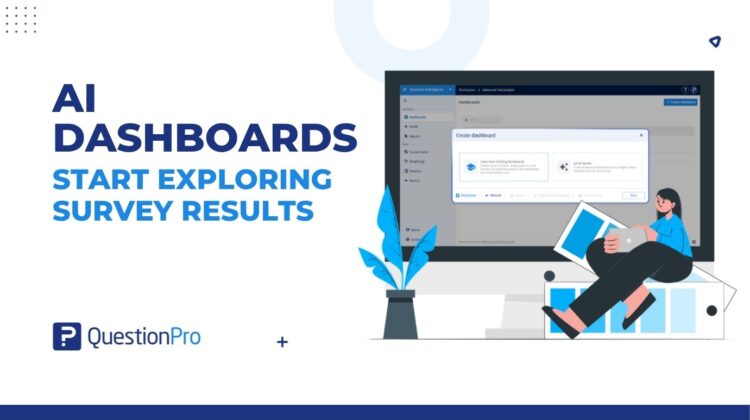
Create AI Dashboards and Start Exploring Your Survey Results

ai-dashboards

The first chart is rarely the only thing a dashboard needs.

You also need a useful layout, a consistent visual style, and ways to look at different groups. Setting all of that up can take time before the conversation about the results even begins.

QuestionPro BI offers two routes for creating an AI dashboard. Both use the data source you select for the new dashboard; the difference is how you guide its setup.

  • Let AI Decide: choose your source data and let AI choose the initial dashboard context, layout, widgets, filters, and data slicers. No written prompt or reference dashboard is required.
  • Learn from Existing Dashboards: choose your source data, then select up to five existing dashboards to guide the layout and widgets. Choose one selected dashboard as the theme reference for the theme, color palette, and sentiment colors.

Start with the data or with a reporting example

For a new study, you may want to see what AI makes of the responses before deciding which views to keep. For a recurring study, you may already know the kind of dashboard your audience expects.

Choose Let AI Decide for an AI-selected starting dashboard. Choose Learn from Existing Dashboards when you want an established reporting approach to guide a new dashboard for your selected data.

That fits the purpose of a smart survey dashboard: bring results together in a view your team can read and explore. Explore how smart survey dashboards bring results together

Route 1: Let AI Decide

Choose Let AI Decide when you want AI to select the dashboard context, widgets, filters, and data slicers. Select your source data, review the confirmation, and create the dashboard. There is no prompt to write.

The result gives you something concrete to work with. You can examine the charts, check which questions they use, and refine the dashboard for the discussion you need to have.

Route 2: Learn from Existing Dashboards

Choose Learn from Existing Dashboards when your team has reporting examples worth following.

Select up to five reference dashboards. AI learns layout and widget patterns from their first tabs. Choose one of those dashboards as the theme reference for the theme, color palette, and sentiment colors.

This is useful when a new study should feel familiar to its audience. The references guide the new dashboard; you still review how the result fits the new source data.

How it works

  • Open Dashboards, click Create dashboard, enter a name, and choose AI dashboard.
  • Choose Let AI Decide or Learn from Existing Dashboards.
  • Select the source data you want to report on.
  • For reference-based creation, select up to five dashboards and one theme reference.
  • Review the confirmation, create the dashboard, and refine the generated result.

Charts and ways to explore them

AI creation includes filters and data slicers in the initial setup. A filter narrows the results to matching responses. A slicer provides a named comparison group within supported widgets.

Review these controls along with the charts. Check the question, operator, and answer selections, then confirm that the displayed responses match the group you intend to discuss. You can adjust the setup in the dashboard settings.

A familiar report for the next feedback study

Consider a research team preparing a new customer feedback dashboard. The previous report brought together recommendation scores, service ratings, and feature usage. Its first tab provides a useful reference for the next study.

The analyst selects Learn from Existing Dashboards, chooses the new study’s survey, then selects several trusted dashboards as references. One selected dashboard supplies the theme reference. After creation, the analyst reviews the new questions and charts, checks the filters and comparison groups, and adjusts the dashboard for the current study.

When the findings are ready for a presentation, the team can also use PowerPoint export to prepare selected dashboard views for a stakeholder readout. See the PowerPoint export workflow

Keep the review close to the analysis

A generated dashboard is a starting point you can inspect and improve. Review the response counts, choose the views that answer the team’s questions, and finish any widget-specific setup before sharing the report.

Whether you let AI make the first choices or guide it with existing dashboards, you can begin the work of interpreting results with a dashboard already in front of you.

Open Dashboards and choose AI dashboard to get started.

Create memorable experiences based on real-time data, insights and advanced analysis. Request Demo

SHARE THIS ARTICLE:

About the author
Prabal Gupta

View all posts by Prabal Gupta

Primary Sidebar

Research what's on your mind. Find out what's on theirs!

A suite of tools to leverage research and transform insights.

Discover our insight platform

RELATED ARTICLES

HubSpot - QuestionPro Integration

Offline Survey App for Rural India: How Field Researchers Are Collecting Data Without Internet in 2026

Apr 19,2026

HubSpot - QuestionPro Integration

360 Review Questions: Best Practices & Tips

Feb 16,2024

HubSpot - QuestionPro Integration

7 Best Digital Ethnography Tools for Advanced Research

Jan 04,2024

BROWSE BY CATEGORY

Footer

MORE LIKE THIS

ai-dashboards

Create AI Dashboards and Start Exploring Your Survey Results

Oct 23, 2026

design-settings-in-textai

Design Settings in TextAI for Consistent Stakeholder Dashboards

Oct 23, 2026

passwordless-authentication

One more way in: how passkey login makes QuestionPro sign-in easier, safer and ready for what comes next

Oct 22, 2026

Journey Atlas

From Fragmented Journey Maps to a Connected Customer Experience with Journey Atlas

Oct 22, 2026

Other categories

questionpro-logo-nw
Help center Live Chat SIGN UP FREE
  • Sample questions
  • Sample reports
  • Survey logic
  • Branding
  • Integrations
  • Professional services
  • Security
  • Survey Software
  • Customer Experience
  • Workforce
  • Communities
  • Audience
  • Polls Explore the QuestionPro Poll Software - The World's leading Online Poll Maker & Creator. Create online polls, distribute them using email and multiple other options and start analyzing poll results.
  • Research Edition
  • LivePolls
  • InsightsHub
  • Blog
  • Articles
  • eBooks
  • Survey Templates
  • Case Studies
  • Training
  • Webinars
  • All Plans
  • Nonprofit
  • Academic
  • Qualtrics Alternative Explore the list of features that QuestionPro has compared to Qualtrics and learn how you can get more, for less.
  • SurveyMonkey Alternative
  • VisionCritical Alternative
  • Medallia Alternative
  • Likert Scale Complete Likert Scale Questions, Examples and Surveys for 5, 7 and 9 point scales. Learn everything about Likert Scale with corresponding example for each question and survey demonstrations.
  • Conjoint Analysis
  • Net Promoter Score (NPS) Learn everything about Net Promoter Score (NPS) and the Net Promoter Question. Get a clear view on the universal Net Promoter Score Formula, how to undertake Net Promoter Score Calculation followed by a simple Net Promoter Score Example.
  • Offline Surveys
  • Customer Satisfaction Surveys
  • Employee Survey Software Employee survey software & tool to create, send and analyze employee surveys. Get real-time analysis for employee satisfaction, engagement, work culture and map your employee experience from onboarding to exit!
  • Market Research Survey Software Real-time, automated and advanced market research survey software & tool to create surveys, collect data and analyze results for actionable market insights.
  • GDPR & EU Compliance
  • Employee Experience
  • Customer Journey
  • Synthetic Data
  • About us
  • Executive Team
  • In the news
  • Testimonials
  • Advisory Board
  • Careers
  • Brand
  • Media Kit
  • Contact Us

QuestionPro in your language

  • English
  • Español (Spanish)
  • Português (Portuguese (Brazil))
  • Nederlands (Dutch)
  • العربية (Arabic)
  • Français (French)
  • Italiano (Italian)
  • 日本語 (Japanese)
  • Türkçe (Turkish)
  • Svenska (Swedish)
  • Hebrew IL (Hebrew)
  • ไทย (Thai)
  • Deutsch (German)
  • Portuguese de Portugal (Portuguese (Portugal))
  • Español / España (Spanish / Spain)

Awards & certificates

  • survey-leader-asia-leader-2023
  • survey-leader-asiapacific-leader-2023
  • survey-leader-enterprise-leader-2023
  • survey-leader-europe-leader-2023
  • survey-leader-latinamerica-leader-2023
  • survey-leader-leader-2023
  • survey-leader-middleeast-leader-2023
  • survey-leader-mid-market-leader-2023
  • survey-leader-small-business-leader-2023
  • survey-leader-unitedkingdom-leader-2023
  • survey-momentumleader-leader-2023
  • bbb-acredited
The Experience Journal

Find innovative ideas about Experience Management from the experts

  • © 2022 QuestionPro Survey Software | +1 (800) 531 0228
  • Sitemap
  • Privacy Statement
  • Terms of Use


