• Skip to main content
  • Skip to primary sidebar
  • Skip to footer
QuestionPro

QuestionPro

questionpro logo
  • Products
    survey software iconSurvey softwareEasy to use and accessible for everyone. Design, send and analyze online surveys.research edition iconResearch SuiteA suite of enterprise-grade research tools for market research professionals.CX iconCustomer ExperienceExperiences change the world. Deliver the best with our CX management software.WF iconEmployee ExperienceCreate the best employee experience and act on real-time data from end to end.
  • Solutions
    IndustriesGamingAutomotiveSports and eventsEducationGovernment
    Travel & HospitalityFinancial ServicesHealthcareCannabisTechnology
    Use CaseAskWhyCommunitiesAudienceContactless surveysMobile
    LivePollsMember ExperienceGDPRPositive People Science360 Feedback Surveys
  • Resources
    BlogeBooksSurvey TemplatesCase StudiesTrainingHelp center
  • Features
  • Pricing
Language
  • English
  • Español (Spanish)
  • Português (Portuguese (Brazil))
  • Nederlands (Dutch)
  • العربية (Arabic)
  • Français (French)
  • Italiano (Italian)
  • 日本語 (Japanese)
  • Türkçe (Turkish)
  • Svenska (Swedish)
  • Hebrew IL (Hebrew)
  • ไทย (Thai)
  • Deutsch (German)
  • Portuguese de Portugal (Portuguese (Portugal))
  • Español / España (Spanish / Spain)
Call Us
+1 800 531 0228 +1 (647) 956-1242 +55 9448 6154 +49 030 9173 9255 +44 01344 921310 +81-3-6869-1954 +61 (02) 6190 6592 +971 529 852 540
Log In Log In
SIGN UP FREE

Home Surveys

Already Have a Survey Guide? Let QuestionPro ListenAI Turn It Into a Study

listenai-survey-guide

Research teams rarely begin with a blank page. There is usually a survey guide from last quarter, a brief from a stakeholder, or a folder of supporting documents full of hard-won context. The challenge is turning all of that into a live study without rebuilding it by hand.

What if the documents you already have could become the study itself?

The Problem: Good Research Context, Slow Study Setup

Imagine a team that wants to understand why customer satisfaction dipped after a product change. They already have a detailed survey guide from the last round and a few notes on the audience and goals.

To run an interview study, someone still has to turn those materials into a study goal, a target audience, a discussion guide, and moderator instructions. That means copying, rewriting, and reformatting content that already exists. The context is there, but moving it into a new study takes time that could have gone into the research.

Your Documents Hold the Context. AI Can Do the Setup.

Survey Guides and Supporting Documents: Understanding What You Already Know

A survey guide captures what you want to learn and how you plan to ask. Supporting documents add the background: who the customers are, what has happened so far, and what matters most. Together, they hold much of the thinking a good study needs.

AI-Moderated Studies: Turning That Thinking Into Conversations

An AI-moderated study takes those goals and questions and carries them into real interviews, with follow-ups that go deeper than a fixed list of questions.

The Opportunity: Connect the Two

When your existing materials feed directly into the study, the work you have already done becomes the starting point, not a reference you have to translate.

What Changes When Your Documents Become the Study?

Back to the satisfaction example. Instead of rewriting the guide, the researcher attaches it and adds a line about the audience. Within minutes, a draft study is ready to review.

Here is what that shift makes possible:

  • A faster start.
    The study takes shape from material you already trust.
  • Less rework.
    Questions and context carry over instead of being retyped.
  • More consistent research.
    Building on a proven guide keeps new studies aligned with earlier ones.
  • Room to refine.
    The draft is fully editable, so your judgment still shapes the final study.

Introducing Survey Guide Upload in QuestionPro ListenAI

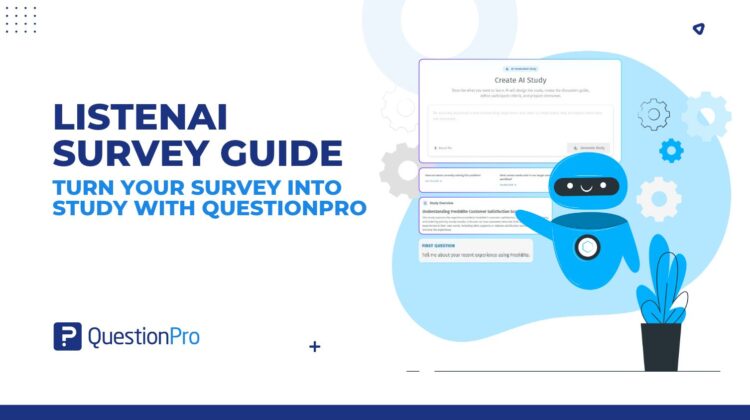
QuestionPro ListenAI now lets you start a study from a document. Attach a survey guide or supporting document, add optional notes, and ListenAI creates the study for you. If you have nothing to attach, you can still describe your idea and start from scratch.

How It Works

  1. Open Create AI Study.
  2. Click Attach file and choose your survey guide or supporting document.
  3. Optionally, add context the document does not cover, such as your audience or what to focus on.
  4. Click Generate Study. ListenAI builds the study in the background, so you can keep working.
  5. When it is ready, click Open study to see your draft.
  6. Review the Study Overview and the Interview Preview, which shows what participants will see, then click Continue to review.

Real-World Applications

  • Customer experience: Attach last quarter’s satisfaction survey guide and launch a follow-up study that digs into the “why” behind the scores.
  • Product research: Upload a product brief and supporting notes to explore how users feel about a new feature before it ships.
  • Employee research: Start from an existing engagement survey to run deeper conversations on the topics that matter most.
  • Brand and market research: Bring in a stakeholder brief and let ListenAI turn the objectives into a ready-to-review study.

From Documents to Discovery

Your research history is an asset. QuestionPro ListenAI helps you put it to work by turning the survey guides and supporting documents you already have into AI-moderated studies. And when there is nothing to build on yet, starting from a fresh idea works just as well.

One note: the draft is a starting point. Review it, refine it, and make sure it reflects your research goals before you launch.

Ready to turn your survey guide into a study? Try QuestionPro ListenAI
SHARE THIS ARTICLE:

About the author
Ayush Mehta
Associate Product Manager - QuestionPro UX
View all posts by Ayush Mehta

Primary Sidebar

Gain insights with 80+ features for free

Create, Send and Analyze Your Online Survey in under 5 mins!

Create a Free Account

RELATED ARTICLES

HubSpot - QuestionPro Integration

AI Sentiment Analysis for K-12 Surveys: From Comments to Categories

Sep 18,2026

HubSpot - QuestionPro Integration

How to Build a Student Experience Survey Program That Improves Retention

Jul 08,2026

HubSpot - QuestionPro Integration

Multi-rater Feedback: Types, Collection Methods, Pros & Cons

Nov 10,2023

BROWSE BY CATEGORY

Footer

MORE LIKE THIS

listenai-survey-guide

Already Have a Survey Guide? Let QuestionPro ListenAI Turn It Into a Study

Nov 4, 2026

QuestionPro acquires Contlo – but why?

Nov 3, 2026

Universal widgets

Your CX Dashboard Tells You What’s Happening. Your Journey Map Shows You Where. What If They Worked Together?

Nov 3, 2026

speed-up-survey-data-collection

Delayed, not canceled: How to add respondents to a live survey project with sample push

Nov 2, 2026

Other categories

questionpro-logo-nw
Help center Live Chat SIGN UP FREE
  • Sample questions
  • Sample reports
  • Survey logic
  • Branding
  • Integrations
  • Professional services
  • Security
  • Survey Software
  • Customer Experience
  • Workforce
  • Communities
  • Audience
  • Polls Explore the QuestionPro Poll Software - The World's leading Online Poll Maker & Creator. Create online polls, distribute them using email and multiple other options and start analyzing poll results.
  • Research Edition
  • LivePolls
  • InsightsHub
  • Blog
  • Articles
  • eBooks
  • Survey Templates
  • Case Studies
  • Training
  • Webinars
  • All Plans
  • Nonprofit
  • Academic
  • Qualtrics Alternative Explore the list of features that QuestionPro has compared to Qualtrics and learn how you can get more, for less.
  • SurveyMonkey Alternative
  • VisionCritical Alternative
  • Medallia Alternative
  • Likert Scale Complete Likert Scale Questions, Examples and Surveys for 5, 7 and 9 point scales. Learn everything about Likert Scale with corresponding example for each question and survey demonstrations.
  • Conjoint Analysis
  • Net Promoter Score (NPS) Learn everything about Net Promoter Score (NPS) and the Net Promoter Question. Get a clear view on the universal Net Promoter Score Formula, how to undertake Net Promoter Score Calculation followed by a simple Net Promoter Score Example.
  • Offline Surveys
  • Customer Satisfaction Surveys
  • Employee Survey Software Employee survey software & tool to create, send and analyze employee surveys. Get real-time analysis for employee satisfaction, engagement, work culture and map your employee experience from onboarding to exit!
  • Market Research Survey Software Real-time, automated and advanced market research survey software & tool to create surveys, collect data and analyze results for actionable market insights.
  • GDPR & EU Compliance
  • Employee Experience
  • Customer Journey
  • Synthetic Data
  • About us
  • Executive Team
  • In the news
  • Testimonials
  • Advisory Board
  • Careers
  • Brand
  • Media Kit
  • Contact Us

QuestionPro in your language

  • English
  • Español (Spanish)
  • Português (Portuguese (Brazil))
  • Nederlands (Dutch)
  • العربية (Arabic)
  • Français (French)
  • Italiano (Italian)
  • 日本語 (Japanese)
  • Türkçe (Turkish)
  • Svenska (Swedish)
  • Hebrew IL (Hebrew)
  • ไทย (Thai)
  • Deutsch (German)
  • Portuguese de Portugal (Portuguese (Portugal))
  • Español / España (Spanish / Spain)

Awards & certificates

  • survey-leader-asia-leader-2023
  • survey-leader-asiapacific-leader-2023
  • survey-leader-enterprise-leader-2023
  • survey-leader-europe-leader-2023
  • survey-leader-latinamerica-leader-2023
  • survey-leader-leader-2023
  • survey-leader-middleeast-leader-2023
  • survey-leader-mid-market-leader-2023
  • survey-leader-small-business-leader-2023
  • survey-leader-unitedkingdom-leader-2023
  • survey-momentumleader-leader-2023
  • bbb-acredited
The Experience Journal

Find innovative ideas about Experience Management from the experts

  • © 2022 QuestionPro Survey Software | +1 (800) 531 0228
  • Sitemap
  • Privacy Statement
  • Terms of Use