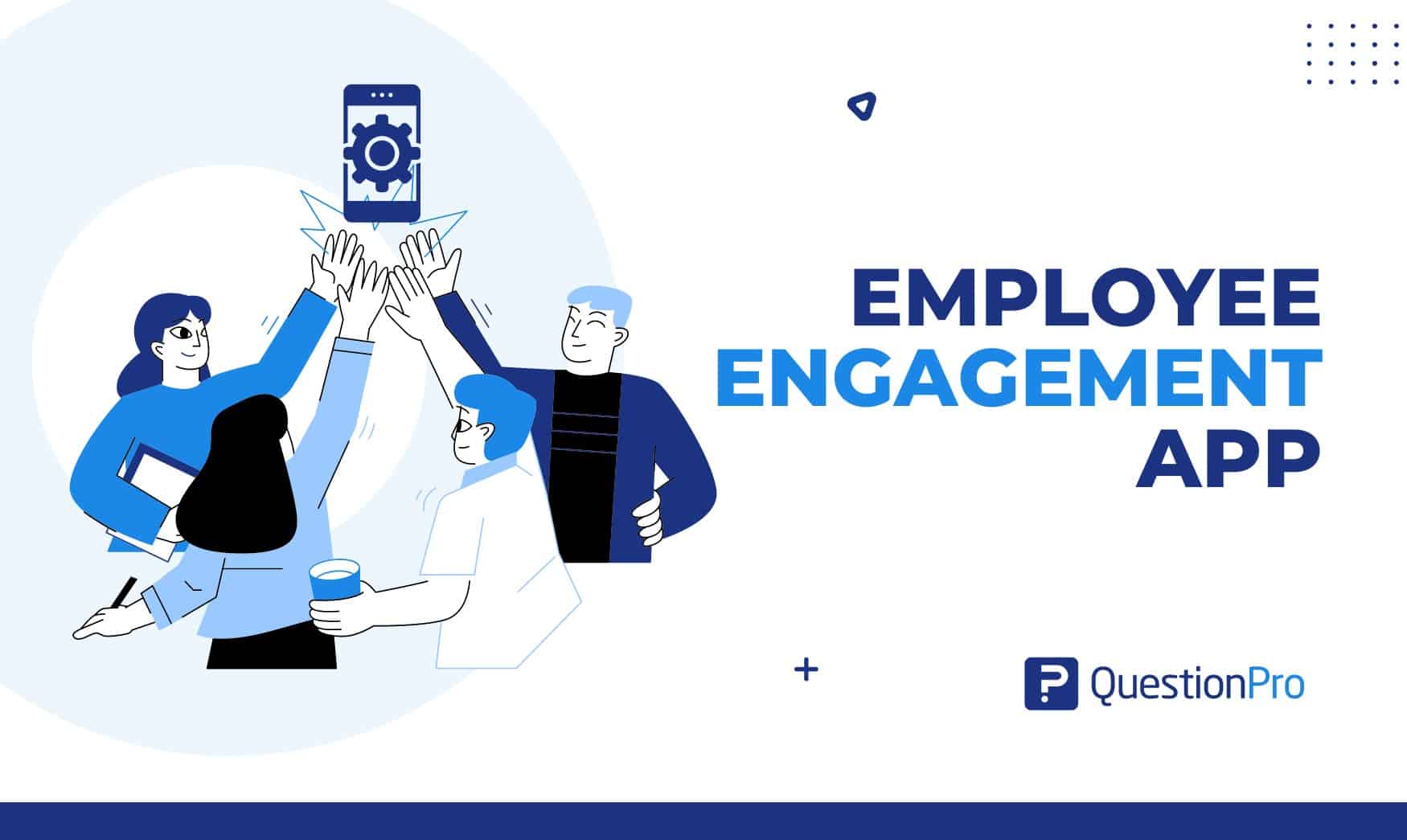
An employee engagement app is a mobile or web tool employees use to give feedback, recognize coworkers, and stay connected to company news. HR teams and managers use the same app to read sentiment and act on it. Most fall into one of four jobs: listening, recognition, communication, or check-ins.
Picking one matters more than it used to. U.S. engagement keeps sliding, and most teams already juggle several tools that employees ignore.
In this guide, we compare 11 of the best employee engagement apps, show what each one costs, and explain how to choose and roll one out so people actually open it.
What is an employee engagement app?
An employee engagement app is software employees use on a phone, desktop, or inside Slack or Microsoft Teams to share feedback, recognize peers, and get company updates. It also gives leaders data on how engaged their people are.
The word “app” matters here. The employee is the main user, not the HR admin. If employees don’t open it weekly, it isn’t doing its job, no matter how good the admin dashboard looks.
That focus on daily use is what separates an app from a broader HR platform. A good employee engagement app is:
- Fast: An answer, a shoutout, or a read takes under a minute.
- Reachable: It works on a phone, often without a company email address.
- Two-way: Employees see something come back, such as results, replies, or recognition.
- Measurable: Leaders get participation and sentiment data they can act on.
If you’re specifically weighing phone-first tools for pulse surveys and eNPS, our guide to choosing an employee engagement mobile app covers mobile features and rollout in more detail.
How is an employee engagement app different from engagement software?
The two terms overlap, and vendors use them loosely. The practical difference is who the tool is built for and how often they use it.
| Tool type | Built mainly for | How often it’s used | Typical examples |
|---|---|---|---|
| Employee engagement app | Every employee, on any device | Daily or weekly | Recognition feeds, pulse questions, frontline chat |
| Employee engagement software | HR and people analytics teams | Survey cycles and reporting periods | Engagement surveys, driver analysis, benchmarks |
| Employee communication app or intranet | Internal comms teams | Daily | News feeds, chat, knowledge bases |
| HRIS (human resources information system) | HR and payroll admins | As records change | Payroll, benefits, employee records |
Many vendors now sell both an app and a platform under one login. If your main need is the admin-side survey program, start with our roundup of employee engagement software instead.
What are the main types of employee engagement apps?
Most employee engagement apps do one job well and the others adequately. Knowing the four types helps you shortlist fast:
- Listening and feedback apps: These run pulse surveys, eNPS (employee Net Promoter Score, a single question about how likely someone is to recommend their workplace), and anonymous comments. Managers turn the results into action plans. QuestionPro Employee Experience, Culture Amp, WorkTango, and Workleap Officevibe sit here.
- Recognition and rewards apps: An employee recognition app lets coworkers thank each other publicly and often attach points that turn into gift cards or swag. Bonusly and Motivosity center on this. Recognition is the most social category, so adoption shows up fast.
- Communication and frontline apps: These replace the break-room bulletin board with a mobile feed, chat, and announcements. They matter most for deskless workers in retail, healthcare, logistics, and hospitality. Connecteam, Blink, and Workvivo by Zoom fit here.
- Check-in and performance apps: These pair engagement questions with weekly check-ins, 1:1 notes, and goals. 15Five and Lattice lead this group, and they suit companies that want engagement tied to manager conversations.
Many vendors now stretch across two types. The question is which job the app does best, because that is the job employees will actually use it for.
Quick comparison of the 11 best employee engagement apps
Use this table to narrow the field before reading the full entries. Prices were checked on vendor pricing pages in November 2026.
| App | Main type | Best for | Starting price |
|---|---|---|---|
| QuestionPro Employee Experience | Listening and feedback | Lifecycle surveys tied to action plans | Quote-based, free trial |
| Connecteam | Frontline all-in-one | Small deskless teams | Free up to 10 users |
| Blink | Frontline communication | Large frontline workforces | $3.75 per user per month |
| Workvivo by Zoom | Communication and intranet | Enterprise employee experience | Quote-based |
| Bonusly | Recognition | Peer recognition with rewards | $3 per user per month |
| Motivosity | Recognition | Recognition plus milestones | Custom, $3,000 yearly minimum |
| WorkTango | Listening and recognition | Surveys and rewards together | Quote-based |
| 15Five | Check-ins | Manager-led weekly check-ins | $4 per user per month |
| Lattice | Check-ins and performance | Engagement tied to reviews | $4 per seat per month |
| Culture Amp | Listening and feedback | Survey science and benchmarks | Quote-based |
| Workleap Officevibe | Listening and feedback | Pulse surveys inside Slack or Teams | Workleap plans from $4,999 per year |
11 Best employee engagement apps in 2026
We compared these apps using public vendor information, with pricing checked in November 2026. QuestionPro is our product. We looked at each app on these criteria:
- Employee access: Native app, mobile browser, or Slack and Teams delivery.
- Engagement job: Listening, recognition, communication, or check-ins.
- Manager follow-through: Action plans, nudges, or recommended next steps.
- AI features: Comment analysis, summaries, translation, or writing help.
- Integrations: HRIS sync and collaboration tools.
- Pricing clarity: Published rates versus quote-only.
1. QuestionPro Employee Experience
QuestionPro Employee Experience is an employee listening platform that covers the whole employee lifecycle, from onboarding and engagement surveys to pulse checks, culture surveys, 360-degree leadership feedback, and exit surveys. Employees answer in a browser on any device, and survey links can reach them through integrations such as Microsoft Teams and Slack.
The app side is deliberately light for employees and deep for managers. Results feed role-based dashboards, eNPS tracking, and key driver analysis, so each manager sees what is pulling their team’s score down and gets a place to plan the fix.
Best for: Organizations that want engagement feedback to turn into tracked, team-level action plans.
Key features:
- Lifecycle survey coverage from onboarding through exit, plus 360 feedback.
- eNPS tracking with key driver analysis.
- Empower Action Planning, where managers build and track plans from their team’s data.
- Text + Sentiment AI, which finds themes and sentiment shifts in open comments.
- HRIS roster sync through FTP and API, plus Microsoft Teams, Slack, Salesforce, and Tableau integrations.
Pros:
- Unlimited users, surveys, and responses, with no per-response or per-admin seat fees.
- Respondent Anonymity Assurance and role-based data access protect confidentiality.
- AI Survey Builder suggests questions, which speeds up survey design.
- 24/7 support and a dedicated customer success team.
Cons:
- It is a listening platform, not a social feed, chat, or recognition app.
- Pricing is quote-based rather than published.
Pricing: Quote-based, customized to organization size and listening strategy. A free trial is available without a credit card.
2. Connecteam
Connecteam is an all-in-one app for deskless teams, sold as three hubs: Operations, Communications, and HR & Skills. The Communications hub covers chat, updates, a directory, surveys, events, and a knowledge base. Recognition, rewards, and celebrations sit in the HR & Skills hub.
Best for: Small and midsize frontline businesses that want engagement, scheduling, and communication in one app.
Key features:
- Chat and company updates in a mobile-first app.
- Surveys and events in the Communications hub.
- Recognition, rewards, and celebrations in the HR & Skills hub.
- AI message translation and an AI update enhancer.
Pros:
- Free Small Business plan for up to 10 users, with all hubs included.
- Low per-user add-on costs after the first 30 users.
Cons:
- Recognition and surveys sit in different hubs, so full coverage means buying more than one.
- Survey analytics are lighter than dedicated listening tools.
Pricing: Each hub starts at $29 per month for the first 30 users, billed annually, with extra users from $0.50 per month on the Communications Basic plan.
3. Blink
Blink is an employee app for frontline and distributed teams. It combines a mobile-first social feed, 1:1 and group chat, polls, quizzes, communities, and peer recognition. Native apps run on iOS, Android, Windows, and Mac, with offline access to recent messages and content.
Best for: Large frontline workforces that need one app for news, chat, and recognition.
Key features:
- Personalized feed with polls, quizzes, and communities.
- Peer-to-peer recognition with leaderboards and analytics.
- Employee feedback survey builder on the Enterprise plan.
- AI digest of missed posts and instant AI translations.
Pros:
- Published per-user pricing on Core and Pro plans.
- Offline access helps workers with poor connectivity.
Cons:
- Formal feedback surveys require the Enterprise tier.
- It is not built for deep survey analysis or driver analysis.
Pricing: Core starts at $3.75 per user per month and Pro at $5.00, both billed annually. Enterprise is custom.
4. Workvivo by Zoom
Workvivo is an employee experience app owned by Zoom. Its HQ product combines an activity feed, shoutouts, badges and awards, surveys, polls, livestreams, and an intranet. A separate product, Seer, adds engagement surveys built on a 12-factor model plus pulse surveys.
Best for: Enterprises that want a branded intranet, social feed, and listening in one place.
Key features:
- Smart activity feed with peer shoutouts and awards.
- Engagement and pulse surveys through Seer.
- Mobile access across phone, desktop, and shared screens.
- AI Compose, Catch Me Up summaries, and AI comment analysis.
Pros:
- Integrates with more than 60 HR tools, plus Microsoft 365, Google Workspace, and Slack.
- Strong fit for companies already standardized on Zoom.
Cons:
- No published pricing.
- Several capabilities, such as HQ Agent and Workvivo TV, are add-ons.
Pricing: Quote-based, depending on license count and needs.
5. Bonusly
Bonusly is an employee recognition app where coworkers give each other small, public recognition with points that convert into rewards. Its iOS and Android apps let frontline and field employees give recognition and redeem rewards from their phones.
Best for: Teams that want everyday peer recognition tied to real rewards.
Key features:
- Peer-to-peer recognition with a rewards catalog.
- Native iOS and Android apps on the Team plan.
- Bizy, an AI recognition assistant.
- A separate Check Ins product.
Pros:
- Clear published pricing and a 30-day free trial without payment details.
- No user minimums or user limits.
Cons:
- Rewards are billed separately at face value, so total cost depends on your budget per employee.
- It does not run engagement surveys.
Pricing: Team starts at $3 per user per month without Bizy, or $5 with Bizy, billed monthly. Organization plans are custom.
6. Motivosity
Motivosity is a recognition and engagement app built around peer appreciation. Its bundles include a social platform and mobile app, ThanksCards, milestone celebrations, a rewards marketplace, and corporate gifting. Pulse surveys are available as a module.
Best for: Organizations that want recognition, milestones, and gifting in one employee-facing app.
Key features:
- Peer-to-peer and manager recognition with ThanksCards.
- Birthday, anniversary, and milestone celebrations.
- Global rewards marketplace and branded company store.
- Appreciation Intelligence, an AI feature in beta.
Pros:
- Mobile app included in recognition bundles.
- Support for 70+ languages on the global bundle.
Cons:
- Pricing is fully custom.
- Surveys are an add-on module rather than the core product.
Pricing: Custom. Motivosity lists a $3,000 annual minimum for small businesses and a platform fee of roughly $0 to $2 per employee per month.
7. WorkTango
WorkTango combines employee listening with recognition and rewards. Its Surveys & Insights product covers unlimited surveys, eNPS, confidential surveys, and anonymous two-way conversations. Recognition & Rewards adds peer recognition, a rewards marketplace, awards, and milestone celebrations.
Best for: HR teams that want surveys and recognition from one vendor.
Key features:
- Unlimited surveys and eNPS.
- Anonymous conversations between employees and HR.
- Peer recognition and rewards marketplace in a mobile app.
- AI-powered recommended actions and insights.
Pros:
- Listening and recognition share one platform.
- HRIS integrations are included with surveys.
Cons:
- No published pricing.
- The mobile app comes with the recognition and full platform plans, while the surveys plan lists mobile surveys.
Pricing: Quote-based for each plan.
8. 15Five
15Five is a performance and engagement app built around weekly check-ins. Employees share wins, challenges, and a pulse score, then managers respond and carry topics into 1:1s. Engagement surveys and eNPS sit in a separate Engage tier.
Best for: Companies that want engagement tied to weekly manager conversations.
Key features:
- Weekly check-ins with pulse, wins, and challenges.
- High Fives recognition.
- Engagement surveys and eNPS on Engage.
- AI Synthesized Feedback for open-text comments.
Pros:
- Transparent, published per-user pricing.
- Mobile app for check-ins, 1:1s, and surveys on Perform and Total Platform.
Cons:
- The mobile app and recognition are not listed in the Engage tier.
- Full coverage requires the higher Total Platform tier.
Pricing: Engage is $4, Perform is $11, and Total Platform is $16 per user per month, billed annually.
9. Lattice
Lattice is a people platform that sells engagement, performance, goals, and growth as separate modules. Its iOS and Android app focuses on 1:1s, feedback, reviews, and the employee directory.
Best for: Growing companies that want engagement data next to performance reviews and goals.
Key features:
- Engagement surveys with AI analysis and trends.
- 1:1s, feedback, and reviews in the mobile app.
- Goals and OKRs module.
- An AI agent included with all base products.
Pros:
- Modular pricing lets you start with engagement only.
- Engagement and performance data share one system.
Cons:
- The $4,000 minimum annual agreement can be steep for very small teams.
- The mobile app centers on 1:1s and feedback rather than surveys.
Pricing: Engagement is $4 per seat per month, Performance is $10, and Goals & OKRs is $8, billed annually with a $4,000 minimum.
10. Culture Amp
Culture Amp is an employee feedback and analytics platform with two core products: Engage for surveys and Perform for performance and development. Employees take surveys in a responsive web app, and Culture Amp also offers Slack and Microsoft Teams apps.
Best for: People teams that want research-backed survey templates and benchmarks.
Key features:
- Engagement, pulse, and lifecycle surveys in Engage.
- AI comment summaries for open-text feedback.
- AI Coach, which gives managers insights and action plans.
- Slack and Microsoft Teams apps.
Pros:
- Survey templates and benchmarks are central to the product.
- AI Coach works across both Engage and Perform.
Cons:
- No published prices.
- No recognition feed or chat for daily use.
Pricing: Quote-based, depending on employee count, product, and service tier, billed annually.
11. Workleap Officevibe
Workleap Officevibe is an engagement tool for pulse and custom surveys, anonymous feedback, and Good Vibes recognition cards. It integrates with Slack, Microsoft Teams, and HRIS tools, so employees can respond where they already work.
Best for: Small and midsize teams that live in Slack or Microsoft Teams.
Key features:
- Pulse and custom surveys.
- Anonymous feedback with manager replies.
- Good Vibes recognition cards.
- AI highlights, recommended actions, and reply assistance.
Pros:
- Low-friction delivery inside collaboration tools.
- Exportable survey, feedback, and turnover reports.
Cons:
- Officevibe isn’t priced separately on Workleap’s pricing page.
- A standalone mobile app is not featured on its product page.
Pricing: Workleap lists Standard at $4,999 per year plus $32 per manager per month, billed annually.
AI features and mobile access compared
AI now separates engagement apps more than survey features do. Most vendors use AI for three jobs: summarizing comments, suggesting manager actions, and translating content for multilingual teams.
| App | How employees access it | AI features listed |
|---|---|---|
| QuestionPro Employee Experience | Browser on any device, Teams and Slack integrations | Text + Sentiment AI, AI Survey Builder, Ideation Insights AI |
| Connecteam | Mobile app | AI translation, AI update enhancer |
| Blink | iOS, Android, Windows, Mac apps | AI digest, AI translations, AI assistant |
| Workvivo by Zoom | Mobile, desktop, shared screens | AI Compose, Catch Me Up, comment analysis |
| Bonusly | iOS and Android apps | Bizy recognition assistant |
| Motivosity | Mobile app | Appreciation Intelligence (beta) |
| WorkTango | Mobile app and mobile surveys | AI recommended actions |
| 15Five | Mobile app on Perform and above | AI Synthesized Feedback, Predictive Impact Score |
| Lattice | iOS and Android apps | AI agent, AI engagement analysis |
| Culture Amp | Web app, Slack and Teams apps | AI Coach, AI comment summaries |
| Workleap Officevibe | Slack, Teams, web | AI highlights, recommended actions |
Treat AI summaries as a starting point. A manager still needs to read a sample of the raw comments before acting on a theme.
How do you choose the right employee engagement app?
Start with the problem, not the feature list. The fastest way to pick wrong is to buy a recognition app when the real issue is trust in leadership. The second fastest is buying a survey tool when frontline staff never see company news.
- Name the engagement problem you’re solving.
Low trust or rising turnover points to a listening app. Low morale and invisible effort point to recognition. Missed updates on the floor point to a communication app. - Map where your employees actually work.
Desk-based teams respond well inside Slack or Microsoft Teams. Deskless teams need a phone app that works without a company email, ideally with offline access. - Check what managers get back.
Ask each vendor to show what a frontline manager sees the week after a survey closes. If there’s no clear next step, scores rarely improve. - Confirm anonymity rules before the demo ends.
Ask about minimum group sizes for reporting and who can see comments. Employees will test this promise early. - Test with one team for 30 days.
Ask for a pilot or trial before signing a company-wide contract. The rollout plan below shows what to measure. - Price the full stack, not one module.
Many teams end up with a listening app plus a recognition app. Compare the combined cost with an all-in-one option.
Which employee engagement apps work best for frontline workers?
Employee engagement apps for frontline workers must reach people who don’t sit at a computer, may not have a company email address, and often share devices or work with weak connectivity. That narrows the field quickly.
Frontline-first apps such as Connecteam and Blink are built for this from the ground up, with phone sign-in, translation, and offline access to recent content. Recognition apps like Bonusly also cover field staff through native mobile apps.
Listening is where frontline programs often break. A store associate will answer two questions on a phone during a break, but not a 40-question survey on a shared kiosk. Keep frontline surveys short, send them at shift change, and show results back on the same app. Our guide to motivating frontline employees covers the engagement side in more depth.
How much does an employee engagement app cost?
Employee engagement app pricing runs from free tiers for very small teams to about $3 to $16 per user per month on published plans. Enterprise tools are quoted on request, and annual minimums or add-on modules often matter more than the headline rate.
Here’s what a 200-person company would pay for each app’s entry plan with published pricing. All figures use annual list prices checked in November 2026:
| App and plan | How it’s priced | Estimated yearly cost for 200 users |
|---|---|---|
| Connecteam Communications Basic | $29 per month for 30 users, then $0.50 per extra user | About $1,368 |
| Bonusly Team (without Bizy) | $30 per user per year | $6,000 plus rewards |
| Blink Core | $3.75 per user per month | $9,000 |
| 15Five Engage | $4 per user per month | $9,600 |
| Lattice Engagement | $4 per seat per month, $4,000 minimum | $9,600 |
These are list prices for single modules. Real quotes often change with headcount, contract length, and bundles, so use the table to compare structure rather than final cost.
Watch for three hidden costs:
- Rewards budget: Recognition apps bill gift cards and rewards on top of the license.
- Module creep: Surveys, recognition, and performance are often separate line items.
- Manager time: An app that adds work for managers without telling them what to do next rarely lasts past the first renewal.
How do you roll out an employee engagement app employees actually use?
Most engagement apps fail from low adoption, not missing features. A 90-day rollout with clear milestones gives the app a fair test.
Days 1 to 30: Pilot and prove trust
The first month decides whether employees trust the app. Keep the pilot small and the promises specific.
- Pick one team.
Choose a team of 25 to 100 people with a manager who wants to try it. - Explain the rules up front.
Say why you’re using the app, what happens to answers, and who sees what. - Run one simple activity.
Send a short pulse survey or open a recognition channel, not both. - Close the loop within two weeks.
Share the results and one change the team will see.
Days 31 to 60: Expand and train managers
Add teams in waves. Give managers a 15-minute walkthrough on reading their dashboard and replying to comments. Make one leader the visible first user, since recognition and comments spread when a senior person posts first.
Days 61 to 90: Measure and decide
Compare your baseline with day 90 on four numbers:
- Weekly active users: Share of employees who opened the app in a given week.
- Response rate: Share of invited employees who answered the latest pulse.
- Time to action: Days between a survey closing and the manager sharing a change.
- eNPS movement: Change in your employee Net Promoter Score since the pilot started.
If usage drops after the novelty fades, cut survey length or frequency before blaming the tool.
What are the benefits of an employee engagement app?
The core benefit of an employee engagement app is speed. It shortens the time between an employee noticing a problem and a manager hearing about it.
That speed matters because engagement is fragile. In the third quarter of 2026, U.S. employee engagement fell to 29%, its lowest level since 2011, while 18% of employees were actively disengaged. An annual survey can’t catch a drop that fast.
Other benefits follow from that faster loop:
- Better two-way communication: Updates reach every employee, and replies reach managers.
- Visible appreciation: An employee recognition app makes everyday effort public, which reinforces the behaviors you want to see. Our guide to employee recognition programs covers how to design them.
- Earlier warning on turnover: Pulse trends and comment themes show which teams are struggling before resignations arrive.
- Inclusion for remote and frontline staff: Everyone gets the same channel, whatever their location or schedule.
- Decisions backed by data: Leaders compare teams, track change over time, and test whether a fix worked.
Where does a listening app fit in your engagement stack?
Most companies end up running two or three engagement apps, and the listening layer is what tells you whether the others are working. Recognition counts and feed views show activity. Surveys show whether people actually feel more valued.
QuestionPro Employee Experience plays that measurement role. A practical setup looks like this:
- Collect the right signal at the right moment.
Run employee pulse surveys monthly, plus onboarding and exit surveys at fixed lifecycle points. - Find the driver, not just the score.
Key driver analysis shows which factors, such as manager support or recognition, move eNPS most for each team. - Turn results into owned actions.
Managers use Empower Action Planning to set and track one or two fixes per cycle. - Check whether other apps are helping.
Compare recognition-heavy teams with others on sentiment. That tells you whether your recognition app is changing how people feel.
For leaders, adding 360-degree feedback closes the loop on manager behavior, which employees feel every working day. If you’re comparing survey-first tools specifically, see our list of employee engagement survey tools.
The best employee engagement app is the one people open
Feature lists make every employee engagement app look similar. The real difference shows up in week six, when the novelty has worn off and only useful apps still get opened.
Pick the app that matches your biggest engagement problem and the way your people actually work. Then hold managers to one simple standard: every time employees speak up through the app, they should see something change.
Frequently Asked Questions (FAQs)
Yes, a few vendors offer free entry points. Connecteam’s Small Business plan is free for up to 10 users with all hubs included. Others, such as Bonusly and QuestionPro Employee Experience, offer free trials so teams can test before buying.
Not on their own. Slack and Teams handle messaging well, but they don’t measure sentiment, track eNPS, or manage rewards. Many engagement apps plug into them, so employees answer surveys or give recognition without leaving the chat tool.
It depends on the app’s settings. Most listening apps report only on groups above a minimum size and can hide identities in comments. Check these settings before launch and explain them clearly, because employees decide early whether to trust the app.
Many teams send a short pulse monthly or quarterly and run a full engagement survey once a year. Weekly questions can work for one or two items. Survey more often than you can act, and response rates will fall.
They can support it but don’t replace legal advice. Look for SOC 2 or ISO 27001 security certifications, role-based access, and data retention controls. Employers with California staff should also confirm how the vendor handles employee data under the CCPA.