• Skip to main content
  • Skip to primary sidebar
  • Skip to footer
QuestionPro

QuestionPro

questionpro logo
  • Products
    survey software iconSurvey softwareEasy to use and accessible for everyone. Design, send and analyze online surveys.research edition iconResearch SuiteA suite of enterprise-grade research tools for market research professionals.CX iconCustomer ExperienceExperiences change the world. Deliver the best with our CX management software.WF iconEmployee ExperienceCreate the best employee experience and act on real-time data from end to end.
  • Solutions
    IndustriesGamingAutomotiveSports and eventsEducationGovernment
    Travel & HospitalityFinancial ServicesHealthcareCannabisTechnology
    Use CaseAskWhyCommunitiesAudienceContactless surveysMobile
    LivePollsMember ExperienceGDPRPositive People Science360 Feedback Surveys
  • Resources
    BlogeBooksSurvey TemplatesCase StudiesTrainingHelp center
  • Features
  • Pricing
Language
  • English
  • Español (Spanish)
  • Português (Portuguese (Brazil))
  • Nederlands (Dutch)
  • العربية (Arabic)
  • Français (French)
  • Italiano (Italian)
  • 日本語 (Japanese)
  • Türkçe (Turkish)
  • Svenska (Swedish)
  • Hebrew IL (Hebrew)
  • ไทย (Thai)
  • Deutsch (German)
  • Portuguese de Portugal (Portuguese (Portugal))
  • Español / España (Spanish / Spain)
Call Us
+1 800 531 0228 +1 (647) 956-1242 +55 9448 6154 +49 030 9173 9255 +44 01344 921310 +81-3-6869-1954 +61 (02) 6190 6592 +971 529 852 540
Log In Log In
SIGN UP FREE

Home Market Research

Introducing Custom Metrics in Advanced Cross-Tabs for QuestionPro BI

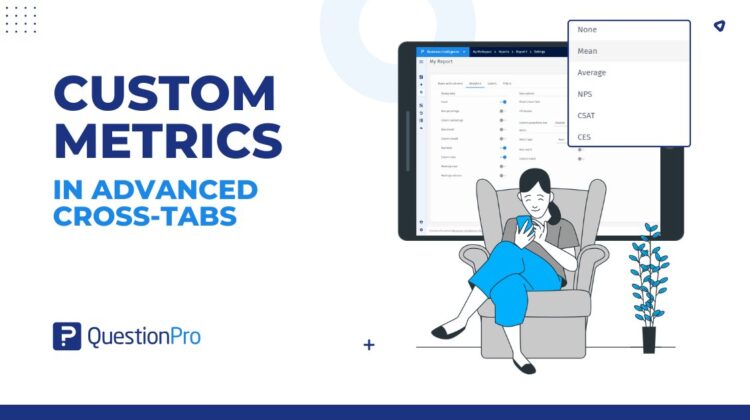
custom-metrics-in-advanced-cross-tabs

Advanced Cross-Tabulation has always been one of the most powerful analytical tools in QuestionPro BI, helping teams uncover relationships between variables, validate statistical significance, and explore survey data across segments.

But when it came to customer experience metrics like NPS, CSAT, and CES, many teams still found themselves exporting data into spreadsheets to perform calculations manually.

That changes with Custom Metrics in Advanced Cross-Tabs.

Organizations can now calculate, customize, and analyze customer experience metrics directly within cross-tab reports – eliminating manual workflows while ensuring consistent metric definitions across teams.

The challenge with traditional CX reporting

Customer experience teams rely heavily on metrics such as Net Promoter Score (NPS), Customer Satisfaction Score (CSAT), and Customer Effort Score (CES) to measure loyalty, satisfaction, and effort across the customer journey.

However, calculating these metrics inside traditional cross-tab reports often creates operational challenges.

Common problems include:

  • Exporting data into Excel for NPS, CSAT, or CES calculations
  • Maintaining consistent scoring methodologies across teams
  • Comparing customer experience scores across multiple segments
  • Recalculating metrics whenever survey scales change
  • Managing different interpretations of response classifications

As reporting environments grow more complex, these manual workflows slow down analysis and introduce inconsistencies into decision-making.

Custom Metrics was built to solve exactly these problems.

What are Custom Metrics?

Custom Metrics introduces a dedicated metric layer within Advanced Cross-Tabs that allows organizations to calculate customer experience metrics directly inside reports.

Users can now select:

  • NPS
  • CSAT
  • CES
  • Mean
  • Average

– and apply them across rows, columns, or both.

Unlike traditional aggregation methods, these metrics can also be customized to reflect an organization’s specific scoring methodology.

This means customer experience analysis no longer needs to happen outside the reporting workflow.

Key capabilities of Custom Metrics

Calculate NPS, CSAT, and CES directly within cross-tabs

Organizations can now generate customer experience metrics directly inside Advanced Cross-Tab reports.

Instead of exporting data for external calculations, teams can immediately analyze customer loyalty, satisfaction, and effort across segments, demographics, products, regions, and other business dimensions.

For teams evaluating customer experience programs, this significantly reduces time-to-insight.

If you’re exploring the differences between these metrics, our guide on NPS vs CSAT vs CES provides a deeper breakdown of when each should be used.

Apply metrics across rows, columns, or both

Different reporting scenarios require different analytical perspectives.

Custom Metrics allows users to:

  • Calculate metrics across rows
  • Calculate metrics across columns
  • Apply metrics across both dimensions simultaneously

This enables customer experience comparisons across multiple segments within the same report.

For example, organizations can compare NPS across customer tiers while simultaneously analyzing differences across geographic regions.

Customize response classifications

One of the most powerful aspects of Custom Metrics is the ability to customize scoring logic directly from the report.

Users can configure how response options are classified for each metric.

For NPS, responses can be mapped into:

  • Promoters
  • Passives
  • Detractors

For CSAT:

  • Satisfied
  • Neutral
  • Not Satisfied

For CES:

  • Simple
  • Neutral
  • Complicated

This flexibility allows organizations to align reporting with internal methodologies, survey scales, and business definitions.

Standardize CX reporting across teams

One common challenge with customer experience reporting is inconsistent metric calculations across departments.

Different analysts often use slightly different scoring rules, leading to reporting discrepancies.

Custom Metrics centralizes these definitions directly within the reporting workflow, helping organizations maintain consistency while reducing manual effort.

Teams can now build standardized customer experience reporting processes without relying on spreadsheets or external calculations.

A real-world example

Imagine a customer insights team analyzing satisfaction data across regions.

Previously, they might have exported survey responses into Excel, manually grouped response values into satisfaction buckets, calculated CSAT scores, and then re-imported findings into stakeholder reports.

With Custom Metrics, the entire process happens directly inside Advanced Cross-Tabs.

The team can:

  • Select CSAT as the metric type
  • Apply the metric across rows and columns
  • Configure which responses are classified as Satisfied, Neutral, and Not Satisfied
  • Instantly compare satisfaction scores across regions, customer segments, and products

All without leaving QuestionPro BI.

Why customer experience metrics matter

Organizations increasingly rely on customer experience indicators to understand customer behavior, loyalty, and retention.

Metrics like NPS, CSAT, and CES each provide different perspectives on the customer journey.

  • NPS measures customer loyalty and advocacy
  • CSAT measures satisfaction with specific interactions
  • CES measures how easy it is for customers to complete a task or resolve an issue

Our articles on Customer Satisfaction Metrics and Customer Experience Management explore these concepts in greater detail.

By bringing these metrics directly into Advanced Cross-Tabs, organizations can combine statistical analysis with customer experience measurement in a single reporting environment. 

As customer experience becomes an increasingly important business driver, organizations need reporting tools that can measure, analyze, and operationalize CX insights at scale.

Custom Metrics in Advanced Cross-Tabs brings that capability directly into QuestionPro BI.

Create memorable experiences based on real-time data, insights and advanced analysis. Request Demo

SHARE THIS ARTICLE:

About the author
Prabal Gupta

View all posts by Prabal Gupta

Primary Sidebar

Research what's on your mind. Find out what's on theirs!

A suite of tools to leverage research and transform insights.

Discover our insight platform

RELATED ARTICLES

HubSpot - QuestionPro Integration

The Impact Of Synthetic Data On Modern Research

Dec 19,2024

HubSpot - QuestionPro Integration

8 herramientas de investigación cualitativa

Jan 29,2024

HubSpot - QuestionPro Integration

Voice of Customer Analytics: Key Components, Framework & Practices

Aug 21,2025

BROWSE BY CATEGORY

Footer

MORE LIKE THIS

custom-metrics-in-advanced-cross-tabs

Introducing Custom Metrics in Advanced Cross-Tabs for QuestionPro BI

Jun 1, 2026

AI Research Agent: What It Is, How It Works, and What Research Teams Need to Know

May 30, 2026

AI Moderated Research: How It Works, When to Use It, and What to Watch For

May 30, 2026

MCP Survey Tool: How AI Agents Build and Analyze Surveys in Real Time

May 30, 2026

Other categories

questionpro-logo-nw
Help center Live Chat SIGN UP FREE
  • Sample questions
  • Sample reports
  • Survey logic
  • Branding
  • Integrations
  • Professional services
  • Security
  • Survey Software
  • Customer Experience
  • Workforce
  • Communities
  • Audience
  • Polls Explore the QuestionPro Poll Software - The World's leading Online Poll Maker & Creator. Create online polls, distribute them using email and multiple other options and start analyzing poll results.
  • Research Edition
  • LivePolls
  • InsightsHub
  • Blog
  • Articles
  • eBooks
  • Survey Templates
  • Case Studies
  • Training
  • Webinars
  • All Plans
  • Nonprofit
  • Academic
  • Qualtrics Alternative Explore the list of features that QuestionPro has compared to Qualtrics and learn how you can get more, for less.
  • SurveyMonkey Alternative
  • VisionCritical Alternative
  • Medallia Alternative
  • Likert Scale Complete Likert Scale Questions, Examples and Surveys for 5, 7 and 9 point scales. Learn everything about Likert Scale with corresponding example for each question and survey demonstrations.
  • Conjoint Analysis
  • Net Promoter Score (NPS) Learn everything about Net Promoter Score (NPS) and the Net Promoter Question. Get a clear view on the universal Net Promoter Score Formula, how to undertake Net Promoter Score Calculation followed by a simple Net Promoter Score Example.
  • Offline Surveys
  • Customer Satisfaction Surveys
  • Employee Survey Software Employee survey software & tool to create, send and analyze employee surveys. Get real-time analysis for employee satisfaction, engagement, work culture and map your employee experience from onboarding to exit!
  • Market Research Survey Software Real-time, automated and advanced market research survey software & tool to create surveys, collect data and analyze results for actionable market insights.
  • GDPR & EU Compliance
  • Employee Experience
  • Customer Journey
  • Synthetic Data
  • About us
  • Executive Team
  • In the news
  • Testimonials
  • Advisory Board
  • Careers
  • Brand
  • Media Kit
  • Contact Us

QuestionPro in your language

  • English
  • Español (Spanish)
  • Português (Portuguese (Brazil))
  • Nederlands (Dutch)
  • العربية (Arabic)
  • Français (French)
  • Italiano (Italian)
  • 日本語 (Japanese)
  • Türkçe (Turkish)
  • Svenska (Swedish)
  • Hebrew IL (Hebrew)
  • ไทย (Thai)
  • Deutsch (German)
  • Portuguese de Portugal (Portuguese (Portugal))
  • Español / España (Spanish / Spain)

Awards & certificates

  • survey-leader-asia-leader-2023
  • survey-leader-asiapacific-leader-2023
  • survey-leader-enterprise-leader-2023
  • survey-leader-europe-leader-2023
  • survey-leader-latinamerica-leader-2023
  • survey-leader-leader-2023
  • survey-leader-middleeast-leader-2023
  • survey-leader-mid-market-leader-2023
  • survey-leader-small-business-leader-2023
  • survey-leader-unitedkingdom-leader-2023
  • survey-momentumleader-leader-2023
  • bbb-acredited
The Experience Journal

Find innovative ideas about Experience Management from the experts

  • © 2022 QuestionPro Survey Software | +1 (800) 531 0228
  • Sitemap
  • Privacy Statement
  • Terms of Use