If you’ve ever tried to embed a survey into a mobile app and the widget looked like it was built in 2009, you already understand the problem. A headless survey tool solves exactly that. They separate the data collection engine from the front-end display layer, so your team can render surveys anywhere, in any format, without fighting with someone else’s UI.
The concept comes straight from headless CMS architecture, now applied to feedback and research. For a long time, going headless meant one thing: a pure API that delivers survey logic and captures responses while your developers build the experience on top of it. That’s no longer the only option. With the Model Context Protocol (MCP), you can now ask an AI assistant like Claude or ChatGPT to build, send, and analyze surveys for you. You don’t even need to open the survey app.
In this blog, we’ll walk through how a headless survey tool works via API and MCP, and when each one makes sense.
What is a headless survey tool?
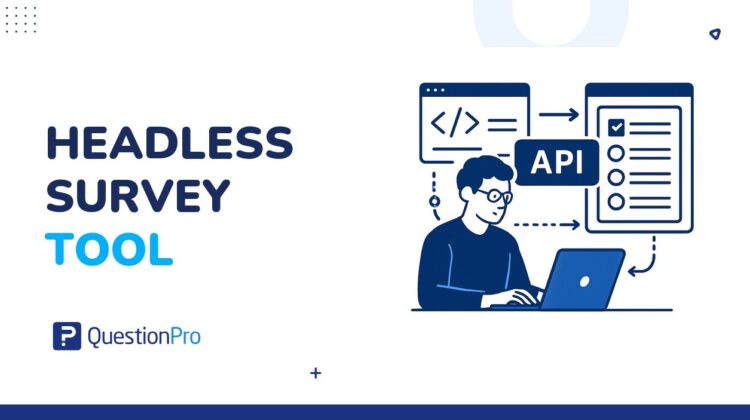
A headless survey tool is a survey platform that exposes its core functionality through an API or an MCP server, without bundling a fixed front-end interface. The word “headless” refers to the absence of a prescribed “head,” meaning there is no locked-in visual layer dictating how your surveys look or where they appear.
The platform still does the heavy lifting behind the scenes:
- Question logic and branching rules.
- Response capture and validation.
- Quota management.
- Data storage and analytics.
Everything else is yours to build, or yours to direct. A traditional survey tool gives you a complete, tightly coupled package. A headless tool gives you the engine instead, and how you present it and where you deploy it is entirely up to your team.
This mirrors what happened with headless CMS platforms, which proved that separating content from presentation unlocked entirely new deployment possibilities. The same principle now applies to surveys: the data collection logic lives in one place, and every front-end surface can consume it on its own terms.
Two ways to go headless: API and MCP
Today, there are two ways to work with a headless survey platform:
- Headless via API: Your developers call the API to fetch questions, render them with your own components, and submit responses back through the same API.
- Headless via MCP: You connect an AI assistant to the platform’s MCP server and ask it, in plain language, to build, send, or analyze surveys.
MCP is an open standard that lets AI assistants discover and use the tools inside other software through one shared protocol. The simplest way to think about it: the API puts surveys inside your product, while MCP puts the survey platform inside your AI assistant.
How a headless survey tool works
The mechanics are straightforward once you strip away the jargon. A headless survey platform maintains a back-end repository of survey definitions: questions, answer options, branching logic, display conditions, and validation rules. What changes between the two approaches is who talks to that repository, and how.
How a headless survey tool works via API
On the API side, survey definitions are available through a REST or GraphQL API. Your development team queries that API and gets back structured JSON, a simple data format apps use to share information. They then use it to build the UI that respondents actually see.
Here’s how it works, step by step:
How a headless survey works via API: step by step
Define the survey in the platform
A researcher or product manager builds the survey in the back end, including questions, logic, branching, and quotas. No front-end work is needed at this stage.
02 — Query the API
The client application sends an API request to retrieve the survey definition. The platform returns structured JSON with all questions, answer options, and branching conditions.
Render with your own UI components
Your front-end team builds the question display using your design system. Typography, colors, animations, and accessibility standards are all under your control.
04 — Submit responses via API
As the respondent answers, your front end posts each response to the platform API. The platform applies skip logic and quotas server-side and returns the next question in real time.
Analyze in the platform dashboard
All responses land in the platform, ready for reporting, segmentation, and export, regardless of which channel collected them.
QuestionPro’s REST API documentation covers endpoints for retrieving surveys, creating responses, and pulling survey analytics.
Why server-side logic and webhooks matter
One detail surprises most teams: the branching logic still runs server-side. This matters because your skip patterns, quota controls, and validation never show up in client code. A respondent can’t manipulate or bypass them by inspecting network traffic. The front end only sees what the API decides to surface next.
Some platforms also support webhooks, which notify your CRM, data warehouse, or ticketing system the moment a respondent submits. That way, real-time survey data through webhooks flows straight to where your team acts on it.
How a headless survey tool works via MCP
The MCP side works a little differently. The survey platform runs an MCP server, and your AI assistant connects to it as a client. You describe what you want in plain language. The assistant then figures out which tools to use, such as create_survey or add_block, and runs them in the right order.
This isn’t a niche experiment anymore. MCP now has over 97 million monthly SDK downloads and 10,000 active servers, with support built into the major AI platforms. For survey teams, that means one MCP server works with pretty much every assistant your team already uses.
A typical request looks like this:
How a headless survey works via MCP: step by step
You ask in plain language
For example: “Build a 12-question engagement survey with branching and a manager-only block.”
02 — The assistant builds it
It calls the platform’s MCP tools to create the survey, add the questions and logic, and set up the manager block in your account.
You review and approve
You preview the draft and approve it before anything goes out to respondents. Logic and permissions still run server-side.
Key benefits of using a headless survey tool
The headline benefit is design freedom, but that description undersells what’s actually happening. It’s not just that your surveys can match your brand colors. It means your surveys can be indistinguishable from the rest of your product experience. When a survey looks foreign to the interface it appears in, users hesitate or abandon it. When it looks native, the friction disappears. People also answer while the experience is still fresh, so their answers tend to be more accurate.
Benefits of a headless survey API
The benefits compound across several other dimensions worth naming specifically:
- Multi-channel deployment from a single source: Define the survey once, then deploy it to your web app, mobile apps, and kiosks from the same API.
- Offline capability: Some setups cache the survey locally, so respondents in low-connectivity areas can answer offline and sync later.
- Full accessibility control: Since your team controls the rendering, you can meet WCAG accessibility guidelines to the exact standard you need.
- Deeper integrations: API-first architecture makes it easy to pass context, like plan tier or product usage, into the survey.
The integration point is worth dwelling on. With that context, you can pre-fill answers your system already knows and segment results without any post-hoc matching. You can even trigger follow-up actions the moment a specific answer comes in, like routing a detractor’s response to the customer success team. That’s the difference between collecting feedback and actually acting on it in real time.
Benefits of a headless survey MCP connection
MCP is less about the respondent experience and more about making life easier for the people running the research:
- No code required: Researchers, HR teams, and CX managers can build, send, and analyze surveys just by asking their assistant.
- Workflows that span the platform: One request can cover survey building, distribution, dashboards, and research synthesis.
- Access you can govern: OAuth sign-in, scoped permissions, and audit logs keep every AI action visible and easy to revoke.
Headless vs. traditional survey tools: What’s the difference?
Traditional survey platforms are self-contained and require zero engineering, which is a genuine advantage when a researcher needs a survey live tomorrow morning. The trade-off is that you’re working within the platform’s design decisions at every layer. Headless tools flip the model, and here’s how the three approaches compare:
| Dimension | Traditional survey tool | Headless survey tool (API) | Headless survey tool (MCP) |
|---|---|---|---|
| Front-end control | Platform-defined templates and themes | Fully custom, built by your team | Your AI assistant’s chat window |
| Deployment channels | Email, web link, iframe embed | Web, mobile, IoT, kiosk, voice | Any MCP-compatible AI assistant |
| Engineering requirement | None, no-code deployment | Front-end development required | None for setup |
| Branding fidelity | Limited to vendor theme options | Matches your design system exactly | Uses platform themes for respondents |
| Time to first survey | Minutes | Weeks, after API integration | Minutes, from a single prompt |
| Survey logic | Managed inside the platform UI | Enforced server-side by the API | Enforced server-side by the platform |
| Authentication | User login | API key or token | OAuth sign-in tied to a real user |
Neither model is objectively better. Many organizations end up using all three: a traditional tool for quick projects, an API for in-product feedback, and MCP for speed.
Common use cases for headless survey tools
The pattern that appears most often is in-product feedback for SaaS companies. Say a product team wants to understand why users are abandoning a specific workflow step. With a traditional survey tool, the best they can do is send a follow-up email the next day. With a headless survey tool, they can trigger a two-question survey at the exact moment the user exits that step, rendered natively inside the product.
Use cases for a headless survey API
But the use cases extend well beyond product-led research:
- Multi-language digital products: Pull survey content in the right language from the API, instead of maintaining a separate survey for every locale.
- Kiosk and point-of-sale feedback: Retailers and hospitality businesses render satisfaction surveys on touchscreen devices. Since the device interface is custom-built anyway, adding a headless survey API costs almost nothing architecturally.
- IoT and embedded systems: Connected devices can trigger feedback prompts through a companion app, with survey logic updated centrally and no firmware changes.
- Research panels and online communities: If you run your own online research communities, you can embed surveys right inside them.
- Voice and conversational interfaces: Chatbots and voice assistants can ask survey questions conversationally, which works especially well in customer support.
What ties all of these together is channel ownership. If you own the channel your users are already in, a headless survey lets you collect feedback there instead of pulling people out of it.
Use cases for headless survey MCP
MCP use cases focus on the work that happens behind the survey:
- Survey creation from a brief: Describe the study in a paragraph, and the assistant drafts the whole survey.
- Dashboard building: Ask for a churn dashboard with a retention funnel and NPS by tenure.
- Research synthesis: Summarize the main themes across related studies, with citations.
- Targeted outreach: Set up a follow-up campaign to NPS detractors, held until you approve it.
If you’d like to go deeper on these workflows, our MCP survey tool guide covers them in more detail.
How to implement a headless survey tool
With the API route, the complexity usually isn’t in the API itself. The real challenge is getting three groups on the same page: researchers who design surveys, developers who build the rendering layer, and analysts who need the data downstream. When those groups aren’t aligned, headless survey projects tend to stall after a promising start.
Implementation phases for a headless survey API
Most API setups move through three phases:
Implementation phases for a headless survey API
API evaluation
Review the platform’s API docs, authentication model, rate limits, and webhook support.
Component library build
Developers create reusable UI components for each question type: single choice, multiple choice, matrix, open text, and NPS scale. Each component reads from the API response.
Integration and testing
Connect the renderer to your app, test across devices, and confirm branching and responses work as expected.
Caching and authentication for API deployments
One decision point teams consistently underestimate is caching. Fetching the survey definition on every page load adds latency, so most teams cache it locally and refresh it on a schedule. Responses, on the other hand, still go to the API in real time.
Authentication needs some planning too. If you want to link responses to specific user accounts, pass a stable user ID on every API request. That’s what lets you merge survey data with product analytics or CRM records later, without a painful matching exercise.
How to set up a headless survey MCP connection
Setting up MCP is much lighter and usually takes a few minutes:
How to set up a headless survey MCP connection
Add the server
Paste the platform’s MCP server URL into your AI assistant’s connector settings.
Sign in with OAuth
OAuth 2.1 is an open standard that gives an app limited access to your account. There’s no password sharing or API key.
Approve access
Choose which servers, data, and actions the assistant can use. Starting with read-only access or sample data is a sensible first step.
Limitations and challenges to consider
The limitations of headless survey tools are real, and this is where many vendor comparisons get evasive. The architecture solves a specific set of problems exceptionally well, but it introduces new ones too.
Limitations of a headless survey API
The most significant is the engineering dependency. Every survey change that affects the UI needs a developer. Adding a new question type your component library doesn’t support yet means a sprint, not an afternoon. For research teams that need to iterate quickly, that’s a genuine operational constraint. It’s worth designing the researcher-developer handoff before the first survey goes live, rather than discovering it as a bottleneck later.
“The biggest mistake teams make with headless survey architecture is treating it as a one-time integration. It’s actually a product you’re maintaining: question type coverage, API version compatibility, and component library upkeep are ongoing costs that need a named owner.”
QuestionPro Research Engineering Team
That ongoing maintenance cost builds up in ways that aren’t visible at project kickoff. API versioning can be especially painful. If the platform retires an older version you’re still using, you could be looking at a refactor that touches every question component across several apps.
Three other limitations are worth naming:
- Slower time to value: A headless API setup needs development work first, so it pays off only at real survey volume. One-off projects rarely justify it.
- Accessibility gaps: Counterintuitively, headless setups sometimes end up less accessible than vendor defaults, because screen reader and keyboard support often slips under sprint pressure.
- Analytics fragmentation: If your front end skips metadata the platform expects, you can end up with missing device data or broken segment filters.
Limitations of a headless survey MCP connection
MCP takes the engineering dependency away, but it comes with its own things to watch:
- Prompt quality: A vague request gets you a vague survey, so you still need good research judgment.
- Complex logic: Assistants can misread advanced branching, which is why a human review before launch matters.
- Permissions that are too broad: Giving an assistant write access to everything on day one raises the cost of a mistake.
None of these make headless the wrong choice. They just mean you should match the approach to your team, your timeline, and the kind of survey you’re running.
How QuestionPro supports headless survey deployment
QuestionPro is now headless in both ways. Its API-first architecture supports custom front ends, and QuestionPro MCP lets you run the platform from your AI assistant. Both sit on the same platform that serves 5.3 million users in more than 100 countries.
On the MCP side, QuestionPro offers 19 separate MCP servers, covering:
- Surveys: Building, sending, and pulling results.
- Analytics and experience management: BI dashboards, Customer Experience, and Employee Experience.
- Research and operations: InsightsHub, Communities, Audience, and integrations.
QuestionPro MCP works with Claude, ChatGPT, Cursor, Windsurf, VS Code, Copilot, and other MCP-compatible assistants. You can browse every server on the QuestionPro headless page. To compare it with QuestionPro’s in-platform AI builder, see Survey Agent vs headless MCP.
Is a headless survey tool right for your team?
A headless survey tool is the right architecture for teams that own a channel and want feedback to feel native to that channel. Through an API, you get full control, but you’re taking on a software project, not just subscribing to a tool. Through MCP, the same engine opens up to researchers, HR leaders, and CX managers who never write code.
In our experience, the strongest setups use both. Product teams embed surveys through the API, while research teams use MCP to move faster, and everything lives in one data set. With the right survey software, you don’t have to choose between control and speed.
Frequently Asked Questions (FAQs)
A headless survey API lets developers fetch surveys and display them in their own interface through code. Headless survey MCP lets an AI assistant run the survey platform from plain-language requests, with no code, using the permissions your account already has.
A traditional survey platform bundles the builder, themes, embed widget, and dashboard into one fixed package. A headless survey tool gives you just the engine, so your team controls the interface through an API, or an AI assistant runs it through MCP.
A headless survey API lets your surveys match your product design exactly and run across web, mobile, kiosks, and IoT from one definition. It also carries user context into every response and gives your team full control over accessibility.
API setups need ongoing engineering work for components, version updates, and accessibility testing. MCP setups depend on clear prompts and a human review of complex logic. US teams in regulated industries should also limit assistant access to approved data.
Yes. QuestionPro supports headless deployment through its REST API for custom front ends and through QuestionPro MCP for AI assistants like Claude, ChatGPT, and Cursor. Both use the same survey engine, data, and analytics.