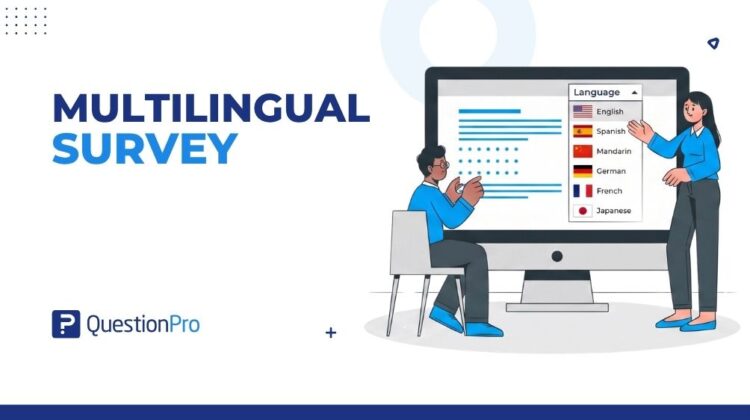
A multilingual survey lets you ask the same set of questions in several languages, so every respondent can answer in the language they know best. Instead of building separate projects for each market, you create one questionnaire and let respondents pick their preferred version.
Language shapes how people respond. Most global consumers say they favor brands and content that speak to them in their own language, and that preference carries into surveys and feedback requests too. For US companies with international customers, immigrant employees, or multilingual patient and student groups, that preference shows up directly in response rates and data quality.
In this blog, we’ll cover how a multilingual survey works, how to set one up step by step, a real use case, and the mistakes that quietly damage translated data.
What is a multilingual survey?
A multilingual survey is a single survey project that presents the same questions in two or more languages, with each respondent seeing the version that matches their language preference.
Instead of running separate projects per market, you build one master version, add target languages, and either write or auto-generate the translations. Respondents usually pick their language from a screener question on the first page, or the platform assigns it automatically based on a contact list or a language-specific web link.
Every language version feeds into a single dataset. You can compare responses across countries or language groups without merging spreadsheets by hand, which is one reason QuestionPro’s multilingual survey feature treats language as a setting on one project rather than a reason to duplicate it.
Why run a multilingual survey?
Running a multilingual survey mainly protects response quality and reach. Four benefits stand out.
- Higher response rate. Respondents who read the invitation and questions in their own language are more likely to open, start, and finish the survey.
- Better respondent experience. Context and nuance come through more clearly in a native language, which reduces confusion and misread questions.
- More representative data. Reaching people across language groups pulls in perspectives a single-language survey would miss entirely.
- Lower maintenance overhead. You maintain one template. The platform auto-translates it, so updates to a question apply everywhere at once.
The stakes are measurable. CSA Research surveyed thousands of consumers and found that most prefer buying from and engaging with brands that communicate in their own language, a preference researchers link to trust and comprehension. You can read the full findings on the CSA Research site.
Multilingual survey vs. Translated survey: What’s the difference?
The terms “multilingual survey” and “translated survey” get used interchangeably, but they describe different setups.
A multilingual survey is one project with several language layers built in, all reporting into shared data. A translated survey is often a copy of the original, rebuilt by hand for a new market and run as its own project with its own dataset. Localized surveys go a step further than either, adjusting scales, examples, or currency references so the content fits the target region, not just the target language.
| Term | What it means | Data handling |
|---|---|---|
| Multilingual survey | One project, multiple language versions built in | Unified dataset, filterable by language |
| Translated survey | A separate copy rebuilt for each language | Data lives in disconnected projects |
| Localized survey | Content adapted for cultural and regional context, not just wording | Depends on setup, often multilingual plus regional edits |
How to create a multilingual survey: A step-by-step guide
Building a multilingual survey follows a predictable sequence, from picking languages to reading results by language group. Here is what each step involves.
Step 1: Choose your languages and build the master survey
Start with the languages your audience actually needs, based on customer records, employee demographics, or market research rather than a guess. Build the survey once in your default language, then add languages to your survey from the language settings panel. Keep sentences simple in the master version, since idioms and culture-specific phrasing rarely translate cleanly.
Step 2: Add language data to your contact list
Tag every contact with a language field before you distribute anything. A few things to get right at this stage:
- Add the language field manually, or import it through a CSV or XLSX file alongside email addresses.
- Treat this field as the switch that decides which invitation and survey version each person receives.
- Leave a default language set. Contacts with no language value fall back to it automatically.
Step 3: Set up a multilingual invitation email template
Create one invitation template in your default language, then generate translated versions with the auto-translate option, or write each language version yourself. When you set up a multilingual email invitation, you can assign a different “From” address per language and edit the survey link text so it reads naturally in each one.
Step 4: Distribute by language
Sending is the short step, with two things to check before you click send.
- Select the language-tagged contact list and the matching multilingual template.
- Confirm the fallback: anyone missing a language tag gets the default-language version, not a blank invitation.
Step 5: Analyze results by language
Filter your dashboard or export raw data depending on whether you need single-language insights, cross-language totals, or offline analysis.
| What you want | Where to look |
|---|---|
| Responses from one language group | Dashboard filter by language |
| A combined view across all languages | Default dashboard, no filter applied |
| Raw data for offline analysis | Export results by language in Excel or CSV |
Tips for a stronger multilingual survey invitation email
A well-built email template affects open and response rates as much as the survey itself. A few habits make a measurable difference.
- Translate the subject line, not just the body. Subject lines drive the open decision.
- Use a locally recognizable “From” name for each language where possible.
- Set a clear default language for contacts with missing or incomplete language data.
- Keep the survey link text short and translated, not left in the original language.
- Preview and test every language version before the campaign goes out.
If your team lacks in-house translators, a professional translation service can review auto-translated copy before it reaches respondents.
Real-world example: A global product feedback survey
Picture a US-based consumer packaged goods company that sells the same snack line in stores across North America, with a customer base that includes English, Spanish, and Mandarin speakers.
The team builds one product feedback survey in English, adds Spanish and Mandarin as survey languages, and tags its contact list by the language each customer prefers. One invitation template covers all three languages, with the subject line and link text translated for each group.
Responses land in a single dashboard. The team filters by language to spot whether Spanish-speaking customers rate packaging differently than English-speaking ones, then reviews the combined data for overall product sentiment. No spreadsheet merging, and no separate survey links to track.
How to measure and analyze multilingual survey results
Reading multilingual data well means checking a few things beyond the topline numbers.
- Compare completion rates by language.
A big gap between groups often points to a translation or length problem in one version.
- Watch for scale bias.
Response scales do not always carry the same emotional weight across languages, so a “somewhat agree” in one language may not mean the same thing in another.
- Filter before you report.
Segment results by language group before drawing conclusions about the full sample, so that one large group does not mask smaller ones.
- Export with the right display language.
When sharing data with regional teams, export using the language they read most comfortably.
Common mistakes to avoid in multilingual surveys
Most multilingual survey problems trace back to a handful of avoidable setup mistakes.
| Mistake | Risk | Fix |
|---|---|---|
| Publishing machine translation without review | Confusing or inaccurate questions | Have a native speaker or translation service review the auto-translated copy |
| No default language set | Contacts with missing language data get no invitation | Set a default language before distribution |
| Assuming scales translate identically | Skewed comparisons across language groups | Pilot test each language version with a small group first |
| Ignoring right-to-left languages in layout | Broken formatting for Arabic, Hebrew, and similar languages | Preview every language version before sending |
How QuestionPro supports multilingual surveys
QuestionPro’s multilingual survey translation software covers the setup described above inside one platform.
- Support for 95 or more languages, with the option to request one that is missing
- Auto-translation with a built-in editor for manual corrections
- Per-language “From” addresses and editable survey link text for invitation emails
- Language-based filters for reporting, plus raw data export in Excel or CSV
Teams that need more than machine translation can also request human translation, mentioned earlier, and route final copy through QuestionPro’s online survey software once every language version is approved.
Language is part of the research design, not an afterthought
A survey that only works in one language quietly excludes part of your audience before a single response comes in. Treating language as a setup decision, right alongside sample size and question wording, closes that gap instead of patching it after the fact.
The setup work is mostly one-time. Once languages, contact data, and templates are in place, running a multilingual project takes about as much effort as running a single-language one, with a dataset that actually reflects the full audience you set out to reach.
Frequently Asked Questions (FAQs)
Not necessarily. Most survey platforms include multiple languages within standard plans, and auto-translation reduces the manual work involved. Costs rise mainly if you add professional human translation or localization services on top of the built-in tools.
Base it on actual audience data, not a fixed number. US Census figures show over one in five residents speak a language other than English at home, so Spanish plus your next most-used languages make a solid start. See Census Bureau data.
Many platforms allow it, typically through a language icon on each page, though the option sometimes needs to be enabled during survey setup. Once switched, previously answered questions stay saved, and the respondent continues in the new language from that point forward.
For straightforward, plain-language questions, auto-translation is usually accurate enough to launch. For sensitive topics, legal wording, or nuanced rating scales, a native-speaker review before launch catches errors that automated translation tends to miss.
Run a small pilot with a handful of respondents in each language before the full launch. Compare completion times and drop-off points by language. A version with unusually high drop-off or unusually fast completion often signals a translation or formatting problem worth fixing first.