…and why it’s the real MVP of market research right now. If you’ve ever found a public survey gets wasted overnight, you know how quickly automated responses can ruin a study. Bringing reCAPTCHA v3 for CAPTCHA questions into your workflow stops those quiet spam attacks before they mess up your data.
You launch a customer satisfaction survey with a fifty-dollar gift card raffle for anyone who finishes it. The link goes into an email, gets pinned to a public landing page, and gets shared a few times on social for good measure. Within a day, your response count looks fantastic.
Then you actually open the raw data. Two hundred responses landed in an eleven-minute window at 3 am. Every open text answer reads some version of “great service, would recommend.” The completion times are all suspiciously identical. Somebody, or something, found the reward at the end of that link and helped itself.
Learn More: reCAPTCHA v3 for CAPTCHA questions is built for exactly this moment.
What is reCAPTCHA v3 for CAPTCHA questions?
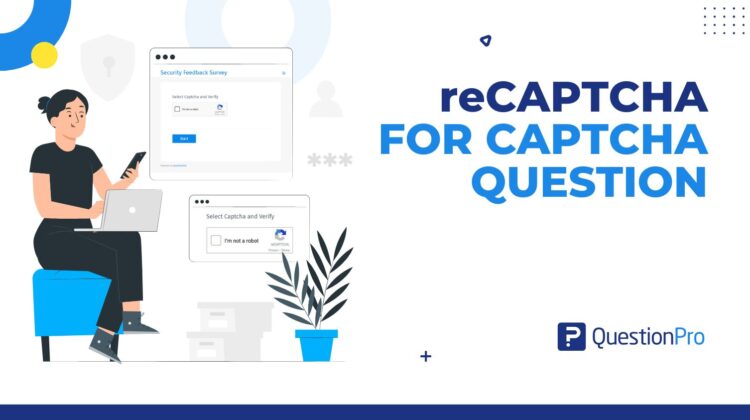
reCAPTCHA v3 is an upgrade to QuestionPro’s CAPTCHA question type. Instead of asking respondents to tick a checkbox to prove they’re human, it verifies them quietly in the background using Google’s behavioral risk analysis. It replaces the visible challenge step- the tick box, the image puzzle- with something respondents never notice, while still catching automated traffic before it reaches your data.
How to use reCAPTCHA v3 in your research
Take that same gift card raffle. Before reCAPTCHA v3, the survey relied on a plain checkbox CAPTCHA, or nothing at all, which gave anyone running a script an easy path to bulk submissions. After you turn on reCAPTCHA v3, every visitor gets scored the moment they land on the page. A real respondent taking their time to read and answer the questions sails through without noticing a thing. A script firing off submissions every few seconds gets flagged and blocked before it claims a reward or pollutes your dataset. The raffle stays honest, and you spend Monday morning reading real feedback instead of scrubbing spam out of a spreadsheet.
The advantages of reCAPTCHA v3
The advantages of reCAPTCHA v3 show up the moment you turn it on.
- Cleaner data from the start.
Automated submissions get filtered out before they land in your dataset, so analysis starts from real respondent behavior instead of a cleanup project.
- A friction-free respondent experience.
No checkbox to click, no image puzzle to solve, so completion rates and mobile experience both benefit.
- Protection for incentive programs.
Gift cards, sweepstakes entries, and other rewards stay available to the people who actually earned them.
- Nothing new to configure.
The setting lives inside the CAPTCHA question you’re probably already using.
- Backed by Google’s risk engine.
The behavioral scoring behind reCAPTCHA v3 is the same technology protecting sign-up and checkout forms across the web.
When to use it, and when not to
reCAPTCHA v3 earns its place on public survey links, incentivized surveys, and any study where a previous wave picked up spam. It matters less on internal employee surveys sent to a closed, authenticated list, where the respondent pool is already known. Turning it on there just adds a step without a real threat to stop.
How to turn on reCAPTCHA v3 in QuestionPro
Add a CAPTCHA question from the Misc section of Basic question types, then open Settings and choose reCAPTCHA V3. Full setup details are in the help documentation on the reCAPTCHA question.
Get started with reCAPTCHA v3 today
A cleaner respondent pool means every chart, cross tab, and stakeholder readout downstream is built on data you can trust. Start a Research Edition trial to add reCAPTCHA v3 to your next survey.
Frequently asked questions
No. Verification happens in the background using Google’s behavioral risk analysis, so most respondents never see a challenge. If you’d rather keep the visible checkbox step, you can still choose reCAPTCHA V2 instead; both settings live under the same CAPTCHA question type.
No. You add the CAPTCHA question from the Misc section of Basic question types the same way you always have. reCAPTCHA V2 and reCAPTCHA V3 are both options inside that question’s Settings, so there’s nothing new to build.
Yes. By blocking automated submissions before they are ever recorded, you get fewer spam responses and less manual cleanup work afterward. It is especially useful for public survey links and incentivized studies, where bots have the most obvious reward to chase.
No personally identifiable information. QuestionPro only stores the pass or fail result of the verification itself, not any of the behavioral data Google’s risk analysis uses to reach that result. Respondents can review Google’s own reCAPTCHA privacy policy from the link shown in the question.
reCAPTCHA v3 is available on the Essentials, Advanced, Team Edition, and Research Edition licenses, so most accounts already have access to it. Check with your account admin if you’re unsure which plan your team is on. There’s no separate add-on to purchase.
Yes, and it’s arguably where it helps most. Since verification happens in the background, mobile respondents skip the fiddly checkbox tap altogether, especially useful on a small screen where that tap is its own kind of friction, which is one less reason to abandon a survey halfway through.