Book the room, skip the room: scheduling focus groups, IDIs and usability tests with QuestionPro UX
The hard part of qualitative research was never the conversation. It was everything you had to do before it.
The logistics tax on qualitative research
You already know the study you want to run. Eight people who bank on their phone. Forty minutes each. A prototype you need them to click through while you watch their face.
That part is easy to picture. The rest is not.
Screening. Scheduling across three time zones. Two no-shows. A recording that saved locally on someone’s laptop. Then a week of scrubbing video to find the eleven seconds where the participant said the thing your product lead needs to hear.
Most of the cost of qualitative work sits in that admin, not in the research. QuestionPro UX exists to take it off your desk, so booking a focus group feels closer to booking a meeting than running a project.
Learn More: QuestionPro UX for qualitative and usability research
What you can run in QuestionPro UX
Four study types sit in the same place, per the help documentation on placing an order:
- Usability tests, moderated or unmoderated, to evaluate a digital interface
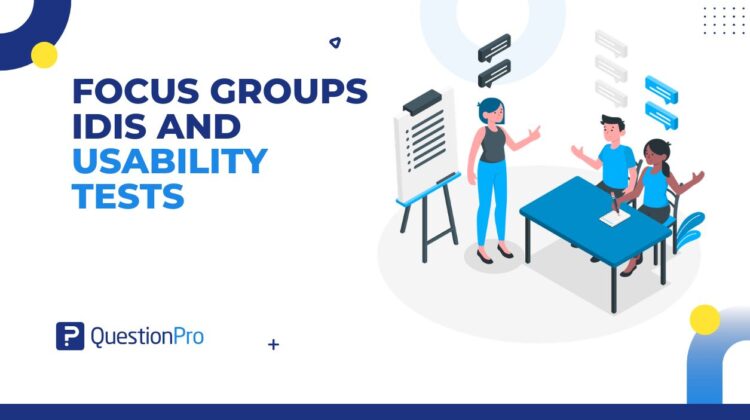
- Focus groups, for group discussion where you want people reacting to each other
- Interviews, the classic one-to-one IDI
- Qualitative studies, also called diary studies, built from Quests that hold individual tasks
You can point any of them at a website, a mobile app, an interactive prototype, or an HTML and CSS package. Desktop, Android, and iPhone are all supported.
Setting up a moderated session
Interviews and focus groups
Both follow the same four-part build. Basics sets the study name, device types, participant count and session duration. Script holds your greeting and the topics you want covered. Post-session adds a short survey and an optional redirect. Scheduling is where you assign your moderators and your observers.
One detail people miss: if you are running interviews with your own participants, you do not need a fixed schedule at all. Calls get hosted as slots fill.
During a virtual focus group, the moderator manages the speaker queue, shares their screen to show a prototype, and works from the script. Everything is recorded.
Usability tests
A moderated usability test is built in five steps: basics, audience, scenario and tasks, post-test questions, then review. You can turn on face recording with emotion recognition in step one, and add SUS or NPS in step four.
Live, the moderator sees the participant’s face and their screen at the same time, and takes timestamped notes as it happens.
The backroom nobody can see
This is the part stakeholders love.
The moderator sends observers a separate link. Observers enter a backroom with video and audio disabled, so participants cannot see or hear them. If a product manager wants a follow-up question asked, they type it into a chat that only the moderator sees.
Your head of design gets to watch the research live. Your participant gets a normal conversation.
Recruiting the right people, or bringing your own
Recruit from the QuestionPro UX panel, and you can filter on age, gender, country and region, household income, employment status, education level, family status, social network usage and community type. Add verbal or multi-choice screeners on top for anything the standard filters miss, and require an NDA if the build is confidential.
Prefer your own customers or employees? Select My own participants and share the link the system generates. That route suits internal tools and specialist software, where you need people who already know the domain.
A worked example
A UK bank is redesigning its mortgage application. The team runs four IDIs with recent applicants recruited through a verbal screener, then a focus group of six to pressure test the new language around affordability checks. Two product managers sit silently in the backroom. Three days later, the team runs an unmoderated mobile test on the same flow with a wider group, on iPhone and Android, to see whether the fixes hold.
What happens after the call ends
Every session is recorded and drops into the same analysis toolkit. You get automatic transcription, video annotations, keyword counts across responses, saved quotes and a media library. AI highlight reels pull the moments worth showing.
For quantitative backup, the standardized scales are built in: SUS, SUPR-Q, PSSUQ, the Accessible Usability Scale and NPS. On orders of ten testers or more, UX Crowd lets participants vote on the top issues, so you know where to look before you open a single video.
When to use each method
- IDIs when you need depth on one person’s reasoning
- Focus groups when disagreement between people is the insight
- Moderated usability tests when you need to ask why in the moment
- Unmoderated tests when you need volume and speed on a known flow
- Diary studies when the behavior happens over days, not minutes
If you already know the answer and just need it confirmed, run a survey instead. Qualitative time is expensive. Spend it on questions you cannot answer any other way.
Get started
Fewer calendar invites, more listening. That is the whole pitch.
Create a free QuestionPro account to look around, or request a demo if you want someone to walk you through a moderated setup end to end.
Frequently asked questions
Four types. Usability tests, available as moderated or unmoderated sessions. Focus groups for group discussion. Interviews, for one-to-one deep dives. And qualitative studies, also known as diary studies, which are made up of Quests containing individual tasks. All four are set up and analyzed in the same place, so you are not moving between tools mid-project.
Not always. Scheduling is a step in the setup, where you assign moderators and observers. If you are running interviews with your own participants rather than panel members, no fixed schedule is required. Calls can be hosted as slots get filled, which suits teams recruiting from their own customer base on a rolling basis.
Yes. The moderator sends observers a separate invitation link into a backroom where video and audio are disabled, so participants cannot see or hear them. Observers can post comments or questions in a chat that is visible only to the moderator. It means stakeholders can watch live without changing how the participant behaves.
Yes. Select My own participants during setup, and the system generates a unique link you can share by email or any other channel. This works well for testing internal tools or specialist software where specific product knowledge is needed. You can also use a custom panel of your own.
Yes, on both iPhone and Android. During setup, choose Mobile App or Website as your interface and pick the device types you want to target. Participants use their own smartphones, and the recording captures their screen, their voice, and optionally their face. That gives you the mobile experience in its natural setting rather than a simulated one.
The standardized scales are built in: the System Usability Scale (SUS), SUPR-Q, PSSUQ, the Accessible Usability Scale (AUS), and Net Promoter Score. You can add these as post-test inclusions during setup. Task-level metrics like completion and duration are captured too, and you can jump straight from a metric to that moment in the video.
A moderated session is live. A researcher guides the participant through tasks and asks follow-up questions in the moment, which is where unmoderated testing tends to fall short. Unmoderated sessions are asynchronous, so participants complete them on their own device whenever suits them. Use moderated for depth and unmoderated for speed and volume.
Costs depend on your study type, participant numbers, and whether you recruit from the panel or bring your own users. Your account admin will have the details for your organization. If you are not yet a customer, request a demo through the QuestionPro UX page and the team can walk you through what your specific research plan would involve.