Your most talked-about topic isn’t always the one dragging your score down. To truly prioritize customer feedback, you need to separate the loudest complaints from the ones that actually impact your metrics. Here’s how to check.
Two piles that never meet
Every team that runs surveys ends up with two piles.
Pile one is the scoreboard: your net promoter score (NPS), a number that goes up or down and earns a slide in the quarterly review. Pile two is the shoebox: thousands of comments where people explain, in their own words, what actually happened. Nobody has time to read all of it.
The piles rarely meet. The scoreboard says NPS is 32. The shoebox says support and onboarding come up a lot. Then someone in the meeting asks, “So which one do we fix first?” Silence, followed by a guess.
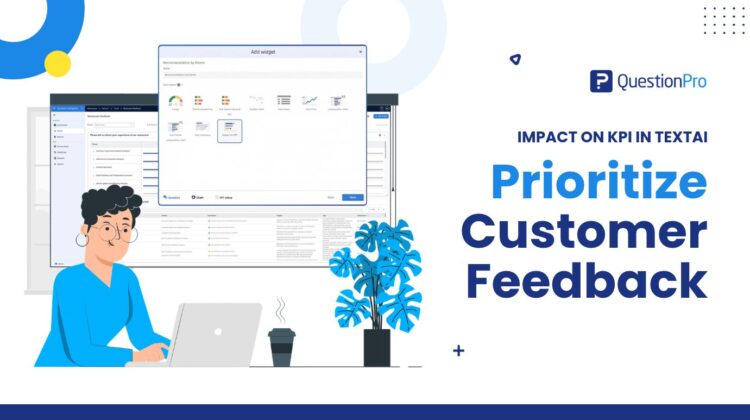
That guess is the problem. A topic people mention often and a topic with low scores are two different things, and word count can’t tell them apart. Impact on KPI in QuestionPro TextAI puts the topic and the score in the same table, so the guess gets a lot smaller.
Learn More: How impact on KPI works in TextAI
What is impact on KPI in TextAI?
A KPI is the number your team tracks to know how things are going. Net promoter score, customer satisfaction score (CSAT), and customer effort score (CES) are common ones. TextAI is the part of QuestionPro BI that sorts open-ended comments into themes and sub-themes. Think “onboarding,” with “waiting for access” beneath it. You can shape those themes with advanced text analysis.
Impact on KPI is a widget you add to a TextAI dashboard. It connects each theme and sub-theme to the KPI you choose. One table then shows the score of the people who mentioned the topic, how that compares with everyone else, and how big the group is.
The connection works because the comment and the score come from the same survey response or dataset row. Someone’s remark about onboarding stays tied to the rating they gave in that same response. Without that link, teams export both and line them up by hand in a spreadsheet, which is exactly as fun as it sounds.
How to read the table
Each row is a theme. Click the arrow, and you get its sub-themes. Every row carries four numbers:
- KPI score: Your chosen metric among respondents who mention the topic.
- Impact: The overall KPI minus the KPI among respondents who don’t mention the topic.
- Responses: How many responses mention it.
- Share of base: Those responses as a percentage of everything included in the analysis.
Here is an illustration with made-up numbers. A software company runs a quarterly NPS survey with one open question: what’s the main reason for your score? Overall NPS is 32.
Support is mentioned in 30% of responses. NPS among those respondents is 34, so its impact is about plus 1. Onboarding is mentioned in 20% of responses. NPS among those respondents is minus 4. Among everyone who doesn’t mention onboarding, NPS is 41, so its impact is minus 9.
Support is louder. Onboarding is where the scores are low. A list sorted by mentions would send the team to support first. This table sends them to onboarding.
Click any column heading to sort, and click a theme name to read its comments, with search for specific words. The team opens onboarding, expands its sub-themes and reads what people wrote under each. The numbers say where to look. The comments say what to do about it.
How to set it up
Setup is a short list, and the help article has screenshots.
- Open a TextAI dashboard that has analyzed feedback, then add a widget.
- Pick the text question or dataset field with the comments, name the widget, and choose impact on KPI.
- Name your KPI. Something specific, like recommendation NPS, works best, because the name becomes the column heading.
- Choose the question that holds the score, then pick NPS, CSAT, CES, or mean.
- Tell it how to treat each answer. On a 0 to 10 recommendation question, 0 to 6 are detractors, 7 to 8 are passives, and 9 to 10 are promoters. On a five-point satisfaction question, you might count 4 and 5 as satisfied. For the mean, you assign the scores yourself.
- Choose how many decimals to show and add the widget.
What the numbers can and can’t tell you
Simple tables get over-read, so a few guardrails:
- Impact describes a difference in your data. It isn’t a forecast of what happens if you fix the topic.
- One response can mention several topics. Read each row on its own and don’t add rows together.
- A response counts only when it has analyzed text and a valid score. Comments without a score stay out of the analysis.
- Each widget handles one KPI. Name them clearly so nobody mistakes a CSAT table for an NPS table.
Use it when you have comments and scores from the same people. Skip it when feedback has no score attached; a regular theme chart fits better there.
Who gets the most out of it?
Researchers get a clear way to show which topics sit with higher or lower scores, with the comments as evidence in the same dashboard. CX leaders get a short list of experiences to take to the team that owns them. Product and operations owners can drill into sub-themes to find the exact part of an experience that needs a look. An HR team can do the same with an engagement rating and employee comments. Newer to survey analysis? There are only two ideas to hold: how people who mention a topic scored, and how that compares with everyone else.
Get started
Your next review can start from one table instead of two piles. Already using TextAI? Add the widget to your next feedback dashboard and sort by impact. New to QuestionPro? Create a free account and start collecting the scores and comments that make a table like this possible. Spotting topics your team hasn’t named yet is a separate job, covered in emerging themes in TextAI.
Frequently asked questions
Look at three things together: how often a topic comes up, how the people who mention it score on your KPI, and what their comments say. Frequency alone favors the loudest topic. Impact on KPI in TextAI shows the first two side by side for every theme and sub-theme, then opens the comments, so your priorities rest on more than a word count.
No. Key driver analysis uses statistical modeling to estimate which factors move a score. Impact on KPI reports an observed difference: the overall KPI minus the KPI among responses that don’t mention the topic. It tells you where to look first, not what will happen if you change something. Treat it as a starting point, and bring in other analysis if you need a model.
Match the metric to the question you asked. Use NPS for a likelihood-to-recommend question, CSAT for a satisfaction rating, and CES for an effort rating. Use mean when you want the average of scores you assign to each answer. Then set how answers are classified or scored, so the table matches how your team already reports the KPI.
No. Two ideas cover it. The KPI score is how the people who mention a topic scored. Impact is how that compares with the overall score. It’s a plain difference between two numbers, shown in percentage points for percentage metrics. If you can read a quarterly scorecard, you can read this table.
Read the comments before you decide anything. Click the theme name to open the responses, search for specific words, and expand into sub-themes to see which part of the experience is involved. Then take what you’ve found to the team that owns it. The table tells you where to start. The responses tell you what to ask next.
Yes, if the comments and a score sit on the same response or dataset row. An engagement rating next to an open-ended question about the workplace is a good example. Pick the metric that matches the rating, and the table works the same way it does for customer feedback.