• Skip to main content
  • Skip to primary sidebar
  • Skip to footer
QuestionPro

QuestionPro

questionpro logo
  • Products
    survey software iconSurvey softwareEasy to use and accessible for everyone. Design, send and analyze online surveys.research edition iconResearch SuiteA suite of enterprise-grade research tools for market research professionals.CX iconCustomer ExperienceExperiences change the world. Deliver the best with our CX management software.WF iconEmployee ExperienceCreate the best employee experience and act on real-time data from end to end.
  • Solutions
    IndustriesGamingAutomotiveSports and eventsEducationGovernment
    Travel & HospitalityFinancial ServicesHealthcareCannabisTechnology
    Use CaseAskWhyCommunitiesAudienceContactless surveysMobile
    LivePollsMember ExperienceGDPRPositive People Science360 Feedback Surveys
  • Resources
    BlogeBooksSurvey TemplatesCase StudiesTrainingHelp center
  • Features
  • Pricing
Language
  • English
  • Español (Spanish)
  • Português (Portuguese (Brazil))
  • Nederlands (Dutch)
  • العربية (Arabic)
  • Français (French)
  • Italiano (Italian)
  • 日本語 (Japanese)
  • Türkçe (Turkish)
  • Svenska (Swedish)
  • Hebrew IL (Hebrew)
  • ไทย (Thai)
  • Deutsch (German)
  • Portuguese de Portugal (Portuguese (Portugal))
  • Español / España (Spanish / Spain)
Call Us
+1 800 531 0228 +1 (647) 956-1242 +55 9448 6154 +49 030 9173 9255 +44 01344 921310 +81-3-6869-1954 +61 (02) 6190 6592 +971 529 852 540
Log In Log In
SIGN UP FREE

Home Audience

Sample Boost(Push): Need remaining completes faster? Create another project in the backend, not a new Audience project

sample-boost-live-project

A live Audience project is already in field. Completes are arriving, but slower than the study needs. Closing the project and starting over would split the report. Waiting it out would miss the deadline. Sample Boost is the control for that moment: invite more respondents without relaunching, and keep every complete in the same Audience project.

Content Index hide
1. Why is a slow live Audience project hard to finish?
2. Why did we build Sample Boost?
3. What is Sample Boost and what does it change?
4. How does Sample Boost invite more respondents?
5. What does Sample Boost look like on a live project?
6. What should research teams do next?

Why is a slow live Audience project hard to finish?

Once an Audience project is live, the remaining completes still have to arrive under the original targeting, qualifications, quotas, and survey settings. Creating a second Audience project to speed things up splits reporting, close actions, and later reconciliation across two records. Closing the live project so you can start again throws away the operational advantage of staying in field. The practical problem is not a lack of settings. It is the lack of a way to add respondent traffic while the original Audience project stays open.

Teams then choose between three weak options: wait, relaunch, or manage leftover completes as a separate Audience project. None of those keep one live project, one report, and one close action.

Why did we build Sample Boost?

Research operations teams asked for a way to finish remaining completes on a live Audience project without creating a second project to manage. The product decision was to keep the researcher on one Audience project and let the platform invite more respondents in the background.

That is why Sample Boost, also called Project Push, creates another project in the backend for only the remaining required responses. Existing collection continues. Responses are combined in the original Audience project. Closing that Audience project closes every associated backend project with it.

What is Sample Boost and what does it change?

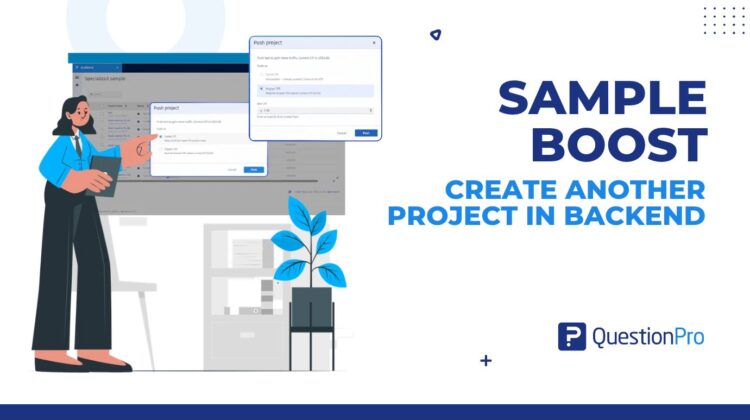
Sample Boost lets you increase traffic to a live Audience project without closing or relaunching it. You start the action from the Projects page with Push Project, then choose whether to keep the current CPI or raise it.

What does not change is the Audience project you manage. Targeting, qualifications, quotas, and survey settings stay the same. CPI changes only when you select Push at Higher CPI. You do not get a second Audience project, a split report, or a new close workflow.

Use Sample Boost when the project is progressing slowly, is not collecting quickly enough, or you want remaining completes sooner while keeping the same project settings.

How does Sample Boost invite more respondents?

After you confirm a push, the platform creates another project in the backend. That backend project uses the same targeting, qualifications, quotas, survey settings, and other configurations, and it requests only the remaining required responses. You keep working in the original Audience project while associated backend projects collect in the background.

How do you start a push from the Projects page?

  1. Go to the Projects page.
  2. Hover over the live project you want to boost.
  3. Click Push Project.
  4. Choose Push at Same CPI or Push at Higher CPI.
  5. Review the push details and confirm.

What is the difference between same CPI and higher CPI?

Push at Same CPI launches a backend project at the current CPI and the same settings. It is available for the first two pushes on a project.

Push at Higher CPI launches a backend project at a CPI that is at least 10% higher than the current CPI. For example, if the current CPI is $2.00, the minimum for a higher-CPI push is $2.20.

After the first two pushes, Push at Same CPI is no longer available. Any further boost must use the higher-CPI option.

What happens after you confirm the push?

The original Audience project stays active. Associated backend projects keep collecting until you close the Audience project. Responses from all of those backend projects are combined in the same Audience project. Audience also tracks the backend project associated with each response, so reconciliation can still run after field.

What does Sample Boost look like on a live project?

A specialized-sample study is live and behind pace on remaining completes. The research operations manager does not want a second Audience project and does not want to change targeting. They open the Projects page, hover over the live project, and click Push Project.

If this is one of the first two pushes, they can choose Push at Same CPI and keep the current price. If those two same-CPI pushes are already used, they choose Push at Higher CPI and set a CPI at least 10% above the current value. After they confirm, the platform creates another project in the backend for the leftover completes. Reporting stays in the original Audience project. When the team later closes that project, every associated backend project closes with it.

This is different from Top-up. Top-up is for a closed Audience project that needs more responses after the field has ended. Sample Boost is for a live project that still needs remaining completions.

What should research teams do next?

If a live Audience project is collecting too slowly, use Sample Boost to invite more respondents without relaunching. Confirm whether Push at Same CPI is still available, or whether the next push must raise CPI by at least 10%. Keep one Audience project as the record for reporting, close, and reconciliation.

The published help file lists Sample Boost as coming soon, with an ETA of Q4 2026. Confirm availability in the account before promising it in a live study. Pricing and license packaging are to be confirmed.

For the step-by-step product rules, use the Sample Boost help file. If the project is already closed, use Top-up instead. If you later need to dispute completes, Audience Reconciliation still maps each response to the backend project that collected it.

Create memorable experiences based on real-time data, insights and advanced analysis. Request Demo

SHARE THIS ARTICLE:

About the author
Raj Purohit
PDM Audience & Synthetic data
View all posts by Raj Purohit

Primary Sidebar

Unlock the Power of Research with QuestionPro Audience

Gain insights from more than 22 million high-quality respondents around the globe

Get a Free Quote Now!

RELATED ARTICLES

HubSpot - QuestionPro Integration

Contact Center Experience Software: What It Is and How to Choose

Apr 12,2024

HubSpot - QuestionPro Integration

Campus Climate Survey: Definition, Questions and Best Practices

Dec 28,2023

HubSpot - QuestionPro Integration

Institutional Research: What it is, Activities & Effectiveness

Jan 12,2024

BROWSE BY CATEGORY

Footer

MORE LIKE THIS

sample-boost-live-project

Sample Boost(Push): Need remaining completes faster? Create another project in the backend, not a new Audience project

Oct 25, 2026

ai-dashboards

Create AI Dashboards and Start Exploring Your Survey Results

Oct 23, 2026

design-settings-in-textai

Design Settings in TextAI for Consistent Stakeholder Dashboards

Oct 23, 2026

qualitative-research-participants

Qualitative research participants are already in your research community: invite them to a QuestionPro UX study

Oct 23, 2026

Other categories

questionpro-logo-nw
Help center Live Chat SIGN UP FREE
  • Sample questions
  • Sample reports
  • Survey logic
  • Branding
  • Integrations
  • Professional services
  • Security
  • Survey Software
  • Customer Experience
  • Workforce
  • Communities
  • Audience
  • Polls Explore the QuestionPro Poll Software - The World's leading Online Poll Maker & Creator. Create online polls, distribute them using email and multiple other options and start analyzing poll results.
  • Research Edition
  • LivePolls
  • InsightsHub
  • Blog
  • Articles
  • eBooks
  • Survey Templates
  • Case Studies
  • Training
  • Webinars
  • All Plans
  • Nonprofit
  • Academic
  • Qualtrics Alternative Explore the list of features that QuestionPro has compared to Qualtrics and learn how you can get more, for less.
  • SurveyMonkey Alternative
  • VisionCritical Alternative
  • Medallia Alternative
  • Likert Scale Complete Likert Scale Questions, Examples and Surveys for 5, 7 and 9 point scales. Learn everything about Likert Scale with corresponding example for each question and survey demonstrations.
  • Conjoint Analysis
  • Net Promoter Score (NPS) Learn everything about Net Promoter Score (NPS) and the Net Promoter Question. Get a clear view on the universal Net Promoter Score Formula, how to undertake Net Promoter Score Calculation followed by a simple Net Promoter Score Example.
  • Offline Surveys
  • Customer Satisfaction Surveys
  • Employee Survey Software Employee survey software & tool to create, send and analyze employee surveys. Get real-time analysis for employee satisfaction, engagement, work culture and map your employee experience from onboarding to exit!
  • Market Research Survey Software Real-time, automated and advanced market research survey software & tool to create surveys, collect data and analyze results for actionable market insights.
  • GDPR & EU Compliance
  • Employee Experience
  • Customer Journey
  • Synthetic Data
  • About us
  • Executive Team
  • In the news
  • Testimonials
  • Advisory Board
  • Careers
  • Brand
  • Media Kit
  • Contact Us

QuestionPro in your language

  • English
  • Español (Spanish)
  • Português (Portuguese (Brazil))
  • Nederlands (Dutch)
  • العربية (Arabic)
  • Français (French)
  • Italiano (Italian)
  • 日本語 (Japanese)
  • Türkçe (Turkish)
  • Svenska (Swedish)
  • Hebrew IL (Hebrew)
  • ไทย (Thai)
  • Deutsch (German)
  • Portuguese de Portugal (Portuguese (Portugal))
  • Español / España (Spanish / Spain)

Awards & certificates

  • survey-leader-asia-leader-2023
  • survey-leader-asiapacific-leader-2023
  • survey-leader-enterprise-leader-2023
  • survey-leader-europe-leader-2023
  • survey-leader-latinamerica-leader-2023
  • survey-leader-leader-2023
  • survey-leader-middleeast-leader-2023
  • survey-leader-mid-market-leader-2023
  • survey-leader-small-business-leader-2023
  • survey-leader-unitedkingdom-leader-2023
  • survey-momentumleader-leader-2023
  • bbb-acredited
The Experience Journal

Find innovative ideas about Experience Management from the experts

  • © 2022 QuestionPro Survey Software | +1 (800) 531 0228
  • Sitemap
  • Privacy Statement
  • Terms of Use