Your respondent will happily swipe through 300 cards tonight. They will not scroll through your grid. That is not a them problem.
The eleven seconds nobody in the debrief talks about
Last night, your respondent swiped through a few hundred cards on their phone and enjoyed it. Short videos. Holiday rentals. Flats they will never buy. Dogs available for adoption within four miles. One thing, then the next thing, then the next, for an hour, without a single complaint.
This morning, that same person opened your survey on that same phone, hit a fifteen-row matrix, and lasted eleven seconds. The table was wider than the screen. The column headers scrolled away. So they parked their thumb on the third column and dragged it straight down like they were closing a blind.
Here is the uncomfortable part. You did not lose them. You lost something worse. You kept them, and everything they told you is fiction. Fiction with a completion rate attached, sitting in your dataset, waiting to be presented to a client.
The device is not the problem. The attention span is not the problem. The grid is the problem. And the carousel layout matrix question is what happens when you stop asking respondents to fill in a spreadsheet on a phone.
Learn More: Using the carousel layout to reduce straight-lining in long matrix survey questions.
What is a carousel layout matrix question?
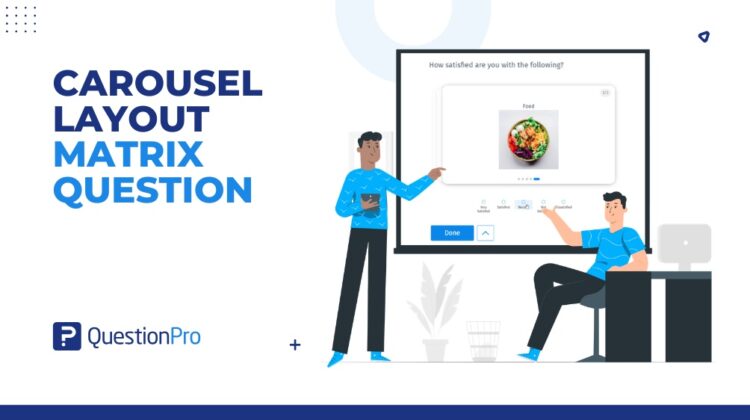
A carousel layout matrix question is a matrix question that shows one row at a time as its own card, rather than showing every row and column on screen at once.
In QuestionPro, this is a display mode called carousel layout, and it lives as a toggle inside the Matrix Question settings. Each row becomes a focused card. A progress bar shows the respondent their current progress. On single-select rows, choosing an answer advances the card automatically, so the survey moves with the respondent rather than daring them to give up.
Three things it is not. It is not a new question type. It is not a separate mobile version of your survey. It is not a third-party tool bolted onto your questionnaire.
It is a toggle. Your rows, your columns, your answer options, and your logic stay exactly where you put them. Only the respondent’s view changes.
Why the grid breaks people
A matrix asks someone to hold a row, a column, a scale, and a running mental tally in their head at the same time, then repeat that fifteen times while their bus arrives. Under that load, people do not quit. People simplify.
Straight-lining is not laziness. It is the cheapest available exit from a badly designed room. And the grid helpfully provides that exit, because a column is a straight line you can run a thumb down. That is roughly like leaving the answer key on the desk and then feeling betrayed.
Remove the column from the screen, and the shortcut goes with it. This is a design fix, not a discipline problem. If you are still arguing about the scale itself, our guide to the Likert scale covers the other half of the argument.
What changes when a row becomes a card
One statement. One clean set of options. One decision. Then the next card.
The respondent cannot pattern-click because no pattern is visible. They cannot lose their place, because there is only one place. They cannot mis-tap a radio button meant for a mouse, because the card was built for a thumb. And crucially, they read the row, which is the entire point of having written it.
Two teams, one toggle
An FMCG brand in the US and the tracker that kept lying
Picture an FMCG brand in the US running a quarterly brand tracker. Fourteen attributes: taste, value, packaging, availability, trust, and nine more the category team fought over for a fortnight. Roughly half the sample lands on mobile.
Wave after wave, the same thing happens. The mobile cut looks suspiciously flat. Attribute scores cluster together. The insights team quietly excludes a slice of responses for straight-lining, and every readout carries a slide explaining why the achieved base is smaller than promised. Marketing stops trusting the tracker. Eventually, someone says, “let us just cut the battery to six attributes,” and eight quarters of trend data get thrown under the bus.
Now switch that same battery to a carousel layout matrix question. Each attribute gets a card. The respondent reads it, answers it, moves on. There is no column to run a thumb down because there is no column on screen. You get fourteen considered answers instead of fourteen identical ones. The mobile cut starts behaving like the desktop cut, the achieved base stops shrinking, and the apology slide disappears from the deck. The battery survives. So does the trend line.
A UK bank and the survey page nobody finished
Now picture a retail bank in the UK running a post-transaction customer experience program. The survey fires straight after an app interaction, which means it is opened on a phone, standing up, with one hand, almost every time.
Page three carries an eight-row matrix on the interaction: speed, clarity, ease, confidence, and so on. It is also, according to the drop-off report, precisely where the program leaks respondents. Not page one. Not the NPS question. Page three, every single time.
The CX team turns that matrix into a vertical, single-column carousel. No horizontal scrolling. No headers vanishing off the edge. No mis-taps. Each card carries one statement and a clean stack of options. Completion on page three recovers, and the open-ended question that follows starts to receive longer answers because respondents who are still engaged actually write something.
Two very different programs. Same root cause. Same toggle.
The advantages of a carousel layout matrix question
Here is what changes when the grid becomes a sequence of cards.
- Straight-lining loses its mechanism. Respondents cannot pattern-click across rows that are not on screen together. You are not lecturing people into paying attention; you are removing the shortcut.
- Mobile stops working against you. The vertical single-column mode kills horizontal scrolling, truncated headers, and accidental taps in one move.
- Accessibility improves by design. Card-by-card progression with clear navigation and a progress indicator is kinder to screen readers, keyboard navigation, attention differences, and anyone answering in a second language.
- Long answer options finally get room. The full-width card style handles descriptive options that get crushed into an unreadable column in a standard grid.
- Your data does not move an inch. Responses record against the same rows and columns, so your reporting, exports, skip logic, and branching carry on exactly as before.
- It works on the matrix you already built. No rebuild, no parallel questionnaire, no migration project, no ticket to engineering.
When to use it, and when to leave the grid alone
Use it when the matrix runs to 5 rows or more, when a significant share of your sample is on mobile, when the study is high-stakes enough that junk data is genuinely expensive, or when a specific matrix page has a documented history of abandonment. It is a natural fit for brand trackers, concept tests, and post-purchase market research programs.
Leave the grid alone when the matrix is two or three rows, and nobody is straining, when your audience is entirely desktop, or when the task genuinely requires respondents to compare every row at once before answering. And if you are mid-tracker, change format at a wave boundary rather than in the middle of one, so your comparison stays clean.
How to turn on Carousel Layout in QuestionPro
It is a toggle in the Matrix Question settings panel, and it takes about as long as it takes to read this sentence. Full setup steps, layout options, and support for answer types are in the help file for Carousel Layout for matrix questions.
Get started with the carousel layout matrix question
Better research does not always start with a better question. Sometimes it starts with giving people a fair chance to answer the ones you already wrote.
Your respondents already know how to swipe through cards. They have been practicing all year. All you have to do is stop handing them a spreadsheet.
Create a free account and try it on your next matrix question, or take the Research Suite for a spin and put it straight into your next wave.
Frequently asked questions
It can add a little time on paper because respondents actually read each row rather than skimming a grid. That is the trade you are making: slightly more time in field for answers that mean something. In practice, the time cost is often offset on mobile, where respondents in a standard grid lose seconds scrolling sideways and hunting for the column they wanted.
No. Change display format at a wave boundary, not inside one. Mixing a grid group and a carousel group within the same wave introduces a mode difference you will have to explain later. Switch cleanly between waves and note the change in your methodology.
There is no universal cut-off, but five rows is a sensible trigger to start asking the question, and anything in double digits on a mobile-heavy sample should be treated as a straight-lining risk by default. The better test is your own data: if the flat-response rate on a matrix is materially higher on mobile than desktop, the format is doing that, not your respondents.
No. A swipe survey and a card sort are different exercises with their own data structures. Carousel Layout is a display setting for a standard matrix question, so the output is still ordinary matrix data that aligns with your previous waves.
Not on its own. Carousel Layout removes the shortcut that produces junk matrix data, but it will not rescue a forty-minute questionnaire that should have been fifteen. Treat it as one fix in a broader respondent-experience effort, alongside cutting questions nobody uses.
Yes. The card format includes a progress indicator, so respondents can see their position in the sequence rather than facing an unbounded stack of cards, which is what usually triggers abandonment.
The main practical difference is control and effort. Carousel Layout gives you layout direction, card style, and column count from one settings panel, and it applies to a matrix question you already built. On several platforms, the equivalent is either a heavier configuration job or a different question paradigm that means rebuilding the questionnaire.
Neither. It is a display setting inside the Matrix Question settings panel and can be turned on or off on an existing question at any time.