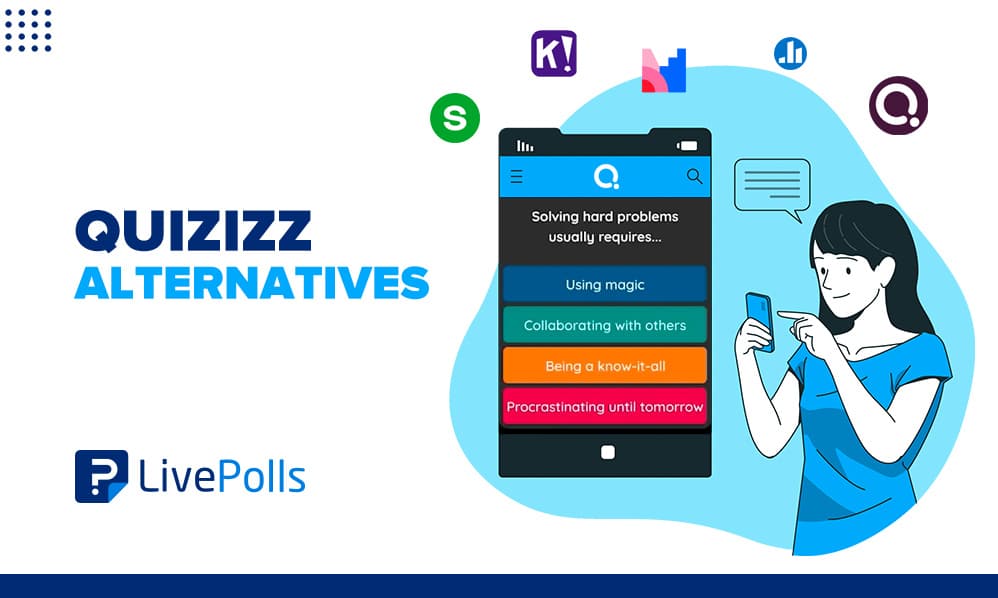
Quizizz alternatives come up in nearly every conversation about live quizzes and interactive presentations, especially now that Quizizz renamed itself Wayground in 2025. The underlying need has not changed. Teachers, trainers, and event hosts still want a free, simple way to run quizzes and polls that people can join from their own phone.
Kahoot, Mentimeter, Blooket, and QuestionPro LivePolls all compete for that same job, yet each one fits a different room size, budget, and teaching style. Picking the wrong one usually shows up later, once a free plan caps out mid-semester or a corporate trainer needs reporting a K-12 tool was never built for.
In this guide, we’ll compare the nine best Quizizz alternatives for 2026, break down pricing and standout features, and walk through how to choose and set up the right one for your next class, meeting, or event.
Is Quizizz still around, or is it now called Wayground?
Quizizz still exists, but the company rebranded to Wayground in June 2025 to reflect its shift from a quiz tool into a broader, AI-supported learning platform. The company described the change as reflecting the platform’s evolution from a simple quiz tool into a more versatile supplemental learning space after ten years of teacher feedback. (THE Journal)
Existing accounts, saved quizzes, and student join links all carried over without disruption. For most teachers, the change is the name and the logo, not the daily workflow.
- Old name: Quizizz
- New name: Wayground
- Changed: June 2025
- What stayed the same: accounts, quizzes, join links, and pricing structure
Search habits change slowly, so this guide uses “Quizizz alternatives” throughout, the way most people still search for it, even though a growing share of searches now show up as Wayground alternatives instead. Either way, the distinction matters most around pricing and plan limits, which the sections below cover in detail.
What is a Quizizz alternative?
A Quizizz alternative is any platform that runs live or self-paced quizzes, trivia, and polls, letting participants join from their own device with a short code or link. Self-paced simply means each person answers on their own timeline instead of everyone moving through the same question together.
These platforms sit at the intersection of gamified learning, formative assessment, and audience engagement. Some lean toward game mechanics with leaderboards and sound effects, while others lean toward serious data collection for grading or training compliance.
The best-fit alternative depends less on which tool has the most features and more on who is answering, why they are answering, and what happens to the results afterward.
Why do people look for a Quizizz alternative?
Teachers browsing Quizizz alternatives for teachers, and trainers running the same search for work, tend to switch for a handful of recurring reasons, not because Quizizz stopped working.
- Pricing and plan limits.
Wayground’s paid plans start around $59 per month for Standard and run to $99 for Premier, with a free Intro tier that leaves out advanced features. (Capterra) - A narrow focus on K-12 quizzes.
Corporate trainers and event hosts often need reporting, branding, or audience sizes a classroom-first tool was never designed around. - Wanting quizzes and open feedback together.
Multiple choice alone cannot capture opinions, so many people add a separate classroom response system just for open-ended questions. - Weak engagement data.
Some teams want clearer proof that a session actually improved student engagement, not just a screen full of confetti.
The 9 best Quizizz alternatives in 2026
The nine tools below appear consistently across 2026 reviews and comparison sites, and each one covers a distinct use case rather than competing on the exact same ground.
1. QuestionPro LivePolls
QuestionPro LivePolls is a free live polling and quiz tool built for classrooms, training sessions, and events alike, not classrooms only. Participants join from any browser with a PIN, no app required.
It generates a ready-to-run quiz from pasted notes using AI, mixes scored trivia with word clouds and open-ended questions in one session, and lets hosts weight points by difficulty instead of raw speed.
Best for: Teachers, trainers, and presenters who want quizzes and honest feedback in a single free tool.
2. Kahoot
Kahoot remains the most recognized name in gamified quizzes, with a colorful, game-show style interface built around speed and leaderboards. It works well for quick classroom energizers and icebreakers.
Its free plan caps participant counts, which is the main reason people compare it against a Kahoot alternative once class sizes grow past a small group.
Best for: Fast-paced review games where competition matters more than depth.
3. Blooket
Blooket wraps standard quiz questions inside genuinely different game modes, including tower defense and gold rush formats. Teachers build or import a question set once, then reuse it across several game modes.
Its playful art style lands best with elementary and middle school students, and self-paced modes double as homework or center work.
Best for: Younger students who want variety without new content prep each time.
4. Gimkit
Gimkit runs quiz questions inside a game-show economy, where correct answers earn in-game currency students spend on upgrades. The repetition built into that economy means students revisit the same material several times per session without noticing.
New modes appear regularly, which keeps review sessions from feeling stale across a semester.
Best for: Middle and high school teachers who want strategy layered onto review.
5. Socrative
Socrative strips away the game layer entirely and focuses on fast formative assessment, meaning it checks understanding during a lesson rather than grading it afterward. Exit tickets and instant result grids show a teacher who understood the material before anyone leaves the room.
Reports export cleanly, which solves a common complaint about vague, nickname-only quiz results.
Best for: Teachers who want data over game mechanics.
6. Mentimeter
Mentimeter treats a quiz as one slide type inside a full interactive presentation, rather than a separate app. Polls, word clouds, and rankings live directly inside the deck being presented.
That framing makes it a natural fit for lectures, webinars, and company-wide meetings rather than pure game sessions.
Best for: Presenters who want engagement woven through slides instead of a separate break.
7. AhaSlides
AhaSlides bundles quizzes, live polls, and full slide presentations into one budget-friendly package. Question types stretch beyond multiple choice into ranking, category sorting, and spinner-wheel selection.
Paid tiers tend to cost less than comparable business plans elsewhere, and the free plan is enough to trial a real session before committing.
Best for: Trainers and team leads on a tight budget who still need presentation-quality polish.
8. ClassPoint
ClassPoint is a PowerPoint add-in rather than a standalone app, which matters for teachers who already build every lesson in slides. Quizzes, polls, and interactive elements sit directly inside the presentation instead of a second browser tab.
That integration makes it especially convenient for anyone who never wants to leave PowerPoint mid-lesson.
Best for: Educators whose lessons already live entirely in PowerPoint.
9. ProProfs Quiz Maker
ProProfs leans toward corporate training and certification use cases, pairing quiz creation with proctoring, randomized item pools, and skill-level reporting. It fits environments where compliance and accuracy tracking matter more than gamified fun.
Managers can align dashboards across teams and review results on a set cadence rather than a single classroom session.
Best for: Corporate training teams that need proctoring and detailed skill reporting.
How do the top Quizizz alternatives compare?
Feature lists blur together fast, so this table isolates the details that usually decide a switch: audience, pricing feel, and each tool’s clearest edge.
| Tool | Best audience | Free plan feel | Distinct edge |
|---|---|---|---|
| QuestionPro LivePolls | Classrooms, training, events | Generous, full quiz and poll access | Mixes trivia and open feedback in one session |
| Kahoot | Quick classroom games | Capped participant count | Widest name recognition |
| Blooket | Elementary and middle school | Covers daily use | Multiple distinct game modes |
| Gimkit | Middle and high school | Featured modes for full classes | In-game economy drives repetition |
| Socrative | Formative assessment | Solid core features | Clean per-student reporting |
| Mentimeter | Meetings and lectures | Limited slides, fine for trials | Engagement built into presentations |
| AhaSlides | Budget-conscious trainers | Small groups only | Quizzes plus full slide decks |
| ClassPoint | PowerPoint-based teaching | Core features free | Lives entirely inside PowerPoint |
| ProProfs Quiz Maker | Corporate training | Limited without a paid plan | Proctoring and skill-level reporting |
Which Quizizz alternative fits your situation?
Reading feature lists rarely settles a decision as fast as matching a tool to a real scenario. A few common ones:
- A high school teacher running weekly review games usually does best with Blooket or Gimkit, where the game layer keeps students coming back without extra prep.
- A corporate trainer running compliance quizzes needs ProProfs or QuestionPro LivePolls for reporting that survives an audit, not a leaderboard.
- A conference host running a keynote poll fits Mentimeter or QuestionPro LivePolls, since both work as one of several audience engagement tools built into a single presentation.
- A university lecturer running quick comprehension checks often prefers Socrative or live polls for the classroom, where speed and clarity matter more than game mechanics.
How do you choose the right Quizizz alternative?
Answer these four questions before comparing feature lists line by line, since they eliminate most of the list on their own.
| Question | Why it matters |
|---|---|
| How many people join at once? | Free plan caps eliminate tools fast once class or team size grows. |
| Do you need open-ended questions? | Multiple-choice-only tools cannot capture opinions or discussion. |
| What happens to results afterward? | Graded work and compliance training need exportable, named reports. |
| What is the real monthly budget? | Compare paid plan prices, not just the free tier most groups outgrow. |
What mistakes should you avoid when switching from Quizizz?
Most failed switches come from copying old habits into a new tool rather than any flaw in the tool itself.
- Judging a tool after one session.
Novelty inflates first-session engagement everywhere. Judge participation by session three. - Ignoring the participant cap until game day.
Free tiers change often, so confirm current limits the week of your event. - Sticking to multiple choice only.
Teams that switch platforms but keep the same question style miss the biggest possible upgrade. - Skipping a real pilot.
Run one full session, measure join rate and answer rate, then decide instead of guessing from a features page.
How do you run your first quiz with QuestionPro LivePolls?
Most teachers and trainers can build and launch a free quiz in about five minutes.
- Create a free QuestionPro account and open LivePolls from the main menu.
- Select New LivePoll, then start from scratch, choose a template, or generate questions from pasted notes with AI.
- Add multiple choice or true or false questions for scored trivia, and mark each correct answer.
- Mix in a word cloud or open-ended question wherever discussion matters more than points.
- Set points and difficulty per question so accuracy can matter as much as speed.
- Share the PIN and watch responses and the leaderboard update in real time.
The ultimate guide to QuestionPro LivePolls covers every screen in more detail, including how to read results once a session ends. QuestionPro also offers Survey Software for teams that need deeper analysis once a quiz turns into ongoing feedback collection.
Picking a tool your class or team will actually keep using
The right Quizizz alternative is rarely the one with the longest feature list. It is the one that matches your real group size, gives you data you can act on, and holds attention past the first session’s novelty.
Kahoot and Blooket win with younger students who want a game first. Mentimeter and AhaSlides win in professional rooms built around slides. QuestionPro LivePolls sits usefully between the two, pairing free trivia with honest, open feedback in the same session.
Whatever you choose, pilot it once, watch how session three goes, and let real participation decide.
Frequently Asked Questions (FAQs)
No. Quizizz did not shut down. It rebranded to Wayground in June 2025 as part of a broader shift toward AI-supported learning tools. All accounts, saved quizzes, and student join links continued working under the new name without interruption.
Wayground’s Intro plan is free with limited features. Paid plans run roughly $59 per month for Standard and $99 per month for Premier, based on published Capterra pricing data. Costs can vary by billing frequency and school or district agreements.
Most alternatives do not import Quizizz question banks automatically. Many let you upload questions from a spreadsheet or paste them from a document, and QuestionPro LivePolls can generate a fresh quiz from pasted notes using AI in a few minutes.
Yes. QuestionPro LivePolls, ProProfs, and Mentimeter all see regular use in corporate training, compliance quizzes, and conference sessions. Look for exportable reports and named participants rather than classroom-only leaderboard features.
None run fully offline, since responses need to sync in real time. ClassPoint comes closest on the host side, since the base slides work in PowerPoint without a connection, though student responses still require internet access to submit.