



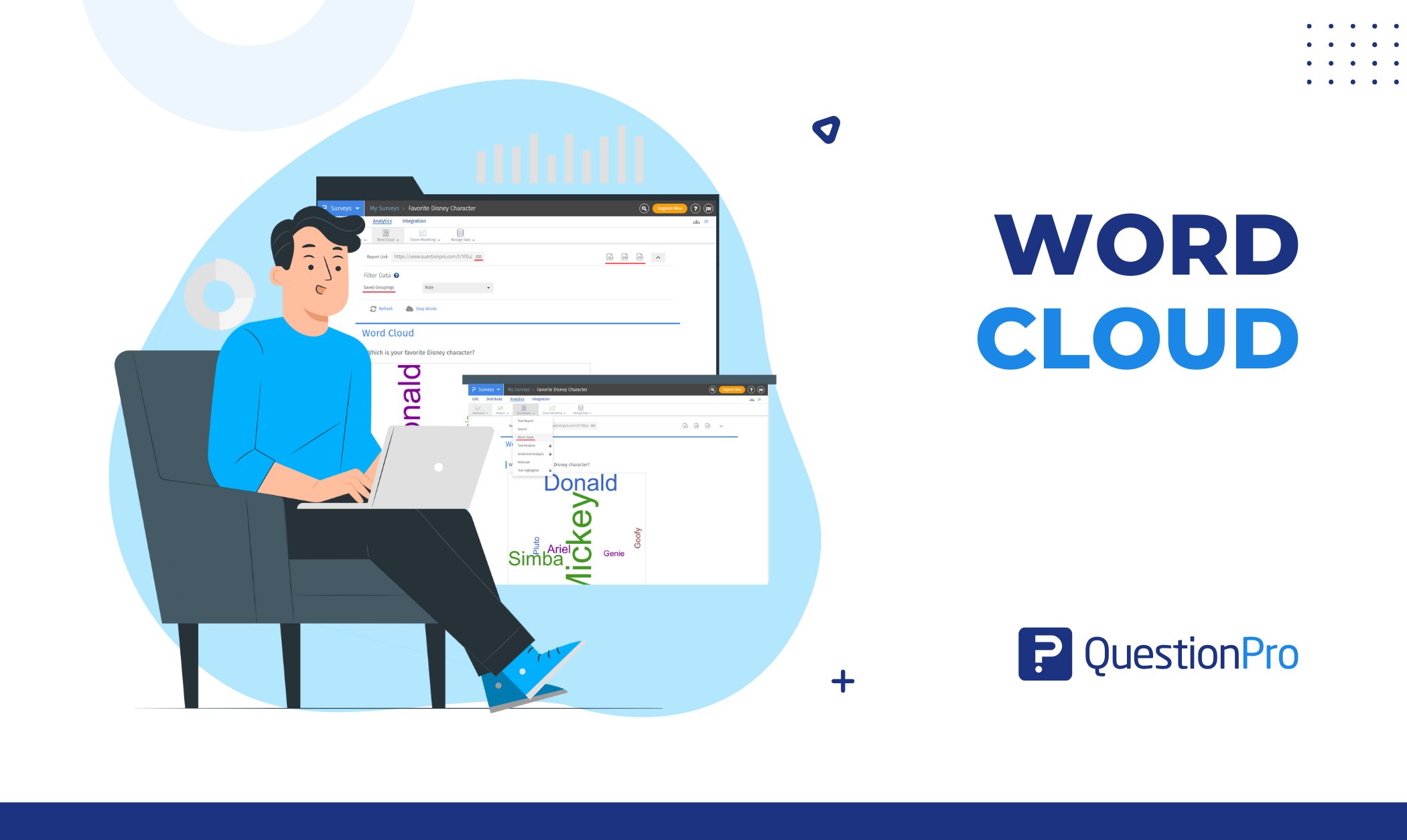
A word cloud turns a page of open-ended survey answers into one image you can read in five seconds. The words respondents use most often appear biggest, so the main themes in your data stand out instead of staying buried in hundreds of rows of text.
Teams use word clouds to scan customer reviews, employee comments, and open-ended survey questions without reading every response line by line. The format works because it relies on something the eye already does well: noticing size differences before it notices anything else.
In this blog, we’ll explore what a word cloud actually shows, how the underlying frequency analysis works, and how to build one from your own survey data using QuestionPro.
What is a word cloud?
A word cloud is a visual chart that displays the most frequently used words in a body of text, with each word’s size scaled to how often it appears. Small connector words like “the” and “and” are removed before the chart is built, so what remains reflects genuine emphasis in the data.
The format is sometimes called a weighted list because size and, occasionally, color carry the weighting instead of numbers. Layouts vary. Some tools arrange words alphabetically, others spiral them around a center point, and a few shape them into a logo or icon. None of that changes what the chart is measuring: raw word frequency across a dataset.
Word clouds work best on unstructured text such as open-ended survey questions, product reviews, support tickets, or interview transcripts. They are less useful on data that is already numeric or already categorized.
Word cloud vs. Tag cloud: What’s the difference?
The terms are used interchangeably today, but they started out meaning slightly different things. A tag cloud originally referred to user-generated tags or keyword metadata on a website, often used as a navigation aid in early blogs and forums. A word cloud, by contrast, measures raw frequency in a passage of text, regardless of whether anyone tagged it.
In practice, most modern tools, including survey platforms, use “word cloud” and “tag cloud” as synonyms. Usability research from Nielsen Norman Group found that many users don’t fully understand what a tag cloud represents, even though the format is instantly recognizable. That’s a useful reminder: a word cloud is a starting point for spotting patterns, not a finished analysis on its own.
How does a word cloud work?
A word cloud generator follows the same four-step process regardless of which tool builds it.
- Collect the text.
The source can be survey responses, reviews, transcripts, or any other block of unstructured text.
- Clean the data.
The tool removes stop words (common connector words like “a,” “the,” and “is” that carry no analytical meaning) and strips punctuation. Word variants like “running” and “ran” are often merged into “run” so they aren’t counted separately.
- Count word frequency.
An algorithm tallies how many times each remaining word appears across the full dataset.
- Render the layout.
Frequently used words are drawn larger, less frequent ones smaller, and the tool arranges everything into a cloud shape without overlapping text.
The output is only as reliable as step two. Weak stop-word filtering is the most common reason a word cloud looks cluttered or misleading, a point worth keeping in mind before you trust what you see.
What are word clouds used for?
Word clouds show up anywhere someone needs a fast read on themes hiding inside a lot of text. Common uses include:
- Summarizing open-ended survey feedback: Turn dozens or hundreds of free-text answers into one snapshot of the dominant themes.
- Running brainstorming or workshop sessions: Visualize which ideas or terms come up most often across a group.
- Building presentations and reports: Drop a word cloud into a slide to give stakeholders an instant sense of sentiment or focus areas.
- Scanning reviews and social comments: Spot which product features or complaints get mentioned most across large volumes of feedback.
- Compressing long documents: Convert a transcript or lengthy article into a quick view of its core topics.
A real-world example
Picture a subscription software company running a quarterly customer satisfaction survey. One open-ended question asks, “What would make you consider canceling?
Out of 400 responses, a manual read would take hours. A word cloud built from the same responses immediately surfaces “expensive,” “support,” “slow,” and “onboarding” as the largest terms. That single image tells the team where to dig first: pricing perception and response times, not product features.
The team then pulls the raw comments tied to “support” and “slow” to understand the specifics, which is exactly how a word cloud is meant to be used. It points you toward the right questions instead of answering them for you.
Word cloud or sentiment analysis: How to decide
Word clouds are not the only way to make sense of open-ended text, and they aren’t always the right one. The table below compares three common approaches so you can pick the one that fits your question.
| Method | Best for | What it won’t tell you |
|---|---|---|
| Word cloud | Spotting the most repeated terms at a glance | Whether those terms are positive or negative |
| Sentiment analysis | Measuring whether feedback leans positive, negative, or neutral | The specific themes behind that sentiment |
| Manual coding or AI theme tagging | Understanding nuanced, structured themes across a large dataset | A five-second visual summary |
Most teams get the fullest picture by combining methods. A word cloud tells you what people are talking about. QuestionPro’s sentiment analysis feature tells you how they feel about it, using the same open-ended responses you already collected.
How to create a word cloud in QuestionPro
QuestionPro’s analytics suite includes a built-in word cloud generator for any open-ended text question. Here’s how to build one from an existing survey.
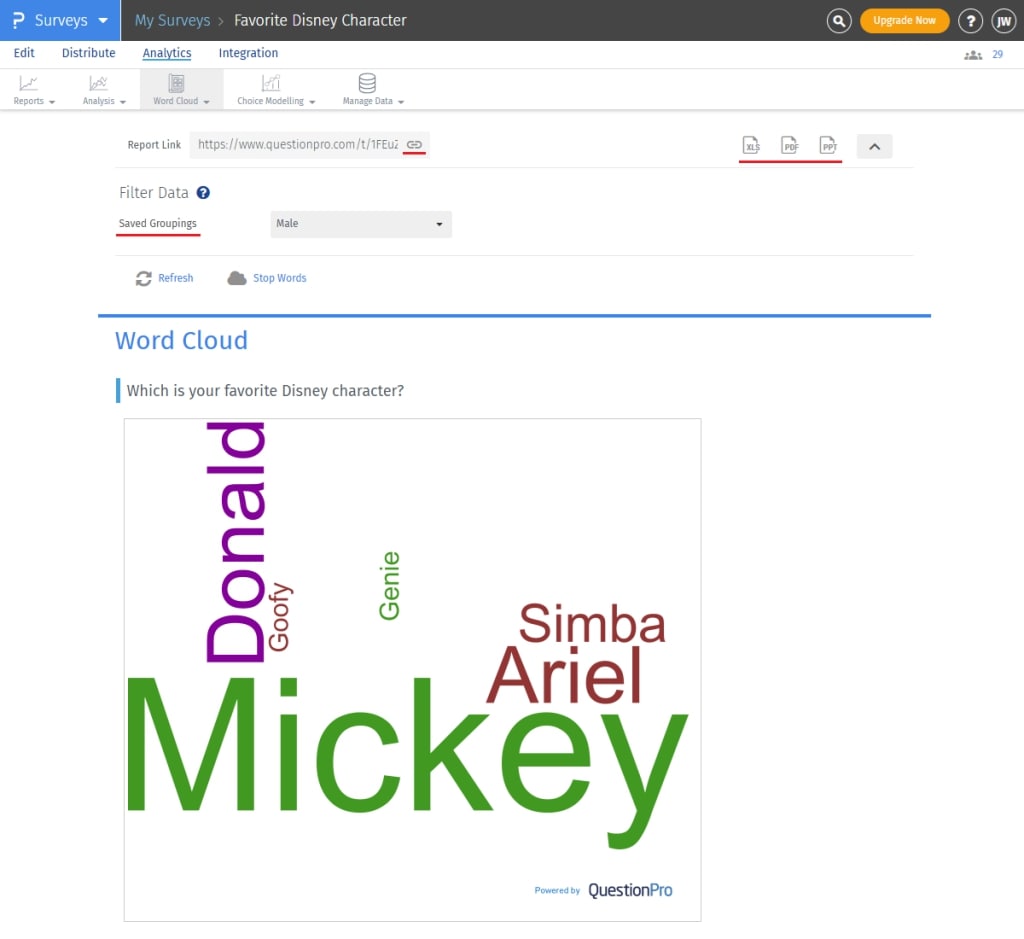
- Log in and open your survey.
Go to your QuestionPro account and select the survey with the open-ended question you want to analyze.
- Go to Analytics.
Click into the Analytics tab from inside the survey.
- Open Text Analysis.
Under Analytics, you’ll see Sentiment Analysis, Text Report, and Word Cloud. Select Word Cloud.
- Review the results.
Word clouds are generated automatically from any text-type question with enough responses to be meaningful.
- Remove noise if needed.
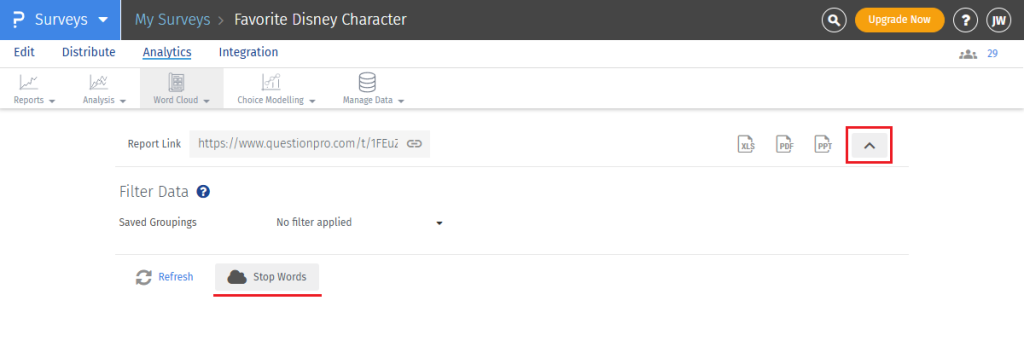
Open the Word Cloud Options dropdown, click Stop Words, and enter any terms you want excluded. The cloud updates instantly.
- Share or export.
Copy the report link to share the dashboard, or export it to XLS, PDF, or PPT for a presentation.
For a fuller view of the same feedback, QuestionPro’s text analysis software pairs the word cloud with sentiment scoring on the same open-ended responses, so you get both the themes and the tone in one place.
Common mistakes that make word clouds misleading
A word cloud is easy to misread if you treat size as the whole story. Watch for these issues, and check for them before you present any results.
- Trusting frequency over relevance.
A word appearing often doesn’t always mean it matters most. Filter out filler terms and confirm the standout words actually connect to your research question.
- Skipping stop-word cleanup.
Unfiltered clouds get crowded with connector words that drown out the real signal. Always review the stop-word list before finalizing a report.
- Leaving duplicate word forms uncombined.
“Run” and “running” counted separately understate a theme’s true frequency. Merge variants before you draw conclusions.
- Prioritizing design over clarity.
Flashy colors and shapes can distract from the actual message. Keep size as the only meaningful variable.
- Reading the cloud in isolation.
A word cloud shows what people said, not why. Pair it with sentiment analysis or a look at the underlying comments before making a decision based on it alone.
A quick way to check your results: pick the two or three largest words and read ten raw responses containing each one. If the responses genuinely reflect what the size suggests, the cloud is doing its job.
Turning scattered feedback into a clear signal
A word cloud won’t replace a full analysis, and it isn’t meant to. What it does well is point you toward the right place to look next, whether that’s a pricing conversation, a support bottleneck, or a feature request that keeps resurfacing.
Used alongside sentiment analysis or manual review, a word cloud becomes the fastest way to know where hundreds of open-ended comments are actually pointing before you spend hours reading them one by one. Teams working with larger volumes of qualitative feedback often move this entire process into QuestionPro BI, where word clouds sit on the same dashboard as sentiment scores and closed-ended data instead of living in a separate report.
If you’re still collecting the feedback that will feed your word cloud, QuestionPro’s survey software makes it straightforward to add open-ended questions to any survey and route the responses straight into text analysis.
Frequently Asked Questions (FAQs)
Yes. Most word cloud generators, including standalone tools, accept pasted text, uploaded documents, or web page content, not just survey responses. The same frequency and cleanup process applies regardless of the source.
There’s no strict minimum, but fewer than 20 to 30 responses often produces a cloud that reflects a handful of vocal answers rather than an actual trend. Larger samples give more reliable weighting.
Many generators support multiple languages, though stop-word lists and word-stemming rules vary by language and accuracy can be lower for languages with complex grammar. Always check a tool’s supported languages before relying on the output.
No. A word cloud highlights frequency, not context or intent. Manual coding or AI-based theme tagging captures nuance that a word cloud can’t, such as sarcasm or mixed sentiment within a single comment.
Somewhere between 25 and 50 words tends to stay readable without losing meaningful detail. Beyond that range, smaller words become too tiny to read and the chart loses its usefulness as a quick summary.



