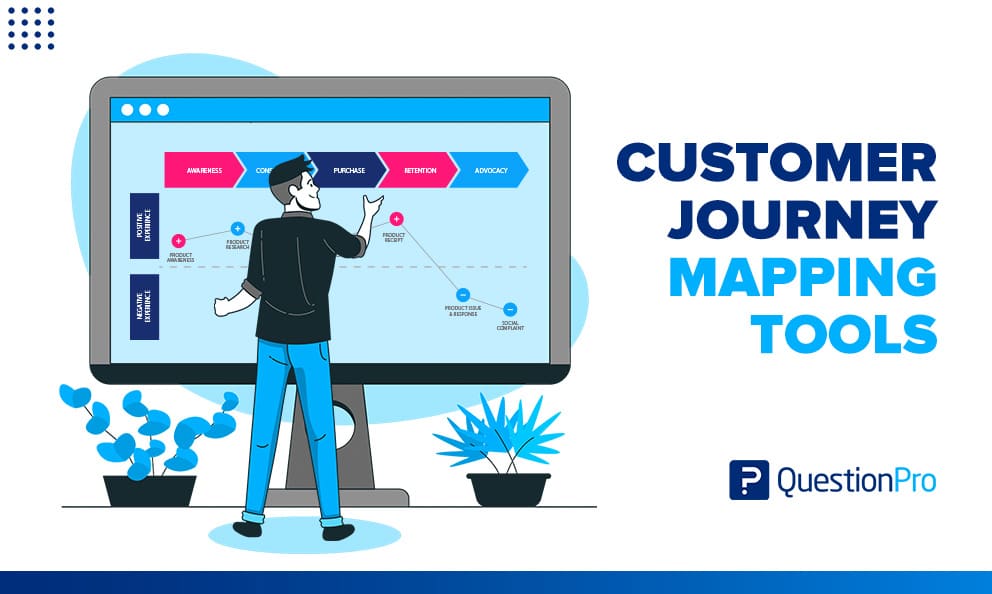
Customer journey mapping tools are software that turns a customer’s path, from first contact to loyalty, into a visual map your whole team can use. The right tool shows where customers get stuck, who owns each fix, and whether your changes work.
The wrong tool gives you a polished poster that nobody updates. Options range from free whiteboards to enterprise platforms that pull in live survey and behavior data, so the choice matters.
In this guide, we’ll define the main tool types, compare 12 options, and show you how to choose one, measure results, and avoid common mistakes.
What are customer journey mapping tools?
Customer journey mapping tools are software that lets teams visualize the steps, emotions, and touchpoints a customer goes through when dealing with a brand. They show the full customer experience through dynamic visualizations of each touchpoint, from discovery through purchase and retention.
A touchpoint is any moment where a customer meets your brand, such as an ad, a support call, or a checkout page. Our guide to customer touchpoints lists the most common ones.
A journey map is a visual narrative of a user’s goals, actions, thoughts, and emotions across a sequence of steps. A good tool gives you a place for each of these parts:
- Point of view: The persona or customer segment the map follows.
- Scenario: The specific experience you are mapping, such as returning a product.
- Actions and emotions: What the customer does, thinks, and feels at each stage.
- Touchpoints and channels: Where the interaction happens, online or offline.
- Insights and owners: The gaps you found and the person responsible for each fix.
If you need the method before the software, start with our guide on how to create a customer journey map.
Why use a dedicated tool instead of a slide deck?
A dedicated tool keeps your map current, shared, and tied to data, which a static slide deck cannot do. That matters because customers judge you across several touchpoints, not one.
In research on moving from moments to journeys, over 70% of very satisfied customers formed a favorable impression when you met their needs across three or more touchpoints. A map that links those touchpoints in one place helps teams see the whole experience.
Slides also drift. Each team copies the file, edits its own version, and the original goes stale. A shared tool gives everyone one version, one set of owners, and one place to add new evidence.
What types of customer journey mapping tools are there?
There are four main types: canvas and diagramming tools, journey management platforms, journey analytics and experience platforms, and office tools. They differ in how much customer data they hold and how well they support a long-running program.
| Type | What it does | Examples | Best when |
|---|---|---|---|
| Canvas and diagramming | Free-form boards for drawing maps in workshops | Miro, Mural, Lucidchart, Figma and FigJam, Microsoft Visio | You map one or two journeys and want speed |
| Journey management platforms | Structured maps, personas, owners, and metrics in one repository | QuestionPro Journey Management, Smaply, UXPressia, TheyDo, Custellence | You run a journey program across teams |
| Analytics and experience platforms | Track real behavior and feedback across channels | Contentsquare, Qualtrics XM | You need data on what customers actually do |
| Office tools | Basic tables and slides | Excel, PowerPoint, Google Slides | You are testing the idea at no cost |
How is a journey map different from a service blueprint or journey analytics?
A journey map shows what the customer experiences. A service blueprint extends that view with the people, systems, and processes behind each step.
Journey analytics is a different job. Journey analytics software uses tools that track and analyze customer interactions across channels in real time. A map is a designed model of the journey. Analytics measures the journey that actually happened.
Two related terms often cause confusion:
- User flow: The path through screens a person takes to finish one task in a product.
- Journey management: The ongoing work of owning, updating, and prioritizing maps, not just drawing them.
How do you choose a customer journey mapping tool?
Choose by the job first, then test five criteria. A tool that suits a one-day workshop often fails a year-long program, and the reverse is also true.
- Define the job.
Decide whether you need a workshop canvas, a managed library of maps, or behavior analytics. Most teams need the first or second. - Count journeys and editors.
As a rule of thumb, a canvas tool works for one or two journeys and a small team. Five or more journeys across several teams usually justify a dedicated platform. - Check where your evidence lives.
Look for connections to survey data, CRM records, and web analytics. A map without data goes stale fast. - Compare seat types.
Many platforms charge for editors but let viewers read for free or at a lower rate. Ask how many people need to edit. - Review AI and security.
Test AI map and persona generation on a real journey. Ask about SSO, data residency, and compliance reports.
Run a two-week pilot with one journey and one persona before you sign a contract. Pick the journey with the clearest business pain, such as onboarding or returns.
Customer journey mapping tools compared at a glance
This table summarizes all 12 tools below. A separate section covers pricing, so use this view to match tool type to your needs.
| Tool | Type | Best for | Free plan |
|---|---|---|---|
| QuestionPro Journey Management | Journey management | Maps tied to survey scores | Ask vendor |
| Smaply | Journey management | Governed journey programs | Yes |
| UXPressia | Journey management | Maps, personas, and impact maps | Yes |
| TheyDo | Journey management | Large enterprises | Custom pricing |
| Custellence | Journey management | Service blueprints and emotion curves | Yes |
| Miro | Canvas | Remote workshops | Yes |
| Mural | Canvas | Facilitated sessions | Yes |
| Lucidchart | Canvas | Detailed diagrams | Yes |
| Figma and FigJam | Canvas | Design teams | Yes |
| Microsoft Visio | Canvas | Microsoft 365 teams | Included in some plans |
| Contentsquare | Analytics | Digital friction points | Quote-based |
| Qualtrics XM | Experience platform | Enterprise programs | Quote-based |
Which journey management platforms are worth considering?
Journey management platforms store maps, personas, owners, and metrics in one place. They cost more than canvas tools but hold up better as the number of journeys grows.
1. QuestionPro Journey Management
QuestionPro’s customer journey mapping software lets teams map touchpoints, emotions, pains and gains, opportunities, and owners in modular maps.
- Best for: CX teams that want survey scores attached to journey stages.
- Standout: AI-generated personas built from interviews and feedback, plus 20+ persona and journey templates.
- Limit: The product page does not list pricing or specific third-party integrations, so confirm both with the vendor.
2. Smaply
Smaply helps teams manage many maps and personas in one repository.
- Best for: Teams that need governance across a journey program.
- Standout: Integrations with 20+ tools, including Google Analytics, Power BI, and Jira.
- Limit: Paid plans charge per editor, and the free plan caps maps at 10 with three advanced cards each.
3. UXPressia
UXPressia combines journey maps, personas, and impact maps in one cloud workspace.
- Best for: Product teams and consultants who want real-time collaboration.
- Standout: AI journey map and persona generators, with 30 requests a month on the free plan.
- Limit: Qualtrics and custom integrations sit on the Enterprise plan, and the free plan allows only three maps.
4. TheyDo
TheyDo is a journey management platform aimed at large organizations that run many journeys at once.
- Best for: Enterprises that need to link journeys to prioritized improvements.
- Standout: A portfolio view across journeys rather than one map at a time.
- Limit: Pricing is custom and sales-led, which is more than a small team needs.
5. Custellence
Custellence offers drag-and-drop mapping with service blueprints and emotion curves.
- Best for: Teams that want to show customer feelings and backstage processes on one map.
- Standout: Built-in service blueprint support alongside journey maps.
- Limit: The free plan restricts you to a small number of maps.
Which canvas and diagramming tools work for journey maps?
Canvas tools give you a blank board and a template library. They are fast to start, but they do not store customer data or enforce a map structure.
6. Miro
Miro is a collaborative online whiteboard with thousands of templates. It earns a 4.6 out of 5 rating from more than 13,000 reviews on G2.
- Best for: Remote workshops with mixed teams.
- Standout: The free plan includes 7,000+ templates and 250+ integrations.
- Limit: The free plan keeps only three boards editable.
7. Mural
Mural is a digital whiteboard built around facilitated sessions.
- Best for: Workshop leaders who run structured group exercises.
- Standout: Facilitation features such as timers and voting.
- Limit: Like Miro, it holds no live customer metrics.
8. Lucidchart
Lucidchart is a diagramming tool from the Lucid Visual Collaboration Suite, rated 4.5 out of 5 across nearly 9,000 reviews on G2.
- Best for: Detailed maps and service blueprints that need precise shapes.
- Standout: A large shape library and a free tier for light use.
- Limit: It focuses on diagrams, not research or survey data.
9. Figma and FigJam
Figma is a design tool, and FigJam is its whiteboard companion.
- Best for: Design teams that already work in Figma.
- Standout: You can place the journey map next to the screens and prototypes it describes.
- Limit: It has no journey-specific structure, so every team builds its own layout.
10. Microsoft Visio
Microsoft Visio is a diagramming tool with a broad library of shapes and templates.
- Best for: Organizations standardized on Microsoft 365.
- Standout: Formal diagrams that fit into existing Office documents.
- Limit: It supports live workshops less smoothly than a whiteboard tool.
Which analytics and experience platforms add behavior data?
Analytics and experience platforms show what customers did and said. They do not replace a map, but they supply the evidence that keeps it honest.
11. Contentsquare
Contentsquare is a digital experience analytics platform. G2 lists it for visual friction-point discovery across digital journeys.
- Best for: Digital teams that need to see where visitors drop off.
- Standout: Heatmaps and session views that point to friction.
- Limit: It shows behavior on digital channels, so calls and store visits stay invisible.
12. Qualtrics XM
Qualtrics XM is an enterprise experience management platform that includes journey features.
- Best for: Large organizations running survey and journey programs together.
- Standout: Feedback, analytics, and journey views under one vendor.
- Limit: Pricing is quote-based and aimed at enterprise budgets.
How much do customer journey mapping tools cost?
Costs range from free to custom enterprise contracts. Most vendors price per editor or per user each month, so seat count drives the bill more than features do.
| Tool | Free plan | Paid plans (per seat, per month) |
|---|---|---|
| Miro | 3 editable boards | Starter $8, Business $20 (billed annually) |
| Smaply | 10 maps, 10 personas | $38, $67, or $96 per editor depending on tier (billed yearly) |
| UXPressia | 3 maps | Pro $36, Business $95 per user |
| Others | Varies | Custom or quote-based |
Prices change often, so verify them before you budget. Watch for hidden costs. Some vendors gate integrations behind higher tiers, and consulting or onboarding fees can add up.
How are AI features changing customer journey mapping tools?
AI features now draft maps, generate personas, and summarize feedback, which cuts the time to a first version. They do not replace customer research, because a draft built from general patterns can miss what your customers actually experience.
Look for three AI uses when you compare tools:
- Map and persona drafting: UXPressia, for example, offers journey map and persona generators on its free plan.
- Persona building from evidence: QuestionPro generates personas from interviews, feedback, and research data.
- Feedback summaries: Some platforms group open-ended comments by theme so you can see which stage causes the most complaints.
Test any AI feature on a journey you already understand. If the draft misses known pain points, you can judge how much to trust it on journeys you have not mapped.
What do customer journey map examples look like?
Most maps share the same skeleton: stages, customer actions, emotions, pain points, and owners. The examples below are illustrative, so adapt them to your own data. For real maps and templates, see our collection of customer journey map examples.
Real results come from acting on the map. A mobile operator focused on its new-customer onboarding journey. Its Net Promoter Score (NPS), a 0-to-10 measure of how likely customers are to recommend a brand, rose from -70 to 0.
Retail returns journey
A US online retailer maps the return process from request to refund.
- Stage: Refund wait.
- Pain point: Customers get no update for seven days.
- Fix: Send status emails at pickup, warehouse receipt, and refund.
B2B software onboarding journey
A software vendor maps the first 30 days after purchase for an admin user.
- Stage: Setup and integration.
- Pain point: The admin cannot connect their CRM without IT help.
- Fix: Add a guided integration checklist and a named onboarding contact.
Healthcare appointment journey
A US clinic maps the path from booking to follow-up care.
- Stage: Check-in.
- Pain point: Patients fill in the same forms twice.
- Fix: Send digital forms before the visit and pre-fill known details.
How do you measure whether a journey map is working?
A journey map works when it changes decisions and moves a customer metric. Measure it at the stage level, not only for the journey as a whole.
Use these checks:
- One metric per stage: Pair each stage with a score such as NPS, CSAT, or CES, which are defined in the next section.
- Owner coverage: Every pain point should have a named owner and a due date. A pain point without an owner will not get fixed.
- Before and after: Compare the stage score before a fix and 60 to 90 days after.
- Review cadence: Update each map at least every six months, and after any major launch or process change.
If a stage score does not move after a fix, the map may have misdiagnosed the cause. Go back to customer comments for that stage.
How do you attach survey scores to a journey map?
Attach a survey metric to each stage so the map shows how customers feel, not just what they do. QuestionPro Customer Experience supports NPS, CSAT, CES, and sentiment scores at any journey phase.
Here, CSAT (customer satisfaction score) measures satisfaction with one interaction. CES (customer effort score) measures how hard it was to get something done.
- List your stages and touchpoints.
Start with five to seven stages from awareness to loyalty. - Match a metric to each stage.
Use CES after checkout or returns, CSAT after a support contact, and NPS after purchase. - Capture the reason.
An AskWhy question combines the score, the root cause, and an open comment in one question. - Collect responses with your survey tool.
Send short surveys at each touchpoint using survey software. - Review by stage.
Sort stages by lowest score, assign owners, and track the change at the next review.
What mistakes should you avoid with customer journey mapping tools?
Most failed maps die from ownership and data problems, not drawing problems. Avoid these five mistakes.
| Mistake | Why it hurts | Fix |
|---|---|---|
| Choosing for the workshop, not the year | A canvas that suits one session cannot manage updates | Plan for ongoing ownership before you buy |
| Mapping without customer data | The map reflects internal assumptions | Base each stage on interviews, surveys, or analytics |
| Buying editor seats for everyone | Costs rise for people who only need to read | Count editors and viewers separately |
| Ignoring plan-gated features | Integrations may sit on a higher tier | Confirm required features on the plan you will pay for |
| Mapping every journey at once | Effort spreads thin and nothing ships | Start with one journey tied to a business problem |
Why a journey map only helps when someone owns it
The best customer journey mapping tools share one trait: they make it easy to keep a map current. Features matter less than whether your team will open the tool every quarter and act on what it shows.
Start small. Pick one journey, one persona, and one metric per stage. Prove that a fix moves a score, then expand. A modest map with owners beats an elaborate one that sits in a folder.
Frequently Asked Questions (FAQs)
Build one map per role, such as the end user, the budget owner, and the IT reviewer. Then link the maps at shared moments like the demo and contract review, so you can see where one person’s friction stalls the whole deal.
Yes, for a pilot. Excel, PowerPoint, and Google Slides cost little and teach your team the method. Move to a dedicated tool once you maintain several maps, need shared metrics, or struggle to keep versions consistent.
Map one. Choose the journey with the clearest business pain, such as onboarding, returns, or renewal. A single journey with owners and metrics teaches you what you need before you scale to the rest of the customer lifecycle.
Mapping tools can show any touchpoint, because you place it by hand. Analytics tools mostly capture digital behavior. To cover offline moments, add survey feedback or interviews at those touchpoints and attach the results to the matching stage.
Ask for a SOC 2 report, confirm SSO support, and check how the vendor handles California CCPA deletion requests. Healthcare teams should also request a HIPAA business associate agreement before storing patient feedback on any map.