

• Skip to main content
  • Skip to primary sidebar
  • Skip to footer
QuestionPro

QuestionPro

questionpro logo
  • Products
    survey software iconSurvey softwareEasy to use and accessible for everyone. Design, send and analyze online surveys.research edition iconResearch SuiteA suite of enterprise-grade research tools for market research professionals.CX iconCustomer ExperienceExperiences change the world. Deliver the best with our CX management software.WF iconEmployee ExperienceCreate the best employee experience and act on real-time data from end to end.
  • Solutions
    IndustriesGamingAutomotiveSports and eventsEducationGovernment
    Travel & HospitalityFinancial ServicesHealthcareCannabisTechnology
    Use CaseAskWhyCommunitiesAudienceContactless surveysMobile
    LivePollsMember ExperienceGDPRPositive People Science360 Feedback Surveys
  • Resources
    BlogeBooksSurvey TemplatesCase StudiesTrainingHelp center
  • Features
  • Pricing
Language
  • English
  • Español (Spanish)
  • Português (Portuguese (Brazil))
  • Nederlands (Dutch)
  • العربية (Arabic)
  • Français (French)
  • Italiano (Italian)
  • 日本語 (Japanese)
  • Türkçe (Turkish)
  • Svenska (Swedish)
  • Hebrew IL (Hebrew)
  • ไทย (Thai)
  • Deutsch (German)
  • Portuguese de Portugal (Portuguese (Portugal))
  • Español / España (Spanish / Spain)
Call Us
+1 800 531 0228 +1 (647) 956-1242 +55 9448 6154 +49 030 9173 9255 +44 01344 921310 +81-3-6869-1954 +61 (02) 6190 6592 +971 529 852 540
Log In Log In
SIGN UP FREE

Home CX Customer Experience

NPS Intercom Integration: Measuring Support Quality

Intercom NPS integration

Live chat tools like Intercom make it easy to have real conversations with customers, but they do not automatically tell you how those conversations landed. An NPS Intercom integration closes that gap by sending a quick loyalty question the moment a chat ends.

Without it, most support teams fall back on manual review to judge agent performance, reading through transcripts one at a time to guess at quality. That approach does not scale past a handful of conversations a day.

This article covers what an NPS Intercom integration does, how it works, and what it changes for teams trying to evaluate support quality at scale, as part of a broader customer experience program.

Content Index hide
1. What is an NPS Intercom integration?
2. Why do support teams need this kind of integration?
3. How does the NPS and Intercom integration work?
4. What can a support performance dashboard show?
5. What are the benefits of connecting NPS to Intercom?
6. How should you set up NPS tracking for live chat?
7. Common mistakes when measuring post-chat satisfaction
8. Turning every chat into a measurable data point
9. Frequently Asked Questions (FAQs)

What is an NPS Intercom integration?

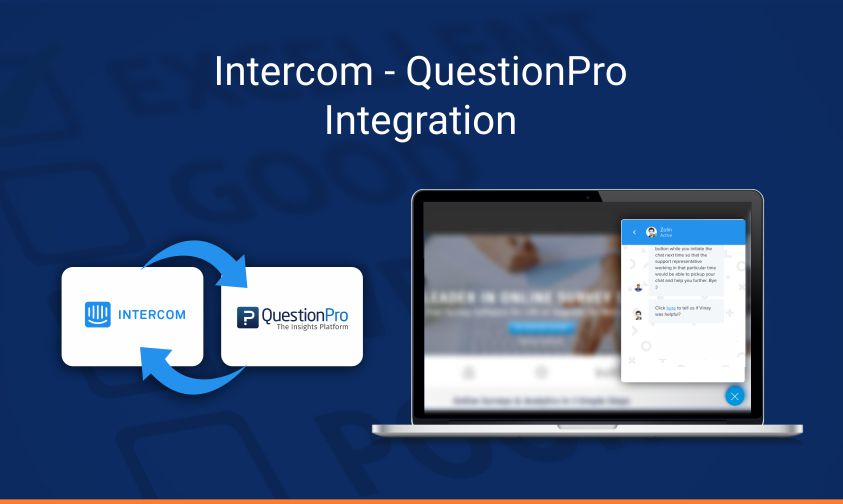
An NPS Intercom integration connects a Net Promoter Score survey question to the end of an Intercom chat session, so customers receive a quick loyalty or satisfaction prompt right after their conversation closes.

Net Promoter Score, in this context, typically appears as a single question: are you satisfied with the customer service you received on this chat, rated on a defined scale. The response feeds into a dashboard that tracks results across every agent and conversation, rather than sitting isolated inside a single chat transcript.

Why do support teams need this kind of integration?

Support teams need this kind of integration because manually assessing chat quality does not scale, and it introduces inconsistency between reviewers judging different conversations.

Before automated post-chat surveys became common, many teams relied on spot-checking transcripts to evaluate agent performance, which is time-consuming and easy to apply unevenly across a large support team. A structured, automated survey applied consistently after every chat removes that guesswork and gives every agent the same measurement standard.

How does the NPS and Intercom integration work?

The NPS and Intercom integration works by triggering a short survey link automatically once a support chat concludes, then routing the response into a centralized dashboard.

  1. A customer finishes a chat conversation with a support agent in Intercom.
  2. The integration sends a link to a short satisfaction question, such as “Are you satisfied with the customer service you received on this chat?”
  3. The customer rates their experience on the defined scale.
  4. The response updates a dashboard automatically, broken down by agent, team, or overall organization performance.

QuestionPro’s Net Promoter Score question type supports this workflow when connected to Intercom, giving support leaders a single place to see performance trends instead of piecing them together manually.

What can a support performance dashboard show?

A support performance dashboard built on this integration can show individual agent scores, team-level trends, and organization-wide sentiment, all updating in near real time as new responses come in.

Useful views typically include:

  • Performance by individual support agent, useful for coaching and recognition.
  • Trends over time, visualized through CX dashboards, to spot whether a recent process change improved or hurt satisfaction.
  • Segment-level breakdowns, such as by customer type or issue category, to find where quality gaps concentrate.

What are the benefits of connecting NPS to Intercom?

Connecting NPS to Intercom gives support organizations a consistent, scalable way to measure quality without adding manual review work for managers.

  • Single source of truth.
    One dashboard reflects real-time performance across the whole support team, rather than scattered manual notes.
  • Faster coaching.
    Managers can identify which agents need support sooner, instead of waiting for a quarterly review cycle.
  • Recognition made easier.
    Consistently high-performing agents become visible in the data, not just anecdotally known.
  • Team-wide accountability.
    Every agent is measured against the same standard, which reduces disputes about subjective evaluation.

How should you set up NPS tracking for live chat?

Setting up NPS tracking for live chat starts with defining exactly what question you want answered, since a generic satisfaction question and a specific post-resolution question measure slightly different things.

A few setup decisions matter most:

  • Choose a rating scale that matches how granular you want agent-level comparisons to be.
  • Decide whether the survey should be fully anonymous or tied to the customer’s account for follow-up.
  • Set a reasonable delay before the survey link sends, so it arrives while the interaction is still fresh in the customer’s mind.

Common mistakes when measuring post-chat satisfaction

A few habits reduce how useful post-chat NPS data ends up being.

  • Sending the survey too long after the chat ends, when the interaction is no longer fresh in the customer’s memory.
  • Treating a single low score as conclusive without checking the transcript for context.
  • Comparing agents handling very different issue types without accounting for complexity differences.
  • Never sharing results with agents directly, which removes the coaching value of the data drawn from closed-loop feedback practices.

Turning every chat into a measurable data point

A live chat integration like this turns a stream of individual conversations into a measurable, trackable performance metric.

Instead of guessing which agents are excelling and which need support, a team gets a consistent answer updated in real time, without adding manual review work to anyone’s plate.

Create memorable experiences based on real-time data, insights and advanced analysis. Request Demo

Frequently Asked Questions (FAQs)

Does a post-chat survey slow down the support experience?

No, when set up correctly. The survey link typically sends automatically after the chat closes, so it does not interrupt the live conversation itself, and completing it takes the customer only a few seconds.

Can this integration work with support tools other than Intercom?

The same underlying approach, triggering a satisfaction question after a support interaction, works with most live chat and helpdesk platforms that support outbound survey links or API-based triggers, not just Intercom specifically.

How many responses are needed before agent-level scores are reliable?

There is no fixed threshold, but most teams wait for at least 20 to 30 responses per agent before drawing firm conclusions, a sample size consistent with general guidance on review reliability from G2, since a handful of ratings can be skewed by one unusually difficult conversation.

Should low scores always trigger a manager review?

Not automatically for every low score, but patterns matter. A single low score from one difficult customer is normal, while a consistent pattern of low scores for one agent or issue type is worth a closer manager review.

What happens to the customer’s data collected through this survey?

Response handling depends on how the survey is configured. Teams should decide upfront whether responses stay anonymous or link back to the customer record, and communicate that choice clearly if it affects how feedback gets used.


SHARE THIS ARTICLE:

About the author
Anup Surendran
VP Product Growth at QuestionPro. Focused SaaS Companies. Growth Marketing, Marketing Strategy, Pricing Strategy, and Product Marketing.
View all posts by Anup Surendran

Primary Sidebar

Gain insights with 80+ features for free

Create, Send and Analyze Your Online Survey in under 5 mins!

Create a Free Account

RELATED ARTICLES

HubSpot - QuestionPro Integration

Thinking About Skynet 2024 and Beyond? — Tuesday CX Thoughts

Jan 23,2024

HubSpot - QuestionPro Integration

Google Forms vs QuestionPro: Which is Best for Your Needs?

Aug 28,2024

HubSpot - QuestionPro Integration

Reference Bias: Identifying and Reducing in Surveys and Research

Nov 19,2024

BROWSE BY CATEGORY

Footer

MORE LIKE THIS

sample-control-with-quota-management

Quota Management: From Simple Caps to Full Sample Control

Sep 17, 2026

source-selection-in-insightshub

Stop Scouring the Whole Attic: Precise AI Chat with Source Selection

Sep 16, 2026

audio-analysis-in-insightsHub

From Buried Audio to Instant Answers: Introducing Audio Analysis in InsightsHub

Sep 16, 2026

ai-incidence-rate

AI Incidence Rate: Estimate Before You Launch

Sep 13, 2026

Other categories

questionpro-logo-nw
Help center Live Chat SIGN UP FREE
  • Sample questions
  • Sample reports
  • Survey logic
  • Branding
  • Integrations
  • Professional services
  • Security
  • Survey Software
  • Customer Experience
  • Workforce
  • Communities
  • Audience
  • Polls Explore the QuestionPro Poll Software - The World's leading Online Poll Maker & Creator. Create online polls, distribute them using email and multiple other options and start analyzing poll results.
  • Research Edition
  • LivePolls
  • InsightsHub
  • Blog
  • Articles
  • eBooks
  • Survey Templates
  • Case Studies
  • Training
  • Webinars
  • All Plans
  • Nonprofit
  • Academic
  • Qualtrics Alternative Explore the list of features that QuestionPro has compared to Qualtrics and learn how you can get more, for less.
  • SurveyMonkey Alternative
  • VisionCritical Alternative
  • Medallia Alternative
  • Likert Scale Complete Likert Scale Questions, Examples and Surveys for 5, 7 and 9 point scales. Learn everything about Likert Scale with corresponding example for each question and survey demonstrations.
  • Conjoint Analysis
  • Net Promoter Score (NPS) Learn everything about Net Promoter Score (NPS) and the Net Promoter Question. Get a clear view on the universal Net Promoter Score Formula, how to undertake Net Promoter Score Calculation followed by a simple Net Promoter Score Example.
  • Offline Surveys
  • Customer Satisfaction Surveys
  • Employee Survey Software Employee survey software & tool to create, send and analyze employee surveys. Get real-time analysis for employee satisfaction, engagement, work culture and map your employee experience from onboarding to exit!
  • Market Research Survey Software Real-time, automated and advanced market research survey software & tool to create surveys, collect data and analyze results for actionable market insights.
  • GDPR & EU Compliance
  • Employee Experience
  • Customer Journey
  • Synthetic Data
  • About us
  • Executive Team
  • In the news
  • Testimonials
  • Advisory Board
  • Careers
  • Brand
  • Media Kit
  • Contact Us

QuestionPro in your language

  • English
  • Español (Spanish)
  • Português (Portuguese (Brazil))
  • Nederlands (Dutch)
  • العربية (Arabic)
  • Français (French)
  • Italiano (Italian)
  • 日本語 (Japanese)
  • Türkçe (Turkish)
  • Svenska (Swedish)
  • Hebrew IL (Hebrew)
  • ไทย (Thai)
  • Deutsch (German)
  • Portuguese de Portugal (Portuguese (Portugal))
  • Español / España (Spanish / Spain)

Awards & certificates

  • survey-leader-asia-leader-2023
  • survey-leader-asiapacific-leader-2023
  • survey-leader-enterprise-leader-2023
  • survey-leader-europe-leader-2023
  • survey-leader-latinamerica-leader-2023
  • survey-leader-leader-2023
  • survey-leader-middleeast-leader-2023
  • survey-leader-mid-market-leader-2023
  • survey-leader-small-business-leader-2023
  • survey-leader-unitedkingdom-leader-2023
  • survey-momentumleader-leader-2023
  • bbb-acredited
The Experience Journal

Find innovative ideas about Experience Management from the experts

  • © 2022 QuestionPro Survey Software | +1 (800) 531 0228
  • Sitemap
  • Privacy Statement
  • Terms of Use

