




SurveyPlanet alternatives are online survey tools that add what a free builder leaves out, such as data export, advanced logic, branding, and integrations. SurveyPlanet itself offers unlimited surveys and responses at no cost, which makes it a popular first tool. Many teams outgrow it when a project needs more than a shareable link and a summary chart.
The right replacement depends on your next bottleneck. It might be cleaner exports, smarter question flow, or a full research platform.
In this guide, we’ll compare eight options, walk through a safe migration, and show how to test a tool before you commit.
SurveyPlanet pricing and limits: What pushes teams to switch
SurveyPlanet is a free online survey builder that gives every account unlimited surveys, questions, and responses, according to its pricing page. The paid Pro plan costs $180 per year. Most switches trace back to five limits:
- Data export is paid.
Downloading results as a CSV file, a spreadsheet-ready text format, is a Pro feature. - Logic needs Pro.
Question branching, which shows or hides questions based on earlier answers, requires a paid plan. - Branding costs extra.
Custom themes also sit on the paid plan, per SurveyPlanet’s feature overview. - Integrations are missing.
A 2026 Jotform review found fewer than 10 field types and no native integrations. - Analysis stays basic.
The free plan offers a summary and simple charts, as SurveyPlanet describes it.
SurveyPlanet alternatives compared at a glance
This survey software comparison shows how eight tools differ on free plans, entry pricing, and trade-offs. Figures reflect US plans checked in September 2026 and change often, so confirm them on each vendor’s site. Every figure links to its source in the tool sections below.
| Tool | Best for | Free plan | Paid plans from | Main trade-off |
|---|---|---|---|---|
| QuestionPro | Research-grade surveys | Up to 200 responses per survey | $99 per user per month, billed annually | Steeper learning curve |
| SurveyMonkey | Large audiences and benchmarks | 10 questions per survey | $39 per month, billed annually | Overage fees and seat minimums |
| Typeform | One-question-at-a-time design | Small monthly response cap | Set by monthly response limit | Response caps drive cost |
| Jotform | Forms plus automation | Yes, with Jotform branding | $19 per month | Limits apply by monthly submissions |
| Google Forms | Quick, free surveys | No response cap within storage | Free | Basic logic and integrations |
| Microsoft Forms | Microsoft 365 teams | 200 responses per form on personal accounts | Included with Microsoft 365 | Basic analysis |
| SurveySparrow | Conversational surveys | 75 responses per quarter | $19 per month | Seats and add-ons raise cost |
| Zoho Survey | Teams already on Zoho | 10 questions and 100 responses per survey | About $35 per month | Limited free plan |
Survey tool, form builder, or research platform: What is the difference?
A survey tool builds and analyzes questionnaires, a form builder collects structured inputs, and a research platform adds sampling and statistical methods. Six terms help sort the options:
- Survey tool: Builds, sends, and analyzes questionnaires. SurveyPlanet, SurveyMonkey, and Typeform sit in this group.
- Form builder: Collects structured inputs such as orders and registrations. Jotform and Google Forms started here.
- Research platform: Adds sampling, quotas, and statistical methods. Platforms such as QuestionPro extend into this group.
- Poll: A one-question survey built for a fast read on opinion.
- Quota: A cap on responses from one group, such as 100 respondents aged 18 to 24, which keeps a sample balanced.
- Skip logic: Also called branching, it sends respondents past questions that do not apply to them.
These labels matter because a form builder can look like a survey tool in a demo. The gap shows up later, when you need cross-tabulation, which compares answers across groups, or quota control.
The 8 best online survey tools to replace SurveyPlanet
Each tool below fits a different kind of project. We left out enterprise platforms such as Alchemer and Qualtrics because they exceed what most SurveyPlanet users need.
1. QuestionPro: Best for research-grade surveys
QuestionPro’s online survey software covers design, distribution, and analysis in one platform. The Essentials plan is free forever, with unlimited questions and up to 200 responses per survey. Advanced plans cost $99 per user per month billed annually and include 25,000 responses per year.

Three things set it apart from SurveyPlanet. Logic goes beyond basic branching, with piping (inserting an earlier answer into a later question), randomization, and quota control. AI can draft a survey from a plain description and flag double-barreled questions, which ask two things at once. Integrations reach Salesforce, HubSpot, Slack, Microsoft Teams, and Tableau, and the platform lists GDPR, CCPA, ISO 27001, and HIPAA compliance.
The trade-off is depth. Advanced features take time to learn, and paid plans cost more than entry-level builders.
2. SurveyMonkey: Large audiences and benchmarking
SurveyMonkey is a long-running survey tool built for feedback at scale. It also sells access to respondent panels, though panel respondents cost extra. Individual paid plans start at $39 per month billed annually. Team plans start at $30 per user per month with a three-user minimum.
Pros:
- Advanced logic, A/B testing, and industry benchmarking, per Jotform’s review
- A wide integration library, from Salesforce to Wolfram
Cons:
- The free plan limits each survey to 10 questions
- Extra responses cost $0.15 each beyond plan limits
- A steeper learning curve than most survey tools
For a full head-to-head, read QuestionPro vs SurveyMonkey.
3. Typeform: One-question-at-a-time surveys
Typeform shows one question per screen, which creates a conversational survey feel and suits short, design-led questionnaires. Plans are built around monthly response limits, since each plan includes a set number of responses per month. Costs therefore climb with volume.

Long questionnaires can feel slow in this format, so Typeform fits best when completion rates matter more than depth. To see how the two platforms differ on logic and analysis, compare Typeform with QuestionPro.
4. Jotform: Forms plus workflows
Jotform is a form builder that also runs surveys, payments, and approvals. That breadth helps when survey responses feed a wider process.
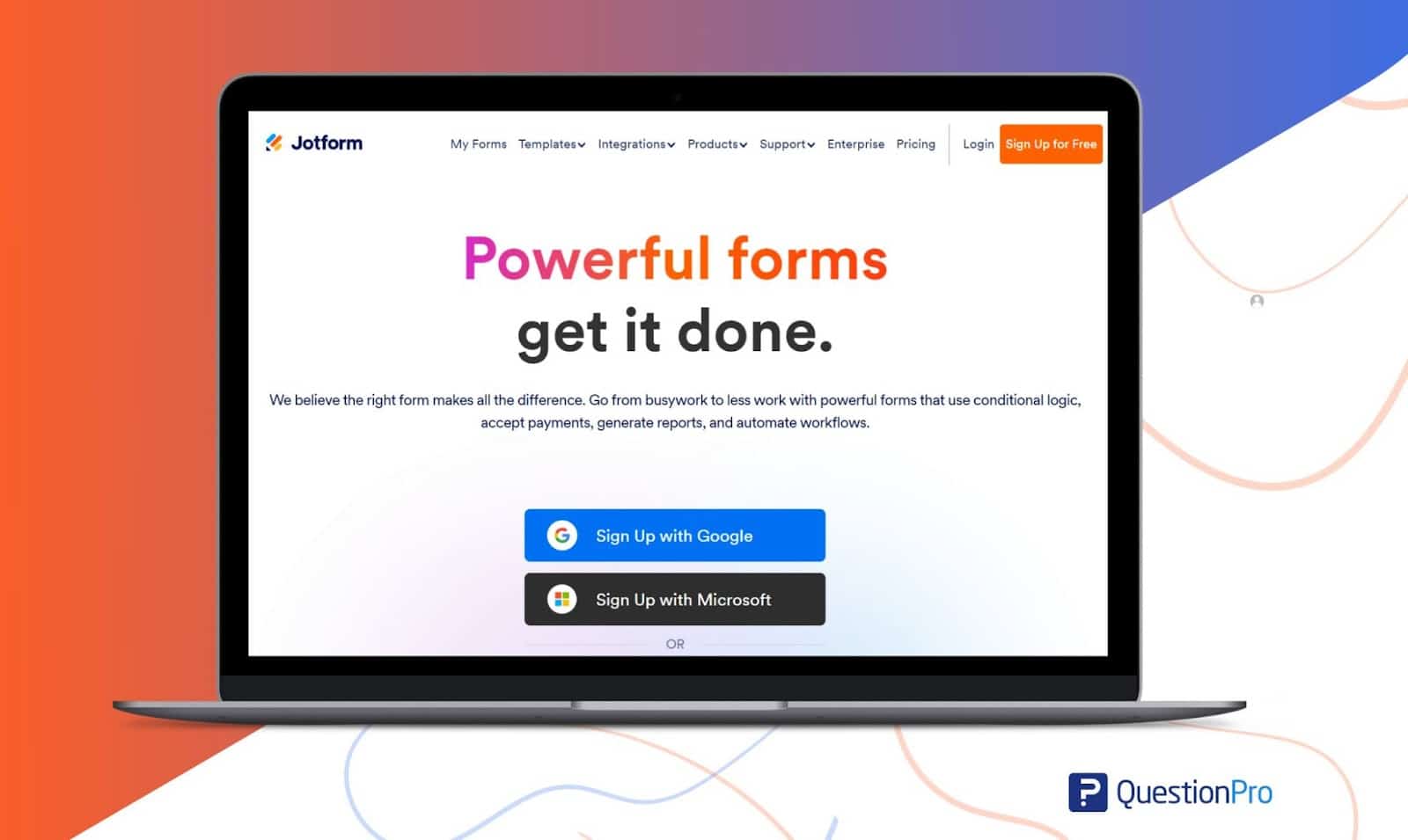
- Free plan: The Starter plan includes standard features but adds Jotform branding, per its pricing page.
- Paid plans: These start at $19 per month.
- Scale: The company lists 20,000+ form templates and 150+ integrations.
- Compliance: Jotform states that it complies with GDPR and CCPA.
- Trade-off: Limits apply by monthly submissions, so high-volume surveys need higher tiers.
5. Google Forms: Free, quick surveys
As free survey software goes, Google Forms is the closest match to SurveyPlanet’s price. It is free with a Google account and, per TechRadar’s review, has no response limit as long as your storage holds the data. It suits internal polls, event RSVPs, and classroom quizzes.
The same review notes limited advanced features and third-party integrations. If your surveys need more analysis, see Google Forms vs QuestionPro for a feature-by-feature view.
6. Microsoft Forms: For Microsoft 365 teams
Microsoft Forms comes with Microsoft 365 and connects natively to Teams and Excel, according to Jotform’s 2026 review. That review calls it the closest match to SurveyPlanet in features and experience.
Pros:
- Included with existing Microsoft 365 accounts
- Responses sync to Excel for analysis
Cons:
- Personal Microsoft accounts cap each form at 200 responses
- Branching and analysis stay basic
7. SurveySparrow: For conversational surveys
SurveySparrow builds surveys that feel like a chat. The free plan allows 75 responses per quarter, and the Basic plan starts at $19 per month for one user.
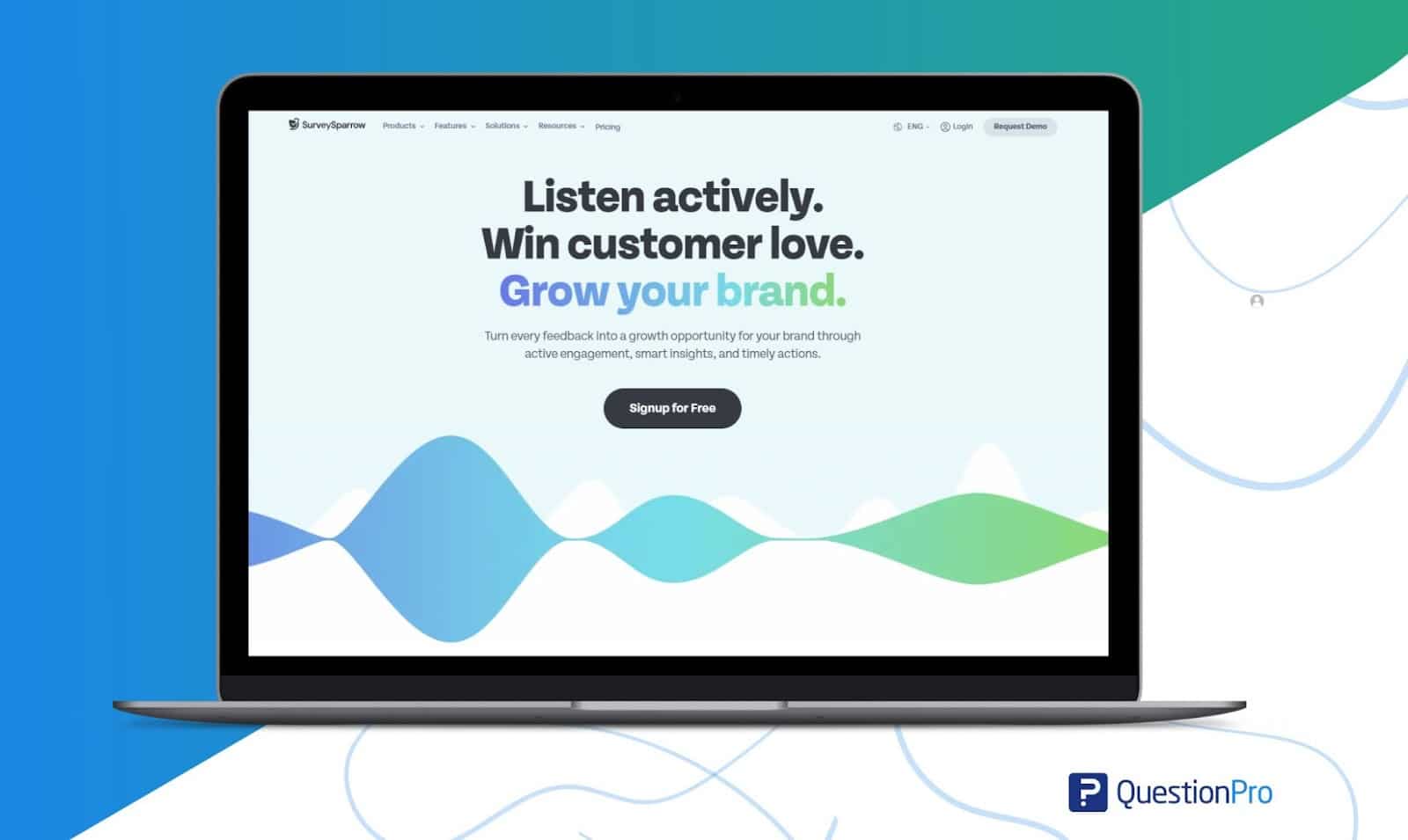
Costs grow with teams. Extra users cost $49 per month, and the customer experience, NPS, and 360-degree suites cost extra as separate products, according to the same pricing review. That makes SurveySparrow a fit for solo users or small teams with steady volume.
8. Zoho Survey: For teams already on Zoho
Zoho Survey belongs to the Zoho suite, so it works best for teams already using Zoho CRM.
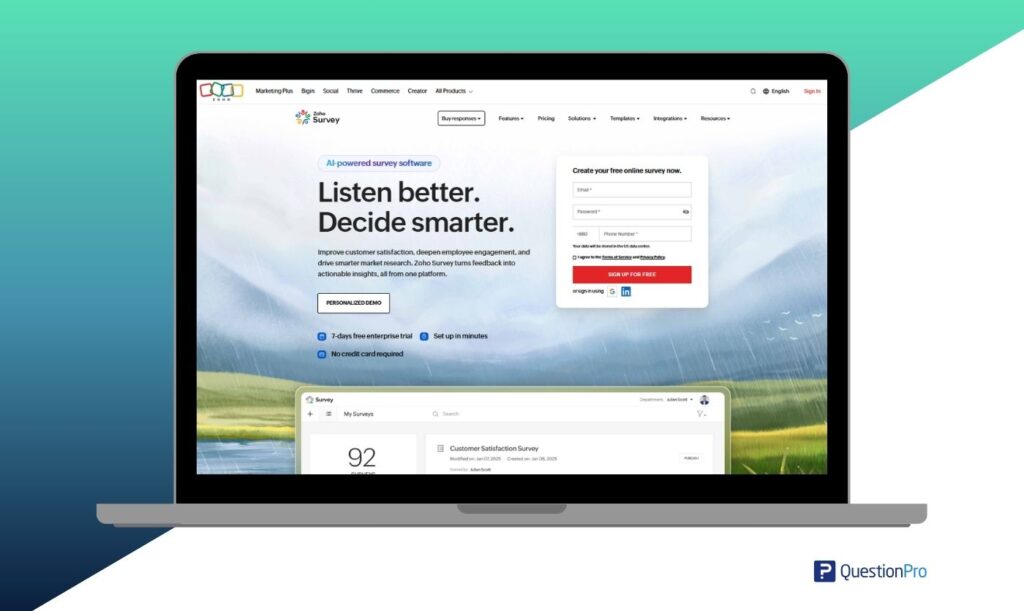
- Free plan: Each survey caps at 10 questions and 100 responses, per Capterra’s pricing listing.
- Paid plans: The Plus plan costs about $35 per month on monthly billing, per the same listing.
- Integrations: Zoho CRM, Slack, Google Sheets, Mailchimp, and Shopify appear on its Capterra profile.
- Trade-off: Some reviewers on GetApp find the free version limited in customization.
Free survey software or paid platform: Which fits you?
Match the tool to the job, not to the longest feature list. Free survey software covers basic polling, while paid platforms earn their cost when you need exports, logic, or compliance.
| Your situation | Best fit | Why |
|---|---|---|
| You only need a free link survey with summary charts | Stay on SurveyPlanet | Unlimited responses at no cost |
| You run quick internal surveys in a Google or Microsoft workspace | Google Forms or Microsoft Forms | Free and already in your accounts |
| You send short customer surveys where completion rate matters | Typeform or SurveySparrow | Conversational formats |
| Your surveys sit inside payments or registrations | Jotform | Forms, payments, and automations together |
| You need respondent panels and benchmarking | SurveyMonkey | Panel access and industry benchmarks |
| You run recurring or research-grade surveys | QuestionPro | Advanced logic, multilingual fielding, and dashboards |
| Your CRM already runs on Zoho | Zoho Survey | Native Zoho integrations |
Three scenarios: How teams outgrow SurveyPlanet
These illustrative scenarios apply the limits above to common situations. They are examples, not client stories.
A graduate student runs a thesis survey. She collects 400 responses and needs a CSV file for statistics software. SurveyPlanet gathers the data free but locks the export behind Pro. Google Forms sends responses to Google Sheets at no cost, so it solves the problem without a new bill.
A nonprofit surveys its donors. Lapsed donors should skip questions about upcoming events, and the survey should carry the organization’s logo. Both needs point to a tool with branching and branding on its plan, such as Typeform, Jotform, or QuestionPro.
A US retailer tracks customer satisfaction. Scores must flow into Salesforce or HubSpot, and the team needs a clear privacy posture for California shoppers. A platform with native integrations and stated CCPA compliance removes the manual copying and the guesswork.
How to switch survey tools without losing your data
Switching takes about a day for a small account if you follow a fixed order. This step-by-step guide protects your history first and your live surveys second.
- Export everything first.
Buy one Pro billing period if needed, then download all responses as CSV files. - Audit your surveys.
List each live survey, its question count, languages, and any branching. - Rebuild the logic.
Recreate skip paths before styling anything. Advanced options such as compound and delayed branching help when one answer should affect a question much later. - Recreate your branding.
Add your logo, colors, and thank-you page. - Test on real devices.
Ask five colleagues to complete the survey on phones and laptops, then check that the export opens cleanly. - Swap the links.
Update QR codes, email templates, and embedded surveys. - Retire the old survey.
Keep it open briefly for late responders, then close it and archive the CSV files.
How to evaluate a survey tool before you commit
A 30-minute pilot tells you more than a feature list. Response rate, the share of invited people who complete a survey, is the best single outcome to track. Divide completed surveys by invitations sent, and compare the result with the benchmarks in our guide to survey response rate.
| Test | What to do | What good looks like |
|---|---|---|
| Export | Download 20 sample responses as CSV and Excel | Clean columns with no manual fixes |
| Logic | Build a three-path survey with piping | Every path works on mobile |
| Completion | Send to 10 people and track starts versus finishes | Few drop-offs at any one question |
| Cost | Model 12 months of responses, seats, and overages | A total you can defend to finance |
| Privacy | Read the vendor’s compliance documentation | Clear statements on CCPA and GDPR |
Privacy deserves its own check for US teams. The California Attorney General explains that the California Consumer Privacy Act gives consumers more control over the personal information businesses collect about them.
When a survey tool needs to become a research platform
A survey tool tells you what people say. A research platform also helps you decide whom to ask and how to read the answers.
If you lack an audience, a panel supplies respondents. QuestionPro Audience connects you with survey respondents, and SurveyMonkey offers a similar panel service. Confirm pricing first, because panel respondents often cost extra on top of the software plan.
Research-grade plans also add advanced methods. Conjoint analysis tests which product features people value most. MaxDiff asks people to pick the best and worst option from a set. QuestionPro’s Market Research Software includes both, along with A/B testing.
Common mistakes when switching survey tools
Most failed switches come from a few predictable errors.
- Pricing by headline: Seats, response caps, and overages change the real bill. SurveyMonkey, for example, charges $0.15 for each extra response beyond plan limits.
- Skipping the export test: A tool that exports messy data creates hours of cleanup for every study.
- Rebuilding without testing logic: A broken skip path sends respondents to the wrong questions and quietly corrupts your data.
- Ignoring privacy: Collecting personal details without a clear notice can create legal exposure, especially for California residents.
- Choosing on looks alone: A beautiful survey that cannot export, filter, or integrate becomes a dead end within a quarter.
Pick the tool your next survey actually needs
SurveyPlanet does one job well: it lets anyone launch a survey for free. The best alternative removes your current bottleneck without adding features you will never open.
Write down the one thing that stopped your last project, whether that was export, logic, or reporting. Then test two tools against exactly that problem. A short pilot will tell you more than any comparison table, including this one.
Frequently Asked Questions (FAQs)
Google Forms is the closest free match because it has no response cap beyond your Google storage. If you need more survey features, QuestionPro’s free plan allows unlimited questions but caps the responses each survey can collect.
Yes, but only through a CSV export, which requires a SurveyPlanet Pro plan. Import the file into a spreadsheet or your new platform, and keep the original file archived in secure storage in case you need to audit results later.
They can, if you collect personal information from California residents and meet the law’s thresholds. The California Attorney General says the CCPA gives consumers control over collected data, so check your vendor’s privacy documentation and your own notices.
They save time on first drafts by turning a short prompt into questions. Human review still matters, because AI can produce leading or double-barreled wording. Test every draft with a few real respondents before you send it widely.
Not always. Google Forms and Microsoft Forms cover simple studies for free, and some vendors discount paid plans. Jotform, for example, offers 50 percent off Bronze, Silver, and Gold plans for nonprofits and educational institutions.



