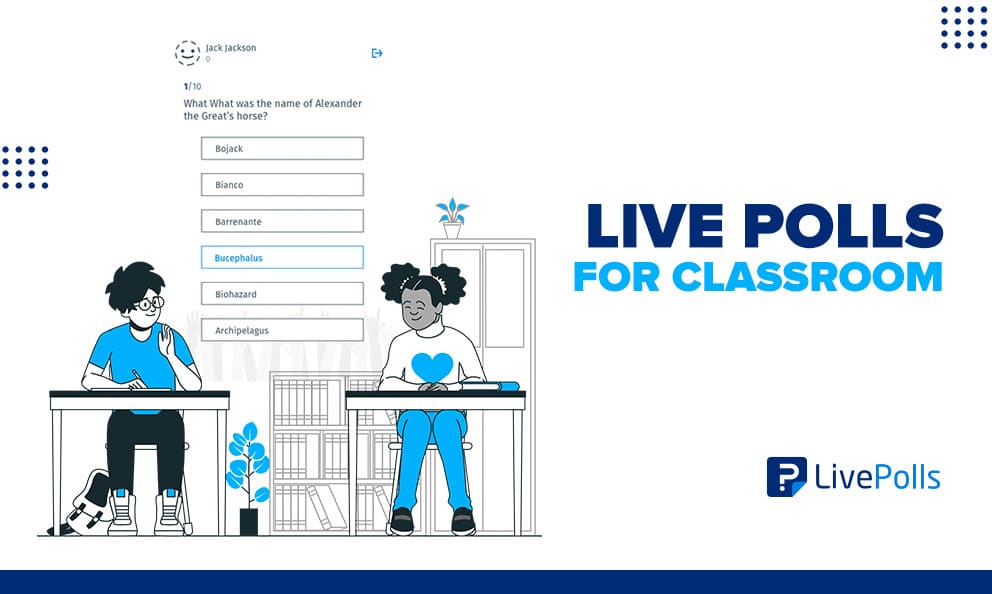
Live polls for classroom use have moved past the novelty phase. Teachers now run them as a normal part of a lesson, not an occasional gimmick. A live poll gives a teacher an instant read on whether a class actually followed a point, without waiting for a quiz or a raised hand.
The shift matters because attention in a classroom does not hold steady for an entire period. A short poll breaks up a lecture, pulls distracted students back in, and gives quieter students a way to answer without speaking in front of the room.
In this guide, we’ll cover what a live poll actually is, how it differs from other classroom tools, real question examples, and how to run one without adding extra work to a lesson plan.
What is a live poll for the classroom?
A live poll for the classroom is a short, real-time question a teacher displays to students, who respond instantly from a phone, tablet, or laptop. Results appear on a shared screen as soon as votes come in, so the whole class sees where opinion or understanding actually lands.
Most classroom polls use one of a few simple formats: multiple choice, a rating scale, a quick quiz question with a correct answer, or an open text response shown as a word cloud. None of these require special hardware. A browser and a link or short code are usually enough.
The value is speed. A live poll takes less time to run than it takes to explain, which is why it works as a repeatable habit rather than a special event.
How live polls differ from clickers, quizzes and other classroom tools
Teachers often lump live polls in with other classroom tools that serve a different purpose. The distinction comes down to stakes and how long the data sticks around.
| Tool | Purpose | Stakes | Data lifespan |
|---|---|---|---|
| Live poll | Instant pulse check during a lesson | Low, usually ungraded | Used immediately, rarely stored long term |
| Classroom clicker | Hardware-based response system, mostly replaced by app-based tools | Low to medium | Session-based |
| Graded quiz | Measure individual student mastery | High, counts toward a grade | Stored in the gradebook |
| End-of-unit survey | Gather opinions after a unit or course ends | None, purely informational | Reviewed after the fact, not in the moment |
A classroom response system is the broader category that live polls, clickers, and some quiz tools all fall under. Live polling is usually one module inside a wider survey software platform, built for a same-moment check rather than a formal record.
Why live polls improve classroom engagement
Live polls improve engagement because they replace a single volunteer’s answer with a response from every student. That shift surfaces confusion a teacher would otherwise miss until the next test, when it is too late to re-teach the concept.
The scale of the problem is well documented. National survey data shows that student engagement with school drops sharply as students get older, falling from roughly three-quarters of fifth graders to about a third of students in the last years of high school, according to Gallup. Interactive classroom polls will not reverse that trend on their own, but they address one specific piece of it: the moment-to-moment attention gap inside a single lesson.
Anonymity does most of the work here. A student who would never raise a hand to admit confusion will vote honestly in a poll, because no one else can see how they responded. That honesty is what makes the data useful.
Live poll question examples for the classroom
Good live poll questions are short, specific, and tied to a single learning moment rather than a general opinion. A few examples by use case:
- Warm-up: “What do you already know about photosynthesis before we start today’s lesson?”
- Comprehension check: “Which statement best explains the concept we just covered?”
- Discussion starter: “Do you agree with the author’s argument? Why or why not?”
- Exit ticket: “What is one question you still have from today’s class?”
For a longer, ready-to-use list across different classroom moments, see these live poll question examples, which cover warm-ups, quizzes, and discussion prompts in one reference.
How to run a live poll in class step by step
Running a poll well is less about the software and more about the moment you choose to use it. Real-time student feedback only helps if it arrives while there’s still time to act on it.
- Pick the moment.
Choose a point where confusion is likely, not just any convenient pause. - Write one clear question.
Ask about a single idea. Two ideas in one question muddy the result. - Launch and display results live.
Let students see the aggregated answer, not just submit it. - Discuss briefly.
Spend sixty to ninety seconds on why the group answered the way it did. - Decide the next action.
Move on, re-explain, or flag the topic for review before the next class.
Choosing the right classroom polling tool for K-12, lecture halls, and everyday classrooms
The right classroom polling tool depends heavily on the setting. A single elementary classroom, a 300-seat lecture hall, and a district-wide rollout all need different things from the same category of tool.
| Setting | What matters most | Where to go deeper |
|---|---|---|
| K-12 classrooms | Age-appropriate access, no personal student logins, data retention rules | Classroom polling software for K-12 |
| University lecture halls | LMS integration, question bank reuse, exportable participation data | Live polling for lecture halls |
| Everyday single classrooms | Fast setup, free tier, no app download for students | Covered in this guide |
If none of those fit your exact situation, the baseline criteria still apply everywhere: device flexibility, a genuine free option for small groups, and the ability to export results if you need to track trends over a semester.
Common mistakes to avoid with classroom live polls
Most problems with classroom polling come from overusing the tool rather than the tool itself failing. Watch for these patterns:
- Polling too often.
A poll every few minutes stops feeling like a check-in and starts feeling like a disruption. - Asking multi-part questions.
“How clear and interesting was this lesson?” measures two different things at once. - Skipping the follow-up.
A poll without a visible next step teaches students their answers don’t change anything. - Ignoring device gaps.
Assuming every student has reliable access excludes the students who need low-friction participation the most. - Treating results as graded.
The moment a poll counts toward a grade, honest answers disappear.
How to measure whether classroom polls are working
The clearest sign a live poll is working is whether it changes what happens next in the lesson, not how many students clicked a button. Response volume alone is a weak signal.
Three things are worth tracking over a few weeks:
- Response rate relative to actual attendance, not just total votes.
- Whether topics flagged as confusing show improved results the next time they’re tested.
- Whether quieter students participate more in poll responses than they do in open discussion.
If none of those move, the issue is usually the question design or the follow-up, not the platform itself.
QuestionPro’s role in classroom polling
For teachers who want to test this without a procurement process, QuestionPro’s LivePolls tool runs multiple choice, rating, and quiz-style questions in a browser, with a free tier suited to a single classroom. It sits alongside the broader Education solution for schools that also need term-level or program-level feedback beyond a single lesson.
The habit matters more than the tool
A live poll is not a technology upgrade. It is a habit of checking, in the moment, whether a lesson is landing the way a teacher intended. The tool just makes that check visible to every student at once instead of only the two or three who raise their hands first.
Start with one question at one predictable point in a lesson. Everything else, the formats, the analytics, the rollout across a department, can build from there once that single habit sticks.
Frequently Asked Questions (FAQs)
Most classroom polling tools let students respond without a personal login, which keeps individual answers outside protected education records under FERPA. Confirm your platform’s data retention settings if your school requires named responses for grading purposes.
No. Most classroom polling tools run entirely in a web browser, so students join with a short code or link on any phone, tablet, or laptop. No account creation or app download is required for occasional classroom use.
A single question, from launch to discussion, usually takes under two minutes. Keeping polls short is what makes them repeatable throughout a lesson instead of becoming a disruption that eats into instructional time.
Yes, with small adjustments. Teachers can run one poll per small group instead of per student, or use a low-bandwidth response option where the platform supports it, so limited devices don’t block participation entirely.
Yes. Most classroom polling platforms offer a free tier for basic polls and small class sizes, which is enough to test the format and build the habit before considering a paid plan for department-wide use.