



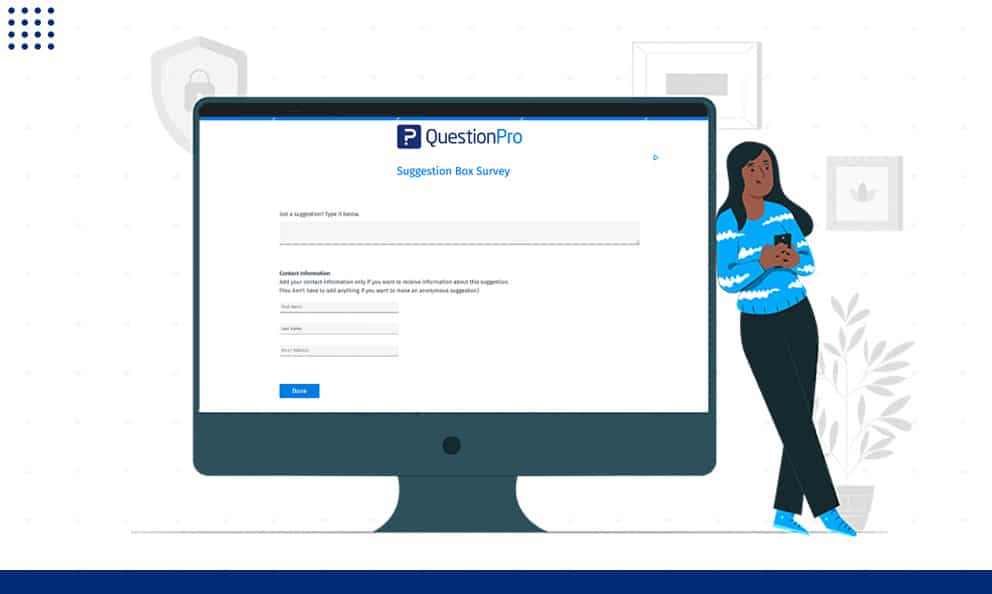
Most customer complaints never reach the people who could fix them. An online suggestion box gives customers, employees, or community members a direct, always-open channel to share ideas, flag problems, and suggest changes before small issues turn into lost business.
Unlike a physical box bolted to a wall, a digital version works from any device, routes feedback to the right person, and keeps a record you can actually review and analyze.
In this guide, we’ll explain what an online suggestion box is, how it compares to other feedback tools, and how to launch one people will actually use.
What is an online suggestion box?
An online suggestion box is a digital feedback channel that lets people submit ideas, complaints, or recommendations to an organization at any time, usually with the option to stay anonymous.
Unlike a one-time survey, it stays open permanently. People do not wait for an invitation to share an idea. They submit it the moment they think of it, whether that is right after a frustrating checkout or a slow response from support.
Most online suggestion boxes work through one of a few channels:
- A short form embedded on a website or app
- A feedback link shared in an email footer or chat window
- A kiosk-style form on a tablet near a service counter
- A dedicated page linked from an intranet or employee portal
Customer suggestion box vs. employee suggestion box
Not every suggestion box collects the same kind of feedback, and mixing up the two can confuse the people submitting it.
A customer suggestion box collects input about products, pricing, service, or the overall buying experience. Businesses use it to spot friction points and catch small complaints before they turn into lost customers. This is the version most relevant to a customer experience program, since it feeds directly into how a brand treats the people who already buy from it.
An employee suggestion box collects input about internal processes, culture, tools, or management decisions. It usually lives on an intranet rather than a public website and often pairs with pulse surveys or engagement tracking so leadership can connect day-to-day complaints with broader workforce trends.
The questions change depending on the audience, but the discipline behind reviewing and acting on submissions stays the same either way.
Online suggestion box vs. physical suggestion box
A physical suggestion box is not obsolete, but it limits who can respond and when. The table below breaks down the practical differences.
| Factor | Physical suggestion box | Online suggestion box |
|---|---|---|
| Access | Limited to people on-site | Any device, any location |
| Anonymity | Handwriting can reveal identity | Fully anonymous by default |
| Review speed | Manual, often delayed | Instant, searchable |
| Cost | Box, paper, pens | Free to low-cost software |
| Scalability | One location at a time | Multiple locations or channels |
A business does not need to choose only one. Many organizations keep a physical box in a lobby or break room while running an online version in parallel to reach remote customers and employees.
Pros and cons of an online suggestion box
An online suggestion box solves real problems, but it is not risk-free. Weighing both sides helps you set it up with the right safeguards from the start.
Pros
- Reaches people on any device, which lowers the barrier to giving feedback
- Anonymity can encourage more candid, honest responses from both customers and employees
- Submissions are timestamped and searchable, which makes patterns easier to spot
- Costs little to nothing to launch compared to running a full survey program
- Creates an ongoing channel instead of a one-time snapshot of sentiment
Cons
- Some people hide behind anonymity to post rude or unconstructive comments
- Volume can outpace a small team’s ability to review and respond
- Anonymous submissions make it harder to follow up for more detail
- If nothing is ever implemented, the box can damage trust instead of building it
Gallup’s long-running workplace research has consistently found that people who feel their input is heard are more engaged with the organization they are giving feedback to, which is one reason the cons above are worth managing rather than ignoring. Gallup’s Q12 engagement research covers this in more depth.
How to create an online suggestion box: A step-by-step guide
Setting one up does not take long, but skipping a step usually shows up later as low participation or feedback nobody acts on.
1. Decide who it is for and what you want to learn
Start by choosing the audience: customers, employees, or both. A clear purpose helps people understand what kinds of suggestions are useful, whether that is pricing feedback, product ideas, or workplace complaints.
2. Choose anonymous, identified, or both
Anonymous responses tend to surface more candid, critical feedback. Identified responses let you follow up for clarification. Many organizations offer both and let the person choose.
3. Keep the form short
Ask only for what you need to evaluate a suggestion: a category, a short description, and the problem it solves. If you want more context without adding fields, a single AskWhy survey question at the end often surfaces the reasoning behind a suggestion. A long form turns a quick idea into a chore, and people abandon it.
4. Assign a moderator and a review process
Choose someone who understands the data collection process to review submissions, remove abusive comments, and route useful ideas to the right team. Without an owner, suggestions pile up and lose relevance.
5. Pick a platform that can collect and report on feedback in real time
A platform like QuestionPro Customer Experience lets you build the form, collect responses from a website, email, or kiosk-mode device, and see results update live instead of waiting on manual tallies. If the topic calls for mapping how feedback connects to specific moments in the buying process, a customer journey mapping tool built on the same survey software foundation can tie suggestions to the exact stage where they came from.
6. Close the loop
Tell people what changed because of their suggestion, even if the answer is “not right now, but here is why.” This single step does more to keep a suggestion box alive than any design choice.
Real-world examples of an online suggestion box in action
Seeing how different organizations apply this concept makes it easier to picture for your own use case.
A regional coffee chain embeds a one-question form at the bottom of its online ordering page, asking what would make the next order better. Low effort, high response rate, and it feeds directly into monthly menu reviews.
A SaaS company adds an in-app feedback widget that lets users flag confusing screens the moment they hit one. Engineering reviews the queue weekly and tags recurring issues for the product roadmap.
A hospital system places a tablet-based form near the discharge desk so patients and family members can note concerns while the visit is still fresh, rather than waiting for a follow-up survey days later.
A mid-size employer runs an anonymous suggestion portal on its intranet, paired with a monthly “what we changed” email so staff can see that submissions lead somewhere.
How to measure the success of your online suggestion box
A suggestion box is only useful if you can tell whether it is working. Track these indicators on a regular schedule.
| Metric | What it tells you |
|---|---|
| Submission volume | Whether people know the channel exists and trust it |
| Response or review time | How quickly the team is acting on feedback |
| Implementation rate | Share of suggestions that led to an actual change |
| Repeat submission rate | Whether the same people keep coming back with feedback |
| Category trends | Which problems or ideas show up most often |
Reviewing these numbers monthly or quarterly, depending on volume, keeps the program from becoming a box nobody checks. Pairing this with a structured metric like Net Promoter Score (NPS) gives you both the unprompted feedback a suggestion box collects and a benchmark you can track over time.
Common online suggestion box mistakes to avoid
A few recurring mistakes quietly undermine most suggestion box programs.
- Letting submissions pile up unread.
Review on a consistent schedule rather than letting a backlog form. - Using vague prompts.
Tell people what kind of feedback is useful instead of leaving the field blank and hoping. - Burying the form.
If people cannot find it in two clicks, they will not use it. - Misrepresenting anonymity.
Be explicit about what information, if any, is collected behind the scenes. - Never explaining why an idea was not implemented.
Silence reads as indifference, even when the reason is reasonable.
A suggestion box only works if someone is listening
The technology behind an online suggestion box is simple. The habit of reviewing, prioritizing, and closing the loop on what comes in is what actually determines whether people keep using it. Many teams eventually connect it to a broader voice of customer software program so unprompted suggestions and structured survey data live in one place.
A business that treats the box as a formality will see participation drop off within a few months. One that visibly acts on feedback, even in small ways, builds a channel people trust enough to keep using.
Frequently Asked Questions (FAQs)
Basic versions can be built for free using a simple form tool, though they lack reporting and routing features. Platforms built for customer or employee feedback typically range from free trial tiers to paid plans based on response volume and the analytics included.
Not necessarily. Anonymous submissions tend to surface more candid criticism, but identified responses let your team follow up for details. Offering both options at submission time lets each person choose what they are comfortable with.
Review frequency should match submission volume. High-traffic boxes often need weekly review, while lower-volume channels can work on a biweekly or monthly schedule as long as the process is consistent and submissions never sit untouched for long.
No. A suggestion box captures unprompted, spontaneous feedback, while a customer satisfaction survey template asks specific, structured questions to a defined audience. The two work best together, with the suggestion box catching issues a survey would not think to ask about.
Most failures trace back to silence. If submissions are never reviewed or acted on, people stop bothering to submit them. A visible process for reviewing feedback and communicating outcomes is what keeps a suggestion box active past the first few weeks.



