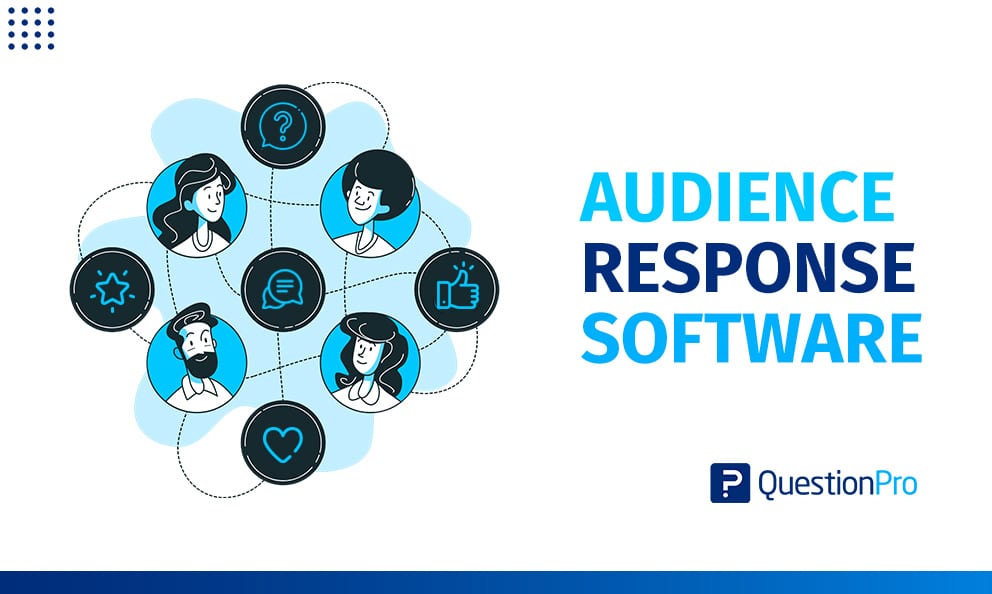
Audience response software lets a presenter ask a question and watch every answer appear on screen within seconds. People reply from their own phones, so the quietest person in the room counts as much as the loudest. Tools in this category run polls, quizzes, word clouds, and live Q&A for classrooms, conferences, and company meetings.
Most sessions still end with “any questions?” followed by silence. A live response tool replaces that silence with data the presenter can act on before the session ends.
In this blog, we define the category, compare nine tools, and show how to choose, run, and measure a session.
What is audience response software?
Audience response software is a tool that lets presenters ask live questions and collect, display, and analyze audience answers in real time. Participants usually reply on their own phones or laptops through a link, QR code, or short join code.
You will also see it called an audience response system (ARS), live polling software, or audience interaction software. G2’s category page describes products that let presenters gather live votes and questions through the audience’s own devices, and it lists more than 100 of them.
Most tools bundle four building blocks:
- Live polls: Closed questions with results charted as answers arrive.
- Quizzes and trivia: Scored questions with timers and leaderboards.
- Live Q&A: Audience questions that other attendees can vote up.
- Open-ended responses: Word clouds and comment feeds for free text.
Newer tools also draft questions with AI from your notes or uploaded documents, which cuts prep time.
How does audience response software work?
An audience response session follows one loop: the presenter asks, the audience answers, and results appear on the shared screen. Setup takes minutes in most tools.
- Build your questions ahead of time, or add them live.
- Share a join method, such as a web link, QR code, or short PIN.
- Participants open the link on any device. Most tools need no app.
- Launch a question. Scored questions start a timer.
- Watch results update on the shared screen as answers arrive.
- Export the response data after the session for review.
How is audience response software different from similar tools?
Several terms overlap, and mixing them up leads to the wrong purchase. The table separates the five you will meet most often.
| Term | What it is | Timing | Best for |
|---|---|---|---|
| Audience response software | Live polls, quizzes, and Q&A built into a presentation | Real time | Meetings, lectures, and events |
| Clickers | Physical keypads that send answers to a receiver | Real time | Rooms with weak internet or phone bans |
| Classroom response system | An ARS tuned for teaching, often with learning management system (LMS) exports | Real time | Lectures and quick knowledge checks |
| Audience engagement tools | The wider family, including social walls and audience microphones | Real time or ongoing | Events with several engagement channels |
| Survey software | Questionnaires completed on the respondent’s own schedule | Asynchronous | Research and feedback at scale |
An LMS is the platform schools use to host courses and grades. Audience engagement tools sit one level above response software, and our guide to audience engagement tools covers that wider family. This guide stays with live response.
Clickers or mobile apps: Which audience response system fits your room?
Mobile, browser-based systems suit most rooms today. Clickers still make sense where internet is unreliable or phones are not allowed.
Mobile systems rely on bring your own device (BYOD), where participants answer on personal phones or laptops.
Clickers (hardware keypads)
- Work through a radio receiver, so venue Wi-Fi is not required.
- Fit exams and secure sessions where phones stay in bags.
- Cost more upfront and need handing out and collecting.
- Can fail from signal drops, software glitches, or broken devices.
Mobile and browser-based systems
- Use phones people already carry, so no hardware is distributed.
- Need Wi-Fi or cellular data and enough bandwidth.
- Support word clouds and open text that keypads cannot.
- Scale from 20 people to thousands with no extra devices.
What are the best audience response software tools in 2026?
These nine tools cover the main needs: quick free polls, hybrid meetings, large events, classrooms, and gamified quizzes. Feature notes draw on vendor sites and independent roundups. Plans and caps change often, so confirm current limits on each vendor’s site before you commit.
1. QuestionPro LivePolls
QuestionPro LivePolls runs polls, scored trivia, and a live leaderboard from one editor. Participants join from a browser with a PIN or link, so nobody installs an app. The free Essentials plan supports up to 100 participants. The Academic and Enterprise plans add unlimited participants, word clouds, live comments with audience voting, and an AI-assisted poll builder.
- Best for: Teachers, trainers, and presenters who want polls, quizzes, and open feedback in one place.
- Standout features: Trivia and polls in one session, automatic result charts, and a leaderboard on every plan.
- Works with: Google Slides and Zoom.
- Watch for: The 100-participant cap on Essentials. It is also browser-based, so rooms that ban phones need another solution.
2. Mentimeter
Mentimeter is the tool many presenters try first because setup is fast and the slides look polished. It offers many question types, including word clouds, scales, and rankings. It works with PowerPoint and Google Slides. Free plans limit how much you can run per presentation, and enterprise controls such as single sign-on (SSO) sit on higher tiers.
- Best for: quick, polished polls in workshops and lectures.
3. Slido
Slido, owned by Cisco, is built for hybrid meetings where polls should live inside the video call. It integrates with Webex, Zoom, and Microsoft Teams. Its anonymous Q&A lets attendees upvote the questions they care about most. If Slido misses a feature you need, our Slido alternatives guide compares other options.
- Best for: Town halls, panels, and hybrid events.
- Watch for: Free-tier limits on polls per event, and advanced branding or analytics export on higher tiers.
4. Poll Everywhere
Poll Everywhere has served presenters since 2007, and that maturity shows in its depth. It offers rich visuals such as clickable images and rating-scale charts, plus LMS integrations for Canvas and Blackboard. Its compliance posture suits universities and large companies. Pricing runs higher than most rivals, the free tier is small, and the interface feels dated.
- Best for: IT-governed universities and enterprises.
5. Kahoot!
Kahoot! turns questions into timed games with points and leaderboards. A large library of ready-made quizzes saves prep time. Its strength is energy, not nuance. Speed-based scoring can reward quick guessing over careful thinking, and open-ended feedback options are limited. Our guide to Kahoot alternatives lists free options.
- Best for: Trainers and teachers who want high-energy quizzes.
- Watch for: Free-plan caps and a quiz-first design.
6. Vevox
Vevox specializes in anonymous, moderated Q&A, which makes it popular in universities and corporate training. Moderation tools let hosts pin and manage questions as they arrive. It also runs polls and word clouds. The interface is plain and gamification is light, so it suits sessions where honest input matters more than fun.
- Best for: All-hands meetings and lectures that need candid questions.
7. Wooclap
Wooclap is strong in European universities and corporate training. Guideflow’s review counts more than 18 question formats and highlights AI question generation from uploaded documents. It also connects to LMS platforms such as Moodle and Canvas.
- Best for: Educators and trainers who want question variety and quick prep.
- Watch for: Thinner event features than Slido or Poll Everywhere at very large scale.
8. AhaSlides
AhaSlides offers polls, quizzes, word clouds, and a spinner wheel at a lower price than many rivals. It supports both presenter-paced and audience-paced sessions, so it works live and for self-study. Its free tier is generous compared with some competitors. Enterprise security documentation is lighter, which can matter during procurement.
- Best for: Small teams and trainers on a budget.
9. Glisser
Glisser combines slide sharing with polls and Q&A. Attendees follow your slides on their own devices while they vote. That makes it a fit for multi-session hybrid events.
- Best for: Conference organizers running several sessions.
- Watch for: Custom pricing, and more platform than a simple poll needs.
How do the nine audience response tools compare?
Each tool leads in a different scenario, from anonymous Q&A to gamified training. Use the table to cut the list to two or three finalists before you test.
| Tool | Best for | Standout strength | Main limit | Free option |
|---|---|---|---|---|
| QuestionPro LivePolls | Mixed polls, trivia, and open feedback | Polls and trivia in one tool, with open responses on paid plans | Free plan capped at 100 participants | Yes |
| Mentimeter | Polished presentations | Wide range of question types | Free plan limits per presentation | Yes |
| Slido | Hybrid meetings | Webex, Zoom, and Teams integrations | Free tier limits polls per event | Yes |
| Poll Everywhere | Universities and large companies | Visuals, LMS links, compliance | Higher price, small free tier | Limited |
| Kahoot! | Gamified training | Timers and leaderboards | Quiz-first, little open feedback | Limited |
| Vevox | Anonymous Q&A | Strong moderation | Plain interface | Yes |
| Wooclap | Teaching and training | Question variety and AI generation | Lighter event tooling | Yes |
| AhaSlides | Budget-minded teams | Value pricing | Lighter enterprise documentation | Yes |
| Glisser | Multi-session hybrid events | Slide sharing plus polling | Custom pricing | Quote-based |
How do you choose audience response software?
Choose by matching the tool to your largest realistic audience, your room, and your reporting needs, then test it live. Four checks settle most decisions.
Match the tool to your audience size
Verify participant caps against your biggest session, not your average one. The table gives a rough guide.
| Audience size | What to verify |
|---|---|
| Up to 50 people | Ease of use and the free-plan question limit |
| 50 to 500 people | Participant caps, moderation tools, and support response times |
| 500 or more | Proof of scale, uptime history, and live-event support |
Check security and privacy
Data handling varies widely, and smaller vendors may offer little transparency about where responses are stored. Ask for a SOC 2 report, which is an auditor’s assessment of how a company protects customer data. You can also ask for ISO 27001 certification, an international information security standard.
In US schools, the Family Educational Rights and Privacy Act (FERPA) shapes what data you can collect. FERPA is the federal law that protects student education records. Read the U.S. Department of Education’s FERPA guidance before you run graded or identified polls. Anonymous modes lower the risk when names are not needed.
Test integrations and the join flow
“Works with Zoom” can mean a native panel or a link pasted into chat. Test the real flow before the event.
- Open the join link on an iPhone and an Android phone.
- Count the taps from scanning the QR code to the first answer.
- Run a test with at least ten people on the venue’s Wi-Fi.
- Export a sample result file to check the format.
- Check branding options if the session is client-facing.
Know when you do not need one
A response tool adds little when the group is small or the feedback is not time-sensitive. Skip it in these cases:
- The group is under about ten people, so a conversation works better.
- You need answers over several days, which suits survey software.
- You only need a quick yes or no inside a chat channel that has built-in polls.
Where is audience response software used?
Audience response software is used mainly at conferences, corporate town halls, classrooms, and webinars. The scenarios below are illustrative examples unless a source is named.
Conferences and keynotes
Picture an 800-person keynote. Three moments show how the tool earns its place:
- Opener: A word cloud asks for one word that describes the audience’s biggest challenge.
- Mid-talk: A poll lets attendees pick which of three topics gets the last ten minutes.
- Q&A: Voting surfaces the questions most people share, so the panel skips niche ones.
Corporate town halls and all-hands meetings
Anonymous input matters most here, because employees ask harder questions when names stay hidden. A leader can open with a pulse poll on a recent change, then run anonymous Q&A with voting. A Digital Transformation lead at Alghanim reported high participation and satisfaction after using LivePolls in an internal team meeting, according to a customer testimonial on the QuestionPro LivePolls site.
Higher education and training
Instructors use response tools for quick knowledge checks and peer discussion.
- Concept checks: One multiple-choice question after a new idea shows who is lost.
- Discussion starters: A split vote gives students a reason to debate before a re-poll.
For more on teaching use, see our guide to classroom response systems.
Webinars and virtual events
Remote viewers drift when nothing asks them to act. A poll in the first five minutes gives them a reason to stay. Live Q&A with upvotes lets quieter attendees contribute, and our guide to live Q&A with audience voting explains how it works. Post the final results in the chat so remote viewers see the same outcome as the room.
What are the benefits of audience response software?
Audience response software raises participation, gives presenters instant feedback, and produces data for later review. Research supports these gains, though the size depends on how sessions are designed.
An analysis found small but significant effects on cognitive outcomes and a near-medium effect on non-cognitive outcomes. Results varied with class size and the way clicker questions were used.
| Benefit | What it looks like in practice |
|---|---|
| Higher participation | Every attendee can answer at once, not just confident speakers |
| Honest input | People share real views when answers carry no names |
| Live course correction | Presenters spot confusion early and adjust the next slide |
| Faster prep | AI-assisted builders draft questions from notes or documents |
| Memorable sessions | Polls, trivia, and prizes make events feel interactive, which encourages people to return |
| Usable data | Exports show how each question performed |
How does QuestionPro LivePolls segment and protect audience responses?
LivePolls can split results by participant group and replace real names with randomized aliases, which turns a fun poll into usable data. Both features appear on the Academic and Enterprise plans, not on free Essentials.
Profile questions ask participants for a few details, such as team, role, or class section, before the poll starts. You can then compare how each group answered. Anonymous mode gives each participant a randomized alias, so the leaderboard and live comments show aliases instead of real names.
Other plan features support review after the session:
- Question-level performance insights: See which questions most people missed.
- Device usage insights: Learn whether participants joined on phones or laptops.
- Export for review: Download results for grading or reporting.
- Team workspaces: Enterprise adds role-based permissions for viewers, editors, and owners.
Teams that need more detail than a quick poll can capture can send a longer follow-up using QuestionPro survey software. Our step-by-step LivePolls guide walks through each screen.
How do you run an audience response session that people actually join?
Run a good session by testing the join step, starting simple, and reacting visibly to results. Follow these steps in order.
- Rehearse the join step.
Show the link or QR code on screen for a full minute, and test it on a spare phone. - Start with simple multiple choice.
Begin there, then add word answers and other formats as comfort grows. - Ask one idea per question.
Keep question text short and options to four or fewer. - Space questions out.
One every five to ten minutes keeps polling a break, not a chore. - Respond to results out loud.
Say what changed because of the answers. People stop answering when nothing happens.
How do you measure audience response success?
Measure reach, depth, and impact with a few simple ratios, and compare them across sessions. The targets below are starting points, so adjust them to your audience.
| Metric | How to calculate | Starting target |
|---|---|---|
| Join rate | People who joined divided by people in the room or registered | 80% or higher |
| Answer rate | Answers per question divided by people who joined | 70% or higher |
| Stay rate | Answers to the last question divided by answers to the first | 75% or higher |
| Knowledge gain | Correct answers after discussion minus correct answers on the first vote | Any clear improvement |
| Follow-up satisfaction | Average score on a one-question rating after the session | Higher than sessions without polling |
What mistakes and risks should you avoid?
Most failures come from setup and design, not the software. Six patterns show up repeatedly.
- Skipping the connectivity test: Weak Wi-Fi and signal drops can stall any system.
- Over-polling: Too many questions turn participation into fatigue.
- Rewarding speed over thought: Fast-tap scoring encourages guessing. Weight accuracy when learning is the goal.
- Using the tool without a plan: Unprepared use may not help learning.
- Collecting identifying data by default: Use anonymous answers unless you truly need names.
- Forgetting accessibility: Some people cannot use a phone. Read questions aloud and offer a spoken or paper alternative.
Pick the tool your quietest attendee can use in ten seconds
The right audience response software is the one every attendee can join quickly and trust with honest answers. Features matter less than that first ten seconds. Shortlist two or three tools from the comparison above, run a real test with a mixed group, and keep the one that gets the most people answering.
Then track join rate and answer rate over three sessions. Good sessions come from clear questions, a visible reaction to the results, and a tool that stays out of the way.
Frequently Asked Questions (FAQs)
Most vendors offer a free plan with caps on participants or questions, then charge per presenter per month or per year. Large or regulated organizations usually get custom quotes. Confirm current caps the week of your event, because limits change often.
Not by itself. FERPA governs how schools handle identifiable student education records, not the tools they use. Schools should review vendor data terms, prefer anonymous responses when names are unnecessary, and avoid collecting more student data than a lesson needs.
Browser-based tools need internet for the presenter and participants. If venue Wi-Fi is weak, participants can use cellular data and the host can use a hotspot. Radio-frequency clickers work through a receiver and usually need no internet.
Usually not. Most tools let participants join from a phone browser with a link, QR code, or short PIN. Only the presenter needs an account. Check the join flow on both iPhone and Android before the session.
Yes. In-room and remote participants use the same join code, and results show on the shared screen or in the video call when you share it. Post the join link in the chat and read questions aloud for audio-only attendees.