Customer journey analytics software helps businesses understand how customers move across touchpoints and what drives their decisions.
In 2026, customer journeys are fragmented across websites, mobile apps, ads, email, and support interactions. A typical US customer may interact with a brand multiple times before converting.
Customer journey analytics software connects those interactions into one view, helping teams identify friction, improve experiences, and increase conversions.
What is customer journey analytics software?
Customer journey analytics software helps businesses track, analyze, and improve how customers interact with their brand across multiple touchpoints.
Instead of looking at isolated metrics, it connects data from websites, apps, emails, support interactions, and surveys to show the full customer journey from first interaction to conversion and beyond.
With this type of software, businesses can:
- Understand how customers move across channels
- Identify where users drop off or struggle
- Discover which touchpoints drive conversions
- Combine behavioral data with customer feedback
In simple terms, customer journey analytics software turns scattered interactions into a clear, measurable journey that teams can improve.
Why do businesses need more than Google Analytics?
Google Analytics is useful for tracking website performance, but it only shows part of the customer journey.
Modern customer journeys are:
- Multi-channel
- Non-linear
- Spread across platforms
Google Analytics mainly focuses on website behavior, which creates gaps.
Here’s what it misses:
- Cross-channel visibility
Customers interact through email, mobile apps, ads, and support channels. These interactions are not fully connected.
- Customer-level tracking
It focuses on sessions, not complete customer profiles over time.
- Qualitative insights
It shows what users do, but not why they do it. There is no built-in feedback or VoC layer.
- Journey orchestration
It cannot trigger actions or personalize experiences based on journey behavior.
That’s why businesses need dedicated customer journey analytics software to get a complete, actionable view of customer behavior. To better understand how this works in practice, explore this detailed guide on customer journey analytics.
Best Customer Journey Analytics Software in 2026
Customer journey analytics software in 2026 goes beyond basic tracking. It connects customer interactions across channels and helps teams understand both behavior and intent.
Today’s platforms combine multiple capabilities in one place. They:
- Connect data from websites, mobile apps, CRM systems, and support tools
- Combine behavioral analytics with customer feedback (VoC)
- Provide real-time insights to identify issues quickly
- Enable teams to take action through automation and personalization
This shift is especially relevant in the US, where customer journeys often span multiple channels and devices before a decision is made.
To make this easier to navigate, the tools below are grouped based on their primary role in the journey, including analytics, experience insights, engagement, and data infrastructure.
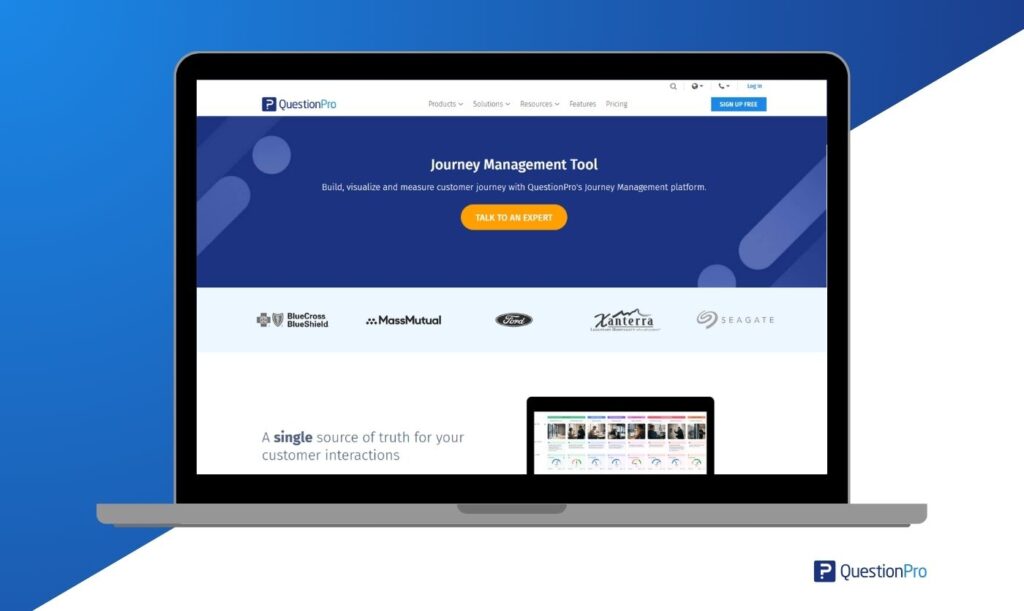
01. QuestionPro Customer Journey Management
Best for: Research-driven journey insights
QuestionPro combines customer feedback with journey mapping and analytics. It helps teams understand both what customers do and why they behave that way, making it useful for CX and research-focused organizations.
Where this tool shines
It is particularly effective when you need to connect survey data with real customer journeys and translate feedback into measurable improvements.
Key features
Look for a platform that helps you structure and analyze the full customer experience. Features like:
- Persona and segmentation building based on VoC and research data
- Journey mapping with touchpoints, emotions, pain points, and opportunities
- Integration of NPS, CSAT, CES, and sentiment metrics into each journey stage
- Centralized framework to manage CX from high-level strategy to detailed interactions
- Ability to embed qualitative insights such as quotes, videos, and screenshots
- Interaction-level analytics to measure performance over time
- Compliance with regulations such as GDPR, HIPAA, and CCPA
They are essential for connecting customer feedback with actionable journey insights.
Limitations
- Advanced capabilities may require time and internal alignment to implement effectively.
Pricing
Plans typically start at $99 per month, with scalable pricing options for larger teams and enterprise requirements.
02. Adobe Customer Journey Analytics
Best for: Large enterprises with complex omnichannel customer experiences
Adobe Customer Journey Analytics helps organizations connect data across multiple channels to understand the full customer journey. It is designed for companies that manage large volumes of customer interactions across digital and offline touchpoints.
Where this tool shines
Adobe CJA is most effective in enterprise environments where customer data is spread across systems like websites, mobile apps, call centers, and in-store interactions. It brings these data sources together into a unified customer view.
Key features
- Unified customer profiles combining online and offline interactions
- AI-powered insights, anomaly detection, and automated alerts
- Integration with Adobe Experience Platform and data tools
- Real-time data access for personalization and decision-making
- Custom dashboards and reporting tailored to business needs
Limitations
- Complex implementation and steep learning curve
- Requires integration within the Adobe ecosystem to unlock full value
- High cost, not suitable for small or mid-sized teams
Pricing
Enterprise-level pricing only. Costs depend on data volume, integrations, and feature requirements. Contact Adobe for custom quotes.
03. Qualtrics XM
Best for: Experience and feedback-driven journey insights
Qualtrics XM combines behavioral data with customer feedback to help teams understand not just what customers do, but why they behave that way. It is widely used in large organizations for CX programs, NPS tracking, and journey optimization.
Where this tool shines
Qualtrics is effective when businesses need to connect customer feedback with operational data and turn insights into action across multiple touchpoints.
Key features
- Multi-channel feedback collection across surveys, apps, and websites
- Customer journey mapping enriched with Voice of Customer (VoC) data
- Advanced text analytics and sentiment analysis
- Real-time alerts and closed-loop feedback workflows
- Integration with CRM, support, and operational systems
Limitations
- Can be complex to implement and manage
- Higher cost compared to mid-market tools
- Requires training to fully utilize advanced features
Pricing
Custom enterprise pricing based on selected modules and scale. Contact Qualtrics for detailed quotes.
04. Medallia Experience Orchestration
Best for: Real-time experience management
Medallia Experience Orchestration helps organizations capture customer signals across touchpoints and act on them in real time. It is designed for teams that need to monitor experiences continuously and respond quickly.
Where this tool shines
Medallia is most effective in environments where customer feedback requires immediate action, such as support, retail, and service-heavy industries.
Key features
- Real-time feedback collection across multiple touchpoints
- Journey tracking with continuous experience monitoring
- AI-powered text analytics and sentiment detection
- Closed-loop feedback workflows with automated follow-ups
- Integration with operational and customer data systems
Limitations
- Implementation can require significant time and resources
- Best suited for large enterprises with dedicated CX teams
Pricing
Custom enterprise pricing based on business requirements and scale. Consultation required.
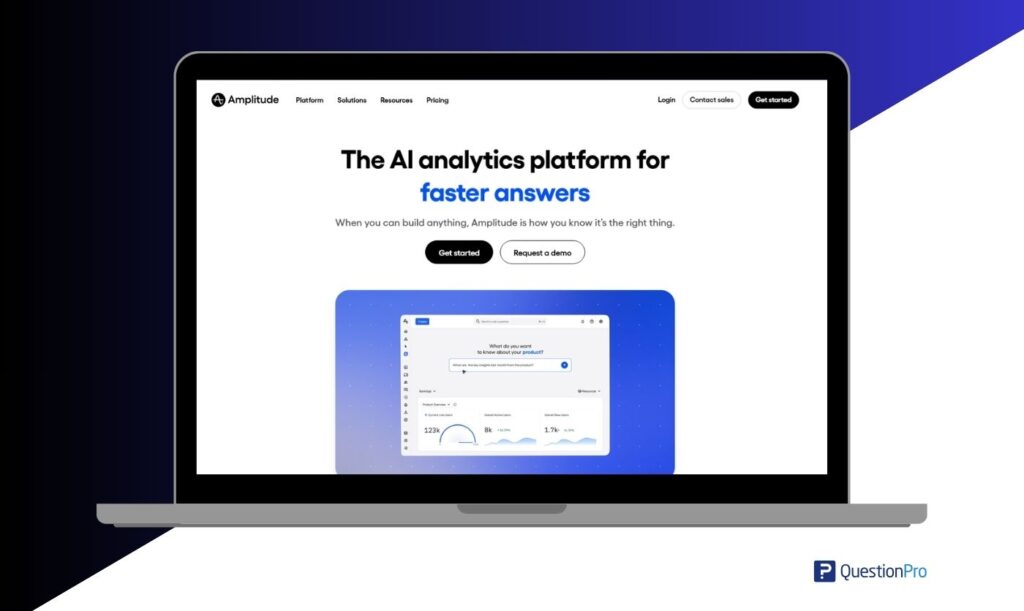
05. Amplitude
Best for: Enterprise product teams needing behavioral analytics and experimentation
Amplitude is a product analytics platform designed to help teams understand how users interact with digital products across web and mobile. It focuses on behavioral analytics, allowing teams to analyze user actions, retention, and conversion paths at scale.
Where this tool shines
Amplitude is especially useful for product and SaaS teams that need to track user behavior in detail and run experiments to improve engagement, retention, and feature adoption.
Key features
- Advanced segmentation based on user actions and engagement patterns
- Funnel and retention analysis to track conversion and drop-offs
- Built-in A/B testing and feature flagging
- Customer data unification across multiple sources
- Predictive analytics to identify churn risk and future behavior
- Cross-platform tracking across web, mobile, and other touchpoints
Limitations
- Requires a well-structured event tracking setup to deliver accurate insights
- Costs can increase significantly as data volume grows
- Limited focus on qualitative feedback and Voice of Customer data
Pricing
Free Starter plan available with basic features. Paid plans start from $49 per month. Growth and Enterprise plans are priced based on event volume and advanced capabilities.
06. Mixpanel
Best for: Product teams analyzing in-app user behavior and engagement
Mixpanel is a product analytics platform that focuses on tracking user behavior through event-based data. It helps businesses understand how users interact with a product and where they drop off in key flows.
Where this tool shines
Mixpanel is most useful for companies that need fast, flexible insights into user behavior without relying heavily on engineering support.
Key features
- Event-based tracking with custom properties for flexible analysis
- Funnel analysis to identify drop-offs in conversion flows
- Behavioral segmentation to group users by actions and attributes
- Retention analysis to track engagement over time
- Self-serve dashboards that enable non-technical teams to explore data
Limitations
- Initial data structure setup can be complex
- Costs increase as event volume grows
- Limited built-in Voice of Customer capabilities
Pricing
Free tier available for up to 20 million events per month. Enterprise plans are priced based on event volume and advanced capabilities.
07. Heap
Best for: Automatic data capture without manual event tagging
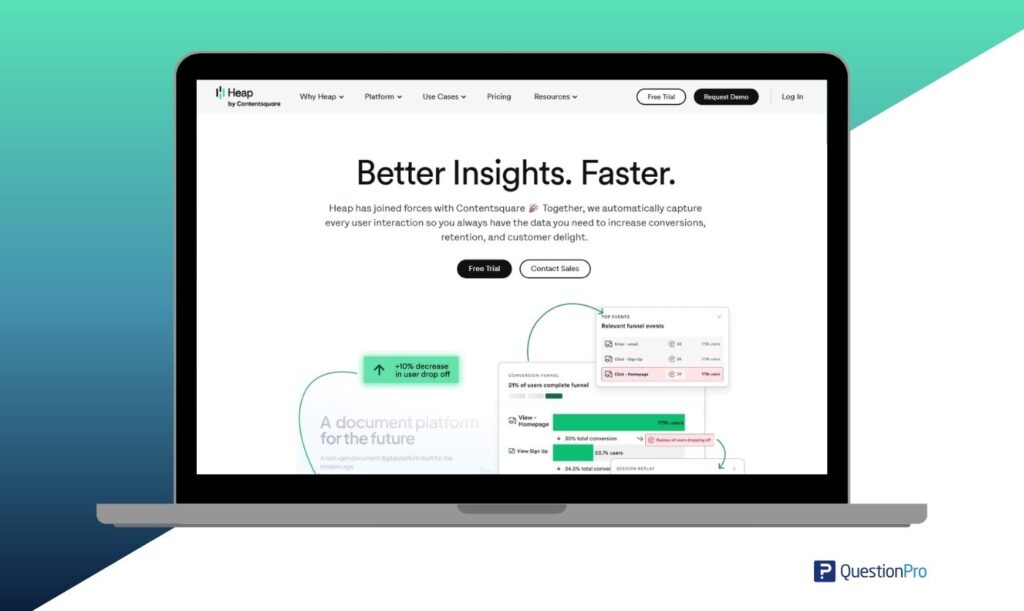
Heap is a product analytics platform that automatically captures user interactions without requiring manual tracking setup. It is useful for teams that want faster implementation and the ability to analyze past behavior without planning events in advance.
Where this tool shines
Heap is effective when businesses want to avoid an engineering-heavy setup and still get full visibility into user behavior from day one.
Key features
- Automatic capture of all user interactions without tagging each event
- Retroactive event definition to analyze historical data instantly
- Session replay to understand real user behavior and friction points
- Journey and path visualization to uncover unexpected user flows
- Integration with SQL and data tools for advanced analysis
Limitations
- Large volumes of auto-captured data can become difficult to manage
- Limited control over what data is collected
- Advanced analysis often requires external tools
Pricing
Free plan available for basic usage. Paid plans scale based on session volume and feature requirements.
08. Woopra
Best for: Real-time journey tracking with built-in automation
Woopra is a customer journey analytics platform that focuses on real-time tracking and complete customer profiles. It allows teams to monitor how users move across touchpoints and trigger actions based on behavior.
Where this tool shines
Woopra works well for teams that need real-time visibility into customer journeys and want to connect analytics with immediate actions like messaging or CRM updates.
Key features
- Live tracking of customer actions across channels
- Unified customer profiles with full interaction history
- Journey visualization to identify common paths and conversion patterns
- Automation triggers based on user behavior
- Engagement tracking to identify trends and at-risk users
Limitations
- Smaller ecosystem compared to larger platforms
- Reporting and UI can feel limited for advanced analysis
- Pricing may be high for smaller teams
Pricing
Free Core plan available with basic features. Pro plans start at $999 per month, depending on data limits and advanced capabilities.
09. Contentsquare
Best for: Identifying friction in digital experiences
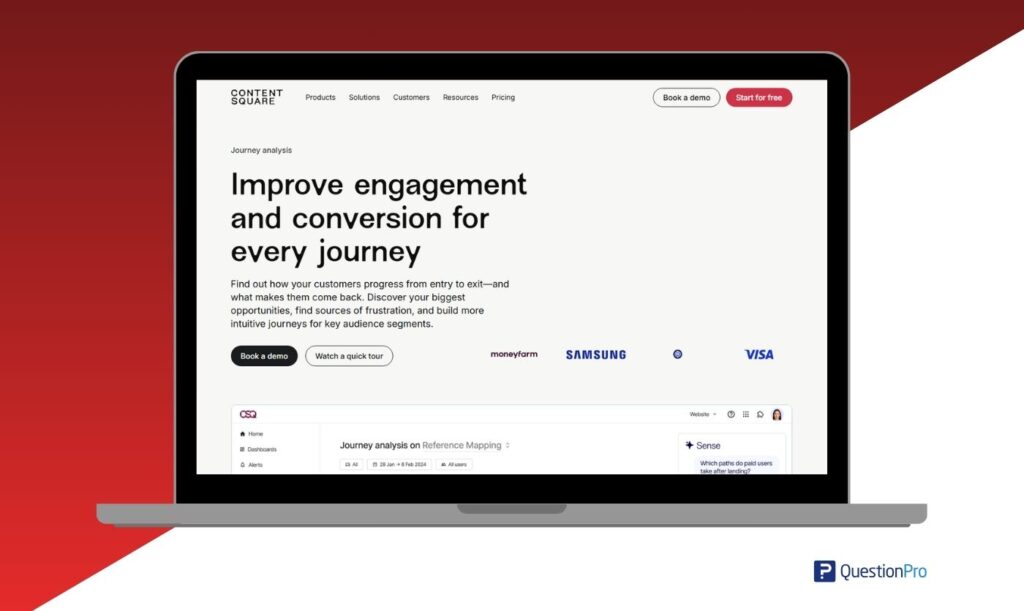
Contentsquare is a digital experience analytics platform that helps teams understand how users interact with websites and apps. It focuses on identifying friction points and improving conversion paths.
Where this tool shines
It is most effective for businesses that want to visualize user behavior and quickly identify where customers struggle during digital journeys.
Key features
- Session replay to watch how users navigate your site or app
- Heatmaps to analyze clicks, scrolls, and engagement
- Automatic tracking of interactions without manual tagging
- Journey path analysis to identify drop-offs and deviations
- Detection of frustration signals such as rage clicks and errors
- AI-powered recommendations for experience improvements
Limitations
- Requires time and expertise to interpret insights effectively
- Less focused on full omnichannel journey analytics
Pricing
Custom enterprise pricing based on traffic volume and feature requirements.
10. Quantum Metric
Best for: Real-time journey monitoring
Quantum Metric helps businesses detect issues in digital customer journeys as they happen. It focuses on identifying friction, errors, and behavioral anomalies in real time across web and mobile experiences.
Where this tool shines
It is especially useful for organizations that need immediate visibility into customer issues, such as broken flows, errors, or performance drops, and want to act on them quickly.
Key features
- Real-time anomaly detection and alerting
- Session replay across web and mobile platforms
- Automatic identification of frustration signals, such as repeated clicks or errors
- Journey mapping combined with performance and error insights
- Integration with analytics, customer journey monitoring, and debugging tools
Limitations
- Requires technical setup and integration to unlock full value.
- Pricing may be high for smaller teams.
Pricing
Custom enterprise pricing based on traffic volume, sessions, and feature requirements.
11. Glassbox
Best for: Web and mobile analytics in regulated environments
Glassbox provides session replay and journey analytics with a strong focus on compliance, making it a good fit for industries like finance, healthcare, and insurance, where data privacy is critical.
Where this tool shines
It is most useful for organizations that need detailed visibility into digital journeys while maintaining strict compliance with data protection regulations.
Key features
- Session replay with masking and privacy controls
- Journey analytics across web and mobile platforms
- Performance monitoring and error detection
- AI-driven insights to identify user behavior patterns
- Built-in compliance support for regulations such as GDPR and similar frameworks
Limitations
- Implementation can be complex and require technical resources
- May be too advanced for smaller teams or simple use cases
Pricing
Custom pricing based on usage, traffic volume, and compliance requirements.
12. FullStory
Best for: Behavioral insights and session replay
FullStory captures user interactions automatically and helps teams understand how people actually experience a website or app. It is commonly used to identify friction points and usability issues in digital journeys.
Where this tool shines
It works well for organizations that want to quickly identify where users struggle, especially in complex digital experiences where small issues can impact conversions.
Key features
- Automatic event capture without manual tagging
- Session replay with detailed interaction tracking
- Funnel and path analysis to understand user flows
- Detection of friction signals such as rage clicks and dead clicks
- Integration with product, analytics, and support tools
Limitation
- Can generate large volumes of data, which may require filtering and prioritization.
- Advanced features are only available in higher-tier plans.
Pricing
Free plan available. Paid plans scale based on session volume and feature access.
13. Hotjar
Best for: Small teams and quick UX insights
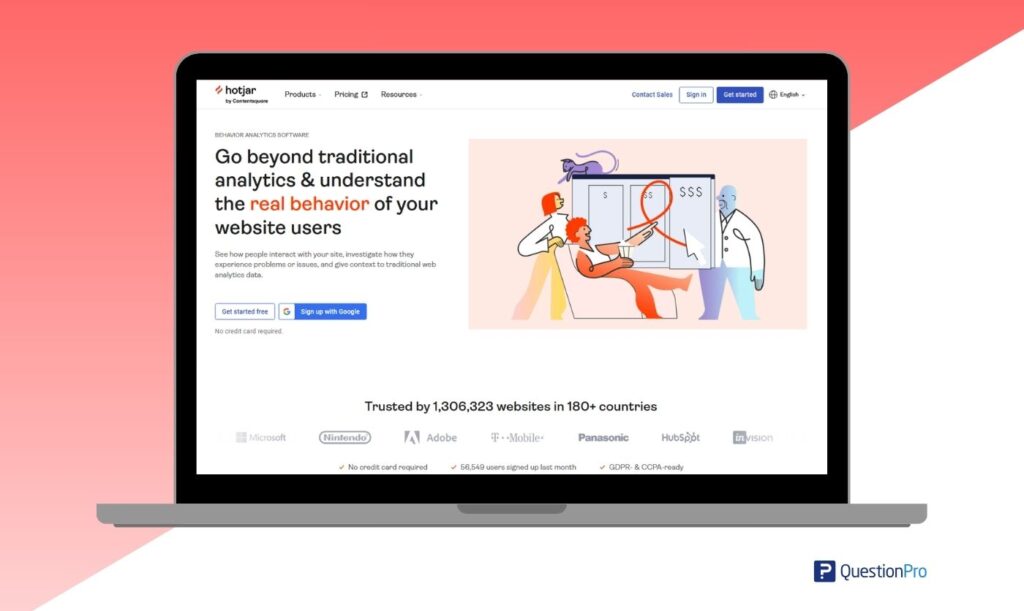
Hotjar is a lightweight UX analytics tool that helps businesses quickly understand how users interact with websites through visual data.
Where this tool shines
It works well for companies that need fast, easy-to-interpret insights without complex setup or heavy analytics infrastructure.
Key features
- Heatmaps for clicks, scroll depth, and cursor movement
- Session recordings to observe real user interactions
- On-site surveys and feedback widgets
- Basic journey visualization across pages
- Simple setup with minimal technical requirements
Limitations
- Limited advanced analytics and not suitable for large-scale enterprise use cases.
Pricing
Free plan available. Paid plans scale based on website traffic and feature access.
14. Insider
Best for: AI-powered personalization
Insider is a customer engagement platform that uses predictive analytics to deliver personalized experiences across channels like email, web, and mobile.
Where this tool shines
It works well for businesses that want to personalize customer journeys at scale, especially when managing multiple channels and large user segments.
Key features
- Predictive segmentation based on user behavior and intent
- Omnichannel campaign orchestration across email, web, mobile, and push
- Real-time journey tracking to monitor user interactions
- AI-powered recommendations to improve engagement and conversions
- Integration with CRM and marketing platforms
Limitations
- Requires a strong data foundation to unlock full value
- Enterprise-focused pricing may not suit smaller teams
Pricing
Custom pricing based on usage, channels, and scale
15. MoEngage
Best for: Mobile-first customer engagement and retention
MoEngage is a customer engagement platform designed for businesses that rely heavily on mobile apps and multi-channel communication. It helps teams manage customer journeys and improve retention through targeted messaging.
Where this tool shines
MoEngage is particularly effective for mobile-first companies that need to engage users across push notifications, in-app messages, email, and other channels from a single platform.
Key features
- Omnichannel campaign automation across mobile, web, email, and SMS
- Customer journey orchestration with trigger-based workflows
- Behavioral segmentation to target users based on actions and engagement
- AI-powered recommendations for personalization
- Mobile push notifications and in-app messaging
Limitations
- Less focused on deep behavioral analytics compared to analytics-first platforms
- Requires integration with external data sources for a complete customer view
Pricing
Tiered pricing based on user volume and features, typically customized depending on business size and usage.
16. WebEngage
Best for: Lifecycle marketing automation
WebEngage helps businesses automate customer communication across channels and improve retention through targeted lifecycle campaigns.
Where this tool shines
It works well for businesses focused on retention and re-engagement, especially when managing customer journeys across email, SMS, push notifications, and web.
Key features
- Visual journey builder for creating automated customer flows
- Multi-channel messaging across email, SMS, push, and web
- User segmentation based on behavior and attributes
- Funnel and retention analysis to track performance
- Integration with CRM and marketing tools
Limitations
- Limited advanced analytics compared to dedicated journey analytics platforms
- The interface may require time for new users to navigate effectively
Pricing
Custom pricing based on user volume, channels, and feature requirements.
17. HubSpot Marketing Hub
Best for: SMB journey tracking and CRM integration
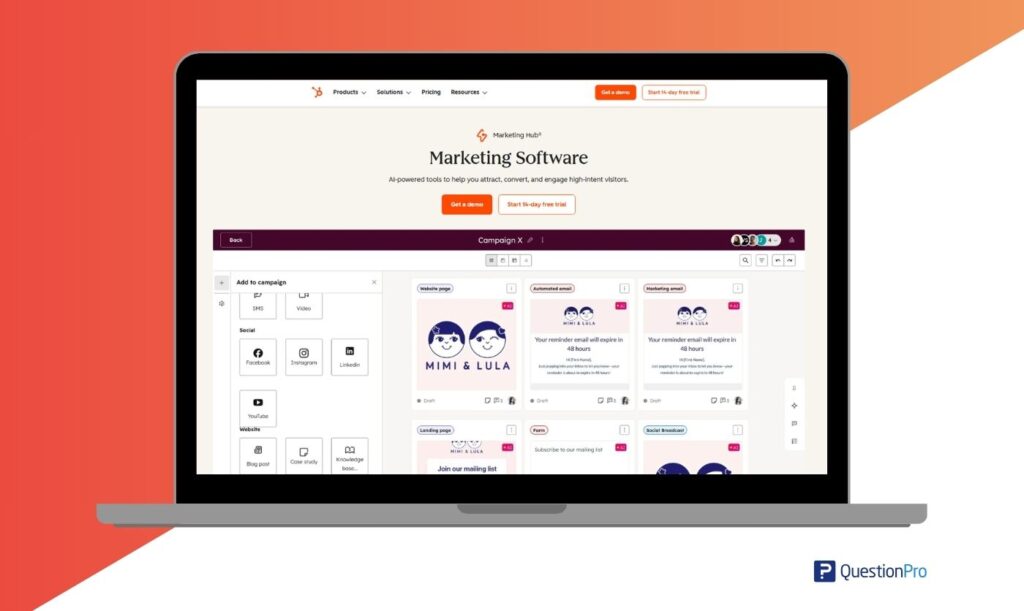
HubSpot Marketing Hub combines CRM, marketing automation, and customer journey tracking in one platform. It is widely used by small and mid-sized businesses in the US that want an all-in-one solution without a heavy technical setup.
Where this tool shines
HubSpot is a strong fit for companies that want to manage customer journeys, marketing campaigns, and CRM data in one place without relying on multiple tools.
Key features
- Built-in CRM with contact and lifecycle tracking
- Marketing automation for email, workflows, and campaigns
- Customer journey tracking with reporting dashboards
- Lead scoring and segmentation based on behavior
- Integration with sales tools and pipelines
Limitations
- Advanced features are only available in higher pricing tiers
- Less specialized for deep journey analytics compared to dedicated platforms
- Costs can increase significantly as your database grows
Pricing
Free CRM is available. Paid plans start at $15 per month per seat and increase based on features, contacts, and automation needs.
18. Genesys Cloud CX
Best for: Service and contact center journeys
Genesys Cloud CX focuses on customer service interactions, helping businesses analyze and improve support journeys across channels such as voice, chat, and messaging.
Where this tool shines
It is effective for organizations that rely heavily on contact centers and want to improve customer support experiences through real-time insights and automation.
Key features
- Omnichannel customer service tracking across voice, chat, email, and messaging
- Real-time interaction analytics to monitor performance and customer experience
- AI-powered routing to connect customers with the right agents faster
- Voice and chat analytics to identify trends, issues, and sentiment
- Employee engagement tools to optimize agent performance and scheduling
Limitations
- Primarily focused on customer service journeys rather than full customer lifecycle analytics
- Setup and configuration can be complex
- Less suitable for teams outside contact center environments
Pricing
Pricing plans start at $75 per month per user. Subscription-based pricing depending on features, usage, and number of users. Enterprise plans typically require custom quotes.
19. Pendo
Best for: Product experience and in-app journeys
Pendo combines product analytics with in-app guidance to help businesses improve onboarding, feature adoption, and user engagement within digital products.
Where this tool shines
Pendo is effective for product teams that want to understand how users interact with features and guide them directly through the product experience.
Key features
- Product analytics to track user behavior and feature usage
- In-app guides and onboarding flows to support user adoption
- Feature adoption tracking to identify what drives engagement
- Built-in feedback collection to capture user input inside the product
- Segmentation and targeting to personalize in-app experiences
Limitations
- Limited coverage outside product and in-app journeys
- Less suitable for full omnichannel customer journey analysis
Pricing
Custom pricing based on the number of users, features, and deployment scale.
20. Segment (Twilio Segment)
Best for: Data infrastructure and integration
Segment is a customer data platform (CDP), meaning it collects, organizes, and distributes customer data across tools. It acts as the foundation that enables consistent customer journey analytics across multiple platforms.
Where this tool shines
Segment is most useful when your data is fragmented across systems, and you need a single source of truth to power analytics, marketing, and customer experience tools.
Key features
- Collect data from websites, apps, servers, and third-party tools
- Build unified customer profiles across multiple touchpoints
- Route data to analytics, marketing, and CRM platforms
- Real-time data pipelines for faster decision-making
- Privacy controls and governance for compliance
Limitations
- Not a standalone analytics tool
- Requires integration with other platforms to deliver full value
Pricing
Free tier available. Paid plans scale based on tracked users, events, and data volume.
Explore Further: Best Customer Journey Mapping Tools
How do the top customer journey analytics tools compare?
Choosing the right customer journey analytics tools can be difficult because each platform focuses on different parts of the customer journey. Some tools specialize in behavioral analytics, while others focus on customer feedback, UX insights, or automation.
The table below gives you a quick side-by-side comparison of the most relevant tools based on their primary use case and key strengths. This helps you narrow down options faster, depending on your business needs.
| Tool | Best For | Key Strength | Pricing |
| QuestionPro | Research/CX teams | Feedback + journey mapping | Start at $99 |
| Adobe CJA | Enterprise | Omnichannel + AI insights | Custom |
| Qualtrics | Enterprise CX | Feedback + analytics | Custom |
| Medallia | Large enterprises | Real-time orchestration | Custom |
| Amplitude | SaaS/product teams | Behavioral insights | Free, paid plans start at $49 |
| Mixpanel | Growth teams | Funnel analysis | Free, custom paid plan |
| Heap | No-code teams | Auto data capture | Free, custom paid plan |
| Woopra | Lifecycle tracking | Real-time profiles | Free, paid plans start at $999 |
| Contentsquare | Digital teams | Heatmaps + journeys | Custom |
| Quantum Metric | Enterprise digital | Real-time detection | Custom |
| Glassbox | Regulated industries | Session replay + compliance | Custom |
| FullStory | Product teams | Friction analysis | Free, custom paid plan |
| Hotjar | SMBs | Simple UX insights | Free, custom paid plan |
| Insider | Personalization | AI-driven journeys | Custom |
| MoEngage | Mobile-first | Omnichannel campaigns | Custom |
| WebEngage | Retention | Automation workflows | Custom |
| HubSpot | SMBs | CRM + marketing | Free, paid plans start at $15 |
| Genesys | Support teams | Service journey analytics | Start at $75 |
| Pendo | Product teams | In-app guidance | Custom |
| Segment | Data teams | Data unification | Free, custom paid plan |
This comparison gives you a high-level view, but the right choice depends on your specific use case. Start by identifying whether you need analytics, feedback, UX insights, or automation, then choose a tool that aligns with that priority.
What features should customer journey analytics software include?
Customer journey analytics software should include features that help you connect data, understand behavior, and act on insights.
When evaluating tools, focus on these core features:
- Omnichannel data integration
Combines data from websites, apps, CRM, and support tools into one view.
- Customer journey visualization
Maps touchpoints, paths, and drop-offs to identify friction quickly.
- Behavioral analytics
Uses funnel analysis, cohorts, and event tracking to understand user behavior.
- Voice of Customer (VoC) integration
Collects feedback through surveys and sentiment analysis to understand why users act the way they do.
- Real-time insights and alerts
Detects issues early and responds quickly.
- Segmentation and personalization
Groups users and delivers more relevant experiences.
- Automation and journey orchestration
Triggers actions based on customer behavior.
- Scalability, privacy, and ease of use
Ensures the platform supports growth and meets data standards.
The best customer journey analytics software does not just analyze journeys. It helps businesses continuously improve by turning insights into action.
How to choose the right customer journey analytics software?
Choosing the right customer journey analytics software depends on your main use case, data setup, and how complex your customer journey is.
Start with three key questions:
- What is your primary goal?
Analytics, CX, UX, or engagement
- How complex is your journey?
Single channel or fully omnichannel
- What type of data do you rely on?
Behavioral data, customer feedback, or both
These answers will narrow your options quickly.
If your goal is to understand not just what customers do but why they behave that way, a CX-focused platform like QuestionPro Customer Journey Management is a strong choice.
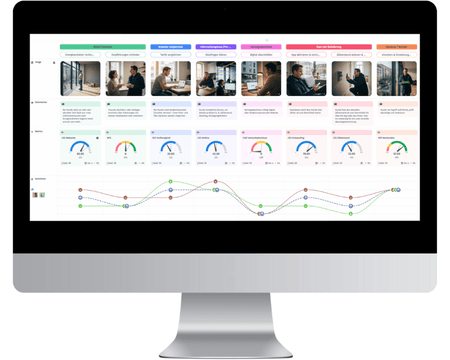
It is particularly useful for businesses that rely on feedback and research to improve customer experience.
Use QuestionPro when you need to:
- Combine survey data with journey mapping
- Track CX metrics like NPS, CSAT, and CES across touchpoints
- Understand customer emotions, pain points, and expectations
- Build personas based on real feedback
- Connect qualitative insights with measurable outcomes
For example, instead of only seeing that users drop off during onboarding, you can collect feedback at that exact stage, identify the reason, and improve that step in the journey.
This makes QuestionPro a strong fit for CX teams and organizations focused on improving experience, not just tracking behavior.
Learn About: Customer Journey Management: The Complete Guide
How can businesses win with customer journey analytics in 2026?
Customer journey analytics software helps businesses move from tracking data to improving real customer experiences across channels.
In 2026, success does not come from collecting more data. It comes from using that data effectively.
Companies that see results focus on:
- Understanding the full customer journey
- Connecting behavior with feedback
- Acting on insights in real time
- Improving journeys continuously
This approach is especially important in markets like the US, where customers interact with brands across multiple platforms before making decisions.
Customer journey analytics software enables this shift by connecting data, insights, and actions in one system.
When used with a clear use case, it helps teams reduce friction, improve retention, and make better decisions across the customer lifecycle.
Frequently Asked Questions (FAQs)
Customer journey analytics software tracks and analyzes how customers interact with a brand across multiple touchpoints such as websites, apps, emails, and support channels. It helps businesses understand behavior, identify friction points, and improve customer experience.
Google Analytics focuses mainly on website traffic and sessions, while customer journey analytics software connects data across multiple channels and tracks the full customer journey. It also includes customer feedback to explain why users behave the way they do.
For small businesses in the US, a tool like QuestionPro Journey Management is easier to implement and more affordable. It provides essential journey tracking and insights without requiring a complex setup.
Key features include:
1. Omnichannel data integration
2. Journey visualization
3. Behavioral analytics
4. Voice of Customer (VoC) feedback
5. Real-time insights
6. Automation and personalization
These features help businesses move from tracking data to improving customer experiences.
Yes, especially for businesses with multiple customer touchpoints. It helps reduce drop-offs, improve conversion rates, and create better customer experiences by connecting data and insights across the full journey.