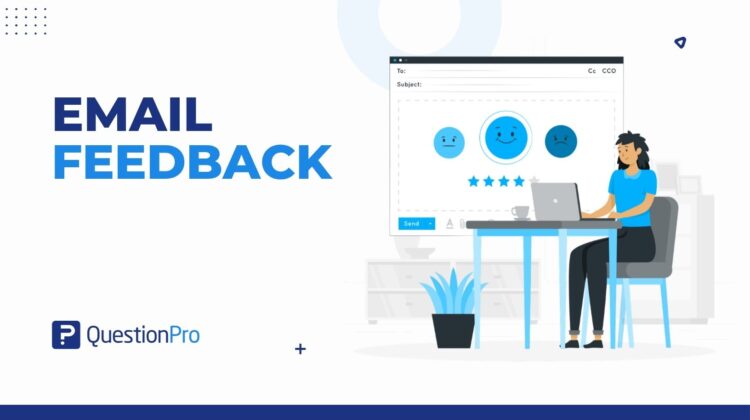
Email feedback is the practice of collecting opinions from customers, employees, or subscribers through email, inside the message or through a linked survey. It also covers feedback about your emails themselves, such as whether a newsletter is useful or arrives too often.
Most teams already send the emails that could carry a feedback request. Order confirmations, closed support tickets, newsletters, and onboarding messages all reach people at a moment when they have an opinion. The gap is usually the system around the ask, not the ask itself.
In this blog, we’ll break down the main email feedback formats and where to ask in the customer lifecycle. We’ll also cover how to make responses actionable and how to measure the program.
What is email feedback?
Email feedback is any opinion, rating, or comment a recipient gives through an email channel. They might click a rating, answer an embedded question, reply, or complete a linked survey. It works because it reaches people where they already are and ties their answer to a specific interaction.
The term covers two related jobs:
- Feedback through email: You use email as the channel to ask about a product, service, or experience.
- Feedback about email: You ask recipients how your emails themselves perform, from content and design to send frequency.
Consider an automobile company that has just launched a new model. It already holds contact details for every buyer. That means it can email owners a short survey a few weeks after delivery. A single rating question in the email body captures overall satisfaction. A link to a longer survey then asks about comfort, features, and the dealership visit.
The same company can also ask owners one question in its newsletter: “Was this issue useful?” Over a few months, those clicks show which topics owners want more of. One channel, two kinds of insight.
How is email feedback different from a feedback email or an email survey?
Email feedback is the overall practice and program. A feedback email and an email survey are individual pieces inside it. These terms get used interchangeably, but each one answers a different question.
| Term | What it is | Main question it answers |
|---|---|---|
| Email feedback | The practice of collecting and acting on opinions through email touchpoints, including feedback about your emails | Where, when, and how do we listen through email? |
| Feedback email | A message sent by a business, team, or individual to collect opinions, ratings, or comments | How do we write the message that asks? |
| Email survey | A data collection method that uses a questionnaire sent to a targeted list of respondents through email | How do we deliver a questionnaire by email? |
| Electronic survey | A questionnaire delivered and answered on a digital device, with responses captured straight into a database | Which digital channel fits our respondents? |
In practice, a single email feedback program uses many feedback emails and several email surveys. The program decides which touchpoints get a question and how often each person hears from you. It also names who acts on the answers. If you are still weighing email against other digital channels, our guide to the electronic survey compares them.
Why is email feedback worth collecting?
Email feedback is worth collecting because it captures opinions at the moment of an experience, from people you can identify. It also adds almost no cost per response. Few other channels combine timing, context, and scale this well.
The format of the ask matters a great deal. One randomized experiment sent about 8,700 invitations. Embedding the first question in the email lifted the completion rate from 24.4% to 29.1% compared with a link-only invitation. Answers to that first question did not differ between the groups. The lift came without a visible cost to data quality.
Email feedback also gives you context that anonymous channels can’t. You already know the order, the support agent, or the newsletter issue behind each response. That makes it easier to route a complaint to the right team. It also helps you spot patterns by product, region, or segment.
Finally, asking shows respect. When customers see their input lead to a fix, they learn that replying is worth their time. That habit is what keeps response rates healthy over years, not just one campaign.
What are the main email feedback formats?
Email feedback formats range from a single click inside the message to a full survey on a separate page. Pick the lightest format that still answers your question.
| Format | How it works | Best for | Watch out for |
|---|---|---|---|
| One-click rating | Each star, emoji, or score is a link that records the answer when clicked | Quick CSAT or “Was this helpful?” checks | Link-scanning filters can register false clicks |
| Embedded first question | The survey’s first question sits in the email and opens the rest of the survey after a click | NPS or satisfaction surveys with follow-up questions | Only simple question types render reliably |
| Linked survey | A button or link opens a full questionnaire in the browser | Detailed feedback with open-ended questions | Lower click-through than an in-email answer |
| Reply-based feedback | You ask one open question and invite a direct reply | Small B2B lists, founder or account manager notes | Replies are hard to quantify at scale |
| Signature feedback | A rating line sits in an employee’s email signature | Support teams and account managers | Low volume and possible self-selection |
| Interactive AMP form | The form works inside the inbox without opening a browser | Short forms for Gmail and Yahoo Mail users | Not supported in Outlook, so you need a fallback |
AMP for Email lets an email contain live, interactive elements such as forms. It works in Gmail, Yahoo Mail, and a few other clients, so every AMP email needs a standard HTML version.
Our guide to email surveys covers embedded versus redirected delivery. To build the in-email question, see how to embed a survey in email.
Where should you ask for email feedback in the customer lifecycle?
Ask for email feedback at the touchpoints where a recipient has just had a clear experience they can judge. The best spots are moments you already email, so you add a question rather than a new message.
These touchpoints work well for most US businesses:
- After a purchase or delivery: Ask about the buying or delivery experience within a few days, and about the product itself once there’s been time to use it.
- After a support ticket closes: Add a one-click satisfaction rating to the closing email while the conversation is fresh.
- During onboarding: Ask new users or new hires whether the first week went as expected, before small problems become reasons to leave.
- In newsletters and content emails: Add a thumbs up or down at the end of each issue to learn which topics earn attention.
- At renewal or account review: Ask B2B clients for a relationship rating ahead of the renewal conversation, not after it.
- On the unsubscribe page: Offer one optional question about why the person is leaving, with no barrier to completing the opt-out.
- After internal announcements: Ask employees whether a policy or benefits email was clear, so HR can fix confusion early.
Map each touchpoint to one owner before you switch it on. A support rating with no one assigned to read it is just a number on a dashboard.
What can email feedback tell you about your emails?
Feedback about your emails shows whether your messages are useful, well-timed, and trusted. Open and click rates alone can’t explain that. A falling open rate tells you something is wrong. A one-question survey tells you what.
| What you ask | What the answers reveal | Change you can make |
|---|---|---|
| “Was this email useful?” | Which topics and formats earn attention | Shift content toward high-rated topics |
| “How often would you like to hear from us?” | Whether you send too much or too little | Offer frequency choices in a preference center |
| “Did this email display correctly on your device?” | Design and formatting problems by device | Simplify layouts that break on phones |
| “What would you like to see more of?” | Interests you can segment on | Split the list by stated interest |
| “Why are you unsubscribing?” | The main drivers of list loss | Fix the top reason before list loss grows |
| “Did this email feel relevant to you?” | Whether personalization lands or feels off | Adjust which data you use to personalize |
Subject line testing benefits too. Open rates show which subject line won. A short follow-up question shows whether that line set the right expectations.
This kind of feedback also supports consent and trust. When subscribers can tell you what they want, fewer of them reach for the spam button. That protects deliverability for every future send.
How to set up an email feedback program step by step
An email feedback program needs a clear goal, a few touchpoints, contact limits, and an owner for every response. These eight steps take you from idea to a running program.
- Name the decision each touchpoint supports.
Write one sentence per touchpoint. For example: “Support ratings tell us which ticket types need new help articles.” Drop any touchpoint without a decision attached. - Choose one core metric per touchpoint.
Use CSAT (customer satisfaction score) after support and a simple yes or no for content. For relationships, use NPS (Net Promoter Score), a 0 to 10 likelihood-to-recommend rating. - Pick the lightest format that works.
Start with a one-click rating or an embedded first question. Add a linked survey only when you need the “why” in detail. - Write the ask in one line.
Name the specific interaction, say how long it takes, and offer one way to respond. Our guide to writing a feedback email covers subject lines, templates, and tone. - Attach context to every response.
Pass the order ID, ticket number, agent, or campaign into the survey so each answer arrives labeled. The next section explains how. - Set contact rules.
Cap how often one person gets a feedback request across all touchpoints. One request every 30 days is a common limit. Shared rules protect you from survey fatigue. - Route responses to owners.
Send low ratings to the team that can fix the issue, with a target follow-up time. Send summaries to everyone else on a schedule. - Pilot, then expand.
Run one touchpoint for a month, check the numbers, and fix what breaks before you add the next one.
How do you make email feedback actionable with context data?
You make email feedback actionable by attaching data about the recipient and the interaction to each response. Then you never have to guess who answered or what they rated. Without context, a two-star rating is a complaint with no address.
The usual method is URL parameters. These are labels added to the end of a survey link, after a question mark. They carry values such as a customer ID or ticket number into the survey. Many survey platforms call these custom variables.
A support rating link might carry these values:
- Ticket ID: Links the score to the exact conversation, so a manager can read it before calling back.
- Agent name or ID: Shows coaching needs by person without asking the customer to name anyone.
- Product or plan: Lets you compare satisfaction across product lines.
- Region or store: Highlights locations that need attention.
- Campaign or email name: Tells you which message produced the response.
Keep sensitive data out of links. Pass an internal ID rather than a name, email address, or health detail. People forward links, and systems log them. Look up the details on your side when the response arrives.
Email feedback examples by touchpoint
Good email feedback examples share three traits: one clear question, a specific moment, and a visible next step. The six examples below show how different US teams apply them.
Support ticket closed: One-click satisfaction rating
A software company adds one question to its ticket-closed email: “How did we do?” Five emoji faces sit below it, each linked to a score.
- Ask: One CSAT question with an optional comment box on the landing page.
- Context: Ticket ID, agent, and product travel with each click.
- Why it works: The customer answers in one click, and the team sees which agent and issue type each score belongs to.
Newsletter issue: Thumbs up or down
A B2B publisher ends each newsletter with “Was this issue worth your time?” and two buttons.
- Ask: One yes or no question, then an optional “What should we cover next?”
- Timing: Every issue, with results reviewed monthly.
- Why it works: Editors compare topics over time instead of guessing from open rates.
New car owners: Embedded first question plus follow-up
The automaker from earlier emails buyers 30 days after delivery with an NPS question embedded in the message.
- Ask: A 0 to 10 likelihood-to-recommend rating, then a short survey about the car and the dealership.
- Context: Model, trim, and dealership ID ride along with each response.
- Why it works: Owners have driven the car long enough to judge it, and the dealership data shows where service gaps sit.
Account manager signature: Relationship pulse
A US agency adds “How am I doing? Rate this conversation” to each account manager’s email signature, with three linked options.
- Ask: A three-point rating on the latest interaction.
- Volume: Low but steady, so the agency reviews it quarterly.
- Why it works: Clients can flag friction between formal reviews without scheduling a call.
Unsubscribe page: One optional reason
A retailer’s unsubscribe page asks “What’s the main reason you’re leaving?” with five options and an “Other” field.
- Ask: One optional single-select question shown after the opt-out goes through.
- Rule: The unsubscribe works whether or not the person answers.
- Why it works: The team learns whether frequency, relevance, or offers drive list loss.
HR announcement: Clarity check
An HR team ends its open enrollment email with “Was this explanation clear?” and a yes or no link.
- Ask: One clarity question, with a “What’s still confusing?” box for “No” answers.
- Timing: The first two days after the announcement.
- Why it works: HR can send a short clarification before employees miss deadlines.
How do you analyze email feedback and close the loop?
Analyze email feedback by combining scores with the context data and comments behind them. Then close the loop by telling people what changed. Scores show where to look, and comments explain why.
Start with three cuts of the data. Compare scores by touchpoint, by segment, and over time. A drop in support ratings for one product line after a release tells you far more than a company-wide average.
Next, read the comments. For small volumes, tag each comment by theme by hand. For larger volumes, text analysis tools group comments into themes and flag negative sentiment. That way you spot a new complaint pattern within days.
Closing the loop has two levels:
- Inner loop: Someone follows up with the individual who gave a low score, ideally within one business day, to fix their specific problem.
- Outer loop: The business fixes the root cause, such as a confusing billing email, and tells customers about the change.
Our guide to closed-loop feedback explains how to assign owners and track follow-ups. The outer loop matters most for future response rates, because people keep answering when they see results.
How do you measure an email feedback program?
Measure an email feedback program with funnel metrics that show where people drop off. Add action metrics that show whether anyone acted on the answers. Track each touchpoint separately, because a newsletter and a support email behave very differently.
| Metric | How to calculate it | What it tells you |
|---|---|---|
| Delivery rate | Delivered emails ÷ sent emails | Whether list quality or filters are blocking you |
| Click-to-rate rate | Recipients who clicked a rating ÷ delivered emails | How inviting the in-email question is |
| Follow-up completion rate | Completed follow-up surveys ÷ people who clicked a rating | Whether the landing page or survey length loses people |
| Comment rate | Responses with a written comment ÷ total responses | How much “why” you’re capturing |
| Coverage | Customers who responded in a quarter ÷ active customers | Whether you hear from enough of your base |
| Follow-up time | Median hours from low score to first contact | How fast the inner loop works |
| Closed-loop rate | Low scores with a recorded follow-up ÷ all low scores | Whether feedback leads to action |
Here’s a worked example. A support team delivers 4,000 ticket-closed emails in a month, and 600 people click a rating. That’s a 15% click-to-rate rate. Of those 600, 450 finish the short follow-up, a 75% completion rate.
If 80 of those responses were low scores and the team followed up on 64, the closed-loop rate is 80%. That last number is often the most honest health check of the whole program.
What are the most common email feedback mistakes?
Most email feedback programs fail because of process gaps rather than question wording. These mistakes show up again and again.
- Reading silence as satisfaction: Many unhappy customers leave without saying a word. A quiet inbox doesn’t mean everything is fine, so track coverage, not just scores.
- Trusting every one-click response: Some corporate email security filters open every link to scan it, which can register a rating nobody gave. Ask for a confirmation on the landing page, or flag clicks that arrive seconds after delivery.
- Asking from a no-reply address: People often reply with their real feedback. A no-reply sender throws that away and signals that you don’t want to hear back.
- Asking at every touchpoint at once: Overlapping requests from sales, support, and marketing teach people to ignore all of them.
- Collecting feedback with no context: A score without an order or ticket ID is hard to act on and impossible to follow up.
- Hiding the opt-out: If a feedback email includes promotional content, US rules for commercial email may apply. These rules require senders to honor opt-out requests within 10 business days, with penalties of up to $53,088 per violating email.
- Never sharing results: Customers and employees stop answering when nothing visibly changes.
How QuestionPro supports email feedback
QuestionPro lets you place the first survey question directly in an email invitation. Recipients answer with a single click, the option submits automatically, and they land on the rest of the survey. The embedded question can use one of four types:
- Single-select multiple choice: A short list of options, such as reasons for contacting support.
- Net Promoter Score: The 0 to 10 likelihood-to-recommend scale.
- Smiley rating: Faces that suit quick CSAT checks.
- Thumbs up/down: A yes or no reaction for content and clarity checks.
Context travels with each response through custom variables. You can upload values such as customer ID, region, or ticket number with your email list. You can also append them to the survey link. Each response then arrives already labeled for analysis.
For ongoing programs, QuestionPro Customer Experience connects touchpoint surveys to dashboards and closed-loop workflows. A low rating from a ticket-closed or post-purchase email can create a follow-up task for the right owner. The inner loop then runs without anyone checking a spreadsheet each morning.
Making email feedback a habit, not a campaign
Email feedback works best as a steady system rather than an occasional blast. A few well-placed questions, clear contact rules, and a named owner for every response beat a long annual survey.
Start small. Pick the one touchpoint where you most need to hear from people. Add a one-click question, attach context, and follow up on every low score for a month. Once that loop runs smoothly, add the next touchpoint.
The goal is simple. Every email you already send can tell you something. Every answer should reach someone who can act on it.
Frequently Asked Questions (FAQs)
Yes. Some corporate security tools open every link in an incoming email to check it for threats. That can record a one-click rating the recipient never chose. Requiring a confirmation step on the landing page or filtering instant clicks reduces this risk.
A common rule is one feedback request per person every 30 days across all teams. Many teams make an exception for major moments such as a closed support ticket. Set the cap centrally so sales, support, and marketing don’t overlap.
No. Many people respond to feedback emails by hitting reply, and a no-reply address loses those comments. Send from a monitored address, such as your support inbox or a named person. Route replies to the same owner as survey responses.
Yes, with AMP for Email. It lets forms work inside the message in Gmail, Yahoo Mail, and a few other clients. Outlook doesn’t support AMP, so always include a standard one-click rating or survey link as a fallback.
Aim for a first response within one business day for low scores tied to a specific order or ticket. Speed matters because the problem is still fresh. A quick personal follow-up can win back a frustrated customer.