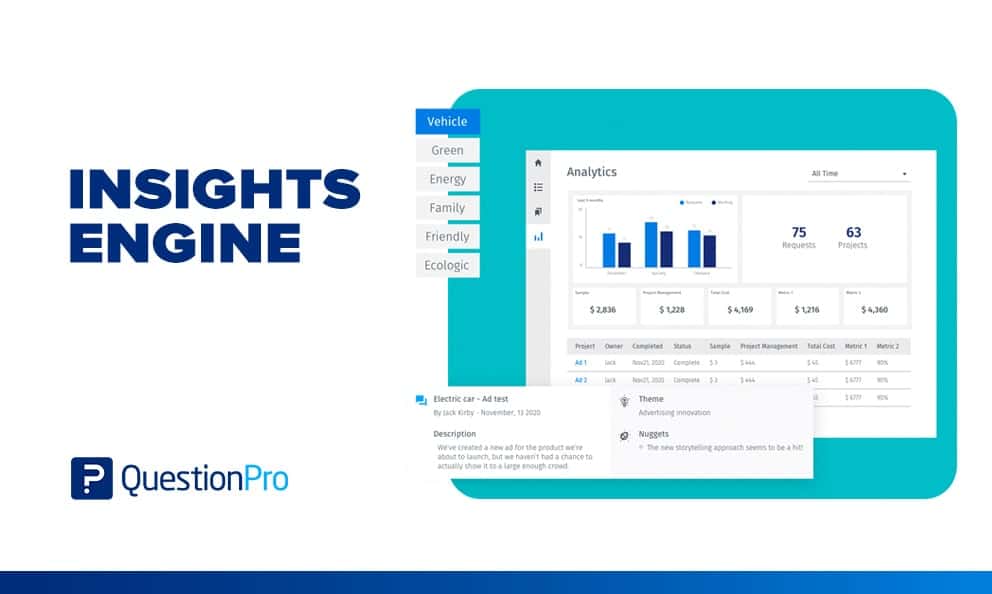
An insights engine is a system that collects an organization’s research, organizes it, and makes past findings searchable so teams can answer new questions without starting a new study. It joins project workflow, a central repository, and smart search in one place.
Most companies already own plenty of insight. The trouble is that it sits in slide decks, shared drives, and inboxes where nobody finds it. An insights engine fixes that retrieval problem.
In this guide, we’ll define the term, separate it from similar tools, walk through the parts, and show seven steps to build one.
What is an insights engine?
An insights engine is a unified, searchable hub where research and insights teams manage projects, store findings, and let colleagues find and reuse them. Think of it as the memory of your research function, plus the workflow that feeds it.
It does three jobs:
- Capture: New studies enter through one intake process, so every project has an owner, a goal, and a status.
- Organize: Reports, raw data, transcripts, and decks get tags and summaries so they stay findable.
- Retrieve: Anyone with access can search or ask a question and get the relevant past evidence, with its source.
The idea fits a wider pattern. Mature brands now centralize consumer insights so that marketing, product, sales, and research all work from the same facts. That shared access is what data democratization looks like in a research team.
How is an insights engine different from an insight engine, a repository, or BI?
An insights engine is built around research projects and findings, while an enterprise “insight engine” is search software for all company content and a repository only stores files. The names sound alike, so the table separates them.
| Term | What it does | Main users | Where it falls short |
|---|---|---|---|
| Insights engine | Runs research workflow, stores findings, and answers questions from past work | Insights, brand, product, and CX teams | Needs steady tagging and ownership |
| Insight engine (enterprise search) | Applies AI and search across all company documents and data | IT, knowledge managers, analysts | Has no research workflow or study context |
| Research repository | Stores reports, data, and files in one place | Researchers | Often passive, with weak search and no intake |
| BI dashboard | Visualizes structured business metrics | Analysts and executives | Does not hold qualitative findings or past studies |
| Shared drive | Holds files in folders | Everyone | Findings get buried and duplicated |
Gartner popularized “insight engines” as a software category that adds AI to enterprise search. That meaning is real, but it is a different buying decision from the one research teams face. If your goal is to manage and reuse research, you want the first row. Our guide to the customer insight platform category compares tools that sit nearby.
What problems does an insights engine solve?
An insights engine solves three recurring problems: slow workflow, poor discovery, and no way to build on prior work. Each one wastes budget in a quiet way, so teams often miss the cost.
- Workflow is cumbersome.
Requests arrive by email, chat, and hallway conversation. Nobody can see what is active, queued, or finished, and each study starts from a blank template. - Discovery is broken.
Findings from completed projects live in separate folders and personal drives. A new hire cannot tell what the company already knows about a segment or product. - Teams cannot build on past research.
Without a record of what was asked and learned, teams repeat studies. The same question gets fielded twice, and the old answer is never connected to the new one.
A simple example shows the cost. A product manager asks for a concept test on a packaging idea. Two years earlier, a different team tested nearly the same idea and learned that shoppers misread the claim. With no searchable record, the company pays for the study again and may repeat the mistake.
What are the parts of an insights engine?
A working insights engine rests on four parts: people, process, technology, and culture. Skip any one and adoption stalls, however good the software looks in a demo.
- People: Someone must own the engine. That owner, often a research operations lead, enforces intake rules, keeps tags clean, and trains colleagues. Researchers also write findings in plain language, because business stakeholders read the summary first.
- Process: Every study follows the same path of request, scoping, fieldwork, analysis, publish, and archive. A standard intake form captures the business question, audience, method, timeline, and output format. Without it, you cannot compare projects or spot duplicates later.
- Technology: The platform needs a central repository, tagging, natural-language search, and permissions. It should also connect to where findings already live, such as cloud drives and survey tools, so you do not copy files by hand.
- Culture: People use the engine only if sharing feels normal. Leaders can model the habit by pointing colleagues to an existing study before approving a new one. Short training sessions on what the engine holds help business teams trust it.
How do you build an insights engine step by step?
You build an insights engine by defining the questions it must answer, standardizing intake, centralizing content, tagging it, and then training users. Start small, with one team and one year of studies, and expand once people rely on it.
- Define the decisions it will support.
List the five to ten questions stakeholders ask most, such as “What do we know about Gen Z buyers?” Those questions decide your tags, search needs, and success metrics. - Audit your existing research.
Count what you have and where it lives. Sort it into keep, archive, and retire, and note studies older than your cutoff, such as three years, that need a label for age. - Standardize project intake.
Build one intake form that captures the objective, audience, method, deadline, and wanted output, such as a text analysis, Excel tables, slides, or verbatim comments. Every new request goes through it. - Design a tagging scheme.
Pick a short list of fields: study type (ad test, concept test, product test, brand tracker), audience, product line, market, and year. Keep tags few and controlled so search stays clean. - Load content and connect sources.
Import past reports, decks, transcripts, and survey data. Connect live sources so new work lands in the engine without manual copying. - Set access and roles.
Decide who can view, add, and edit. Give business teams read access to published findings and keep raw respondent data restricted to the research team. - Launch, train, and review.
Run short demos for each stakeholder group. Check search logs after 30 days to see what people look for and cannot find, then fix tags and gaps.
How do you choose an insights engine platform?
Choose a platform by testing how well it handles intake, search, connections, and permissions against your own studies. A demo with sample data hides problems that a pilot with your real files will expose.
| Criterion | What to check | Why it matters |
|---|---|---|
| Intake and workflow | Custom forms, stages, owners, due dates | Keeps projects visible from request to archive |
| Search quality | Natural-language questions, answers that cite sources | Decides whether anyone returns after week one |
| Content types | Reports, decks, survey data, video, transcripts | Insight lives in more than documents |
| Connections | Cloud drives, survey tools, community data | Avoids manual uploads |
| Governance | Roles, permissions, audit trail | Protects sensitive data and keeps trust |
| AI features | Summaries and tags generated automatically, answers limited to your own data | Cuts manual curation work |
Also decide whether to build or buy. A custom build gives control but needs engineers for search, security, and upkeep. Most research teams reach value faster with a purpose-built platform and put their effort into tags and adoption instead.
How is AI changing the insights engine?
AI turns an insights engine from a place you search into a place you ask. Instead of guessing keywords, a user types a question and gets a short answer built from your own studies, with links back to the source files.
The gains are real, but so are the limits. Plan for both before you roll it out:
- Faster tagging: AI can summarize a report and suggest themes in seconds, which removes the biggest barrier to keeping the engine current.
- Easier access for non-researchers: A marketer can ask in plain language without learning your folder logic.
- Answers need sources: An answer with no citation cannot be checked. Require a link to the original study every time.
- Old data can mislead: A finding from five years ago may no longer hold. Show the study date next to every answer and let researchers flag outdated work.
- Quality in, quality out: Poorly scoped or biased studies stay poor when summarized. Keep a researcher in the loop for high-stakes decisions.
A practical test: ask the engine five questions whose answers you already know. If it cites the right studies and admits when it has no answer, it is ready for wider use.
What does an insights engine look like in practice?
In practice, an insights engine changes three everyday moments: answering a stakeholder, scoping a project, and onboarding a teammate. The examples below show the engine replacing a manual hunt in each case.
- A brand manager asks a quick question: Without an engine, the research team searches drives for a day. With one, the manager asks the engine and reads a sourced answer from prior studies in minutes.
- A researcher scopes a new study: Without an engine, the brief starts from scratch. With one, the researcher finds similar studies, reuses the questionnaire, and spends budget only on what is still unknown.
- A new hire gets up to speed: Without an engine, the hire reads scattered decks for weeks. With one, the hire filters by product line and year and reads summaries of what the company already knows.
Teams also use the engine for specific jobs. Each draws on the same stored evidence.
- Brand and marketing: Check past ad tests and brand trackers before planning a campaign.
- Product: Review earlier concept and usability findings before building a new feature.
- Customer experience: Link survey themes to earlier journey research to see if a problem is new.
- Leadership: Pull a short, sourced summary before a planning meeting instead of waiting for a custom report.
How do you measure whether an insights engine is working?
You measure an insights engine by tracking usage, reuse, speed, and savings together. Counting uploads alone proves nothing, because a full repository nobody searches is still a failure.
- Active users: Share of invited stakeholders who search or open a finding each month.
- Search success rate: Searches that end in an opened result, divided by all searches. Review the failed ones weekly.
- Reuse rate: New projects that cite or build on a prior study, divided by all new projects.
- Time to answer: Median hours from a stakeholder question to a sourced answer.
- Tagging coverage: Projects with every required tag, divided by all projects.
- Duplicate studies avoided: Requests redirected to existing findings, with the fieldwork cost you saved.
Set your own baseline in the first 60 days, then aim to improve it each quarter. Targets differ by team size and research volume, so avoid copying another company’s benchmark.
What mistakes weaken an insights engine?
Most insights engines fail from neglect, not from weak software. Four mistakes cause most of the damage, and each has a direct fix.
- Treating it as a file dump: Uploading everything without tags or summaries creates a second shared drive. Require a summary and tags before a study counts as published.
- No owner: When nobody owns intake and tagging, quality drifts within months. Assign a named owner and a monthly review.
- Ignoring workflow: A repository without intake leaves new projects invisible. Make the intake form the only way to request work.
- Skipping training: Business teams default to email if nobody shows them the engine. Run short sessions and share quick wins, such as a study that was avoided.
For related thinking on keeping work visible and flowing, see our notes on workflow efficiency.
How does QuestionPro InsightsHub work as an insights engine?
QuestionPro InsightsHub is the insights engine within QuestionPro’s Market Research Software. It brings research files, survey results, and community discussions into one searchable space.
According to the product pages, InsightsHub includes:
- Natural-language search: You ask a question as you would ask a colleague, and each answer shows its source.
- Answers from your data: The AI chat answers from your company’s own research rather than the open internet, and it says so when it finds no answer.
- Connected sources: SharePoint, Google Drive, QuestionPro surveys, Communities data, and uploaded PDF, DOCX, PPTX, and TXT files.
- Automatic processing: Uploaded content gets a summary, themes, and tags without manual curation.
- Projects: Research groups by product, campaign, or market, with status, owner, and due dates.
- Video analysis: Uploaded video returns a timestamped transcript, speaker detection, sentiment, and quotable moments.
To see how a brand team applies it, read how InsightsHub for brands handles fragmented research. If your engine feeds from an ongoing panel, our guide to the insight community covers that side. Check current security certifications and language support with the vendor before you commit, since those details change.
An insights engine pays off when people trust it enough to ask first
An insights engine works when a stakeholder’s first move is to ask it, not to commission something new. That habit takes clean intake, good tags, and visible wins, not a bigger budget.
Begin with one team and one clear set of questions. Once colleagues see a study avoided or a decision made faster, adoption spreads. Pair it with solid marketing insight work, and the research you already paid for keeps earning its keep.
Frequently Asked Questions (FAQs)
A research repository stores files, while an insights engine adds project intake, tagging, and search that returns answers. The repository is one component. The engine also manages workflow so new studies enter the system and past ones stay easy to find.
A research operations lead or insights manager should own it, because the role covers intake rules, tagging standards, access, and training. Shared ownership usually fails. Business teams use the engine, but one named person must keep it clean and current.
A first version for one team can take a few weeks if you already know your questions and have your files collected. Auditing old research and designing tags take the longest. Plan on adding sources and teams over the following quarters.
Yes. Small teams often gain the most because one person holds most of the knowledge, and losing that person means losing the history. Start with intake and tags for recent studies, then add older work as time allows.
No, but AI helps. Basic tagging and search can work without it. AI adds automatic summaries, themes, and question answering, which cut manual work. Look for answers that cite their sources and stay limited to your own data.