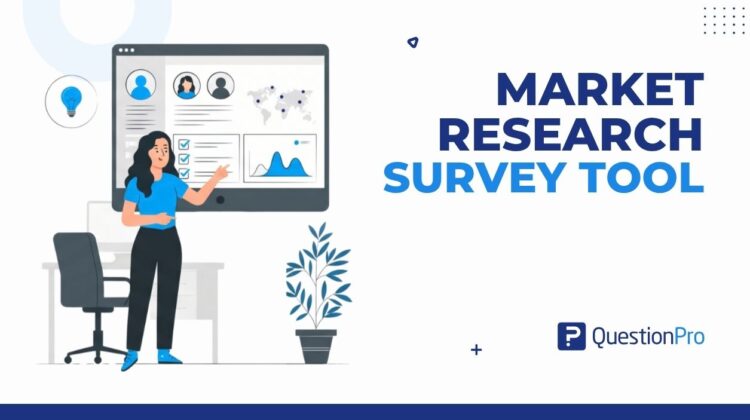
A market research survey tool turns guesswork into evidence about what your customers actually want. For a small or medium business, it is often the fastest and cheapest way to test a product idea, check pricing, or understand a target audience before spending real money on it.
Many businesses skip this step. They build a product, launch it, and only then find out whether anyone wanted it in the first place.
This guide breaks down what a market research survey tool actually does, how to choose one that fits your business, and how to run a survey that gives you answers you can act on.
What is a market research survey tool?
A market research survey tool is software that helps you design, distribute, and analyze surveys to collect structured feedback from customers, prospects, or a defined target market. It replaces guesswork with data you can measure and compare over time.
Most tools in this category let you build a questionnaire, send it through email, a website link, or social media, and then turn the responses into charts, cross-tabs, or reports. The better platforms also support advanced question types built specifically for research, not just basic multiple choice.
Market research tool vs. customer feedback tool
These two terms get used interchangeably, but they answer different questions. A market research survey tool is built to answer questions about a market before or during a decision, such as pricing, demand, or positioning.
A customer feedback tool is usually narrower. It focuses on how existing customers feel about a purchase or interaction they already had, like a support ticket or a recent order. Many platforms offer both, but the two use cases call for different question design.
Why market research matters for small and medium businesses
Skipping market research is one of the most common reasons new products fail to gain traction. In an analysis of startup post-mortems, CB Insights found that a lack of demand for the product was the single most cited reason startups shut down, appearing in 42% of the cases studied.
That statistic holds a simple lesson. A product built without checking demand first is a bet, not a decision.
A market research survey tool lowers the cost of checking that demand. Instead of spending months building something nobody wants, a short, well-designed survey can validate or kill an idea in days. This is also why so many roundups now compare market research tools side by side. The right one depends on your specific question types and budget, which the next section covers.
For a small or medium business, the real cost of skipping research rarely shows up right away. It shows up months later, in unsold inventory, a pricing page nobody converts on, or a feature nobody asked for. A short survey run before that spending happens is almost always cheaper than fixing the decision afterward.
How to choose the right market research survey tool
The right market research survey tool depends on your question types, your audience size, and your budget. It does not depend on which platform has the longest feature list.
Before comparing vendors, it helps to know what actually separates a basic form builder from a research-grade platform.
| What to look for | Why it matters |
|---|---|
| Advanced question types | Basic multiple-choice cannot answer pricing or trade-off questions well |
| Sample size and audience access | You need enough responses to trust the results |
| Data analysis built in | Manual analysis in spreadsheets is slow and error-prone |
| Integrations | Feedback should flow into the tools your team already uses |
| Pricing that scales | You should not pay for enterprise features you do not need yet |
Platforms such as QuestionPro’s Market Research Software are built around the first point on that list. They support specialized question formats, including conjoint analysis, which shows which product features customers actually value when they have to make trade-offs, rather than just asking them to rate everything highly.
Audience access matters just as much as features. If you already have an email list of customers, most tools can distribute to it directly. If you need to reach people outside your existing list, such as a new target demographic, check whether the platform offers its own respondent panel rather than leaving you to source participants on your own.
Once you have shortlisted a tool, the real work is designing a survey that produces a clear answer instead of a pile of unusable data.
Step-by-step guide to running a market research survey
Running a market research survey well comes down to two phases: planning it correctly, and analyzing what comes back. Skipping either one wastes the data you collect.
Plan your survey
Start by writing down exactly what decision this survey needs to inform. A survey with no clear goal produces answers nobody can act on.
- Define your goal. What decision depends on this data?
- Decide who should respond. Existing customers, website visitors, or a new target audience each require a different approach.
- Set your sample size. Here is how to determine the right sample size for reliable results.
- Choose your method. Online surveys are the most common and least expensive option for most businesses.
Once your goal and audience are locked in, move on to writing the actual questions.
Design, pretest, and run your survey
Keep the survey short. Respondents rarely finish anything that takes longer than three or four minutes, and long surveys quietly lower your response quality.
Use a mix of survey question types rather than relying only on open text, which is harder to analyze at scale. Before sending it to your full audience, test it on 15 to 20 people you trust. Pretesting catches confusing wording before it costs you real responses.
Once the pretest results look clean, launch the survey to your full sample and let it run long enough to hit your target response count. Resist the urge to cut it short just because early responses look promising. Early responders often skew toward your most engaged customers, which can make results look better than they actually are once the full sample comes in.
Real-world example: A market research survey tool in action
Consider a five-person coffee subscription startup deciding whether to add a decaf tier. Instead of guessing, the founder sends a short survey to 400 existing subscribers.
The survey asks how interested subscribers are in a decaf option, what they would expect to pay for it, and whether they would switch subscriptions elsewhere if it were not offered. Within four days, 140 people respond.
The results show that 30% of respondents would pay a premium for decaf, but most are only mildly interested. That is not a strong enough signal to justify a full product line, so the founder tests a smaller, limited-run batch instead of a permanent tier.
This is the core value of a market research survey tool. It replaces a guess with a real number, and that number changes the decision.
How to measure the results of your market research survey
Measuring a market research survey comes down to a few core numbers: response rate, margin of error, and whether the differences you see are meaningful or just noise. A 20% response rate on 2,000 sends is very different from 20% on 50 sends, even though the percentage looks identical.
Beyond the raw numbers, tie your results to the metric your business already tracks. If the survey touches customer loyalty, pair it with a Net Promoter Score question so you can compare it against future surveys over time.
| Metric | What it tells you |
|---|---|
| Response rate | Whether your sample is large enough to trust |
| Margin of error | How much the results could shift with a different sample |
| Segment differences | Whether one group of customers feels differently than another |
| Willingness to pay | Best captured using a structured approach like Van Westendorp price sensitivity |
Track these numbers the same way each time you survey, so results are comparable quarter over quarter. A single survey gives you a snapshot. Repeating the same core questions on a regular schedule is what turns that snapshot into a trend you can actually manage against.
Common mistakes to avoid with market research surveys
Most bad survey data comes from a handful of repeatable mistakes, not from a flawed tool. Watching for these before you launch will save you from acting on numbers you cannot trust.
- Asking leading questions that nudge respondents toward an answer you want to hear
- Skipping the pretest and finding confusing wording only after the survey has gone out
- Surveying only existing customers when the question is really about a new audience
- Ignoring sample size and treating 20 responses the same as 2,000
- Writing surveys that take more than five minutes, which quietly lowers completion rates
Avoiding these mistakes matters more than which platform you use to collect the data.
Turning research into decisions you can act on
A market research survey tool only earns its cost if the answers it produces actually change a decision. The goal was never to collect data. It was always to replace a guess with something closer to certainty.
Treat every survey as a small, cheap way to test a bigger, more expensive decision before you make it.
Frequently Asked Questions (FAQs)
Market research looks outward at an entire market, including people who are not yet customers, to test demand or positioning. Customer research focuses only on people who have already bought from you, usually to improve retention or satisfaction with what they already have.
Costs range from free, limited plans for very small survey volumes to several hundred dollars a month for platforms with advanced question types and larger respondent panels. Most small businesses can start on an entry-level plan and upgrade once survey volume grows.
It depends on your total audience size and how precise you need the results to be. As a general starting point, 350 to 400 responses from a broader population give a reasonably reliable margin of error for most small business decisions.
Yes, for very small audiences, you can use free tools or manual interviews. Paid market research survey software becomes worthwhile once you need advanced question types, larger sample sizes, or built-in analysis.
Aim for three to five minutes of respondent time. Surveys that run longer see completion rates drop sharply partway through, which shrinks your usable sample size even when plenty of people clicked the initial link and started answering.